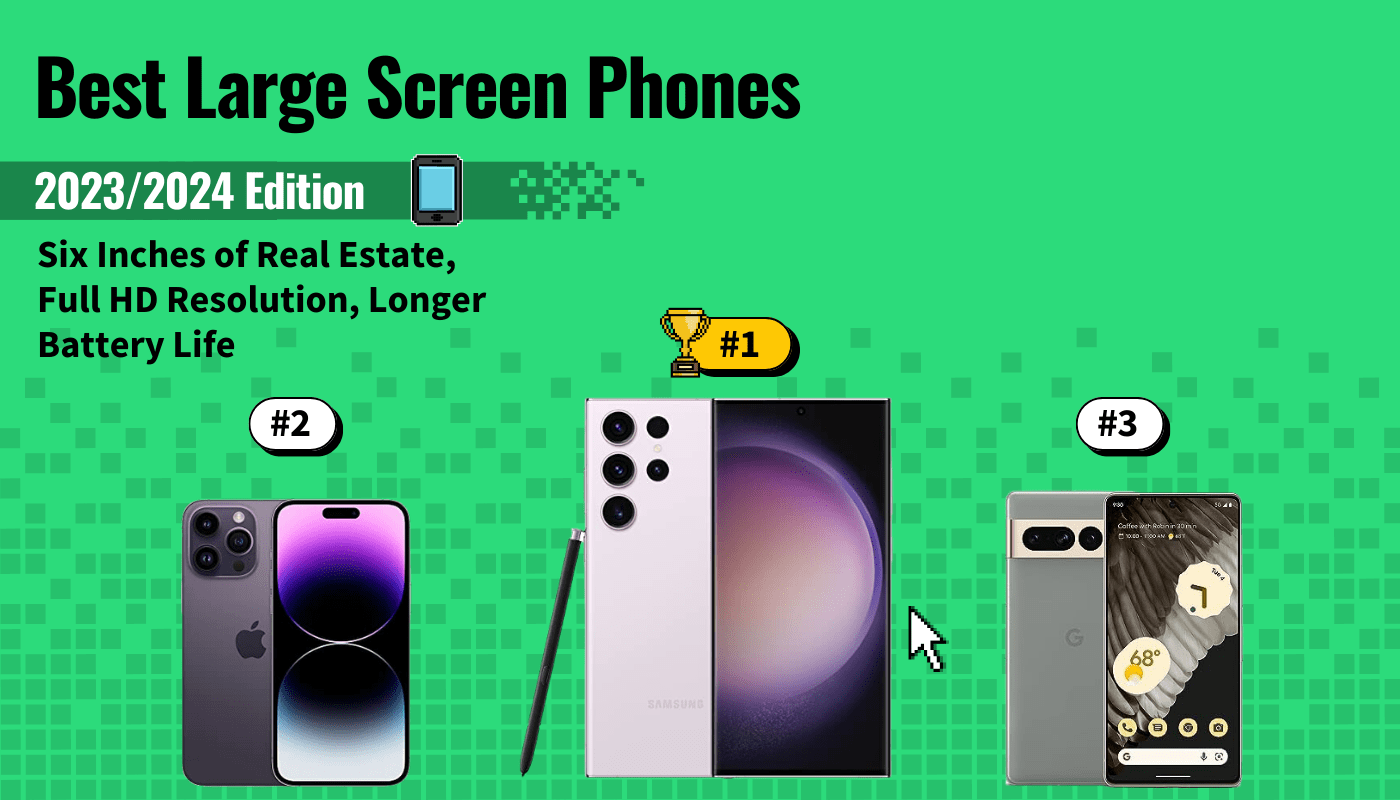
When it came time to rank the best large-screen phone available today, we spent hours sifting through product specs and customer reviews for over 30 new and old devices. During our research, we first focused our efforts on identifying the top considerations and features to look for. These include display quality (not just size!), overall performance, and the quality of additional features like camera quality and durability. You should buy a phone that feels comfortable in your hand while still providing the protection of water and drop resistance. We also recommend purchasing a phone with more processing power so you can get the smoothest and most reliable performance on your large screen.


With these aspects in mind, we picked the Samsung Galaxy S23 Ultra as our top pick for the best large-screen phone. Keep reading below to learn more about this amazing phablet. You can also compare it with the best smartphone to see how it stacks up.
Top 10 Large Screen Phones
#1 Samsung Galaxy S23 Ultra Large Screen Phone
Award: TOP PICK
WHY WE LIKE IT: This large-screen phone offers the best of mobile technology with a stunning 6.8-inch QHD AMOLED display, an outstanding 200-megapixel camera, and a lightning-fast Snapdragon 895 processor. The included S Pen also helps this smartphone come closer than ever to completely replacing the need for any other device in your life.
- Ultra-responsive 120Hz display
- S Pen stylus included for power users
- Improved 13+ hours of battery life
- Very expensive
- Curved display is sometimes annoying
The Samsung Galaxy S23 Ultra offers a ton of functionality and features for power users, casual users, and phone enthusiasts alike. For starters, it comes out of the gate with a beautiful 6.8-inch display that will certainly wow you the first time you power it on. This QHD AMOLED display features a 3088 x 1400 pixel resolution and an amazing 120Hz refresh rate, making scrolling and general operation smoother than anything you’ve experienced. This is a curved display as well, which looks really sleek. However, be aware that the curved edges can sometimes lead to accidental screen taps, though not enough to detract from the overall quality.
The S23 Ultra doesn’t just feature an amazing display. You’ll also get a powerful Snapdragon 895 processor, one of the fastest available in Android phones today. You’ll also get the choice of 256GB, 512GB, or 1TB of internal storage. Unfortunately, the S23 Ultra doesn’t include expandable storage, but the available storage options are enough for most people. This smartphone also includes the fan-favorite S Pen stylus. This top stylus mimics the feel of pen on paper and improves your overall productivity. Finally, you can’t ignore the camera on the S23 Ultra. Measuring in at a whopping 200 megapixels on the main camera, you’ll be able to take professional-level photos with ease. You’ll also get a 12-megapixel ultrawide camera, two 10-megapixel telephoto cameras (one with 100x optical zoom), and a 12-megapixel front-facing camera.
#2 Apple iPhone 14 Pro Max Large Screen Phone
Award: Honorable Mention
WHY WE LIKE IT: On top of the extra-large 6.7-inch display, this large-screen phone features a truly seamless user experience, an ultra-fast processor, and best-in-class camera quality. Plus, it offers a truly premium ecosystem with other Apple products, which is hard to beat.
- Blazing-fast A16 Bionic chipset
- New Dynamic Island cutout
- Always-on display
- Improved 14-hour battery life
- Limited storage options
- Limited color options
- Expensive
The Apple iPhone 14 Pro Max is the result of over 10 years of refinement and fine-tuning. It currently offers the largest iPhone display, measuring 6.7 inches. But size isn’t the only thing this display has going on. You’ll also get super crisp, colorful, and detailed picture quality on the OLED display. Plus, this year features the all-new Dynamic Island cutout, replacing the notch and providing a super-polished experience. You’ll also get always-on functionality, meaning all of your notifications are accessible at a glance without you needing to unlock the phone.
One of the biggest selling points of purchasing an iPhone today is the overall user-friendliness and seamless ecosystem that Apple has created. The 14 Pro Max continues that same legacy. With Apple’s fastest processor to date – the A16 Bionic – this iPhone operates incredibly smoothly. Everything is responsive, and you’ll hardly experience any stuttering or lag when opening apps or switching between different apps. We were also impressed by the improved battery life, which provides upwards of 14 hours on a single charge. As usual, you’ll also get best-in-class camera quality with the iPhone 14 Pro Max. With a new 48-megapixel sensor, you’ll get clear pictures and stunning quality in low-light environments. This iPhone is by far one of the best low-light camera phones on our list.
#3 Google Pixel 7 Pro
Award: Best Camera
WHY WE LIKE IT: This large-screen phone offers a more affordable option to get high-end functionality when compared to other options available on the market today. The camera quality and functionality stand out the most, with a stunning 50-megapixel camera sensor and powerful photo processing abilities.
- Amazing camera and photo processing
- Bright, colorful display
- More affordable than other flagship phones
- Disappointing battery life
- Charges slower than other phones
Google’s Pixel smartphone lineup has always seemed to be a step or two behind other flagship smartphones, until today. The new Google Pixel 7 Pro brings a ton of improvements and new features to the table, making it one of the best large-screen smartphones available today. Plus, it’s more affordable than the other premium flagship phones like the Samsung Galaxy S23 Ultra and the iPhone 14 Pro Max. One of the phone’s top features is the Tensor G2 processor, which offers tons of machine learning and AI features on top of improved performance. Unfortunately, the phone struggles with battery life, even in spite of its 5000mAh battery, and it charges slower than other phones.
In terms of design, the Google Pixel 7 Pro offers a 6.7-inch OLED display with a 3120 x 1440 pixel resolution. The display is colorful but not as bright as it could be, especially for outdoor use. Another shining feature of this phone is its camera. With a triple camera array and a 50-megapixel main sensor, you’ll be able to capture clear, detailed photos with ease. Plus, with AI-powered features like Photo Unblur and Magic Eraser, you’re able to fine-tune your photos even further for the best results.
#4 Apple iPhone 14 Plus Large Screen Phone
Award: Best User Friendly
WHY WE LIKE IT: This large-screen phone offers a more affordable option to get high-end functionality when compared to other options available on the market today. The camera quality and functionality stand out the most, with a stunning 50-megapixel camera sensor and powerful photo processing abilities.
- Excellent dual-camera design
- A15 Bionic chipset is fast and responsive
- Amazing Super Retina XDR display
- More storage costs extra
- 60Hz display
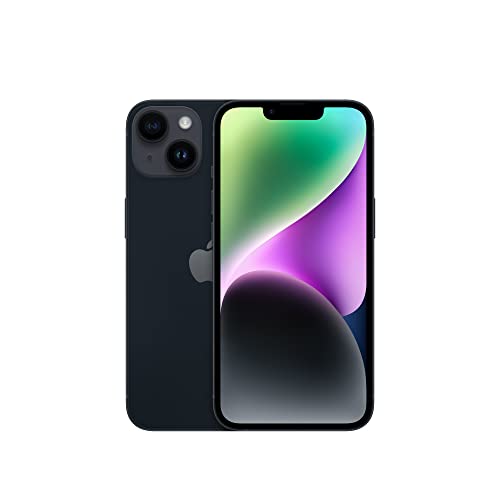
The Apple iPhone 14 Plus is one of the most user-friendly smartphones your money can buy today. Apple prides itself on creating a single line of phones (with minimal variations between different versions) that are incredibly easy to use and fit seamlessly within the broader Apple device ecosystem. The 14 Plus is no different. Featuring the latest version of iOS and a snappy A15 Bionic processor, all at a more affordable price than the iPhone Pro line, this smartphone works well for anyone, regardless of their previous experience with smartphones.
The iPhone 14 Plus features a 6.7-inch OLED display with a 2778 x 1284 pixel resolution. It’s a beautiful display, but it only offers a 60Hz refresh rate, which is disappointing when compared to other phones and their 120Hz displays. The camera array with this iPhone is also superb, as is to be expected with Apple’s phones. You’ll also get around 14 hours of battery life on a single charge. Unfortunately, the charging process is slower than other large-screen phones.
#5 Samsung Galaxy S23 Plus Large Screen Phone
Award: Best Quality
WHY WE LIKE IT: Built from the ground up with premium quality in mind, this large-screen phone will blow you away as soon as you unbox it and power it on. From its high-tech camera to its 120Hz display to its IP68 water resistance rating, this phone redefines the meaning of a premium smartphone.
- 120Hz display is smooth, responsive
- Sleek design that’s easy to hold
- Guaranteed four years of updates
- No expandable storage
- No exciting changes from the previous model
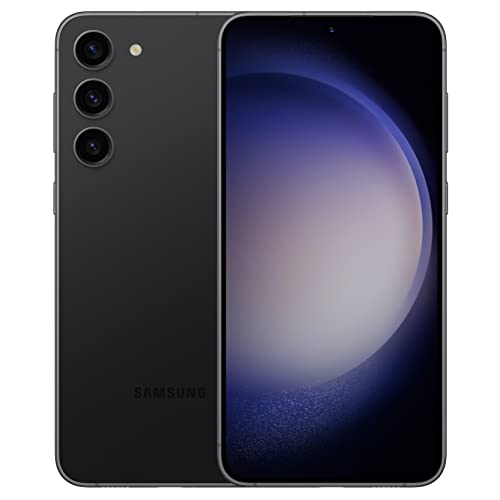
The Samsung Galaxy S23 Plus is designed inside and out with quality in mind. It features the latest Snapdragon 8 Gen 2 for Galaxy processor, which creates an ultra-responsive experience, no matter what you’re doing on your phone. Plus, its design is incredibly sleek and attractive, which is sure to turn heads whenever you pull it out of your pocket. The 6.6-inch super AMOLED display features a 2340 x 1080 pixel resolution and 120Hz motion handling. This results in an extra-smooth experience that looks unreal.
The camera on this powerful phablet is also something worth noting. While it’s not the same as the Ultra, it still boasts a powerful 50-megapixel main camera, 12-megapixel ultrawide camera, and 10-megapixel telephoto camera. You also get the ability to film in 8K resolution at 30 frames per second. The Samsung Galaxy S23 Plus offers a large 4700mAh battery for upwards of two days of battery life on a single charge unless you’re streaming or gaming for hours at a time. Bring along the best portable charger just to be safe.
#6 OnePlus 11 Large Screen Phone
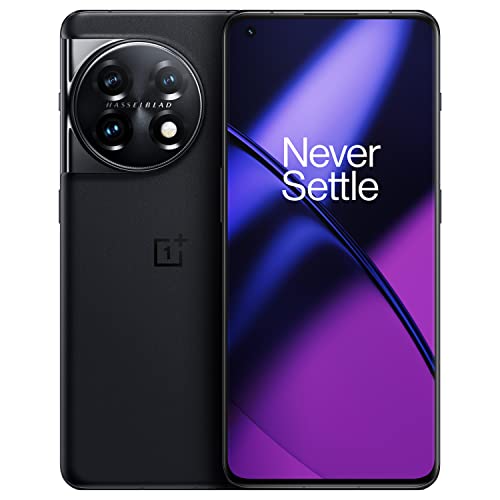
Award: Best Battey Life
WHY WE LIKE IT: With a gorgeous 1440p, 120Hz display, two-day battery life, and fast processor performance, this large-screen phone is the best option for those who love to game and watch movies on their mobile devices. Plus, it charges faster than any other phone on the market and now features splash resistance for some added durability.
- Ultra-fast charging capabilities
- IP64 water resistance now present
- Snappy performance, even while gaming
- Lacks wireless charging
- Disappointing camera performance
- Uninspired design
The OnePlus 11 is the best OnePlus flagship phone to date. It takes most of the best features from the previous generation, improves upon them, and adds new functionality that propels this option forward in the running. The best part about the One Plus 11 is its incredible battery life. The phone sports a 5000mAh battery and a 100W charger, which is the same speed at which laptops charge. Fortunately, the cable and charging brick are included in the box. Using this combination, you can get a full charge from empty in just under 30 minutes. Unfortunately, the OnePlus 11 is not compatible with wireless charging.
As usual, this OnePlus flagship smartphone also offers a stunning display with 1440p resolution and smooth 120Hz motion handling. You’ll also a good, albeit uninspired, design with curved corners and a non-obstructive front camera dot on the display. More importantly, the OnePlus 11 now offers IP64 water resistance. We’re disappointed it’s not an IP68 rating, but this will at least protect your phone from splashes or spills. The phone’s camera is nothing to write home about but will service your on-the-go photography needs just fine.
#7 Motorola Edge Plus
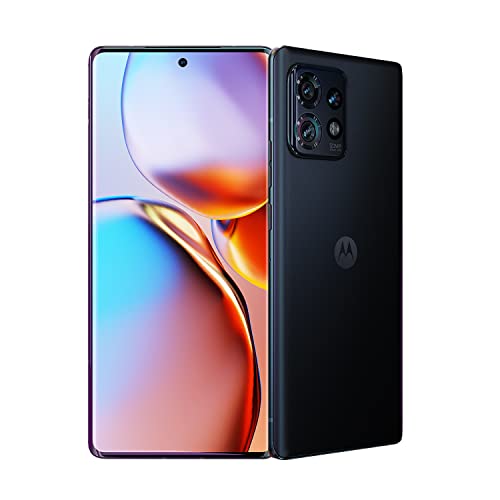
Award: Best Display
WHY WE LIKE IT: With a 165Hz display, IP68 waterproof rating, and a fast internal processor, this large screen is the best flagship phone Motorola has released in a long time. Plus, it offers fast charging, a long battery life, and a decent portrait camera mode.
- Includes Snapdragon 8 Gen 2 processor
- Durable build that includes IP68 water resistance
- Amazing 165Hz display with 1440p resolution
- Price is a little high for what you get
- Camera can’t compete with Apple or Samsung
The Motorola Edge lineup has been around forever, but the Motorola Edge Plus blows the previous generations out of the water. Of course, the top-selling point for this phone is the unique and impressive curved display, which offers an amazing 165Hz refresh rate and a 1440p resolution. The phone is sturdy and offers IP68 water resistance for added durability.
When it comes to performance, you won’t be disappointed by the Edge Plus’s included Snapdragon 8 Gen 2 processor, which offers fast responsiveness. You’ll also get a 5100mAh battery that provides around a day of battery life on a single charge with moderate use. When it’s time to charge, you’ll be pleased with the fast 68W charging capabilities. Finally, the Edge Plus’s cameras are alright for casual use, but they, unfortunately, can’t compete with the cameras you get on an iPhone or a Samsung Galaxy phone.
#8 Samsung Galaxy Z Fold 4 Large Screen Phone

Award: Best Unique Design
WHY WE LIKE IT: A foldable design and massive display size are the two hallmarks of this incredibly innovative and unique large-screen phone. However, it also offers more than just gimmicks with tablet-mode apps and impressive multi-tasking performance.
- Amazing multi-tasking capabilities
- Durable design prevents damage
- Bigger tablet-mode apps
- Much heavier than other phones
- No IP water resistance rating
The Samsung Galaxy Z Fold 4 is absolutely the most unique and innovative smartphone available today. As you can assume from the phone’s name, this is a foldable smartphone with a dual-display design that gives you nearly eight inches of screen size. This is the biggest phablet your money can buy, but be aware that you’ll be paying quite a bit for it. It also includes a third cover screen that you can use as you would with a normal-sized smartphone when the phone is folded up. With this unique foldable design and extra-large display size, this is closer to a tablet than an actual phone.
The good part about that is the fact that it also performs much like a tablet. When the phone is completely open, the apps are displayed in tablet mode, which leads to larger working spaces and more features available at your fingertips without needing to dig around in the menus. You’ll also get enhanced multi-tasking functionality with side-by-side configuration. The Galaxy Z Fold 4 offers the latest in processing power with its Snapdragon 8 Gen 1 processor, which means none of these enhanced functionalities will slow the phone down. There are some downsides to consider here, though, mainly the fact that the phone isn’t water-resistant. It’s also much heavier than other smartphones. However, these are small tradeoffs in order to get such cutting-edge functionality.
#9 RedMagic 7S Pro Large Screen Phone

Award: Best for Gaming
WHY WE LIKE IT: Unique cooling system, gamer-centric design, and long battery life all make this large-screen phone a reliable choice for any mobile gamer. Plus, this phone also offers a bright, colorful, and high-resolution display so your games really pop.
- Innovative fan-powered cooling system
- Includes shoulder triggers
- Long-lasting 5000mAh battery and fast charging
- Bulky, heavy design
- Lacks wireless charging
- Cameras aren’t great
If you’re looking for one of the best gaming phones available today, then look no further than the RedMagic 7S Pro. Everything from the easy-to-hold (yet bulky and heavy) design to the under-display camera for uninterrupted gameplay makes this phone a prime choice for gamers. This phone is also designed with shoulder triggers and includes a 3.5mm headphone jack for personal game audio. But the best feature is the integrated cooling system, which uses a 20,000 RPM fan to keep the device cool while you play.
In terms of the display, you’ll get a beautiful 6.8-inch AMOLED display with a 1080p resolution and 120Hz refresh rate. The front-facing camera sits underneath this display, so you don’t have to deal with any annoying notches or camera dots. Battery life is also excellent on the RedMagic 7S Pro, with upwards of five hours while gaming, thanks to the large 5000mAh size. Unfortunately, the cameras aren’t great, but if you’re buying this phone, you probably aren’t too worried about that in the long run.
#10 Moto G Stylus Large Screen Phone
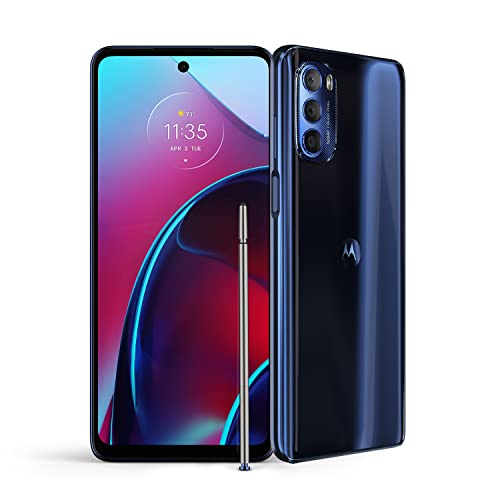
Award: Best on a Budget
WHY WE LIKE IT: This large-screen phone’s value proposition comes in the form of added stylus functionality, reliable performance, and good battery life, all at a much more affordable price than other flagship phones.
- Surprisingly good performance for a budget phone
- Good battery life with 5000mAh capacity
- Stylus is functional and fun
- Only offers 4G capabilities
- Screen could be brighter
The Moto G Stylus doesn’t pretend to be anything other than a budget smartphone with overall reliable performance and great functionality. It’s one of the best cheap large-screen phones available today. Even though it doesn’t offer all of the cutting-edge bells and whistles that the premium flagship phones have, it still holds its own. The MediaTek Helio G88 processor runs most apps just fine. And the 5000mAh battery gives you upwards of two days of battery life on a single charge.
Perhaps the best feature of the Moto G Stylus is its namesake: the stylus. It’s a helpful feature that’s hard to find in smartphones today. You can use it to take notes or control the device more accurately. The Moto’s display offers 6.8 inches of real estate and a 1080p resolution, which looks good for a cheap smartphone, though we wish it got a little brighter. Unfortunately, this budget smartphone doesn’t offer 5G compatibility, which may or may not be a deal breaker, depending on where you’re located. All in all, the Moto G Stylus is an excellent choice for budget-conscious consumers.
How We Decided
The first consideration we made when ranking the best large-screen phones was screen size. We didn’t include any options with displays smaller than six inches (or within a couple of tenths of an inch). We awarded bonus points to phones with larger displays that didn’t sacrifice overall display quality. We preferred phones with 4K display resolution but still included full HD options.
Next, we looked at the overall design and durability. While we don’t expect large-screen phones to fit well in one hand or be used one-handed, we made award points based on easily holding the phone and using it without awkwardness. Phones that were designed specifically with ergonomics and a firm grip in mind were rated higher. We also preferred smartphones with durable glass and frames since the chances of dropping larger phones are much higher.
Finally, we considered the overall performance. It can take a lot of processing power to run phones with larger displays. As such, we ranked phones higher if they included the latest and greatest processors since they run much smoother overall. If you want to use the large screen to watch some movies, check out our guide on connecting a Bluetooth speaker to a phone to ensure the sound is great as well.
Best Large Screen Phone Buyer’s Guide
When shopping for the biggest phone screen in 2023, take into consideration just how big of a phone screen you need. Tiny, small flip phones are no longer in style, and finding the biggest screen phone can almost be a nightmare. For instance, do you know what phone has the biggest screen? It’s more than looking at a big screen phone and eyeballing it and more about knowing the actual specifications.
We do our best to bring you reviews of phones with big screens. However, comparing the biggest display a smartphone can have against other large-screen mobile phones are what will help you find the right one. Let’s dive in.
The Most Important Features to Consider
- Display Size and Quality
If you’re in the market for large-screen mobile phones, then the overall display size and quality will obviously be the first point of importance.
- The best big screen phones typically offer at least six inches of real estate, but there is some wiggle room on the low end of the scale.
- Due to this, these large screen smartphones are often also referred to as phablets (as in phone-slash-tablet). However, just because you’re getting the largest phone screen doesn’t automatically mean you’ll also be getting a high resolution.
- To get the most out of a phone with the biggest screen, you’ll want to look for phones that offer a minimum of full HD resolution. On the other hand, if you’re not getting the quality you like, you can always look into a phone camera vs DSLR camera.
- In short, while shopping for the largest phone screen in 2023, keep in mind that the biggest display smartphones won’t always have the best resolution.
- Performance
With a larger phone display, you’ll be more likely to notice stuttering and lagging during day-to-day operations. Plus, there’s just more processing that needs to be done on the phone’s side.
- This is why purchasing a large-screen phone with a powerful internal processor is important. The addition of an always-on display and a larger battery means that you’ll be getting a much more powerful phone without sacrificing battery life.
- Phone processors come in all shapes and sizes, but most large-screen phones are also flagship phones, which means they’ll often ship with the latest and greatest internal components.
- This means they will often include high-end features, security patches, and excellent battery life that can keep up with the demands of modern users.
- Durability
Large-screen phones are, of course, bigger than their smaller displayed counterparts, which can lead to difficulty holding them securely in your hand.
- This is why the boxy design of a 6.7-inch screen phone prevents users from easily holding it in one hand. More often, large-screen phones require the use of both hands to operate effectively.
- They also have more surface area on the display glass that can get scratched or cracked.
- As such, you’ll want to be sure you purchase an option with added durability. This can come in the form of tougher glass, a metal chassis, and water and dust resistance.
- Camera
If you’re purchasing a phablet, it’s likely due to the fact that you want more functionality and features for your money. Consider the phone’s camera quality in your buying decision.- If you’re carrying such a large phone, it’s unlikely that you’ll also want to carry around additional devices, if at all possible. Most phablets offer fantastic cameras, but they do vary widely.
- But, if you need the right lighting for live streaming or YouTube recordings, then you’ll want to use the Meifigno selfie ring light with your chosen phone.
- Consider both still image quality and video recording capabilities so you can get a device that meets your specific needs when it comes to photography and videography.