Based on our research and selection process, we found LastPass to be our top choice for the best software apps. Why is Lastpass so important and high up in our list? Because LastPass is a password management solution that allows you to keep your digital life secure. Offering a free version of its software, you don’t even need to shell out any money to get started. Store all your passwords in a secure vault and access them on any of your devices. The auto-fill password function makes logging into your favorite services a breeze, and if you need any help coming up with a secure password, just use the password generator.
To find the best software apps for your computer, smartphone, and tablet, we began by examining vast libraries of software, selecting options across broad categories, including password management, booking, anti-virus solutions, music, maps, weather, entertainment, and much more. Depending on what you wish to do with your electronic devices, you may need to seek out different software solutions. We explore the best options so that you can enjoy your digital life with ease. For more of the best software apps, keep on reading.
Top 12 Best Software Apps
#1 LastPass
Award: TOP PICK
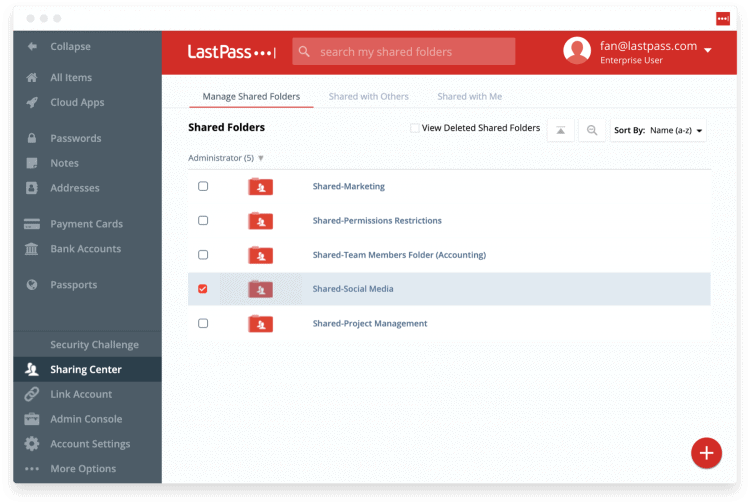
WHY WE LIKE IT: Our top pick allows you to generate new passwords and maintain your existing passwords with zero effort. Tap your screen or click a button and LastPass auto-fills your password, so you don’t need to remember it.
- Secure your digital passwords
- Access on all your devices
- Generate new secure passwords
- Advanced multi-factor requires a subscription
LastPass is a password management solution that allows you to secure your digital passwords, keeping your online life safe and secure. Generate new passwords as needed and don’t worry about remembering them thanks to LastPass’ auto-fill feature when browsing the web or using your favorite apps. You’ll be able to access all your passwords across your various devices, including Mac, Windows PCs, Android, and iOS. A free model is available to get started today, but some advanced features require a subscription.
#2 Quickbooks

Award: HONORABLE MENTION
WHY WE LIKE IT: Easily manage all of your accounting, payroll, and payment needs with this piece of software. Features include sending out invoices with reminders, finding tax savings, and managing your business all from your smartphone, tablet, or computer.
- Track invoices & accept payments
- Find tax savings for your business
- Manage 1099 contractors with ease
- Doesn’t include full payroll service
There is a reason Intuit’s Quickbooks offering has stood as a standard in the world of finance. Use Quickbook to manage business tasks, including accounting, payroll, expenses, sales tax, and run reports. Thanks to the powerful invoicing system, you can send custom reminders and receive money with direct deposit quickly. If you’re working with others, Quickbooks can also assist with managing 1099 contractors. Just know that the full payroll service is an extra addition if you need the advanced features. Access via a desktop version or mobile apps and take control of your small business or large enterprise.
#3 AVG Anti-Virus
Award: BEST SECURITY SOFTWARE
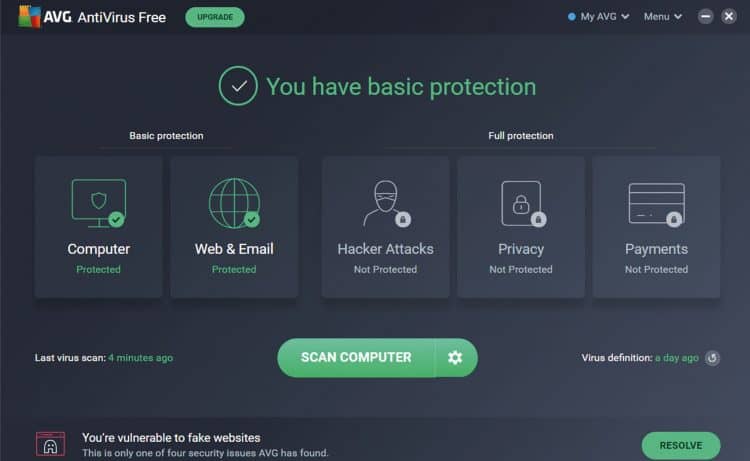
WHY WE LIKE IT: Protect your favorite devices from viruses and malware without needing to worry constantly, thanks to computer, web, and email scanning. You can even keep an eye on hacker attacks, your device’s privacy, and your personal bank information.
- Protects against viruses & malware
- Block unsafe web links & downloads
- Receive real-time security updates
- Firewall protection requires upgrade
There are a plethora of anti-virus security solutions available for download, but if you are looking for an option that you can trust to protect against viruses and malware, AVG Anti-Virus is our #1 choice. AVG even blocks unsafe web links and downloads (even drag and drop) before they hit your computer. Additionally, with real-time security updates, you won’t need to worry that your software isn’t ready for the task at hand. Note that AVG’s firewall protection will require an upgrade from the company’s free plan to a pro version. Available as a Windows app, Mac app, or for Android and iOS mobile devices.
#4 Google Maps
Award: BEST TRAVEL SOFTWARE
WHY WE LIKE IT: When you need to get from point A to point B, there is no better option. Receive real-time traffic updates, plan your next road trip, search for new business, and enjoy the satellite photography views, all with a few clicks.
- Real-time traffic map updates
- Find new businesses & locations
- Plan road trips ahead of time
- Map data may have inaccuracies
Google Maps is the defacto standard for mapping software; you can download it to your favorite iOS or Android device, or access via the web. Plan out your next road trip and use analytical data to find the best travel times, or obtain directions based on real-time traffic information. Google Maps can help you discover new places of interest, but we did notice that some information can contain inaccuracies. Still, we won’t go with any other option.
#5 Spotify
Award: BEST MUSIC SOFTWARE
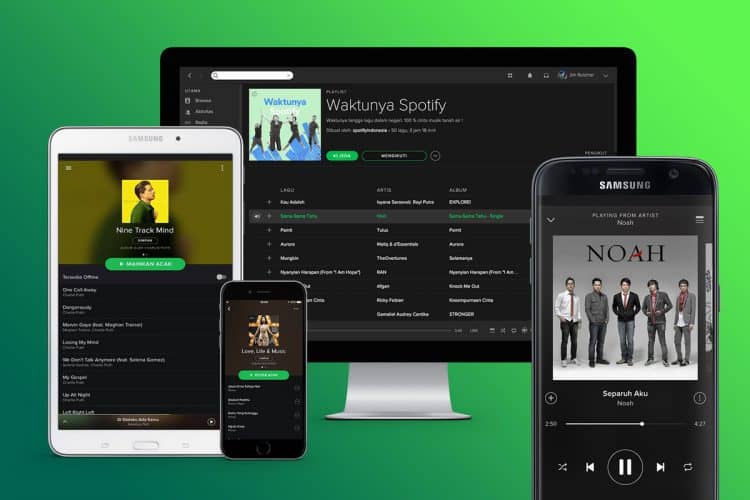
WHY WE LIKE IT: Access millions of different songs and podcasts, taking your favorite music anywhere you go. No longer do you need to destroy your wallet to listen to the latest tracks, you can do it all here — even free.
- Listen to millions of songs
- Access your favorite podcasts
- A wide array of mobile apps
- Isn’t the best option for iPhone
Spotify has been around for over a decade, allowing listeners to access their favorite artists, albums, and songs, without needing to shell out their latest paycheck constantly. Using Spotify, you can access millions of songs, as well as podcasts. Spotify has plenty of mobile apps, so you can enjoy music on your iPad, iPhone, Android device, Windows device, or Amazon Fire device. Spotify isn’t our favorite option for the iPhone due to its complexity with Siri control, but it certainly isn’t a slouch when it comes to music.
#6 Loom
Award: BEST SCREEN RECORDING APP
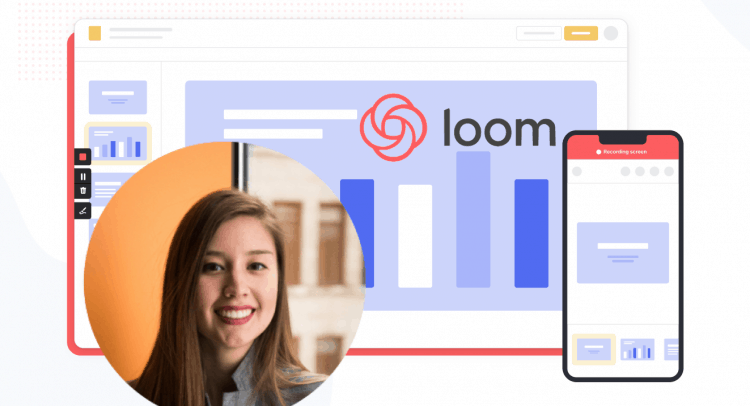
WHY WE LIKE IT: If you’re tired of typing or simply need to show everyone something in a visual fashion, this app allows you to record both yourself and your screen with ease. Explain complex information without searching for the right words.
- Record your screen for coworkers
- Capture video messages
- Highlight items on the screen
- Takes time to record
Loom is an app that allows coworkers to record their computer screens and themselves, sharing video messages with others — great for explaining complicated information or referencing visual data in Microsoft Office. Your captured video messages can instantly be sent to others to receive comments and reactions. If you need to point to something on the screen, use the built-in drawing tools as an aide. Just give yourself a bit of extra time, as for some, this can take more time to produce than a standard message — editing tool and cloud storage included.
#7 WhatsApp
Award: BEST WORLDWIDE COMMUNICATION APP
WHY WE LIKE IT: Send messages to family and friends, no matter where they are located in the world. Create groups with individuals and share with others via voice messages, text, documents, video calls, and more.
- Send messages worldwide
- Create groups with others
- Chat via text, voice, or video
- Web-version isn’t up to par
If you have family members abroad, you may be familiar with WhatsApp; this excellent software app allows you to communicate with others around the world. You can send standard text messages and video files, or spice things up with real-time voice and video chat options. Create groups with your friends, family, and coworkers for quick access and feel secure thanks to the app’s end-to-end encryption. The app works great on mobile, but we feel the web app could be improved as it’s missing a few more advanced features.
#8 Duolingo
Award: BEST LANGUAGE LEARNING APP
WHY WE LIKE IT: Practice a new language whenever and wherever you have time, using your phone to learn new terms and phrases. Through text, pictures, sound clips, and min-stories, you can quickly become bilingual, or even polylingual.
- Learn a new language
- Three-dozen language options
- Mini-stories build comprehension
- No one-on-one training
In the past, learning a new language meant taking an expensive school course or digging out sets of cassette tapes; thanks to the smartphone and Duolingo, you can learn wherever you are and wherever you want. Duolingo offers three dozen different language options for English speakers, using text, pictures, and sound clips, to help you advance. Mini-stories even help to build your reading comprehension skills. Duolingo is great, now we just wish there was an extra option for one-on-one learning with a teacher!
#9 Netflix
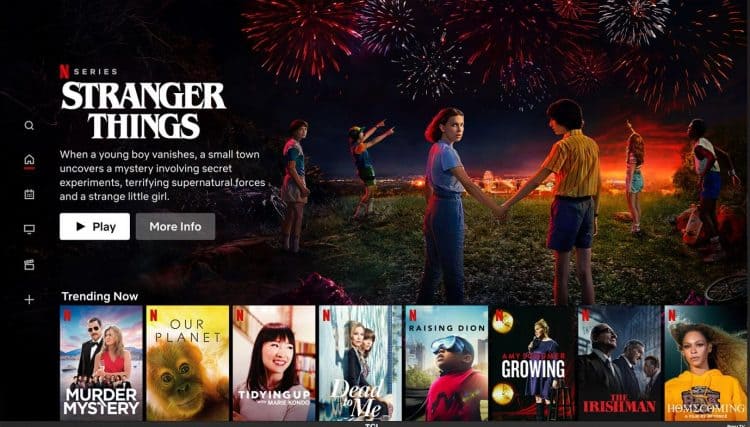
Award: BEST STREAMING MOVIE & TV APP
WHY WE LIKE IT: Offering a solid selection of Hollowood movies, independent projects, and original TV shows, this app has become a staple for anyone who loves entertainment. Different plans allow you to watch in 1080p or even 4K Ultra HD quality.
- Watch Hollywood movies
- Access original TV shows
- Enjoy 4k Ultra HD resolution
- Lower plans are limited
If you have an entertainment center, you likely already have the Netflix app installed. Watch famous Hollywood movies, independent film projects, and Netflix original TV shows with your subscription. Upgrade to the 4K Ultra HD plan to take advantage of the latest in cinema-quality and create profiles for different members of your household to keep track of what they want to watch. The company’s lower plans are a bit limited, so we recommend checking which each tier offers before signing up for the service.
#10 Weather Channel
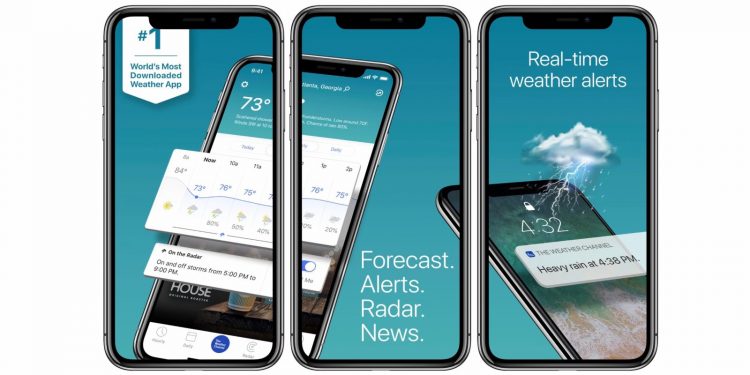
Award: BEST FORECAST APP
WHY WE LIKE IT: Available on nearly every mobile platform and the web, you can access reliable forecast information with only a few clicks or taps. Even keep a close eye on allergy risks, so you know when it might be best to stay indoors.
- View forecasts two weeks out
- Access current condition in real-time
- Track allergies & health concerns
- Weather radar requires a subscription
Whip out your smartphone with the Weather Channel app and quickly see the current weather conditions in real-time. If it’s about to rain, you’ll know about it. Or, if you’re planning a big trip, view the forecast for out to two weeks out. The Weather Channel takes a further step in improving its users’ lives thanks to its allergy and health tracking — great for those with asthma, dry skin, or seasonal allergies. The only downside we found in the app is that access to the weather radar requires an ongoing paid subscription.
#11 Headspace
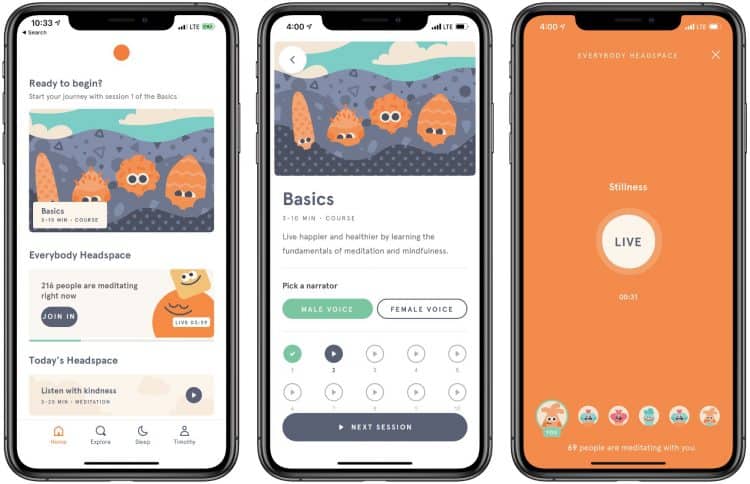
Award: BEST MEDITATION APP
WHY WE LIKE IT: Take a breath in this high-stress world with this app, featuring guided meditation options, sleep stories, and inspiring stories to get your day started. If you’re new to meditation, the app will even help you get started.
- On-demand meditation options
- Sleep stories for restless nights
- Listen at home or at work
- Limited selection for children
The world is moving fast and sometimes it can appear as though everything is spinning, but you can take control thanks to Headspace. This mindfulness app for iOS and Android, allows you to access on-demand meditation options wherever you need them — at home or at work. Sleep stories are also included to help you fall asleep if you’re having a difficult night. There is a section included for children, but don’t rely on it too heavily as we found it limited. You can get started with a free trial.
#12 MyFitnessPal
Award: BEST HEALTH APP
WHY WE LIKE IT: Track your calories and keep an eye on your activity throughout the day with this excellent health app. If you need a bit of motivation, you can even join the world’s largest fitness community for advice, tips, and support.
- Track your calories intake
- Scan food barcodes for logging
- Receive recipes & inspiration
- Some foods may not be registered
Keeping in shape can be difficult, but whether you’re looking to lose a few pounds or maintain your current weight, MyFitnessPal can help. Use the app’s built-in pedometer to track your steps or sync with your favorite devices such as Apple Watch and Fitbit. Track your calories easily by using the built-in barcode scanner or search bar; some items don’t show up in the database, but you can always add new foods manually. Along the way, you’ll even receive healthy recipes and inspiration from blog posts and support groups.
How We Decided
To find the best software apps, we began by looking at the most popular categories of offerings, including password management, booking, anti-virus solutions, music, maps, weather, entertainment, and much more. Once we identified a software category, we searched out the best software app in the category. By testing every app on our list, and conducting extensive research, we know that any option you pick will be of the highest quality and will help you shape your life. Our smartphones have become more powerful than ever before, and these software tools will allow you to get the most out of your technology.