Nearly 40% of knowledge workers spend over 8 hours daily at their desks, yet most settle for setups that look like they were assembled by someone who thinks “ergonomics” is a type of pasta. These carefully selected accessories transform chaotic workspaces into productivity powerhouses without requiring an interior design degree. From mechanical keyboards that actually feel good to magnetic mounts that banish cable chaos, each item solves real problems while looking sharp enough to make your coworkers slightly jealous.
This content may contain affiliate links. If you wish to support us and use these links to buy something, we may earn a commission.
13. Lofree Flow 2 Keyboard
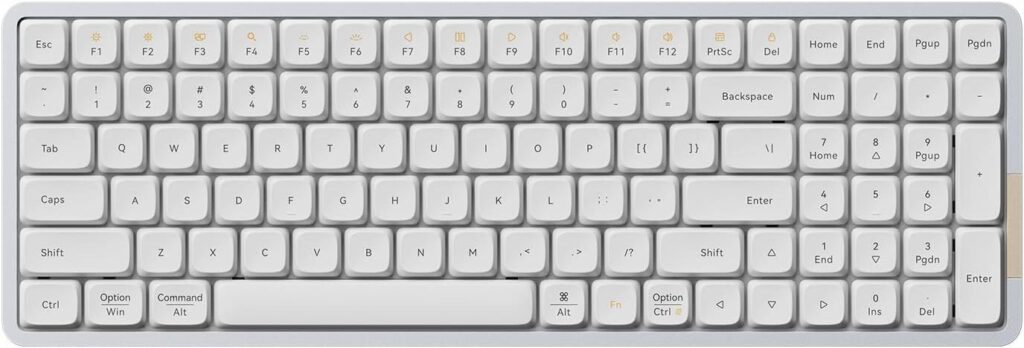
Mechanical precision meets wireless reliability in this smooth-typing upgrade.
The Lofree Flow 2 features void linear switches engineered for buttery-smooth keystrokes without the clickety-clack drama. Its touch-sensitive side bar handles volume and brightness adjustments with a simple swipe. Unlike Bluetooth connections that hiccup during important Zoom calls, the included 2.4 GHz USB receiver ensures your keystrokes register faster than TikTok trends go viral.
This keyboard plays nice with custom keycaps, letting you swap out the standard caps for whatever aesthetic tickles your fancy. The low-profile mechanical design minimizes finger strain during marathon typing sessions. For anyone tired of mushy membrane keys that feel like typing on marshmallows, the Flow 2 delivers that satisfying mechanical feedback without turning your desk into a percussion section.
12. Nuphy Coast Dawn Keycaps
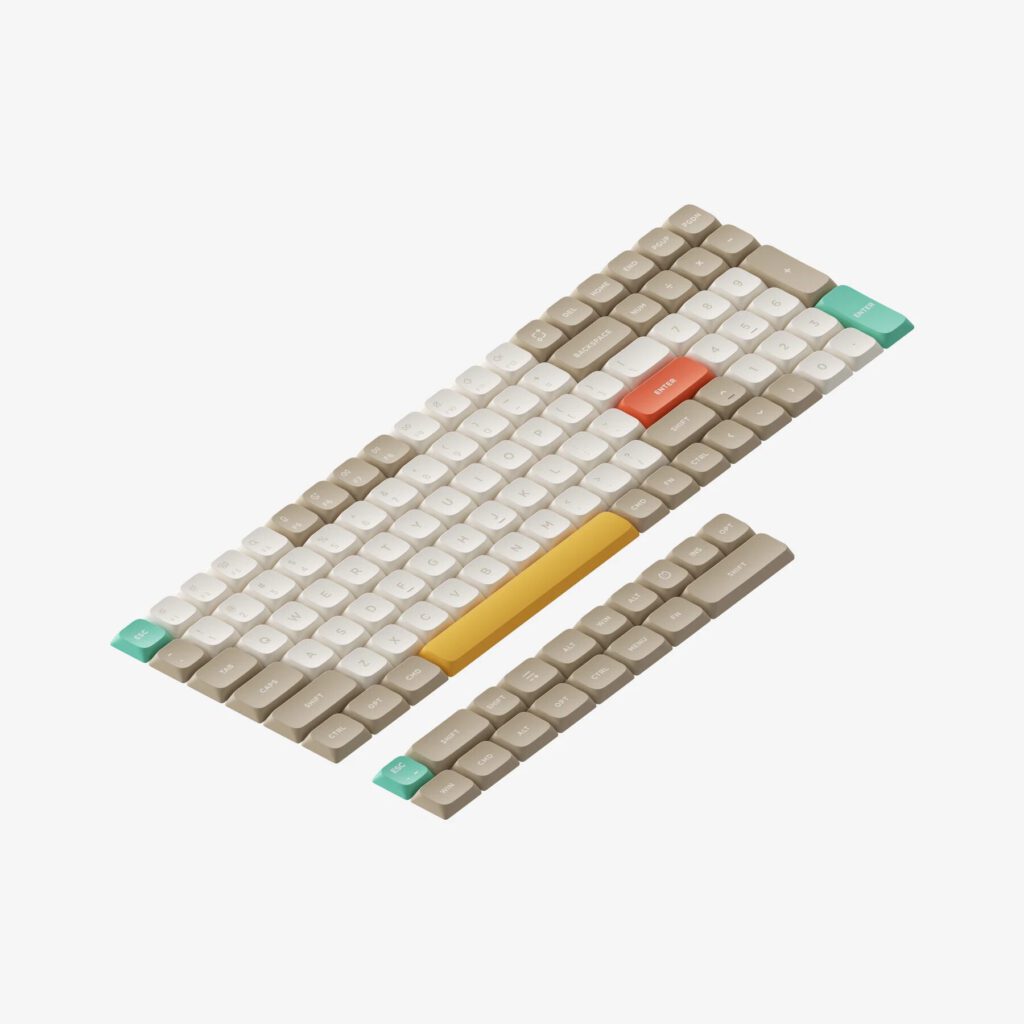
Transform your keyboard from corporate beige to coastal chic for twenty-five bucks.
For about $25 from the Nuphy website, these custom keycaps bathe your mechanical keyboard in serene coastal sunrise hues. The NSA profile promises comfortable typing while the soft accent colors evoke early morning beach vibes rather than fluorescent office lighting. Compatible with keyboards like the Air 96 V2, they’re proof that even your keyboard deserves a personality upgrade.
Keyboard customization extends beyond mere aesthetics—these caps inject vibrant personality into an otherwise utilitarian tool. Anyone who’s stared at generic black keys during late-night coding sessions will appreciate the visual relief. Installation takes minutes, but the mood boost lasts through every keystroke.
11. 22-in-1 Cleaning Kit
Swiss Army knife functionality meets wrist rest comfort in one surprisingly useful package.
This multifunctional kit doubles as a keyboard wrist rest while housing tools for every tech cleaning nightmare. Keycap removal tools prevent scratches during deep cleans, while specialized picks tackle USB-C ports and earphone gunk. The pop-out phone bracket holds devices horizontally, and the included spray bottle (bring your own cleaning solution) handles screen duty.
The integrated wrist rest transforms cleaning from a chore into a comfortable task. For tech enthusiasts who’ve watched crumbs disappear into keyboard crevices like digital black holes, this kit provides the archaeological tools needed for excavation. It’s the kind of purchase that seems unnecessary until you’re fishing debris out of your mechanical switches with a paperclip.
10. Whoosh Cleaning Solution

Premium screen cleaning that won’t dissolve your expensive displays.
Unlike harsh chemicals that turn screen cleaning into a hazmat operation, Whoosh offers a non-toxic formula designed specifically for delicate displays. One bottle lasts approximately a year with regular use, making it a smart investment for anyone with fingerprint-magnetized OLED screens. The streak-free formula removes smudges without damaging protective coatings.
Most people wait until their phone screen resembles abstract art before cleaning it. Whoosh eliminates that procrastination by making the process safe and effective. For those who’ve learned the hard way that Windex and MacBooks don’t mix, this represents the VIP pass to keeping gadgets looking box-fresh year-round.
9. Mini 19-Key Mechanical Keyboard
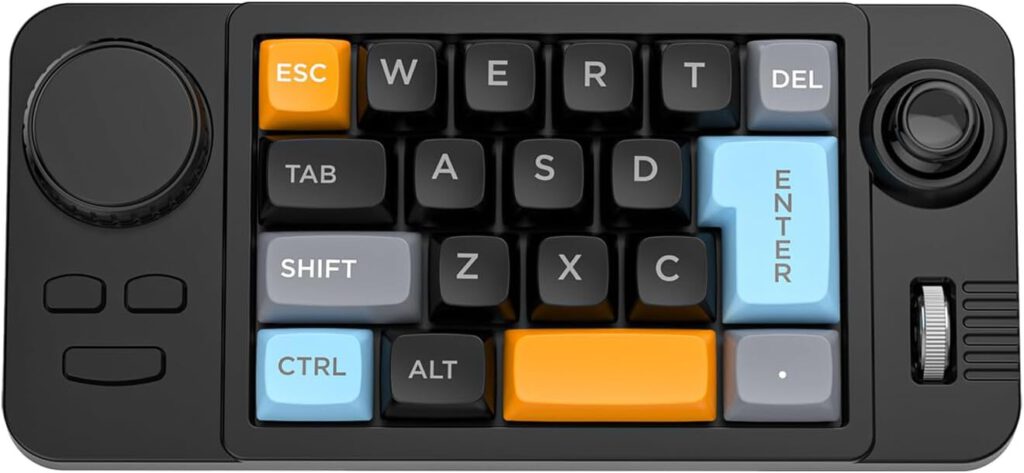
Programmable macro magic for video editors and shortcut addicts.
This compact add-on keyboard packs 19 programmable keys, a volume knob, joystick, and scroll wheel into a desk-friendly footprint. Downloadable software unlocks custom keyboard shortcuts and macro programming, turning complex multi-step actions into single button presses. For video editors drowning in Premiere Pro menus, it’s like having a personal assistant who never takes coffee breaks.
The programmable buttons bridge the gap between gaming peripherals and productivity tools. Instead of memorizing Byzantine key combinations, users can assign frequently used commands to dedicated buttons. Anyone who’s ever fumbled through software menus while creativity was flowing knows the value of instant access to essential tools.
8. TK3 Pomodoro Timer
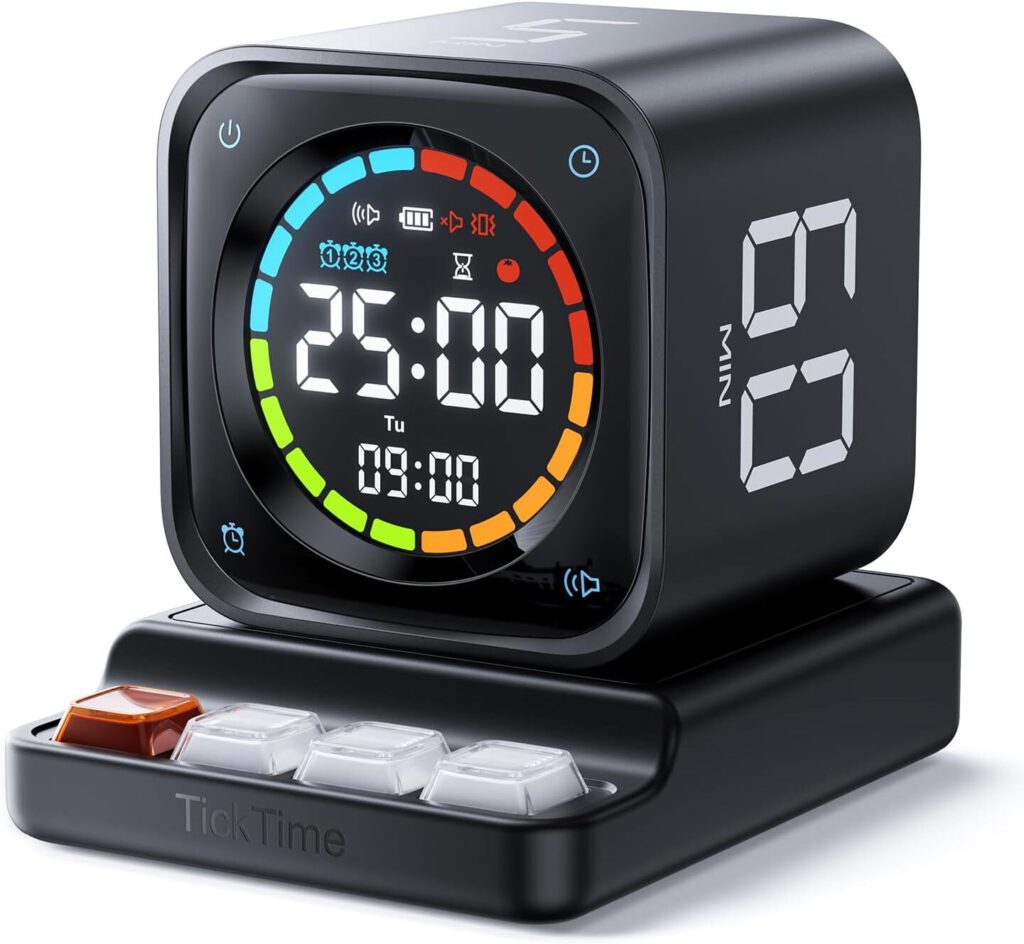
Analog time management with digital clock functionality and fidget-friendly features.
This physical flip timer offers preset times for focused work sessions, short breaks, and longer meditation intervals while doubling as a digital clock. The stylish design elevates any desk setup, serving as both functional tool and aesthetic addition. The base integrates fidget keys for restless hands, plus pass-through charging to keep devices powered.
Before smartphone apps conquered time management, physical timers provided distraction-free focus. The TK3 updates this concept without requiring notifications, charging cables, or the temptation to check social media. The tactile flipping mechanism provides satisfying feedback that screen taps simply can’t match.
7. DeltaHub Carpio Wrist Rest
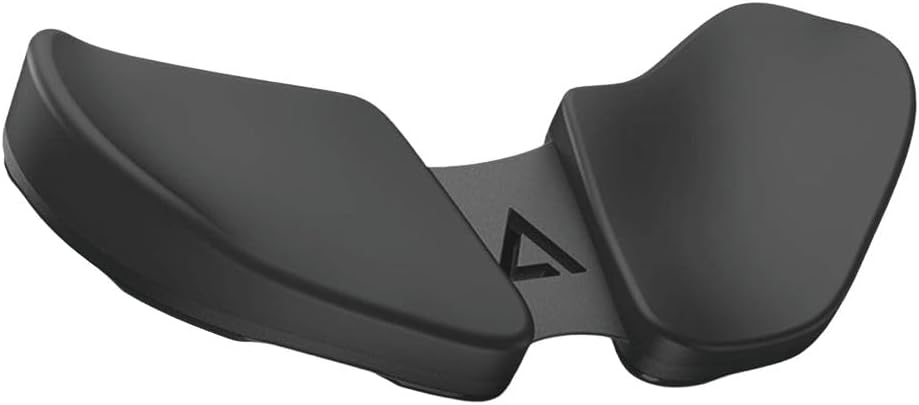
Ergonomic elevation that prevents wrist pain before it starts.
Positioned behind your mouse, this ergonomic wrist rest raises your wrist approximately 1 centimeter—roughly the height of two stacked Oreos. The subtle elevation shifts pressure points and reduces long-term injury risk during extended computer sessions. Users report zero wrist issues after years of consistent use.
The company backs their confidence with a 60-day money-back guarantee and offers a 15% discount with code “Sam5”. For anyone who’s experienced that creeping wrist ache during marathon work sessions, this represents preventive care rather than reactive treatment. Sometimes the smallest changes deliver the biggest impact on daily comfort.
6. DeltaHub Magnetic SSD Mount
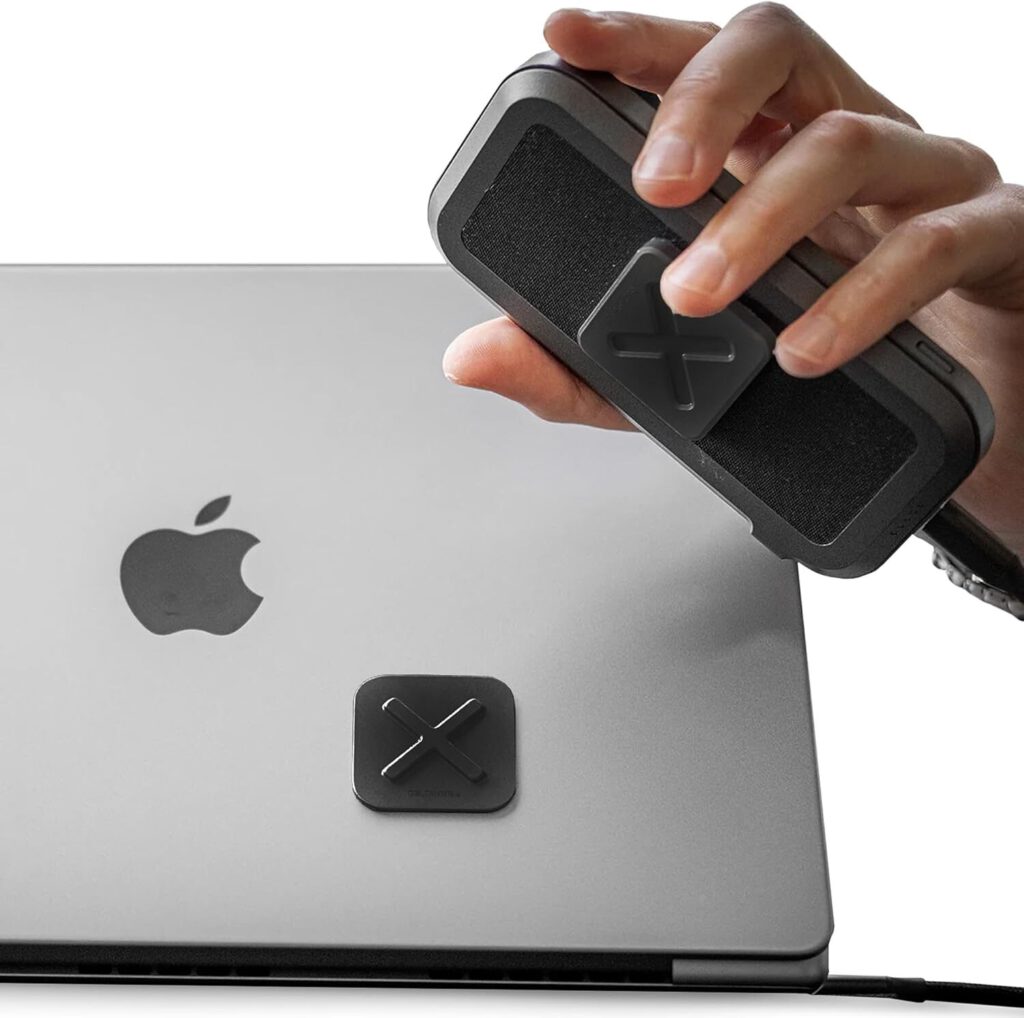
Magnetic mounting system that eliminates dangling cables and accidental unplugs.
This two-part magnetic system secures external SSDs elegantly while providing clean cable management. One piece adheres to your desk, the other to your drive, creating a satisfying snap connection that prevents accidental unplugging. The magnetic hold keeps drives accessible yet secure, eliminating the digital spaghetti junction that plagues most desk setups.
For users who frequently connect and disconnect external storage, this system transforms a daily annoyance into a seamless experience. The clean aesthetic beats letting cables dangle like technological tentacles. It’s the kind of simple solution that makes you wonder why dangling drives were ever acceptable.
5. Cloud Valley Magnetic Phone Holder
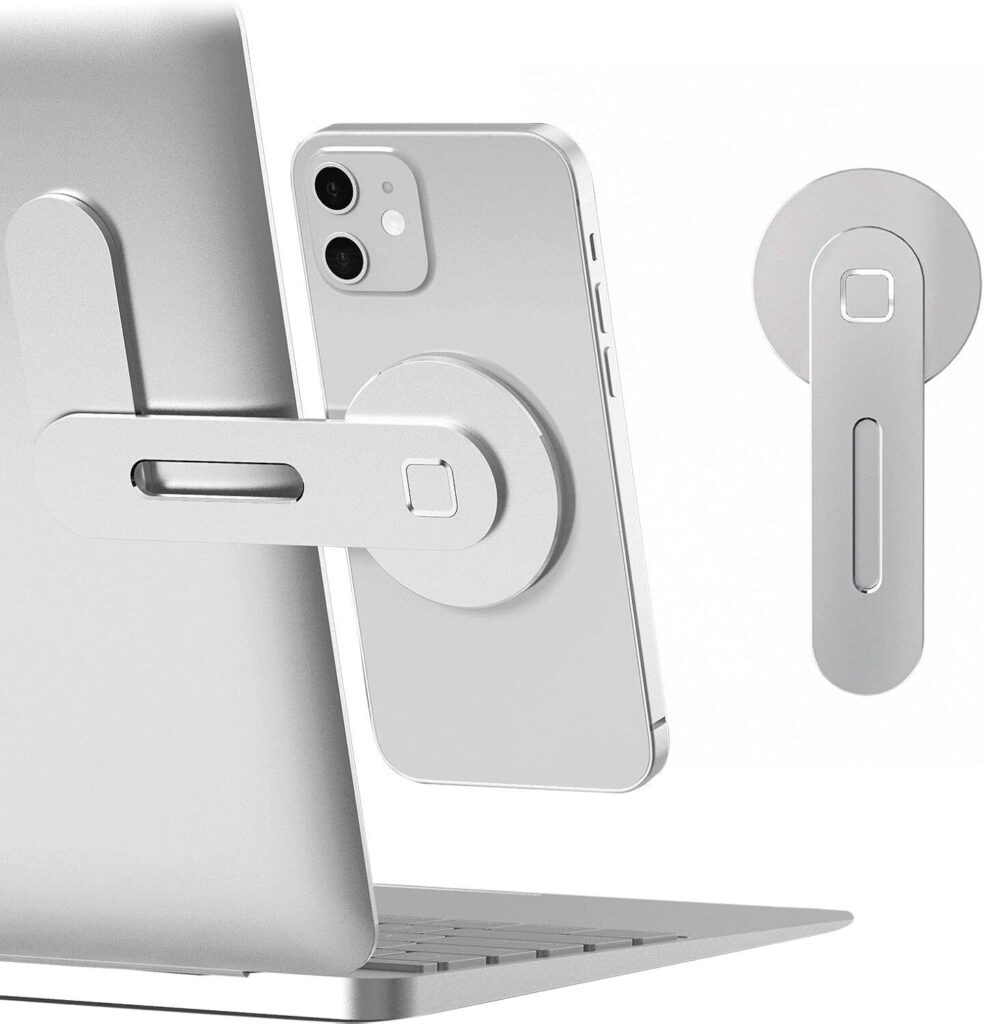
Adhesive-mounted phone convenience that folds flat when not needed.
This magnetic phone holder attaches to monitor backs or laptop lids via adhesive, unfolding when needed to securely mount devices. Available in three colors including silver, it’s compatible with MagSafe and Qi-enabled devices while including a metal ring adapter for non-MagSafe phones. The foldable design eliminates clutter during off-hours.
Unlike bulky desktop phone stands that demand permanent desk real estate, this holder appears only when needed. For anyone who’s propped phones against coffee mugs during video calls, it provides a cleaner, more professional solution. The discrete design maintains workspace aesthetics while adding genuine functionality.
4. Lamacle Cable Clips
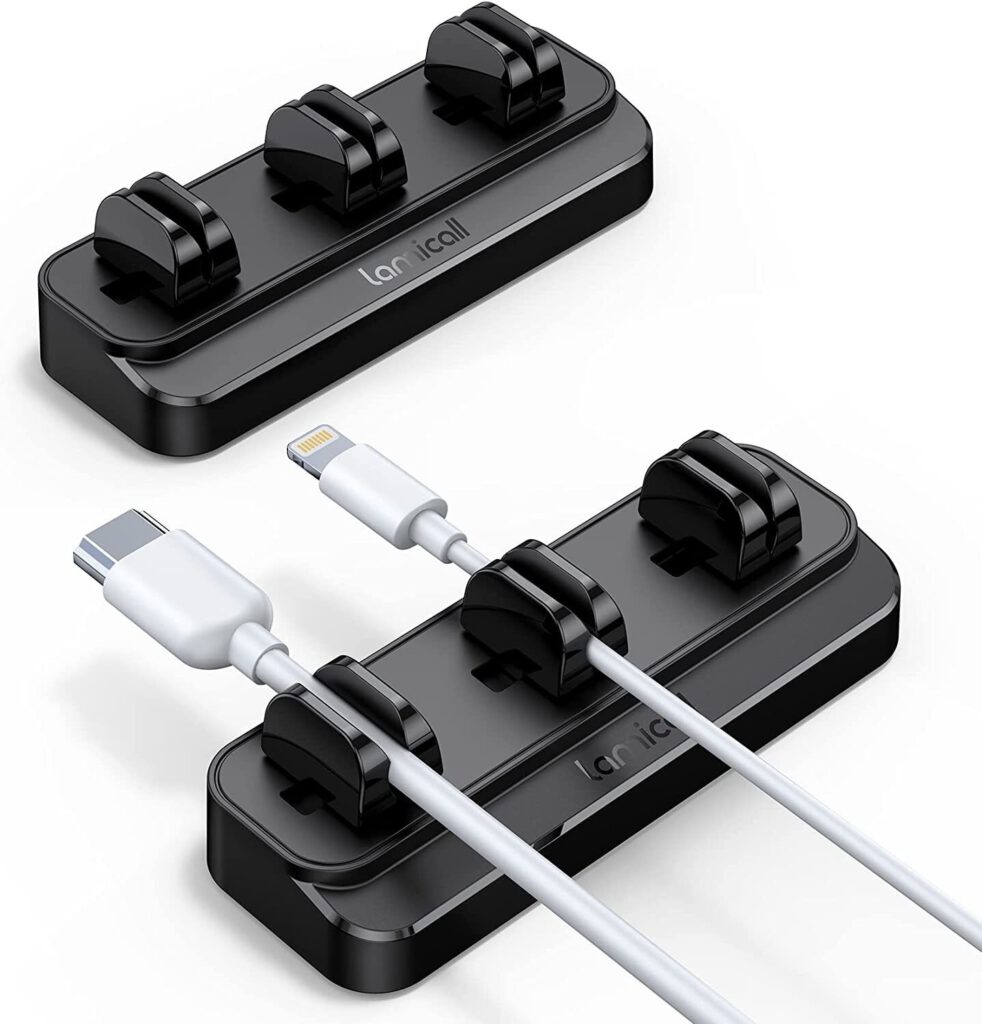
Adhesive cable guides that route charging cables away from chaos.
These small adhesive clips guide charging cables along desk edges, preventing the octopus garden of tangled cords that plague most workstations. Strategic placement keeps cables within reach without creating a digital rat’s nest underneath your desk. They’re like tiny cable sherpas, guiding wayward USBs away from the abyss.
For anyone who’s fished fallen cables from behind their desk while on important calls, these clips eliminate that daily frustration. Proper cable planning prevents excess slack while ensuring easy access to charging ports. The result transforms desk organization from “frat house” to “corporate chic” with minimal effort.
3. Novu 100W Compact Charger
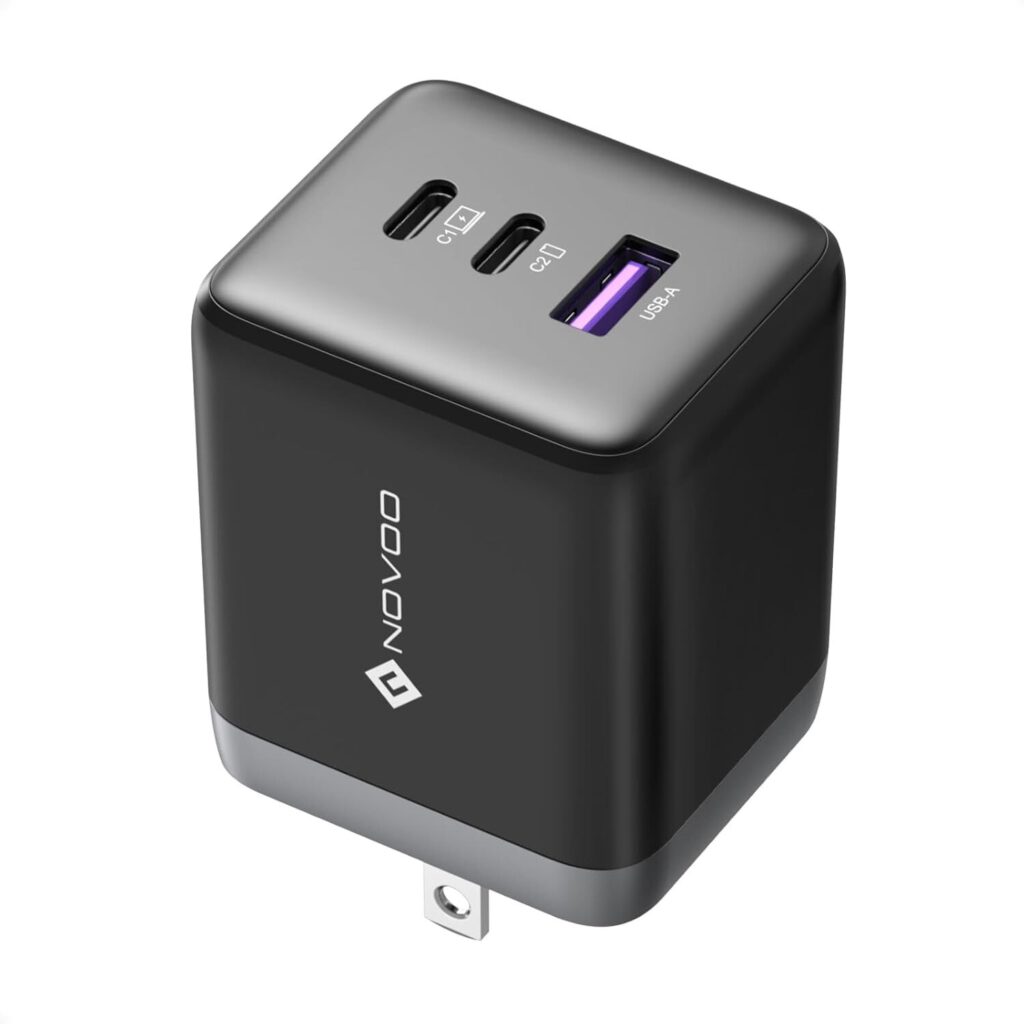
Ultra-compact power delivery that puts bulky laptop chargers to shame.
This 100-watt USB-C power adapter delivers equal or greater output than standard MacBook Pro chargers at a fraction of the size. The GaN (gallium nitride) technology enables higher power output in a dramatically smaller package, making it ideal for in-desk power solutions or travel setups. It charges high-power devices without requiring boat anchor-sized adapters.
For users seeking clean desk integration, this charger routes through grommets and provides instant access to serious charging power. The compact size frees valuable desk space while maintaining full charging capability. Anyone who’s struggled with oversized laptop chargers will appreciate the space savings without performance compromise.
2. Sharge Disc Pro
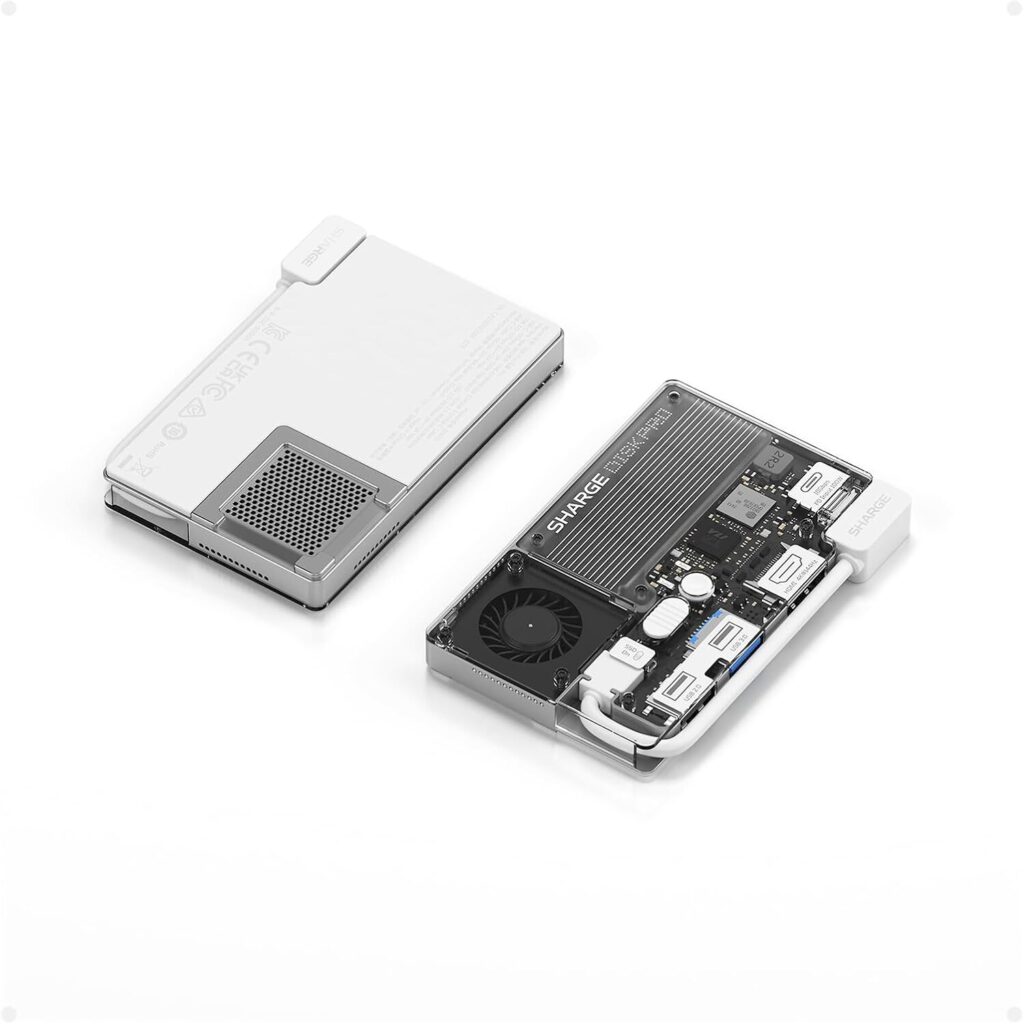
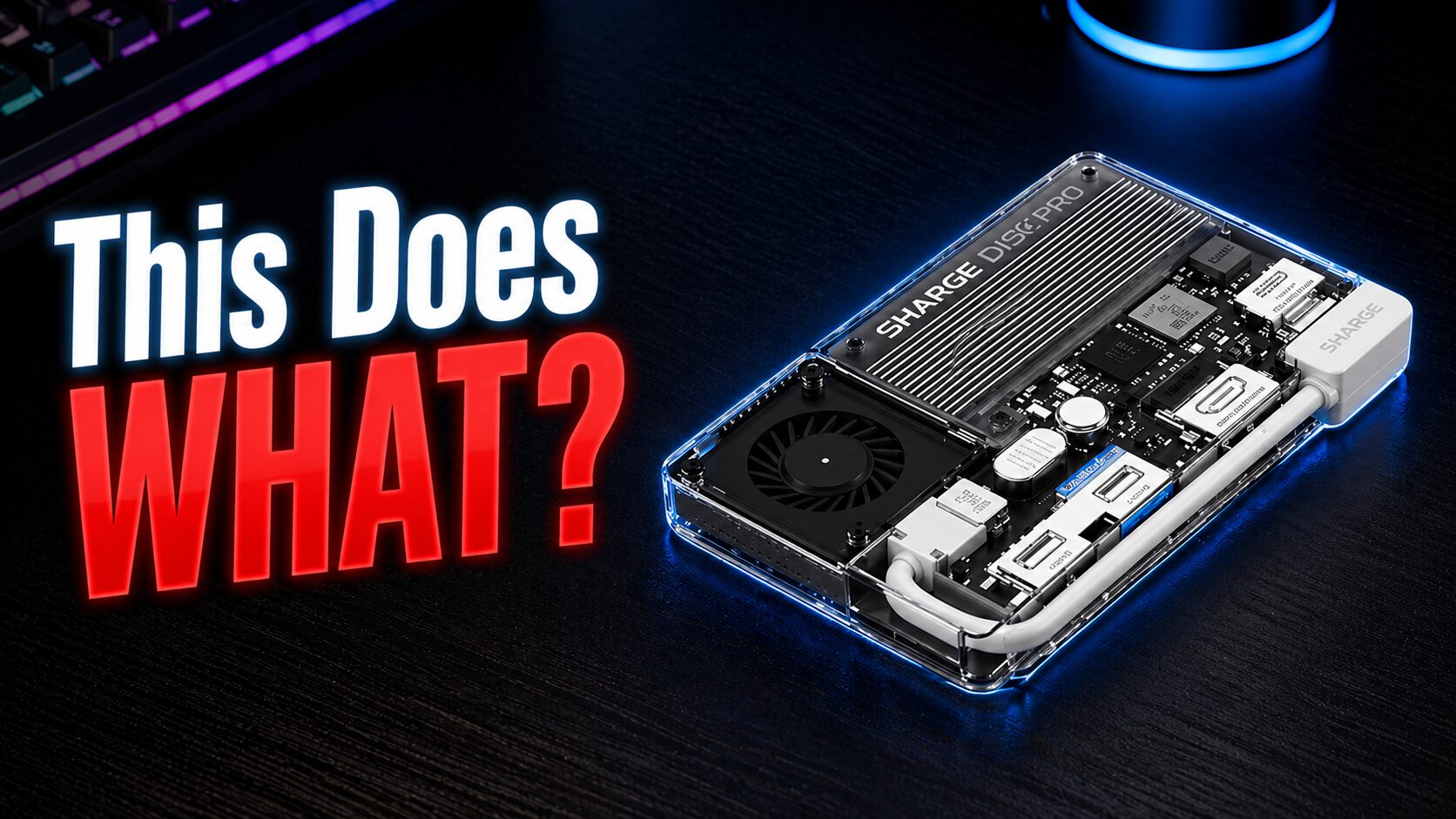
Premium SSD and USB hub combination with transparent design and active cooling.
This device combines high-speed SSD storage with an actively cooled USB hub, featuring 80W charging output, two USB-A ports, and HDMI connectivity. The transparent base reveals the integrated cooling fan, while MagSafe compatibility adds wireless charging functionality. A data protection switch enables read-only mode for secure file transfers.
The built-in USB-C cable eliminates adapter juggling, while the cooling system prevents thermal throttling during intensive transfers. For content creators who need reliable storage, charging, and connectivity in one elegant package, it beats managing multiple dongles and adapters. The transparent design showcases the internal components rather than hiding them behind boring plastic.
1. Tabletop Flip Calendar
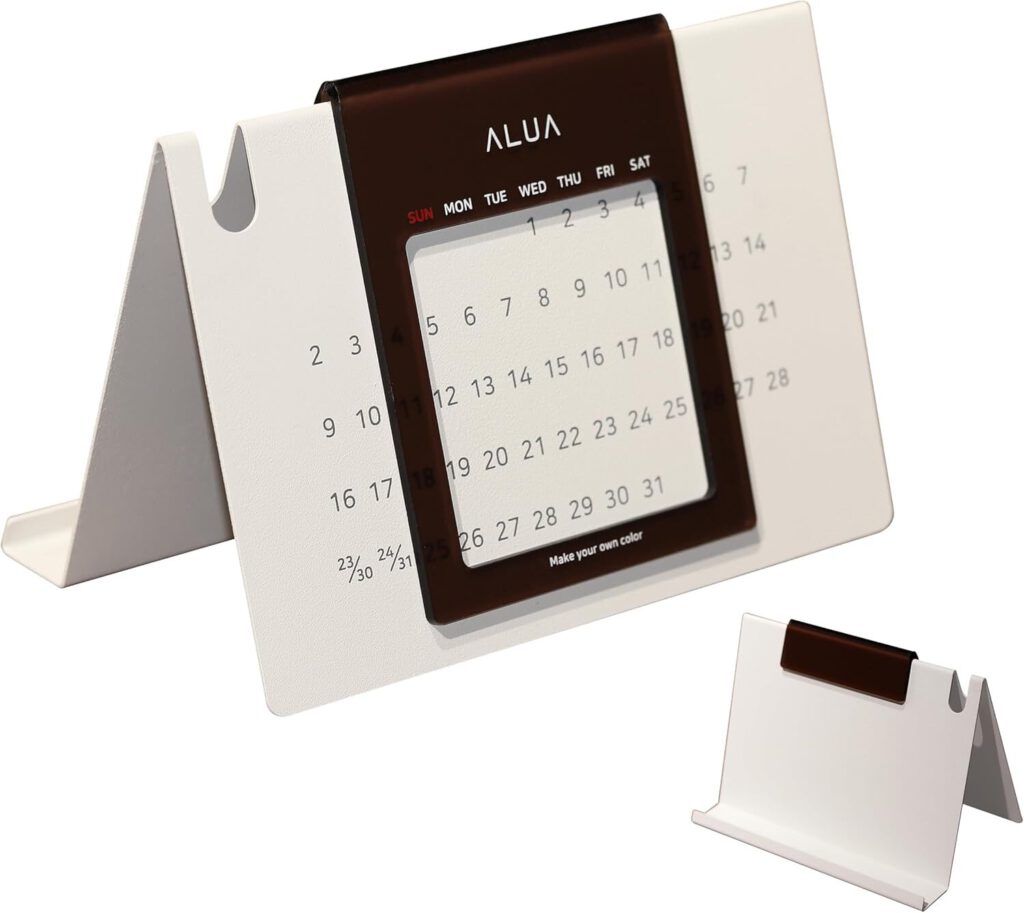
Tactile date tracking that breaks the digital screen monopoly.
This minimalist flip calendar offers a sleek alternative to digital date tracking with satisfying mechanical feedback. The tactile date-changing mechanism provides audio and physical satisfaction that screen swipes simply can’t match. Its clean aesthetic adds visual appeal while grounding users in physical interaction during screen-heavy workdays.
For anyone seeking analog respite from digital overwhelm, manually flipping dates creates a mindful moment in busy schedules. The calendar serves as both functional tool and gentle rebellion against notification-driven time management. Sometimes the best tech is the kind that doesn’t need charging, updates, or wifi connectivity.