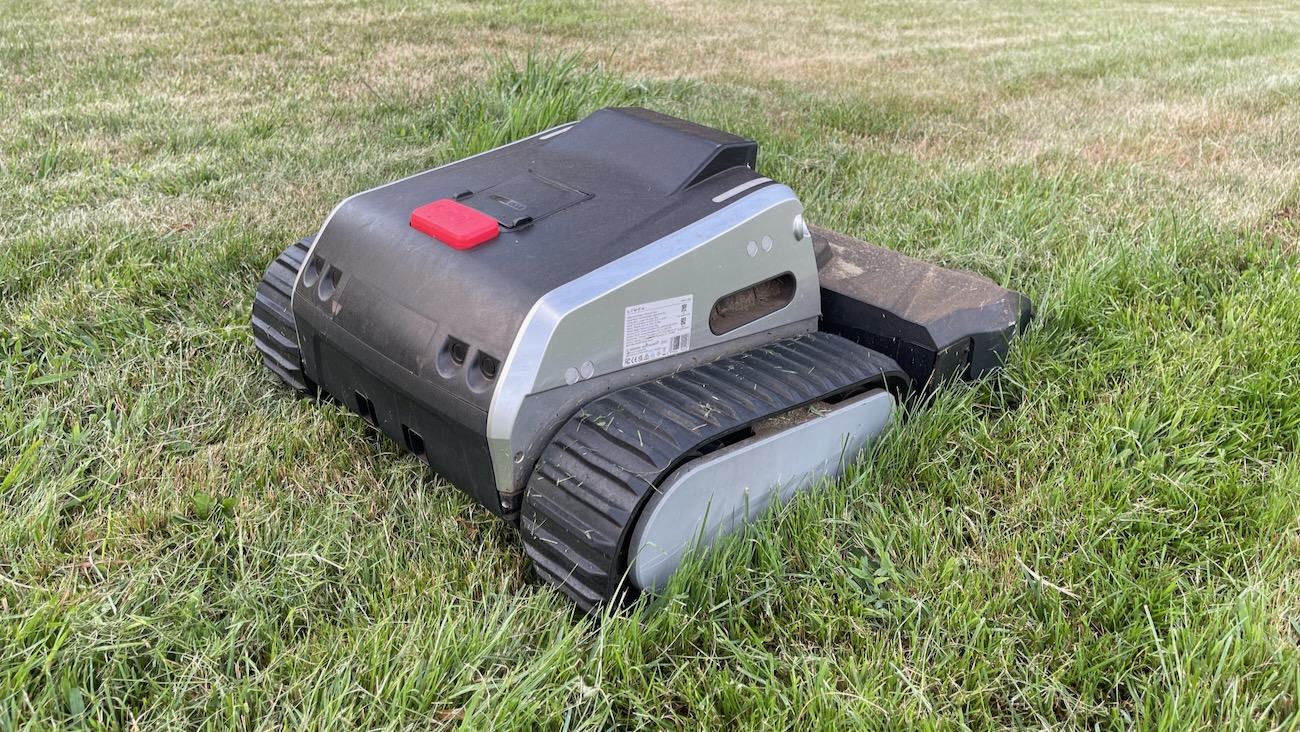


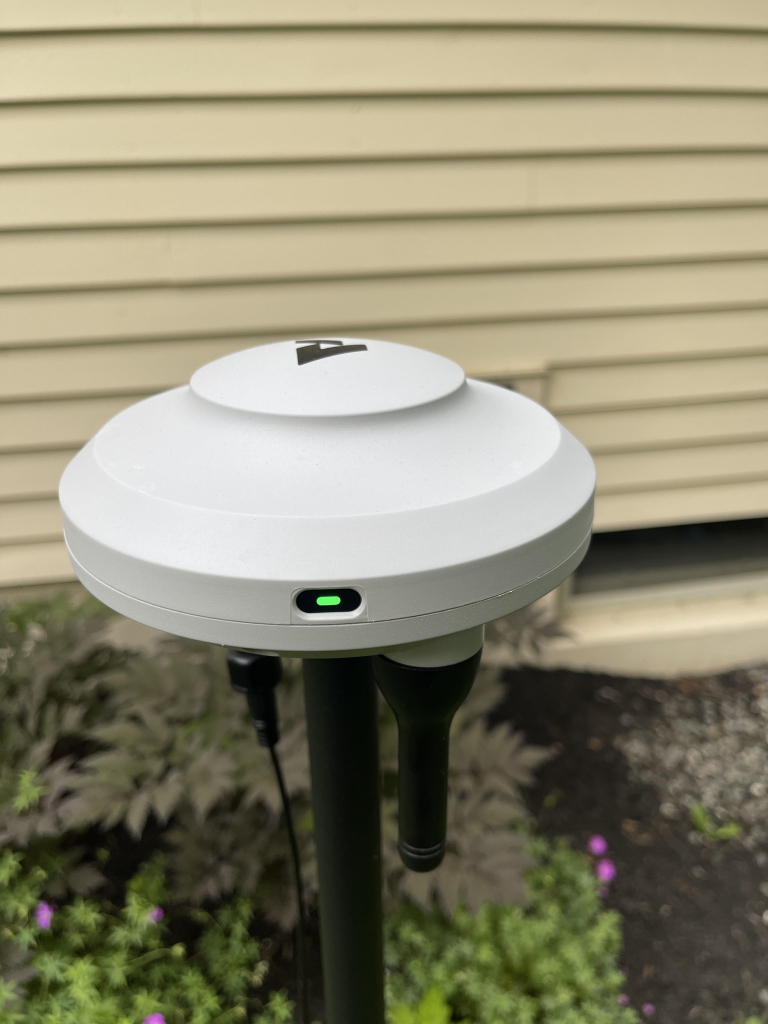
The M9 covers up to 1,000 square meters, or roughly a quarter acre. It navigates with full-band RTK plus two forward cameras, so there is no boundary wire to bury. You get the mower, a charging base, an RTK reference station on a pole, a spare set of blades, and cables. The garage is extra, and it usually adds about $70 in a bundle.
Anthbot lists it at $899. It has sold closer to $649 for most of the year, which puts it far below the Husqvarna and Mammotion machines people cross-shop it against. That discount is the whole argument for buying one.
Setup took twenty minutes, not ten
Anthbot advertises a ten-minute setup. Plan on twenty. You plant the base station, raise the RTK pole where it can see open sky, pair over Wi-Fi, then map. None of it is hard. It is just more steps than the marketing suggests, and reviewer times land all over the place.
Angus Jones at GadgetGuy, who has tested five robot mowers, got it done in under ten minutes. Zu at Retro Handhelds clocked twelve, and notes he had to relocate the RTK station first because his house and a nearby tree blocked the signal. A German owner with an angular yard needed forty-five minutes to walk the boundary.
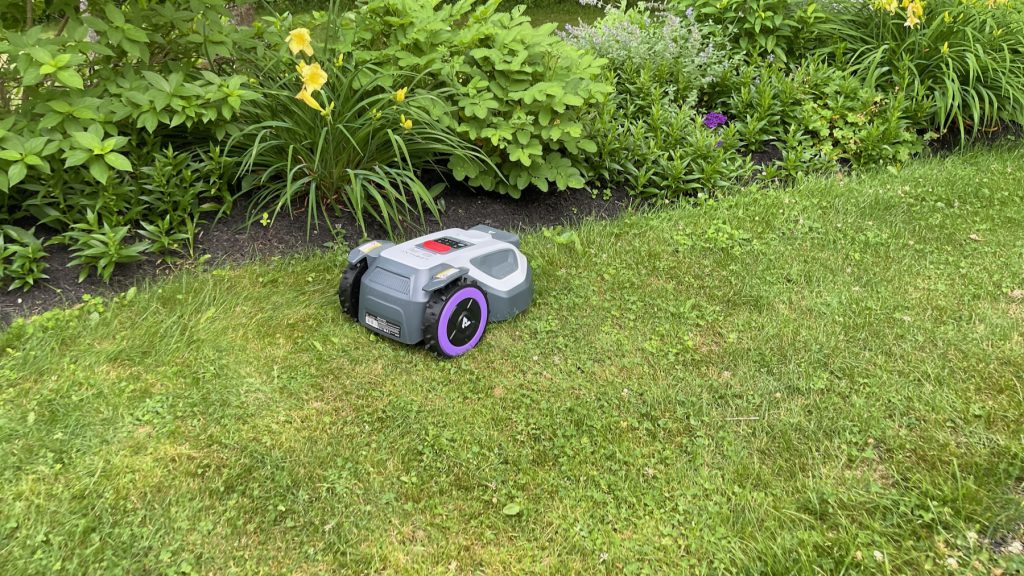
The lesson in those numbers is the antenna, not the app. Retro Handhelds put it plainly: the RTK station needs real line of sight to the sky, and the spot that works is usually further out in your yard than you want it to be.
The unboxing mirrors what you get from Lymow, down to the oversized quick-start sheet. Open the app and it offers you a quick-start guide, which turns out to be a scan of the exact sheet already in your hands.
One small thing the manual will not tell you. The app has no setting to switch from millimeters to inches. If you think in inches, you will be doing conversions every time you change cutting height.
Cutting performance: clean, until it isn’t
The M9 cuts with five free-rotating razor blades on a 20 centimeter disc. That is a 7.9 inch path, which is small. The Lymow One Plus clears close to double that in a pass, and you feel the difference in how long the M9 takes to finish anything.
Blade design is the real story here, and it cuts both ways. Swapping blades takes seconds with the included screwdriver, and the spare set ships in the box. That is a real ownership win over heavier steel-deck machines. But razor blades do not have the mass or the bite of the steel blades on the Lymow. Give the M9 thick, tall, or wet grass and it stops being a mower.
Other owners hit the same wall for a reason worth knowing: the vision system reads tall grass at camera height as a solid object, so the mower refuses to drive into it. An experienced owner on Reddit lays out the fix, which is to cut with a conventional mower first and then never let the grass grow more than about an inch between robot passes.
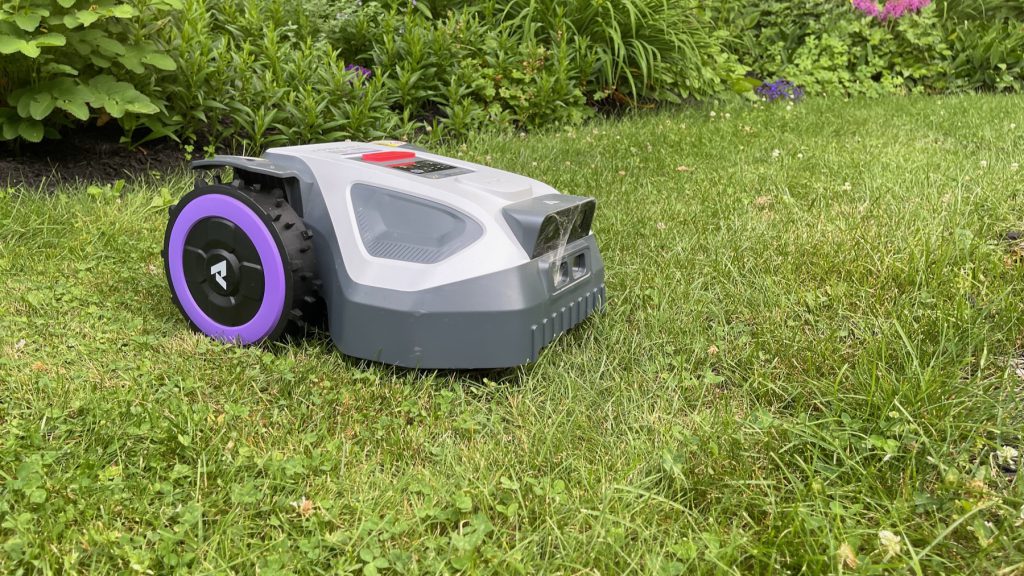
Anthbot puts that in the app before you map. It tells you to get the lawn under 7 centimeters first, then step down through 5 and 3, and not to use the machine on weeds. Follow that and the cut looks good. Skip it and you will spend your weekend rescuing a robot.
On maintained grass, the finish surprised me. I expected the razor setup to leave a rough, directionless cut. It does not. The M9 runs a U-shaped path and produces real lines, and the app lets you set the mowing angle to whatever you want. Marcus Schwarten at Notebookcheck confirms the direction control is freely adjustable, and owners who care about stripes call that the best feature on the machine.
GadgetGuy makes the strongest case for the razor design, and it is worth hearing. Sharp razor blades taking a small bite every few days beat a dull steel blade taking a big bite once a week. The grass grows sideways instead of up, the clippings disappear into the turf as mulch, and the lawn looks fuller.
Angus Jones cuts buffalo grass on a 1-in-6 slope in Australia and says it has never looked better. That is the strongest version of the argument for this machine, and it only holds if you mow often.
One more thing from that test. The M9 does not reliably avoid small objects. GadgetGuy found it drove straight over immature green fruit that had dropped from a tree, and warns that small toys are a risk. Pick up before it runs.
The noise, or lack of it
The M9 is the quietest mower I have tested. Anthbot rates it at 58 decibels, and Notebookcheck measured about 60 decibels from a meter away. GadgetGuy describes it as a faint whir and nothing more. The cutting itself is near silent. What noise there is comes from the drive motor turning the wheels, which gives the machine an odd, untraditional sound compared to the Lymow.
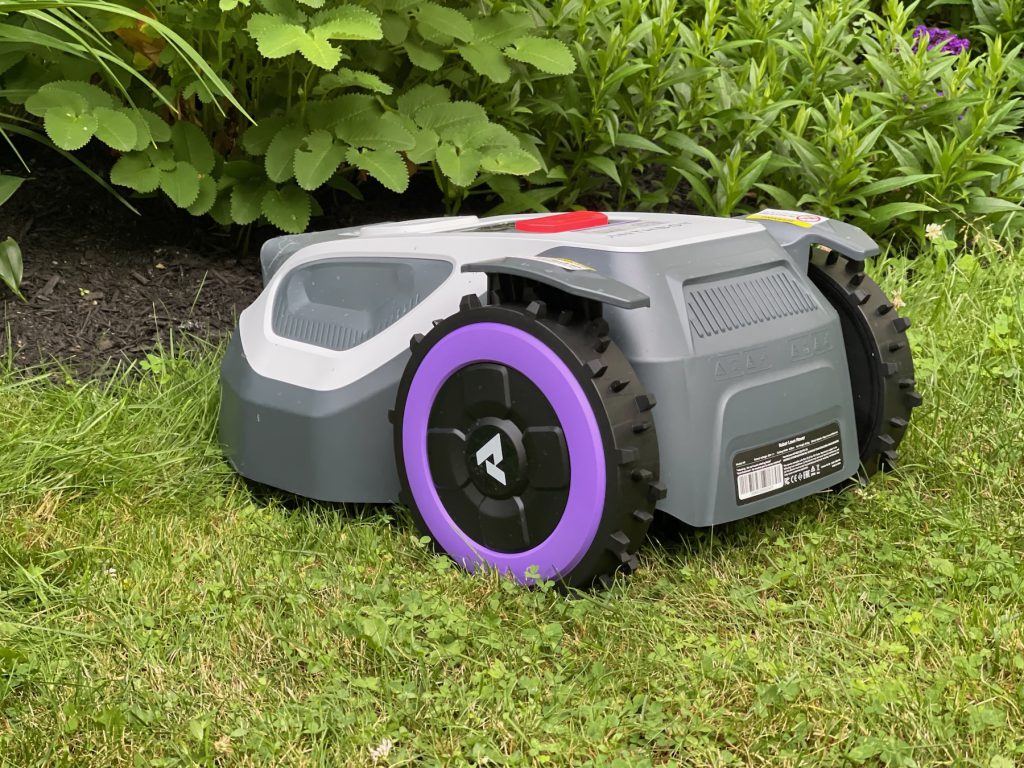
Whether that is a feature depends on you. I missed the familiar sound of a mower working. There is something useful about hearing your lawn get cut from inside the house. With the M9 you have to go look.
Edge mowing is the weak point
This is where I would hesitate before recommending it to anyone with planted borders, and it is the one complaint every reviewer landed on independently. The cutting disc sits centered in the body, roughly 9 centimeters in from the edge of the housing. That leaves a band of standing grass along every wall, fence, and bed. Owners measure 15 to 20 centimeters left behind. You will still own a string trimmer.
Maik at commaik.de, who ran the M9 against the M5 LiDAR in his own garden, found the distinction that matters. Where the edge can be driven over, the M9 cuts it well and the lawn looks finished. Where it cannot, a narrow strip stays behind and you rework it by hand.
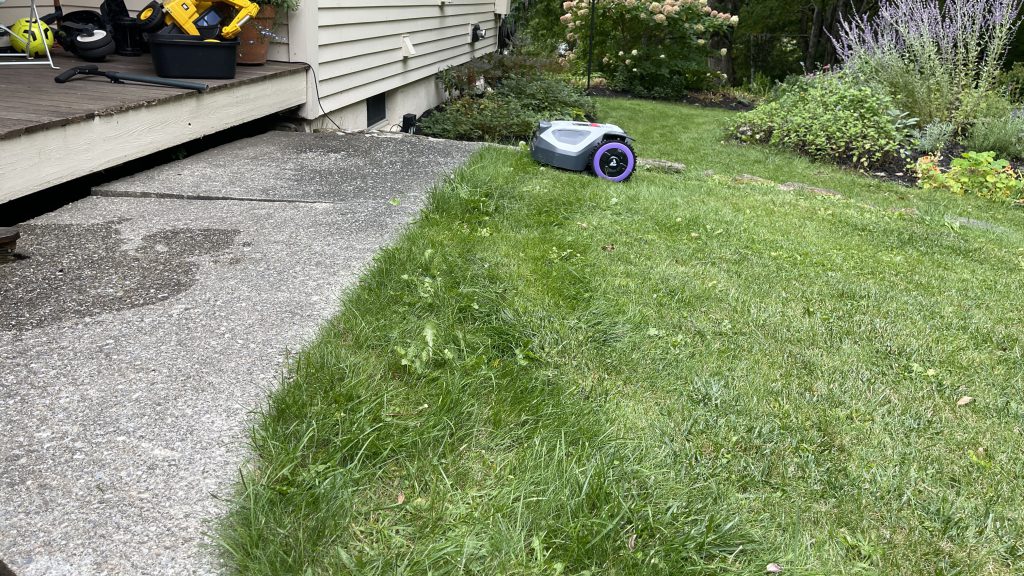
GadgetGuy reached the same place from a different angle. Auto-mapping did not take his perimeter close enough to the lawn edge, so he remapped manually to tighten it up, and he still trims the edges every few weeks.
Anthbot’s answer is an overrun setting that lets the mower extend up to 20 centimeters past a mapped border, adjustable per section. Use it with care. Notebookcheck tried it against a 10 centimeter curbstone and the mower zigzagged along the stone and left visible marks. The camera detection did not override the app setting.
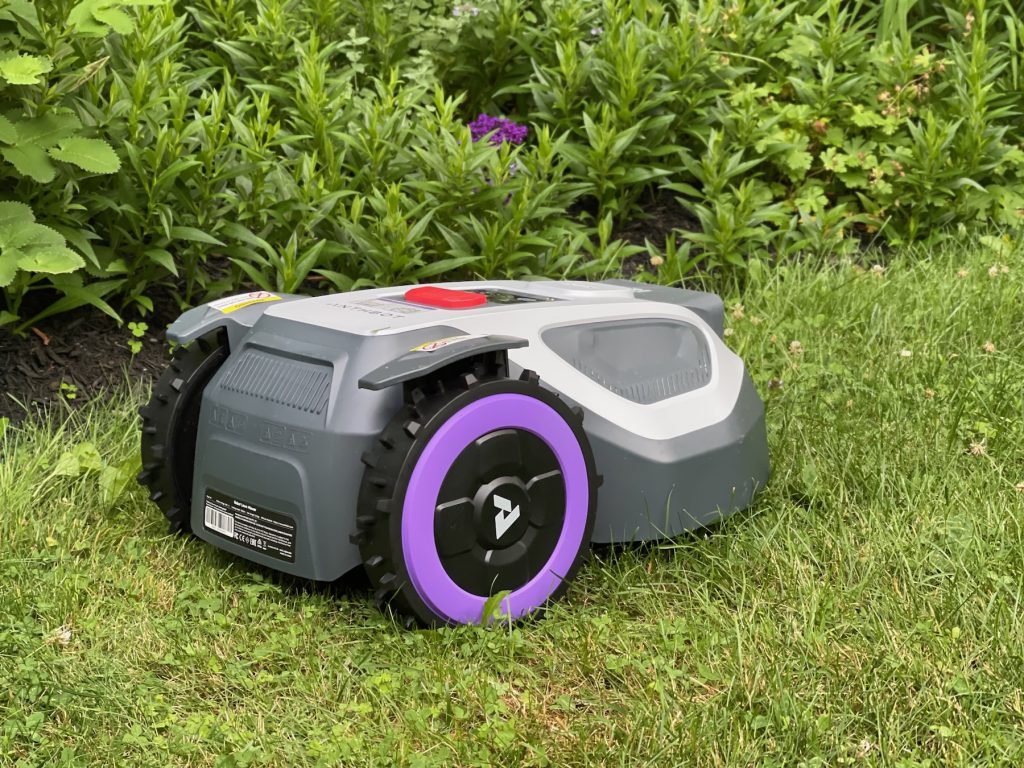
That matters for my test yard, which has a tight margin between turf and an herb bed. Turn on overrun near plants and the vision system will not save them. I never got the edging dialed in to where I trusted it unattended.
Navigation and terrain
The M9 is a 10 kilogram machine on two drive wheels and two front casters, with plastic wheels. Any unevenness pushes it off its intended line, which means missed patches you have to go back over. Notebookcheck lists “primarily for flat gardens” as its headline con and says the mower is not particularly capable on uneven terrain.
Basic Tutorials, which ran it over a full season, flags the same symptom I saw from a different direction: the mower occasionally drops individual mowing paths, which is what leaves those strips of standing grass between passes. An owner comparing it to a neighbor’s Genie calls it small, nimble, and wiggling. There’s A Trick For That, who tests robot mowers all season, says it struggles more with bumps than the all-wheel-drive units in his lineup.
Traction is the related limit. GadgetGuy could not get the M9 to his front lawn at all, because a steep, slippery brick path between the two zones gave it nothing to grip.
The bigger problem is recovery. When the M9 loses its position, it cannot find its way home. Mine drove off a small ledge and landed upside down on the grass. I hit the home button and realized right away that it had no idea where it was. I flipped it over and drove it back to the dock by hand. Notebookcheck saw the same behavior once during testing, when the mower left its mapped area and got stuck on an edge. Their advice is the right advice: map a safe buffer around anything you can fall off. Other owners report the same recovery failure, including one who has to carry it back almost every other job.
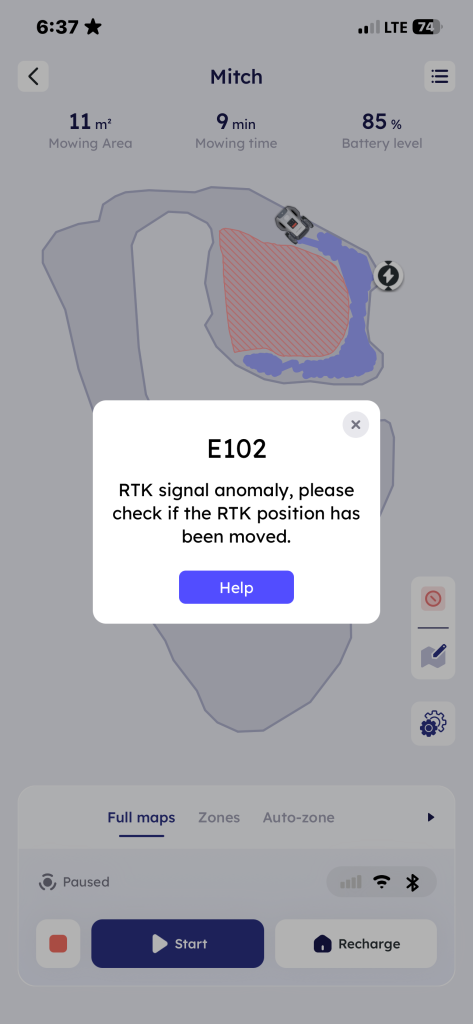
RTK stability was mixed. On one cloudy afternoon it lost connection to the base station mid-mow, with the GPS light blinking on its face. The home button worked that time. Anthbot’s marketing claims its full-band signals penetrate clouds. Basic Tutorials lists RTK signal loss at distance from the base station as a flat con and tells you to test navigation in your own yard before you commit, which matches owners reporting permanently blinking GPS.
The app is better than I expected, with two traps
Anthbot’s app beats Lymow’s on features and on walking you through setup. Obstacle detection has three levels. High avoids small things like stepping stones and leaf piles. Medium handles stone paths and patio edges. Low only avoids large non-grass areas. You also get auto-mapping, which Lymow does not offer, plus scheduling tied to sunrise and sunset and a rain sensor. Basic Tutorials points out something worth knowing before you worry about connectivity: the map lives on the mower, so scheduled mowing keeps working with no internet connection at all.
Map editing is the standout. You can expand areas, add a zone mid-mow, and mark a new section while the machine is already running. That flexibility beats what I get from the Lymow. Notebookcheck rates the settings as extensive and calls out the missing live camera feed as the one real omission.
Two things will cost you an afternoon if nobody warns you first.
The base station prompt. Every time I started a manual mow, the app asked whether I had moved the RTK station. Cancel and it works normally. Confirm and you start the pairing process over. That is not a quirk. A German owner spells out what happens: choosing continue destroys your entire map. Another remapped eight times in three weeks because a gust of wind was enough to trigger the alert.
Zone expansion. I mapped out from the edge of an existing zone, looped back to my start point, and got a prompt asking whether to save zone A. I read it as a choice between two options. It saved A and deleted the section I had already built. Walking the new area counterclockwise is what actually adds to a map, and Anthbot support points owners to a video tutorial for it. That should be in the app, not in a Reddit thread.
Zones are also square only, which no lawn is. You end up overlaying rectangles and narrowing them until the shape is close enough. And crossing between zones failed for me outright. Asking it to mow the side yard, which required driving through an unmapped strip, produced nothing but “returning to dock” with no error. The feature you need is called Pathways, and a Florida owner explains that walking the mower over and hoping it figures it out does not work.
What I could not test, and what other owners hit
Maine had a dry summer, and I kept the M9 on a smaller section of lawn because of its size and power. That leaves real ground uncovered, and the pattern in owner reports is consistent enough to flag.
Support is the most repeated complaint across Amazon, Reddit, and TikTok. A German buyer went seven weeks without a reply. A UK owner whose mower died got nothing from Anthbot for days, filed an Amazon return, and told Mark Haley of EasyLawnMowing that Anthbot came back within fifteen minutes once the marketplace was involved. The flip side is real too. Several owners revised their ratings upward after Anthbot shipped free replacement units.
Firmware is the other one. Updates have broken working machines. One owner’s M9 started plowing through flower beds and heading for a koi pond after an update, ignoring the no-go zones it had respected for weeks. Anthbot’s community manager points to version 1.0.104 as the fix for navigation instability, so check what yours is on.
Budget for the cellular plan as well. You get three months of 4G free, then $39.99 a year. Basic Tutorials lists that annual subscription as one of only two cons in its entire review, which tells you how much it grates. Owners in Ireland and Germany report the NetRTK toggle greyed out on current firmware, and Notebookcheck could not activate it at all on its test unit. It works over 4G only, not Wi-Fi, and Anthbot does not put the subscription in the listing.
Who should buy it
Buy the M9 if your yard is small, level, and open to the sky, and if you are willing to mow often enough that the grass never gets ahead of it. On that lawn it is quiet, tidy, and priced well under anything comparable. Notebookcheck calls it the best-value pick under 1,000 square meters, and turf agronomist Greg Phillips, a former golf course superintendent, reaches the same place from the grass side: the Genie stripes better, and the M9 is the value play.
Skip it if you have hills, ruts, tree roots, thick grass, or planted borders you cannot afford to lose. The razor blades and the two-wheel drive are not built for that work, and the Lymow One Plus handles all of it better for more money.
| Spec | Anthbot M9 |
|---|---|
| Coverage | 1,000 square meters, about 0.25 acre |
| Cut width | 20 cm (7.9 in) |
| Blades | 5 free-rotating on a disc, spare set included |
| Cut height | 3 to 7 cm, app-adjusted in 5 mm steps |
| Battery | 5 Ah / 90 Wh, 90 min claimed, not user-swappable |
| Weight | 10.1 kg (22.3 lb) |
| Drive | Two-wheel drive, front casters |
| Max slope | 45 percent, 24 degrees |
| Navigation | Full-band RTK plus two 150 degree HDR cameras |
| Noise | 58 dB rated, about 60 dB measured at 1 m |
| Weatherproofing | IPX6 |
| Zones | 20 to 30, square only |
| Price | $899 list, commonly $649 to $769 |
Testing note: the M9 was run on a small section of front lawn in coastal Maine during a dry season, alongside a Lymow One Plus on the same property. Full-yard coverage, night mowing, and long-term durability were not tested. Claims outside direct testing are linked to their source.