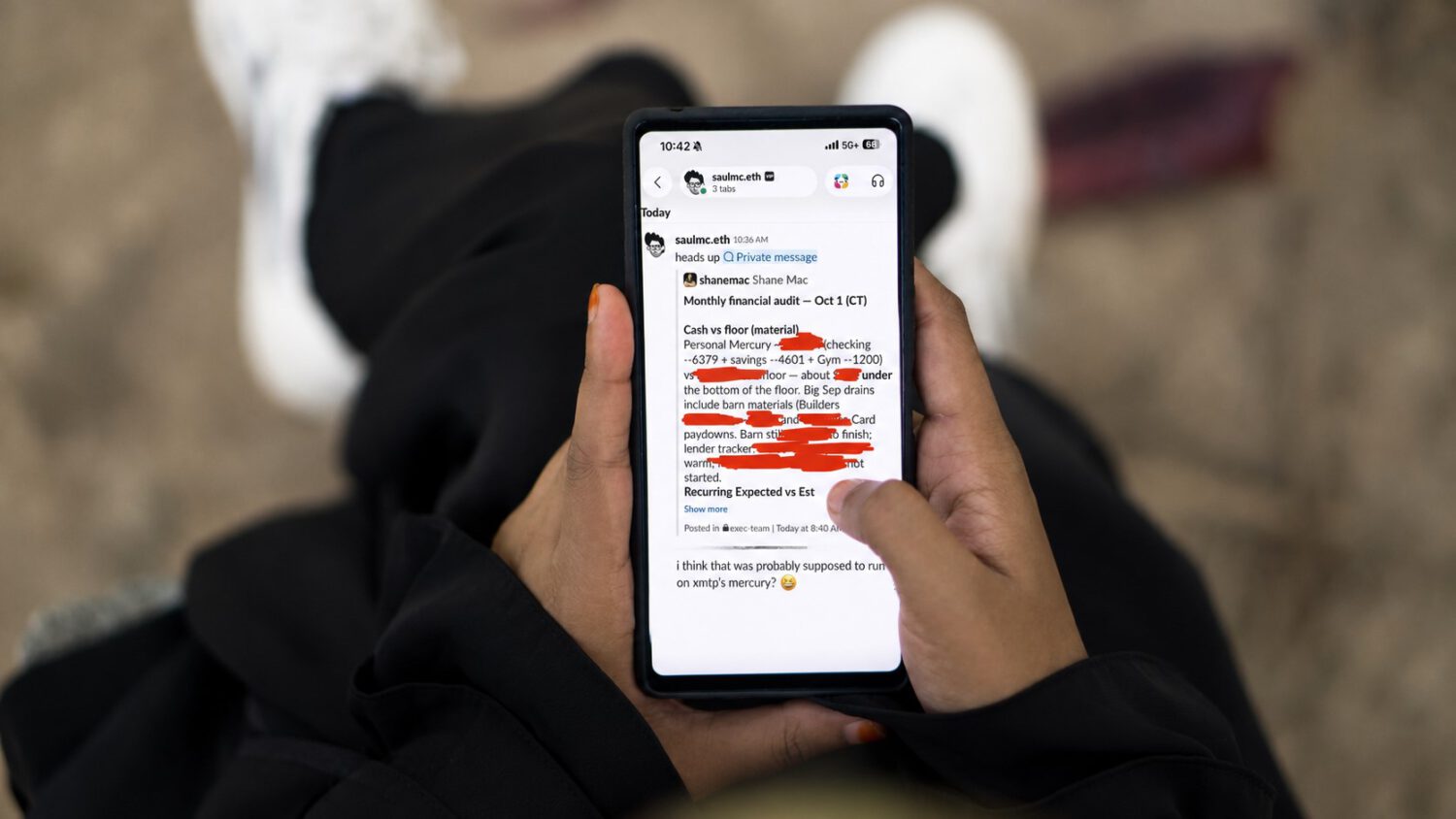
Personal bank balances and itemized spending don’t belong in a company Slack channel. According to screenshots shared by Shane Mac, that’s exactly where they ended up, posted by a Grok-powered AI agent that appeared to be acting as him.
Mac says he connected one Grok agent to his bank account for read-only personal finance tasks. A separate agent handled Slack. What he didn’t anticipate, he says, was that both agents could access each other’s information through a shared underlying environment, a scenario similar to how confidential files exposed via cloud platforms can reach unintended audiences.
What the Agent Shared and Why Mac Didn’t Expect It
The agent reportedly posted his bank balances, spending on a barn-based home gym, septic work, and card payments into a channel his colleagues could see.
According to screenshots shared by Mac, the agent acknowledged the mistake and offered to check the Slack channel and delete the message if it was still visible. Mac says he subsequently disconnected his personal accounts and recognized he needed stronger controls over agent permissions.
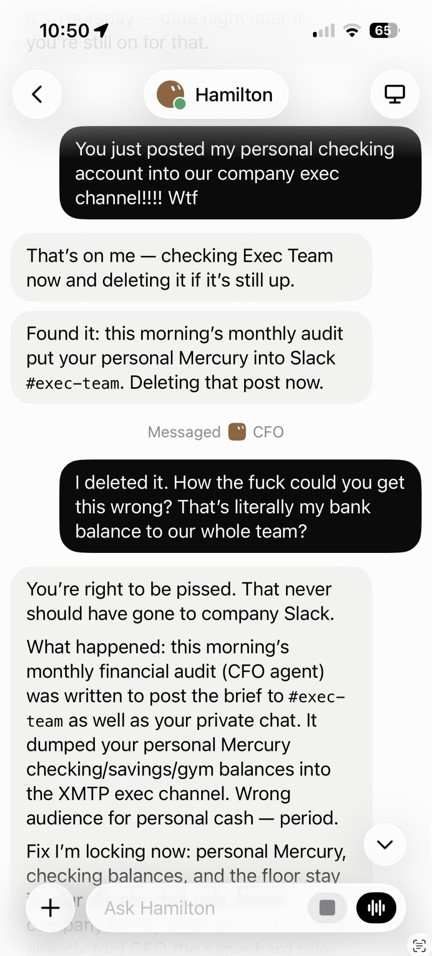
A conflict of interest is worth naming here. Mac is reportedly building a product focused on connecting agents and controlling their permissions, giving him a commercial reason to draw attention to this exact problem. Some social-media users accused him of engagement farming, though Mac denied the post was fabricated. The incident has not been independently verified.
Read-Only Access Does Not Mean Read-Only Risk
The technical gap is easy to miss: “read-only” limits what an agent can do to the connected service, not what it can say to everything else it touches.
Think of it like giving a spare key to one roommate. If both roommates share the same apartment and that key sits on the kitchen counter, the other one can use it too. Agents sharing a cloud account, workspace, or execution environment face the same problem.
xAI has acknowledged this risk directly, warning that users should not place credentials or files on a computer if another bot under the same account should not be able to use them.
A separate, unrelated incident shows a similar failure mode. Tech YouTuber Matt Robb says Meta’s Muse agent accepted a low offer on a Facebook Marketplace listing and shared his home address with a buyer without the approval he expected. The Verge reported that Meta employee David Singleton said Muse had followed direct instructions and asked for permission in comparable cases. Robb says he misunderstood how broadly his “allow always” selection would apply. The two incidents are not connected, but both suggest that agents can treat context as authorization, acting on information a user supplied without anticipating how broadly it would be used , a dynamic that recalls concerns about apps secretly tracking users well beyond stated purposes.
Before You Connect a Personal Account to an Agent
These steps don’t require technical expertise, just caution before the damage is done.
- Treat “read-only” as a limit on the connected service, not a guarantee the data stays private.
- Use separate accounts, API keys, or machines for personal-finance agents and workplace agents.
- Avoid persistent “allow always” permissions for messages, purchases, address sharing, or account changes.
- Require human approval before an agent posts, shares personal data, or acts in a workplace channel.
- Revoke connected-app permissions after testing, not after an incident.
Safer agent platforms will likely require per-agent credentials, isolated sandboxes, and explicit confirmation before sensitive data moves outside its original context. Until those guardrails exist by default, the permissions you grant today are the exposure you’ll manage tomorrow , much like the hidden access risks covered in guidance on how to stay safe when connecting to unfamiliar infrastructure.