You snap a photo of a restaurant menu with Google Lens. You ask Translate to help practice your Spanish pronunciation. Routine stuff. Except now, those images and voice recordings may be saved and fed directly into Google’s AI training pipeline. A new setting called “Search Services History,” rolling out since June 2026, is on by default for many users. It also operates independently from the Web & App Activity toggle you probably adjusted years ago. Your old privacy settings may not cover this — similar to how a White House app was caught secretly tracking users every 4 minutes.
What Changed (and Why Your Old Settings Don’t Cover It)
Google split its data controls, and the new one governs AI training across Search, Lens, Maps, Translate, and more.
The scope is broad. Search Services History now determines whether your media gets stored and used to train generative AI models — completely separate from Web & App Activity. According to 9to5Google, stored media can be retained for up to four years, even after you delete the original activity. Think of it like cookie consent banners: the default always favors the company collecting the data — much like a surveillance app built to gather information without users’ full awareness.
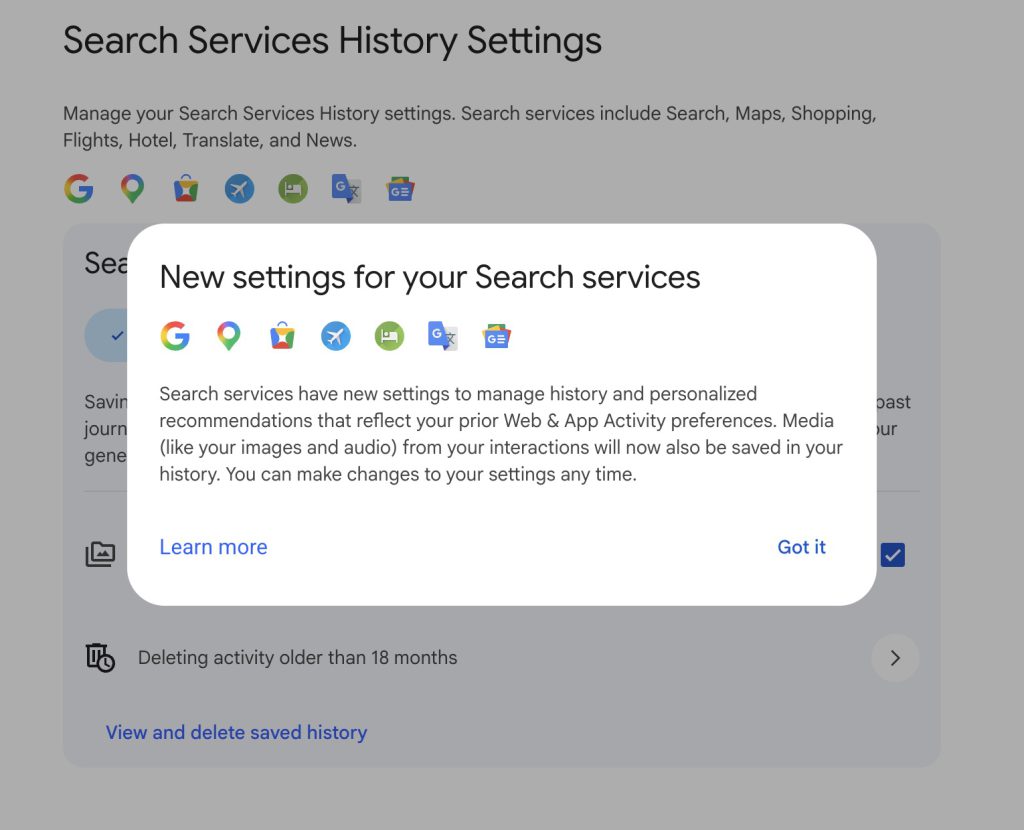
Under Search Services History with Save media enabled, Google can store:
- Images from Lens, Circle to Search, and reverse image search
- Voice recordings from voice search, Search Live, and Translate speaking practice
- Files and videos uploaded during Search interactions
- Generative AI responses and associated location data
Google’s own documentation states: “When Search Services History is off, your future activity won’t be used to train Google’s generative AI models, unless you provide feedback.”
How to Opt Out Right Now
The settings path is buried, but two minutes at myactivity.google.com can shut it down.
Head to myactivity.google.com, click Search Services History, and uncheck the Save media box. That blocks future media from AI training while keeping your text search history intact. Want stronger protection? Toggle Search Services History off entirely — Google will prompt you to delete past activity too. If you’re looking for tools that use AI more transparently, exploring AI-powered websites built around user productivity may be worth your time.
Don’t see Search Services History yet? The rollout is phased. Computerworld recommends an interim fix: under Activity Controls, uncheck:
- “Include voice and audio activity”
- “Include visual search history”
Per Computerworld’s reporting, disabling Web & App Activity now carries that opt-out forward when your account eventually transitions to the new system.
The Setting Worth Finding Today
Sensitive documents, private voice queries, and personal photos deserve better than a default checkbox.
If you regularly point Lens at prescriptions, ask voice questions you wouldn’t repeat in public, or upload documents through Translate, the Save media toggle matters. With media stored for up to four years by default, the exposure window is longer than most users realize. Google lets you change these settings anytime — but only if you know to look. For a broader look at how companies have exploited user data, the history of tech scandals offers sobering context.