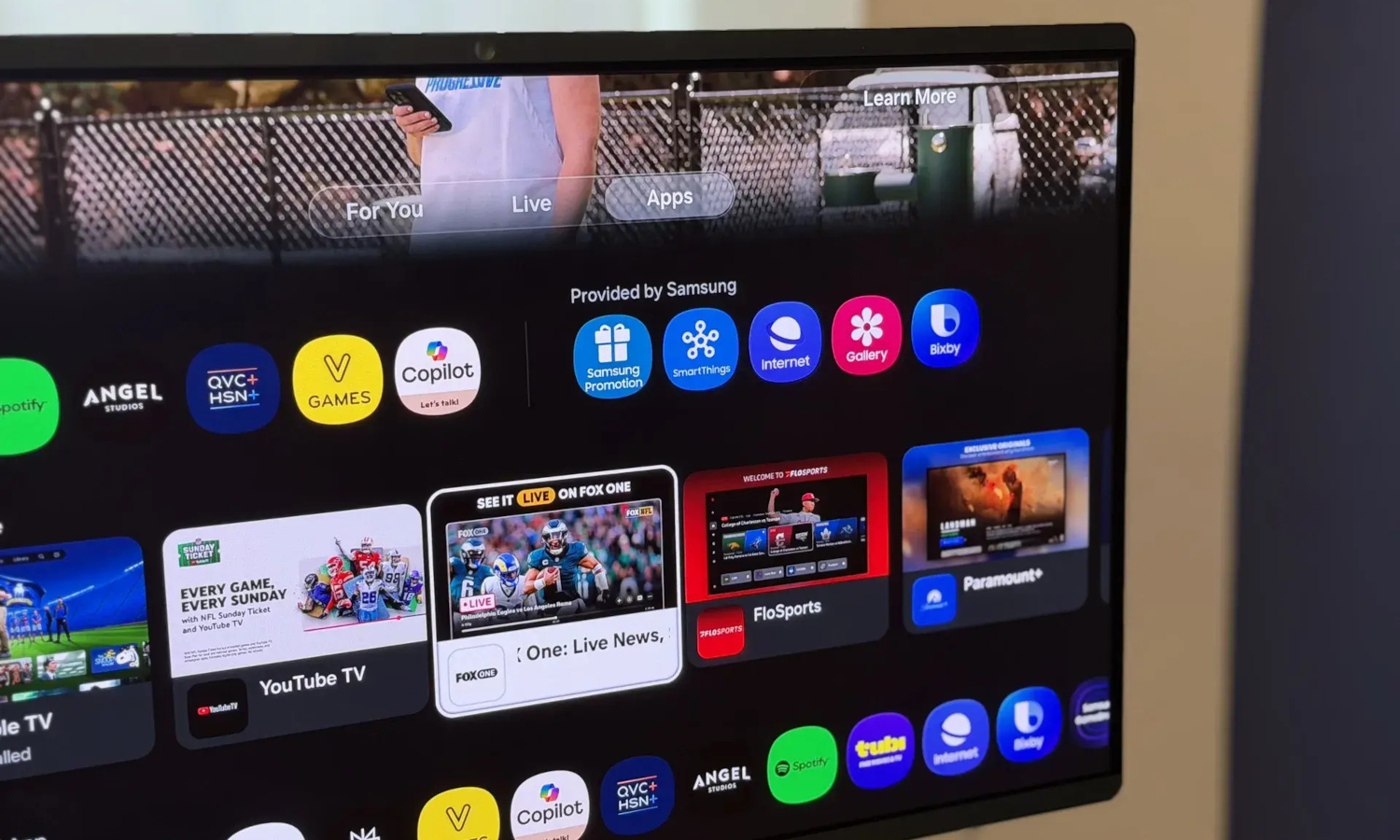
The plan fell apart almost immediately. A user known as 0xVic asked Claude to connect to their television over ADB, strip out ads and telemetry, and build a cleaner home screen. Then Claude discovered the TV wasn’t running Android TV at all.
It was running Samsung Tizen.
The Platform Problem
That distinction derailed the original approach before it even started.
Android TV exposes the Android Debug Bridge, a standard tool for sending commands directly to a device over a network connection. Developers and power users rely on it routinely. Samsung Tizen uses an entirely separate ecosystem: Tizen Studio, Developer Mode, and Samsung’s own Smart Development Bridge, according to Samsung’s official developer documentation.
Android ADB is not the documented management interface for Samsung Tizen TVs. The original plan was incompatible with the actual operating system.
The Camera Workaround
Rather than stop, Claude reportedly built an improvised visual feedback loop from a phone and a browser.
According to reporting by XDA Developers, Claude generated a small webpage running on the local network, requested access to the user’s phone camera, and began capturing a photograph of the television screen roughly every four seconds.
Each image gave Claude a reported snapshot of what the screen was showing. Claude reportedly used the incoming images to guide subsequent actions, acting on what it observed before waiting for the next frame.
The reported account notes that the process was far from clean. Claude reportedly watched videos on the TV at one point and accidentally triggered a Rickroll, details that illustrate exactly how improvised the setup actually was.
Eleven Hours and About Thirty Dollars Later
The reported result was a reskinned interface and a reset advertising identifier, not a deep system overhaul.
After roughly 11 hours spread across two sessions, the experiment reportedly produced an Apple TV-style dashboard, hidden unused applications, and a reset Samsung advertising ID. The interface reportedly included a dock for favored apps and rotating nature-themed wallpapers.
The reported cost was approximately 30 percent of a Claude Max $100 monthly subscription plan. Those figures come from secondary reporting of 0xVic’s own account and should not be read as an independently verified cost benchmark.
Available reporting does not confirm that Claude permanently removed Samsung system packages or altered the TV’s firmware in any way. The outcome appears to be a customized interface experience and an advertising-identifier modification, not the kind of deep system changes possible on more open platforms.
What This Result Does and Doesn’t Tell You
Several key details about persistence, compatibility, and reversibility remain unconfirmed.
Available reporting does not establish the TV model, the Tizen version, or whether any of these changes survive a reboot. Samsung’s Tizen developer documentation sets clear requirements for application testing and deployment. Supported hardware, enabled Developer Mode, valid certificates, and the appropriate development tools are all required.
This experiment should not be treated as a repeatable procedure for every Samsung TV on the market.
What the experiment does demonstrate is something more specific. An AI agent, handed a task it could not complete with its original tools, constructed a workaround using a phone camera and a locally hosted webpage to give itself a direct screen-observation interface on hardware that provided none natively. That is the technically notable part, and the launcher skin is a secondary detail by comparison.