


Mini PCs live or die on whether the configuration in the box matches the job you bought it for. Acemagic sent the middle one, and that decision shapes everything below.
Where It Sits in Acemagic’s Lineup
The K5 comes in two builds, and which of them looks like value depends on where you are buying.
In the US, Acemagic lists the Core 5 320 (16GB, 512GB) at $799 and was selling it direct for $559 at the time of writing. The Core 3 304 reviewed here is an Amazon exclusive in that market, at $569.99 when we checked.
Which of those numbers you compare against decides the answer. Against the list price, the Core 3 is the cheaper machine by a wide margin, exactly as a lower-specified model should be. Against the discount, the better model undercuts it by ten dollars. Acemagic runs that discount more or less permanently, but discounts rotate, so look at what is actually on the page the day you buy.
The EU store works the same way and the gap there is wider. The Core 3 with 12GB lists at 659 euros and sells for 349. The Core 5 lists at 799 and sells for 549. At those selling prices the Core 3 saves you 200 euros, which is the pricing you would expect to see.
We tested the EU model, down to the packaging and the power supply, and it carries 12GB of memory with a 512GB SSD, and it costs 419 euros.
Design
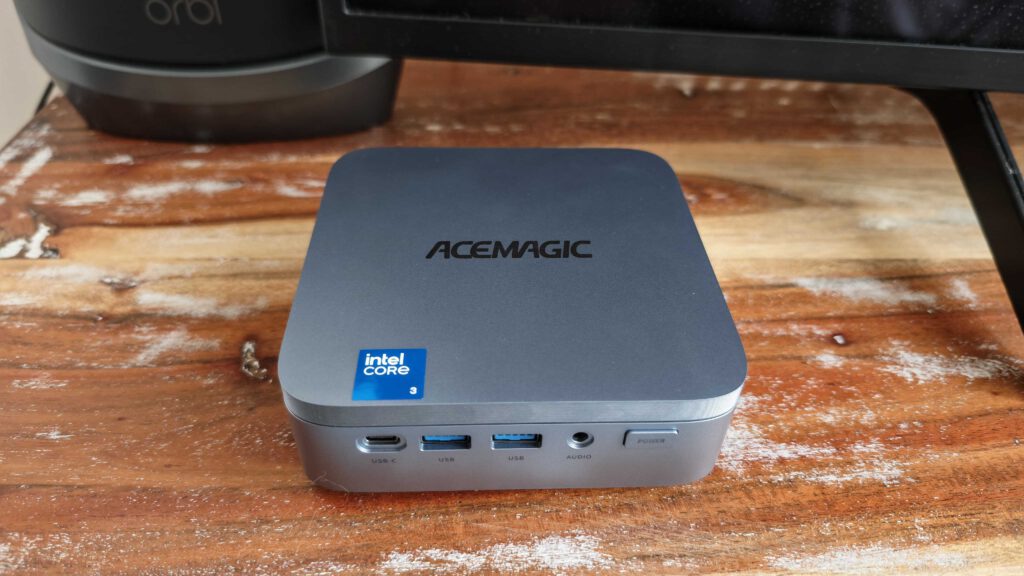
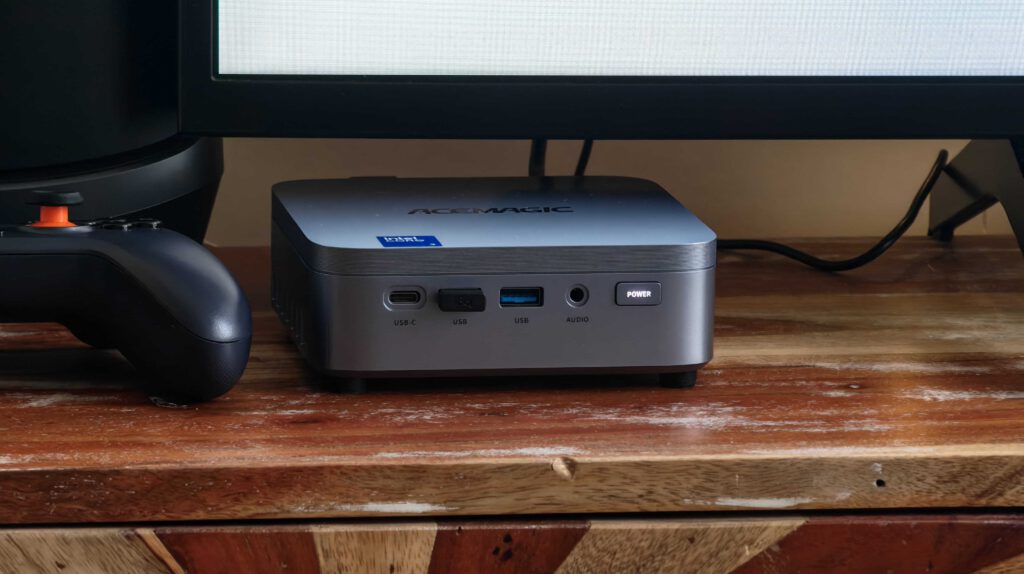
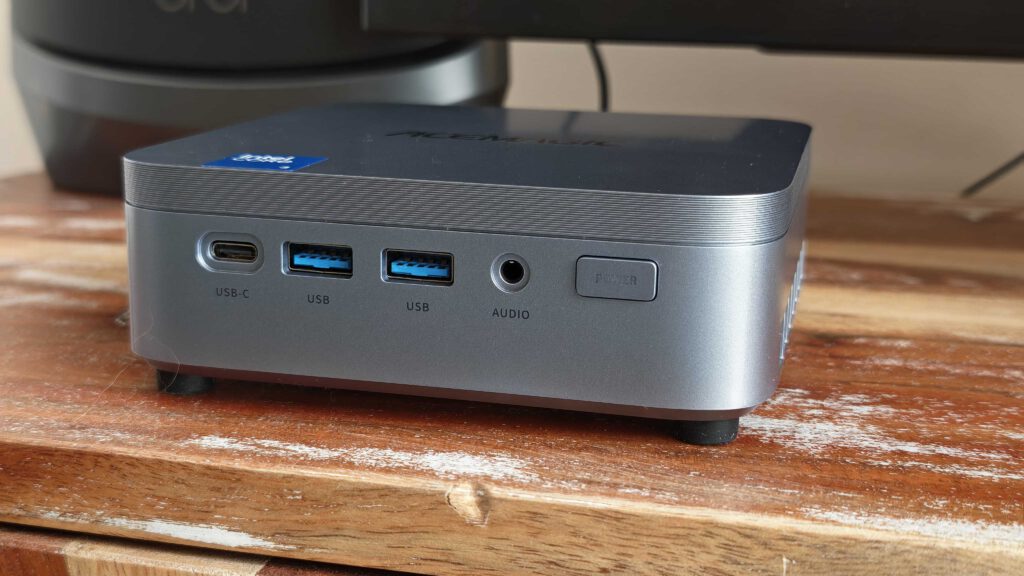
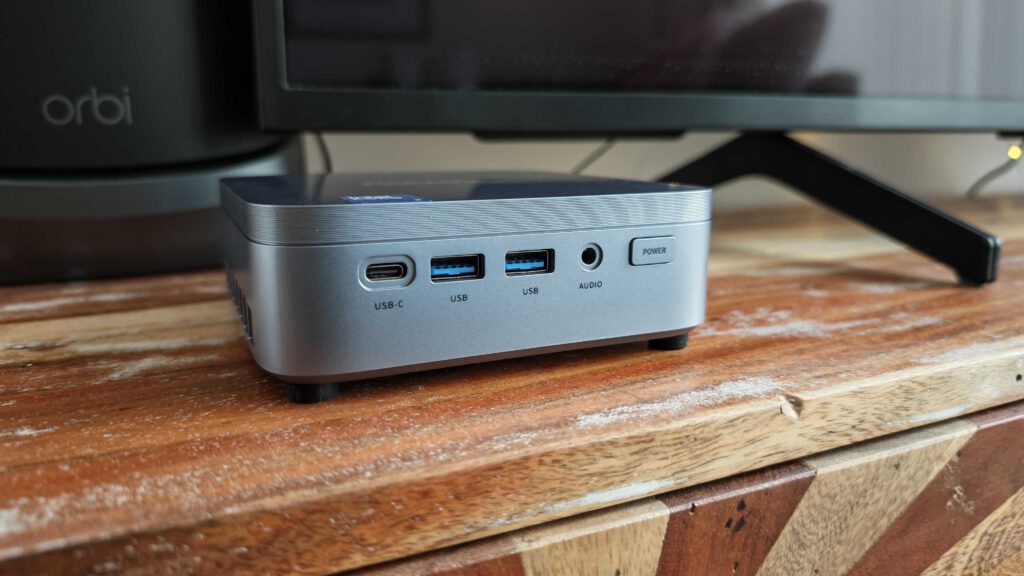
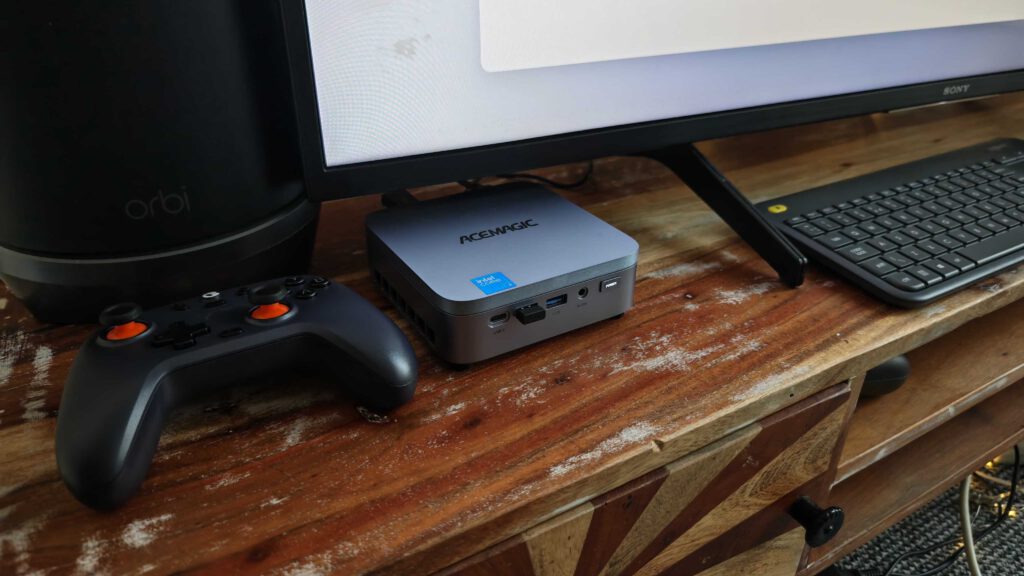
Acemagic describes the Kron Mini K5 as retro-inspired, and the proportions back that up: a 128mm square, 41mm tall, 0.9kg. It tucks under a monitor or onto the back of one with the supplied wall mount.
Build quality is good for a mini-PC, and it runs quiet. Neither of those is a given at this end of the market, where a cheap case and an irritating fan are both common, so the K5 earns a mark for each.
Our chassis is blue, which is worth saying because neither Acemagic store offers a colour option, in the EU or the US. The listings show one finish and no way to pick another. If the colour matters to you, buy on the assumption that you get whatever the listing pictures.
Specifications
- Processor: Intel Core 3 304 (formerly Wildcat Lake), built on Intel’s 18A process
- Cores: 5 total, 1 performance core plus 4 low-power efficient cores, 5 threads
- Cache: 6MB Intel Smart Cache
- Clock: up to 4.3GHz
- Power: 15W base, 35W maximum turbo
- Graphics: Intel Graphics, 1 Xe core, up to 2.3GHz
- NPU: 15 TOPS at Int8, with Acemagic quoting up to 24 TOPS across the platform
- Memory: 12GB LPDDR5 at 5600MT/s, soldered and non-upgradable, single channel
- Storage: 512GB M.2 2280 NVMe PCIe 3.0 x4 SSD pre-installed, plus two M.2 2280 PCIe 4.0 x2 expansion slots
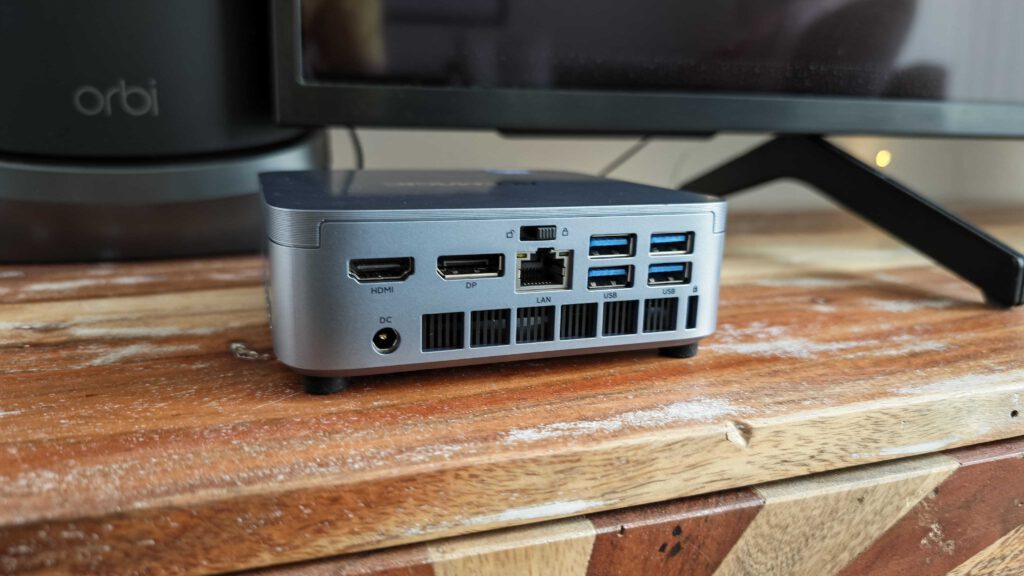
- Display: three 4K 60Hz outputs over HDMI, DisplayPort and USB-C
- Ports: seven USB in total, 2.5GbE ethernet, 3.5mm audio
- Wireless: Wi-Fi 6, Bluetooth 5.2
- OS: Windows 11 Pro
- Size and weight: 128 x 128 x 41mm, 0.9kg
- In the box: mini PC, power adapter, HDMI cable, wall mount, manual
The soldered memory is the specification that matters most. Everything else on that list can be worked around or lived with. Twelve gigabytes cannot be changed later, and it is the number that decides what this machine will never do.
Who It’s For
Students and home workers, and that is not a backhanded compliment. A machine that runs Office, a browser with twenty tabs, Teams and a couple of 4K monitors is most of what most people need, and the K5 does that from a box the size of a sandwich.
Light game streaming works, because streaming asks the network to do the work rather than the graphics core. Moonlight, GeForce Now and similar services will be fine. Anything rendering locally will not.
Where it runs out is AI. Acemagic quotes up to 24 TOPS, which is the 15 TOPS NPU and the 9 TOPS graphics core added together. Local AI models are not gated by TOPS, though. They are gated by memory, in two separate ways. The weights have to fit, and 12GB shared between Windows and the graphics core realistically lands you on a 7B or 8B model at four-bit quantisation. Then there is speed, because generating tokens leans on memory bandwidth rather than compute, and Intel lists this processor as single channel.
The NPU does not rescue any of that. Ollama, LM Studio and llama.cpp all run on the processor and the graphics core, and reaching Intel’s NPU means a separate stack such as OpenVINO or IPEX-LLM. So, a small chat model is fine here. Several agents running side by side, with the long contexts that implies, is not, and 32GB is the sensible floor for that kind of work, anyway. Acemagic describes the memory as soldered and non-upgradable, so this machine cannot reach it at any price.
Performance
Run through PassMark PerformanceTest 11.1 on 2 October 2026, the K5 returned an overall PassMark Rating of 2489. That is the 22nd percentile against PassMark’s own database, where the world average sits at 6178.
The component scores are the interesting part, because they do not all point the same way. CPU Mark came back at 12332, which is the 47th percentile and squarely mid-table. For a five-core chip working inside a 15W budget, that is a perfectly respectable number. Disk Mark landed at 13157, the 52nd percentile, so the pre-installed SSD is a shade above average.
What drags the overall rating down sits either side of those two. Memory Mark scored 2410, the 36th percentile, which is what single-channel LPDDR5 looks like on a chart. 3D Graphics Mark scored 1536, the 23rd percentile, and that is the single Xe core turning up exactly where you would expect to find it.
That spread is the whole review in one picture, really. The processor is fine. The storage is fine. The memory and the graphics are the parts you will actually run into shortcomings, but they are also the two parts you cannot do anything about, because the memory is soldered and the graphics are on the die. The storage, the one component that scored above average, is the only one you are allowed to change.
Should I Buy the Acemagic K5?
In the US, check the Core 5 price first, because that is what decides it. While Acemagic’s discount is running, the Core 5 320 sells for $559 against $569.99 for this model, and a better processor with 16GB of memory for less money is not a close call. Buy the Core 5. If that discount lapses and the Core 5 goes back towards its $799 list price, the Core 3 becomes the sensible budget pick again. The machine has not changed. Only the gap has.
In the EU the maths stays the right way round whichever price you look at. At 349 euros against 549 for the Core 5, the Core 3 saves you 200 euros and gives up memory and graphics to do it. For a student, or for home work that is not hungry, that is a sensible trade, and the machine will stay good for years.
The hardware around the processor is good either way. Solid build, quiet running, a generous port selection, three 4K displays and a size that disappears behind a monitor. Nothing here feels cheap.
What you are really buying is a ceiling. The processor and the storage are mid-table or better, the memory and the graphics are not, and those last two are the ones you cannot change later. The only question that matters is what that ceiling saves you, and right now in the US the honest answer is nothing at all.
How I Tested
I used the K5 as the machine it is sold as. Everyday desktop work: a browser with a stack of tabs open, email, documents, spreadsheets and video calls, over a normal working pattern rather than a stress test. Benchmarking was PassMark PerformanceTest 11.1, run on 2 October 2026, and every figure in the performance section comes from that run.
I did not push it beyond that, and that was deliberate. Given where the specification sits, there was no sense throwing sustained renders or gaming benchmarks at it, because the answer was never going to be interesting. So, read the performance section as a verdict on everyday use alongside a benchmark, rather than as a thermal or sustained-load test.
I did not run local AI models on it either, so the memory argument above is made from the specification rather than from testing, but I’m familiar with what you need for AI work, so the reasoning behind why I didn’t test it on games basically applies here too. I did not measure fan noise with anything more scientific than sitting next to it, but really, if you can’t hear your PC running, it’s very quiet.