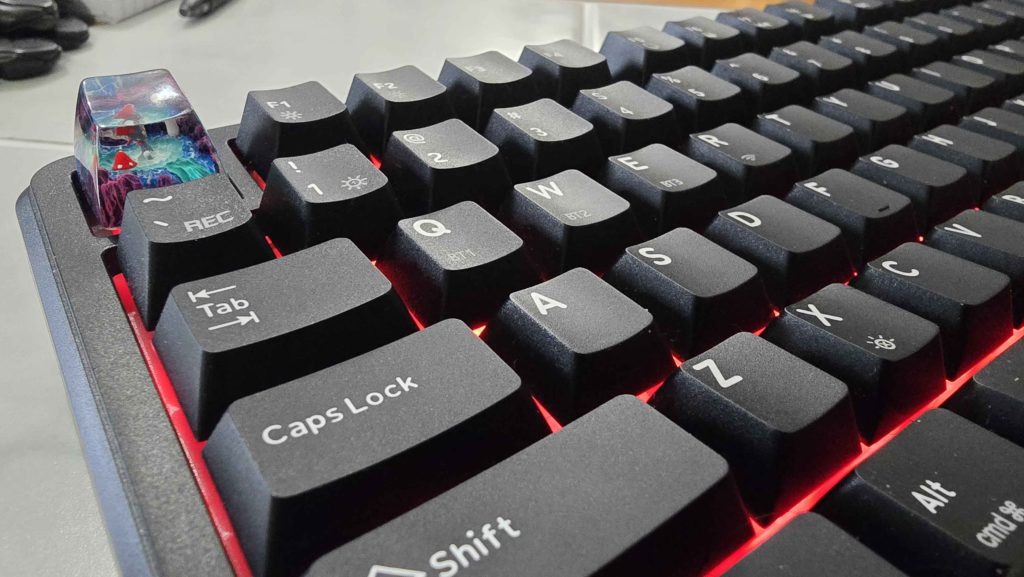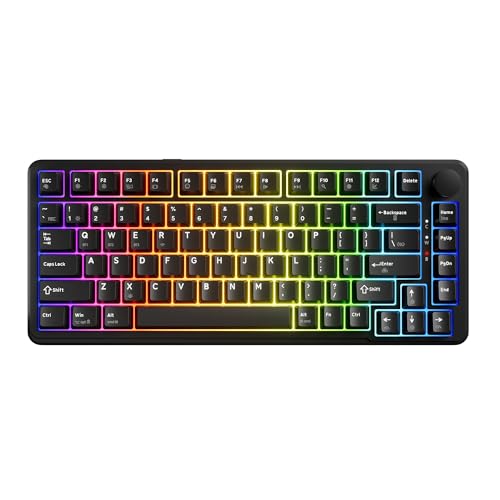




The Tecware Ghost (75% layout) showed up ready to work. After 120-plus hours of typing, gaming, and general desk time over the past couple of weeks, this $60 keyboard has already earned its place on my desk in ways that surprised me. You may consider that fast, but short of hardware failures making me a fool, I know what I like in a big hurry when it comes to keyboards.
Setup
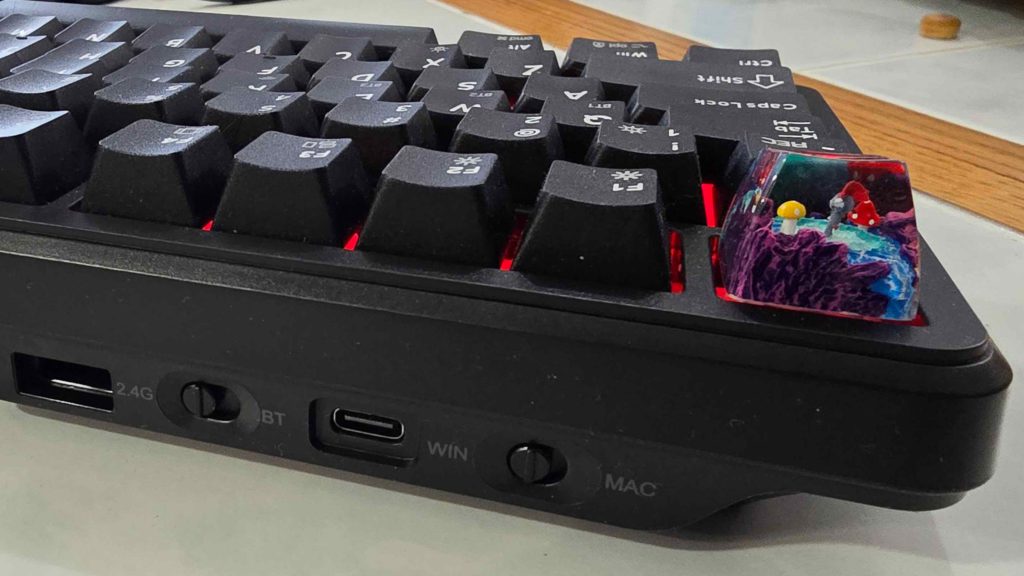
Plug it in and start typing. That’s the setup. The Ghost offers three connection modes: Bluetooth, 2.4GHz wireless, or wired USB-C. Switching between them takes seconds, and no driver installation or software configuration is required to start working (outside of the typical Windows recognition time when you first plug in a device).
The Typing Experience
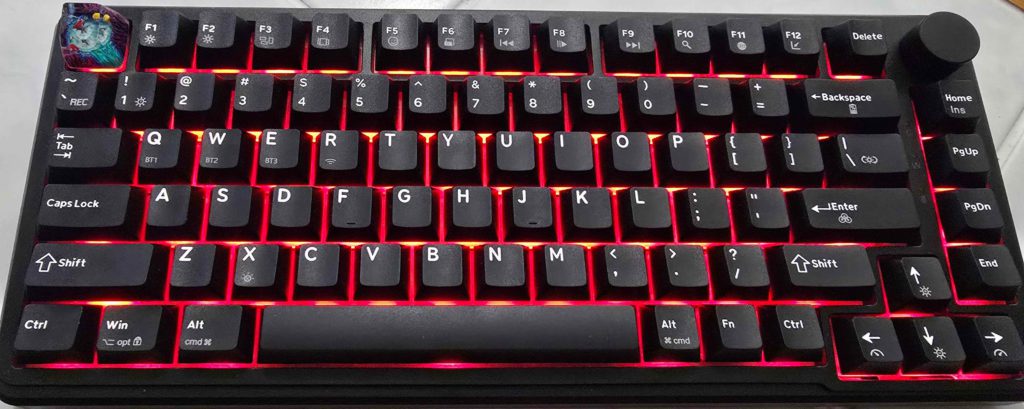
The switches deliver a smooth, creamy feel with equal parts of light “clacks” and satisfying “thocks”. The overall acoustic signature leans towards the satisfying and muted. It’s not silent, but also not clicky; just pleasant to hear throughout a workday. See, I like clicky switches and tactile non-clicky switches, so the fact that these are linear gave me pause. And that pause didn’t last long.
Tecware claims these are “custom linear switches,” and after digging around trying to identify them, that appears accurate. No other switch on the market matches this specific set of material colors, spec numbers, and sound profile. Or at least, nothing I found in my searches led me to a definite answer.
If you’re a nerd (like me), the spec profile resembles HMX Blue Topaz Linear Switches and Keygeek Orange Boi Linear Switches, but the Ghost switches share no visual similarities with either and sound completely different.
The stabilizers work properly right out of the box. No stickiness, no rattle, no mushiness on the spacebar or shift keys. They perform as you’d expect a properly lubed stab to perform, which isn’t always a given regardless of what you spend on a keyboard (ask me how I know). The keycaps feel smooth and pleasant under your fingers the whole time, too.
The only real reservation I had with the keyboard was the fact that my “E” key would sometimes not register, double-tap, or triple-tap. I swapped the switch out with one of the four spares you’re given and… problem solved. I guess one of the switches was faulty.
The Comparison Point
My previous daily driver was a Glorious GMMK Pro. Full metal case, serious weight, premium price tag. The GMMK required immediate stabilizer replacement and lubing before it became usable. The spacebar and enter key in particular felt sticky and inconsistent until I fixed it myself.
Swapping the Ghost’s switches into the GMMK Pro frame highlighted an interesting difference. The sound profile changed immediately. The Ghost’s gasketing system sounds better than the GMMK Pro’s design, which would need a gasket change to achieve the same or better sound quality. The typing experience on the Ghost simply feels more refined out of the box, as a result, despite the significant price difference.
The metal case on the GMMK feels more substantial, and the volume knob has nicer knurling and heft. But those premium touches don’t overcome the typing experience gap.
The Trade-Offs
The case is plastic with a nice texture and smooth finish, but it’s still plastic. After typing on a metal chassis for months, the downgrade shows. The board feels lighter and less planted on your desk, but unless you’re a particularly animated typist, I don’t know how much this is going to matter to you. I just really like a heavy keyboard chassis.
The volume knob works fine, but lacks the premium feel you get out of having knurling on it like the GMMK. Still, it turns, it adjusts volume, and it doesn’t feel cheap. It’s just not “special”. You can swap it if the stock knob bothers you enough.
Tecware’s website didn’t offer software for the Ghost specifically, which is probably because it’s new. Fortunately, LED programming can be done through the keyboard itself using key combinations. The system works, but it does require memorizing commands or keeping the manual handy. Not a dealbreaker, just less convenient than software-based control. The fact that you can do it all on the board is quite nice, actually.
Daily Use
Over a hundred and twenty hours in, the Ghost has handled everything thrown at it. Morning emails and Slack messages feel smooth. Documents don’t trigger finger fatigue. Evening gaming sessions work without input lag or missed keystrokes, and relentless Discord alt-tabbing has stayed comfortable.
The three connection modes proved their worth quickly. Bluetooth for quick pairing with a laptop, 2.4GHz for reliable wireless desktop use, and wired when you want zero latency concerns. Switching between modes takes seconds without any software intervention.
The board never developed any quirks over the testing period. No keys started feeling different, no connections dropped randomly, just consistent performance day after day. The plastic case concern faded after that first week because the typing experience matters more than case material. Your fingers spend time on the switches, not the chassis.