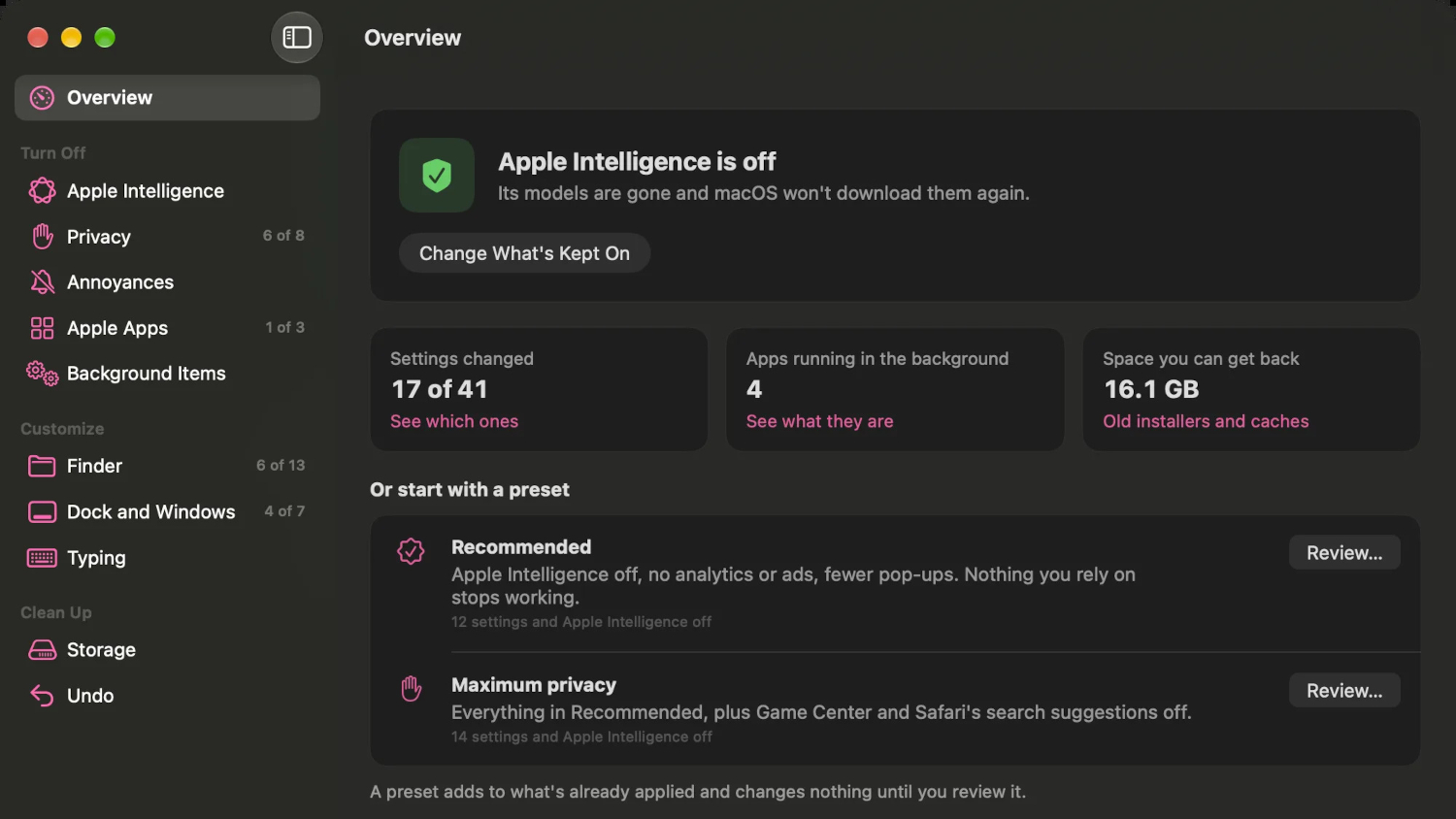
Apple Intelligence arrived in macOS 27 with roughly 12 GB of locally installed models and, notably, without the systemwide toggle that reportedly let you disable and delete them in earlier releases. If you want that storage back, Apple’s current approach is to turn off individual features one by one without necessarily removing the underlying data, according to MacRumors.
An open-source utility called RemoveMacAI now offers a more direct path.
What RemoveMacAI Actually Does
The tool goes further than Apple’s own settings allow, deleting the models and blocking them from downloading again.
Released in late September 2026 and covered by MacRumors in early October, RemoveMacAI removes access to a specific list of Apple Intelligence components: Siri-related AI functions, Writing Tools, Genmoji, Image Playground, ChatGPT integration, notification summaries, smart replies, inline predictions, Photos Clean Up, Spatial Photos, and Xcode predictive completion.
According to MacRumors, it works through configuration profiles and local-port redirection. That approach does not require disabling System Integrity Protection or directly modifying protected system files, according to the project and MacRumors reporting.
Standard dictation reportedly continues working after removal. Freeing roughly 12 GB is the figure MacRumors cites, though some users have reported larger footprints on their specific machines; those higher numbers reflect individual configurations rather than a universal measurement.
The Catch You Should Know About
A deprecated restriction key keeps this working today, but the next macOS update could change that without warning.
RemoveMacAI requires macOS 27 and Apple silicon. Older machines and macOS 26 or earlier are not supported, according to the project’s GitHub repository.
The deeper limitation is structural. MacRumors reports that the tool relies on configuration-profile restriction keys Apple deprecated in macOS 26.4. Those keys reportedly still function in macOS 27.0.1, but any future update could invalidate the method.
This is not an Apple-endorsed utility, and users proceed at their own risk. Reversibility is available according to the repository, but that does not eliminate risk from future macOS updates.
Inspecting the source code and maintaining a current backup before running anything is worth doing before you commit. Older machines and computer problems around storage and system management are common pain points for those left without an official removal path.
Why This Attracted So Much Attention
Community frustration centers less on the tool itself and more on why it needed to exist at all.
RemoveMacAI prompted discussion on GitHub, Reddit, and Hacker News shortly after its release. According to MacRumors, much of that conversation targeted Apple’s decision to remove a straightforward, official method for disabling and deleting the models, rather than the utility itself. That sentiment reflects the views of engaged community members, not a representative survey.
What This Means for Your Storage Decisions Right Now
Whether RemoveMacAI makes sense for your setup depends on how much you use Apple Intelligence features versus how much you want that storage back. Its continued viability depends on Apple’s next move: the company could restore an official removal path, change how models are delivered, or release an update that closes this approach entirely. For compatible Macs, a third-party workaround currently provides a reversible way to disable the features and remove their downloaded models.