Taps, swipes, and endless scrolling define modern smartphone life. Notifications arrive without warning, and personal data sits precariously exposed. This collection showcases innovative Android utilities that transform chaos into order while fortifying privacy. Stop letting your device dictate your day.
1. DBMB (Unknown Call Silencer)
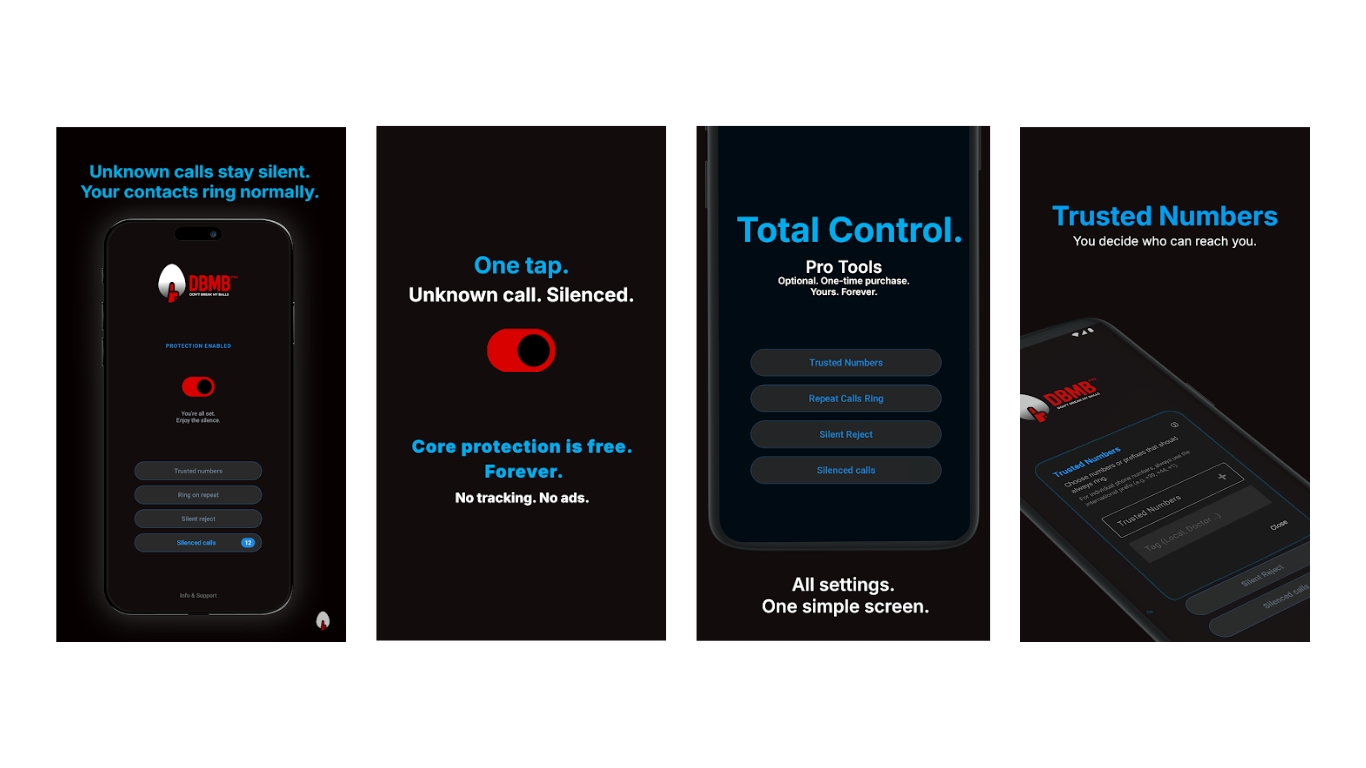
Silence unknown calls while keeping every ring visible in your log.
The relentless chime of unknown numbers has turned phones into anxiety-inducing buzzers. DBMB acts as a digital bouncer, silently deflecting calls from numbers not saved in your contacts.
This app operates entirely offline—a privacy feature as rare as a quiet subway car. No reliance on online spam databases, call ID services, or community reports. Silenced calls remain visible in your log without the disruptive noise. The optional Pro version offers trusted-number exceptions, ensuring important contacts always break through.
2. Cork (Website/App Organizer)
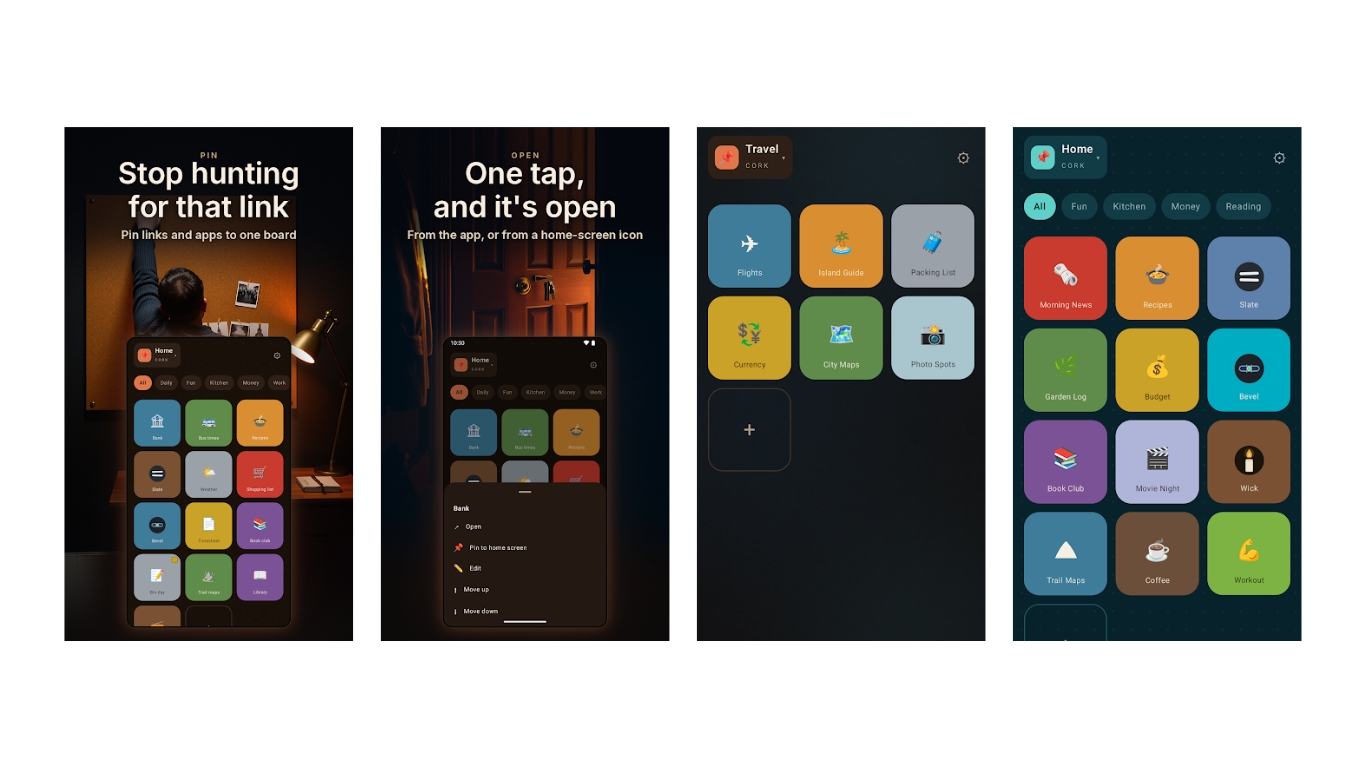
Transform scattered links and apps into organized, visual boards.
Daily navigation through scattered bookmarks and app drawers resembles an archaeological dig. Cork creates a personalized, tile-based dashboard for frequently visited sites and essential applications.
Adding websites works through sharing links or manual entry. Apps pin directly using their real icons. Customizable tiles feature colors and symbols, organizing into separate boards for different contexts. Individual tiles or complete boards pin directly to your Android home screen, transforming your device into a streamlined control panel.
3. Hidebox (Privacy Vault)
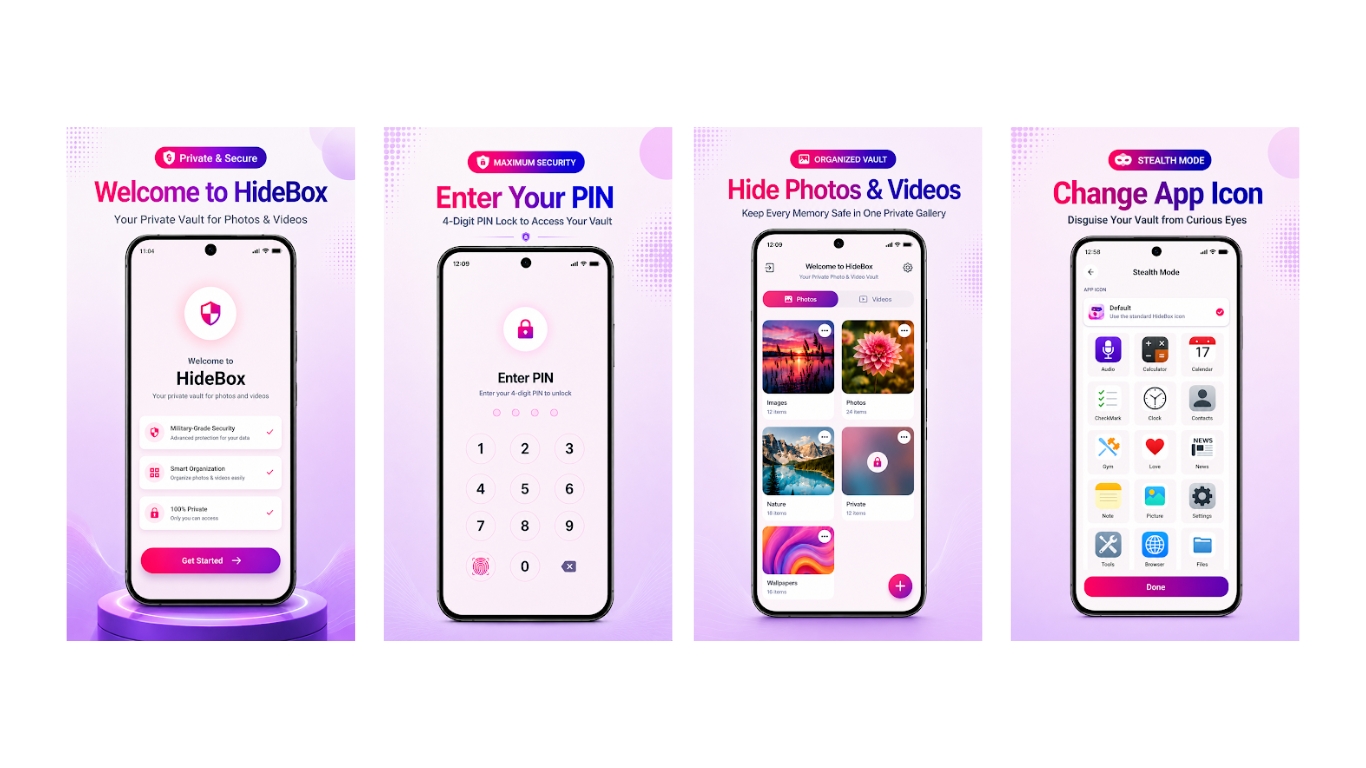
Isolate sensitive files behind encrypted protection with decoy defenses.
Mobile devices hold sensitive information that demands robust digital privacy. Hidebox provides an encrypted vault for photos, videos, audio, and notes, isolating them from other applications.
Access locks via PIN, fingerprint, or face-unlock. Content sorts into categorized albums. Deleted files remain recoverable. Imports from Gallery, WhatsApp, or Files include an option to delete originals after transfer.
Advanced discretion features include a disguised app icon, rendering it undetectable on your home screen. A decoy vault accessed by a separate PIN offers plausible diversion. Incorrect unlock attempts trigger an intruder selfie, capturing unwanted snoops. The private browser blocks ads and trackers, with encrypted Google Drive backups protecting vault contents.
4. Infinite Walls (Wallpaper App)
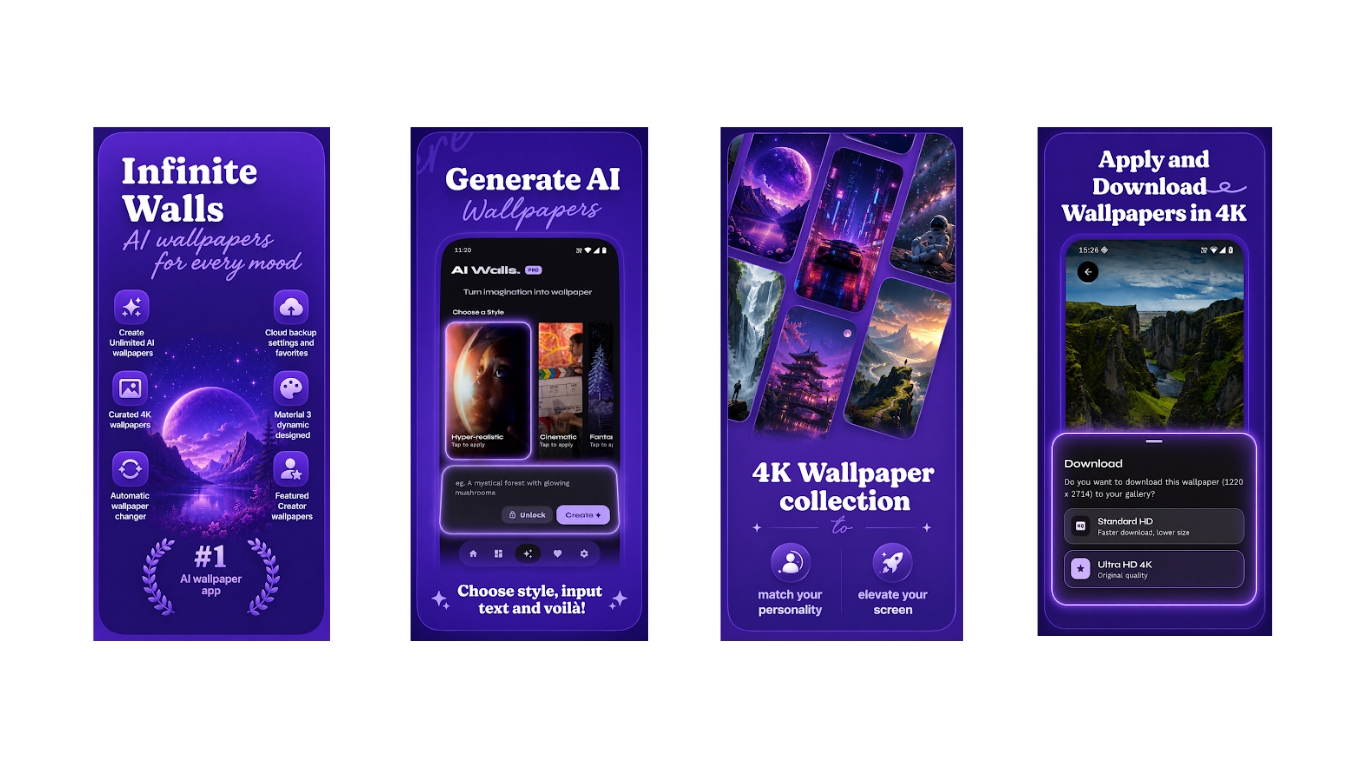
Browse curated 4K artwork or generate custom backgrounds through AI prompts.
Finding the perfect phone background often feels like digging for digital gold. Infinite Walls streamlines this hunt with a catalog of artwork spanning nature, architecture, minimal designs, and space categories. Browse exclusive collections from featured artists, with both free and premium options providing instant access to ready-made designs.
Beyond static images, the app integrates AI generation. Craft unique wallpapers via text prompts using cloud-based Stable Diffusion XL for bespoke backgrounds. Material 3 expressive design shapes the interface, while Pro features automate wallpaper changes according to selected categories and frequency.
5. Floatkit (Floating Sidebar)
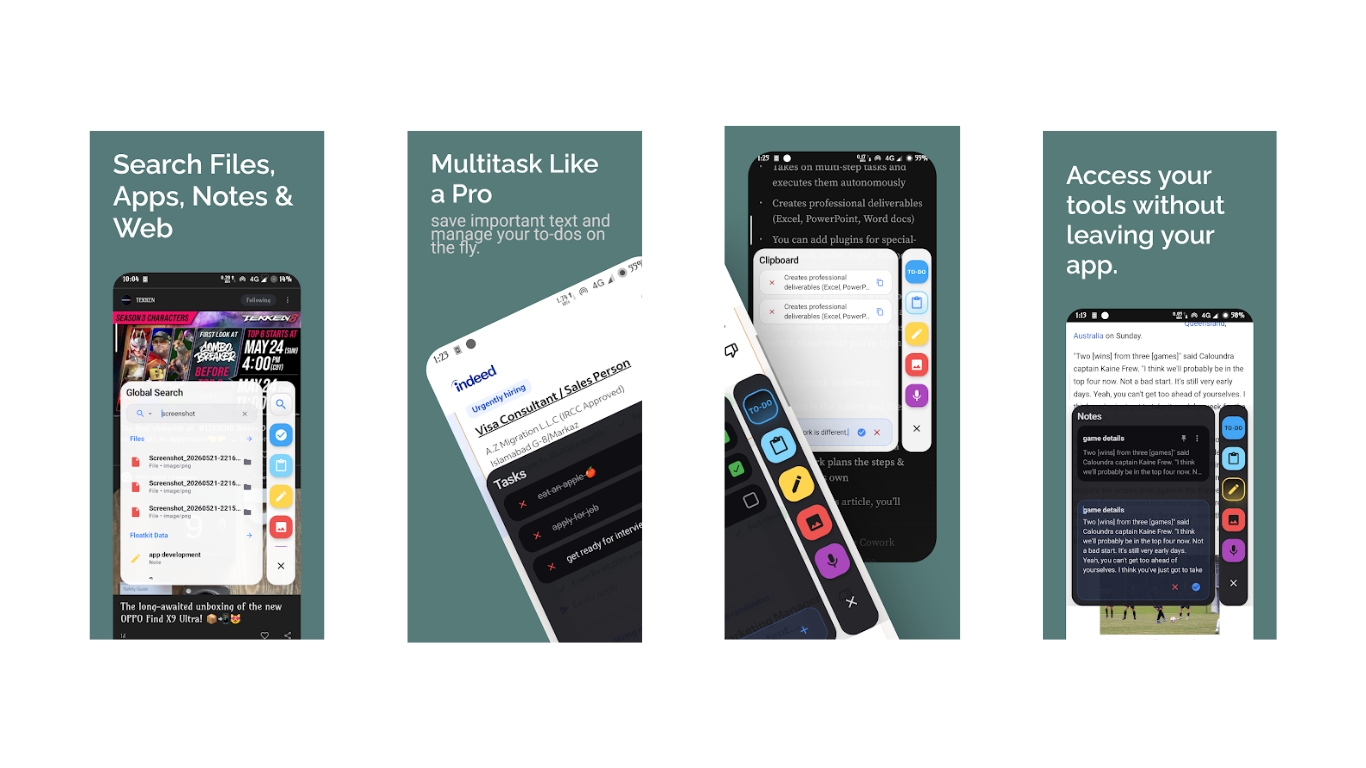
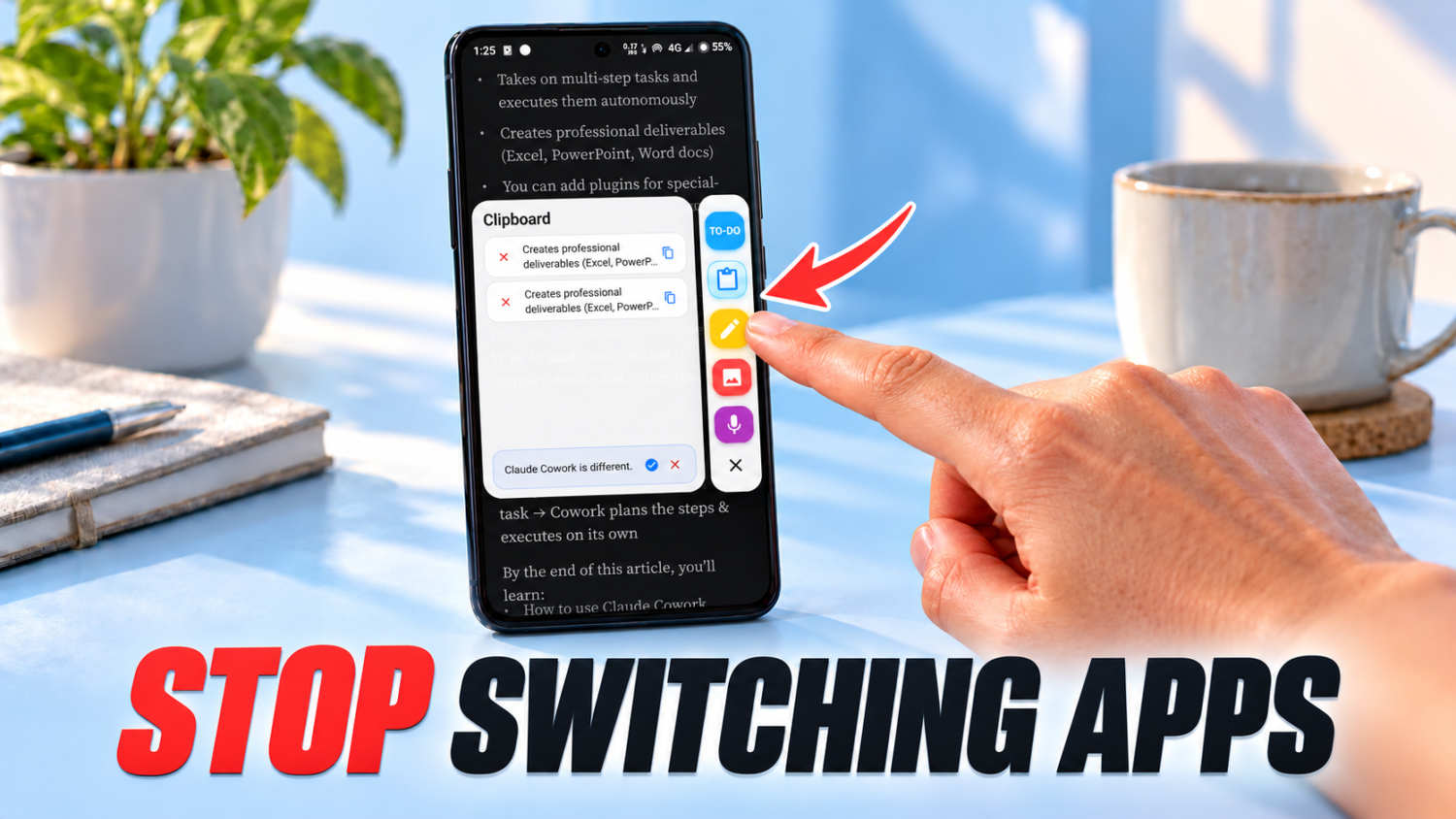
Access essential tools without abandoning your current app.
Bouncing between apps for quick notes or brightness adjustments disrupts workflow. Floatkit cuts through that friction with a floating sidebar delivering instant access to essential functions without abandoning your current application.
The global search function sweeps across apps, files, media, contacts, calendar events, notes, and the web. Quick notes, to-do lists with priorities and reminders, voice memos, and recent screenshots all live in one spot. Additional tools include an app launcher, volume and brightness controls, and power menu access.
Local storage manages notes, tasks, and recordings. Web searches require an internet connection, while other functions operate independently. Anyone who’s ever lost a brilliant thought to app-switching knows this relief.