Your $1,200 iPhone runs on autopilot while game-changing tools collect digital dust in Settings menus. iOS 26 packed your device with genuinely useful capabilities that Apple barely advertises—like having a Swiss Army knife, but only using the main blade. These aren’t gimmicky additions but practical upgrades that reshape how you interact with your phone daily.
Turn Screenshots Into Search Engines
Google Search now lives inside your camera roll with zero extra steps.
Screenshot something interesting? That small button in the bottom-right corner isn’t just decoration—it triggers Google Search directly from your image. Circle to Search takes this further, letting you draw around specific objects or text for instant results.
Your Screenshots folder transforms from a digital junk drawer into an active research tool, making those random captures actually productive.
Lock Screen Becomes Your Command Center
Customize beyond wallpapers with spatial scenes and smarter notifications.
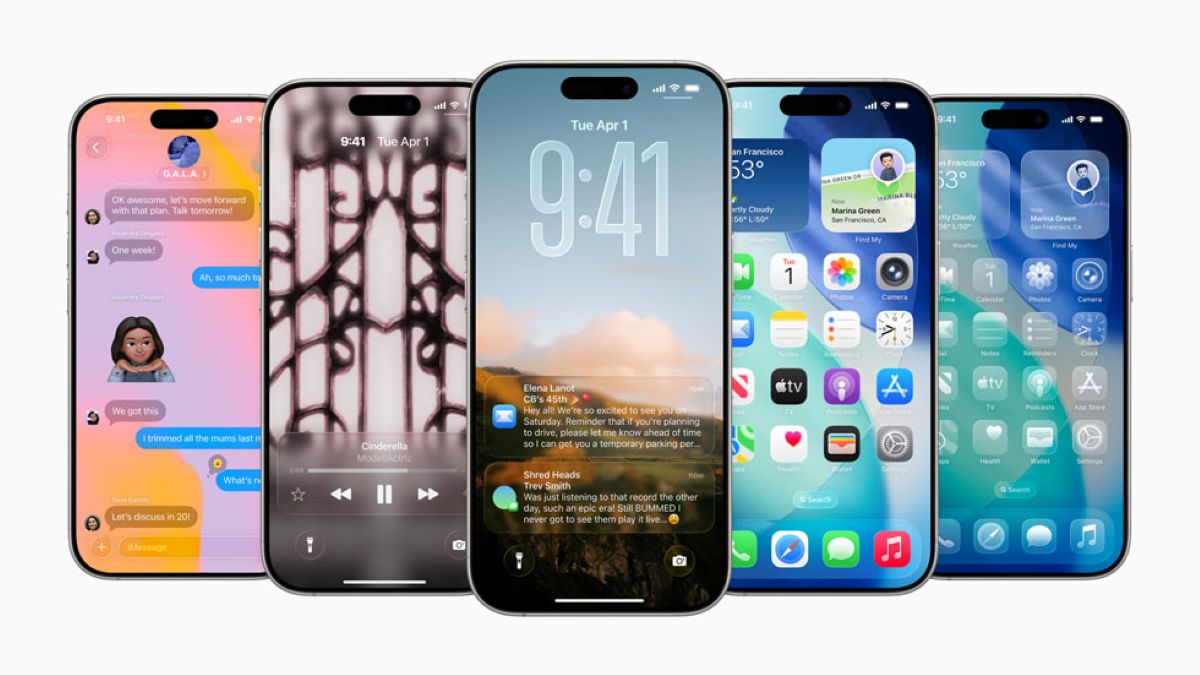
iOS 26’s Liquid Glass redesign lets you resize clocks, extend wallpapers beyond standard frames, and enable spatial scenes that respond to movement. The Always On Display gains new functionality that reduces notification noise while keeping essential info visible.
Your lock screen evolves from basic time display to personalized information hub that actually works for your schedule.
iMessage Gets Surprisingly Powerful
Select text, save photos instantly, and create polls without third-party apps.
You can finally select and copy specific text from iMessage conversations—no more forwarding entire threads to grab one address. Photos from iMessage or WhatsApp save directly to your library with a tap, eliminating the screenshot-and-crop dance.
Group chats gain polling capabilities and custom emoji creation (Genmoji), turning basic messaging into collaborative spaces that rival dedicated AI apps.
Unknown Callers Meet Their Match
Screen spam calls automatically with “Ask Reason for Calling” responses.
Unknown numbers now face an interrogation system that screens calls before they reach you. Enable automatic responses that ask callers to state their purpose, filtering legitimate calls from robotic spam.
Haptic feedback confirms when calls connect or disconnect, providing subtle confirmation that eliminates guessing games about call status.
Your iPhone contains more capability than most people discover in years of ownership. These features aren’t experimental—they’re practical tools waiting for activation. Time to stop using premium hardware like a basic phone and start leveraging what you actually paid for.