



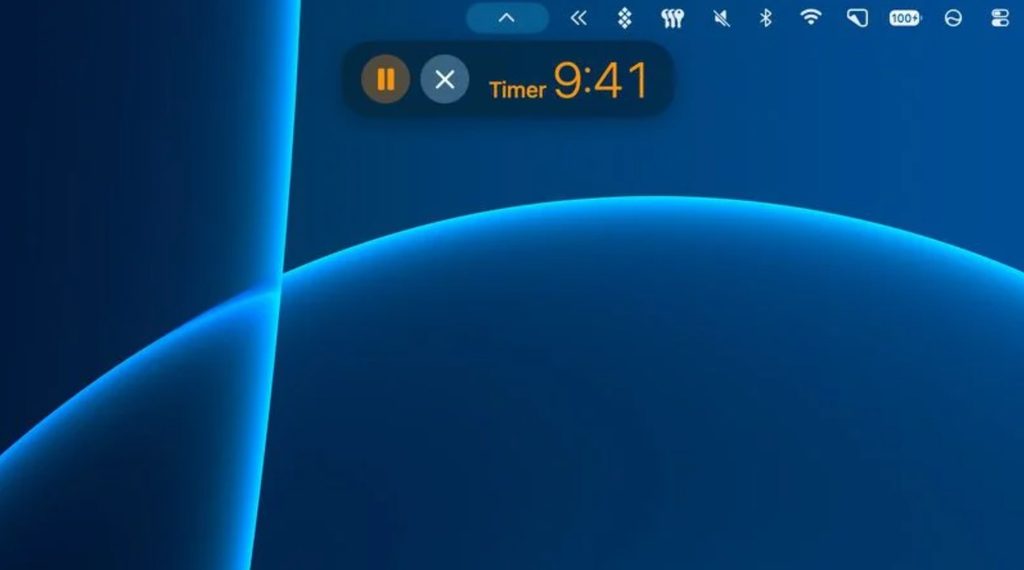
The first developer beta of macOS 27.3 enables Live Activities directly in the Mac menu bar, according to Apple’s documentation and MacRumors reporting. Supported Apple silicon Macs can now generate these activities as native Mac experiences, rather than passively reflecting what a nearby iPhone happens to be doing. A public release is expected in December, though beta features can change before then.
The Dynamic Island Is Bonus Hardware, Not a Ticket to Entry
Owning the new OLED MacBook Pro with its Dynamic Island is not a requirement for getting this feature.
The new OLED MacBook Pro includes a Dynamic Island, which serves as an additional, richer presentation surface for Live Activities. Supported Apple silicon Macs without that hardware still receive the feature through the menu bar, which Apple identifies as the standard delivery location. That distinction matters for most Mac users, who will not be upgrading to the new OLED hardware.
What It Actually Looks Like
Apple’s own apps show the feature in action across the macOS 27.3 beta.
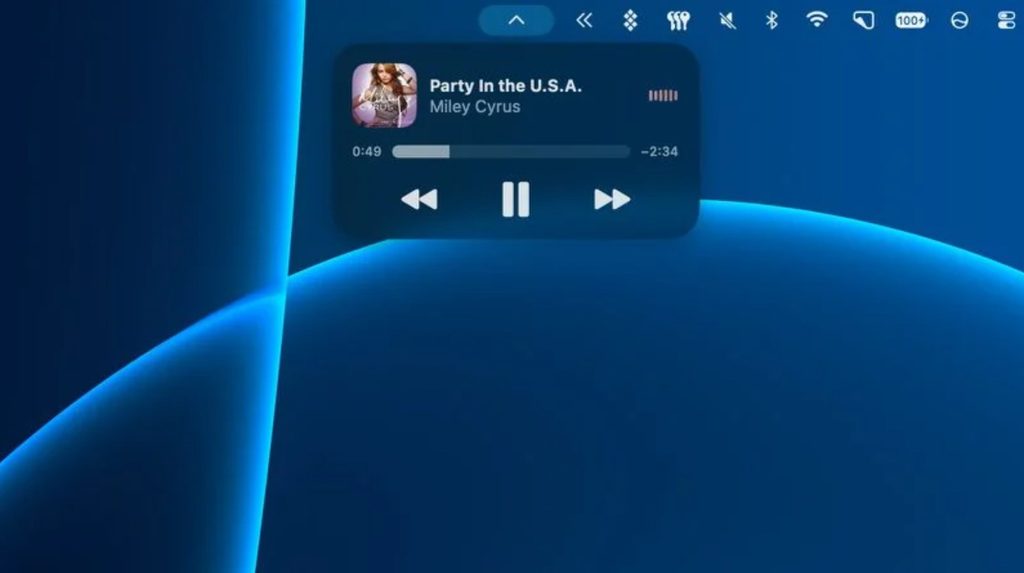
Apple Music, Clock, and Voice Memos each gain menu-bar Live Activities in the beta, and screen recording status joins them, according to MacRumors. Activities are not passive indicators: users can pause a song or accept an AirDrop request directly from a Live Activity. Those interactions happen in place, without navigating into the full app.
From Mirrored to Native
macOS 27.3 is where the Mac stops borrowing Live Activities from an iPhone and starts generating its own.
macOS 26 introduced a version of this experience by displaying Live Activities mirrored from a connected iPhone, as MacRumors has reported. macOS 27.3 is the step where Mac apps generate their own activities independently through ActivityKit. The menu bar becomes a consolidated surface for both native Mac activities and any mirrored iPhone ones running alongside them.
What Developers Need to Know
ActivityKit now supports Mac-native Live Activities, and many developers may need little or no additional code to adopt them.
ActivityKit in macOS 27.3 lets developers configure, update, and end Live Activities, while WidgetKit and SwiftUI handle the presentation layer, per Apple’s developer documentation. Universal apps that already support the feature on iPhone can display activities on Mac with no code changes, which lowers the adoption barrier considerably. Mac-only apps can build their own implementations directly through the same framework, using custom silicon-optimized ActivityKit to manage the full activity lifecycle from start to completion.
Practical Use Cases and What Comes Next
Short-duration, status-driven tasks are the clearest candidates for early Live Activities adoption on Mac.
Timers, audio playback, file transfers, and recording indicators all benefit from persistent, glanceable visibility in the menu bar. Navigation apps and podcast players represent natural third-party fits, given that both categories involve ongoing status that users check frequently. Apple’s design guidance calls for compact and minimal presentations so activities remain usable across both menu-bar and Dynamic Island configurations. The final feature set may differ from what appears in the current beta, with the public release expected in December.