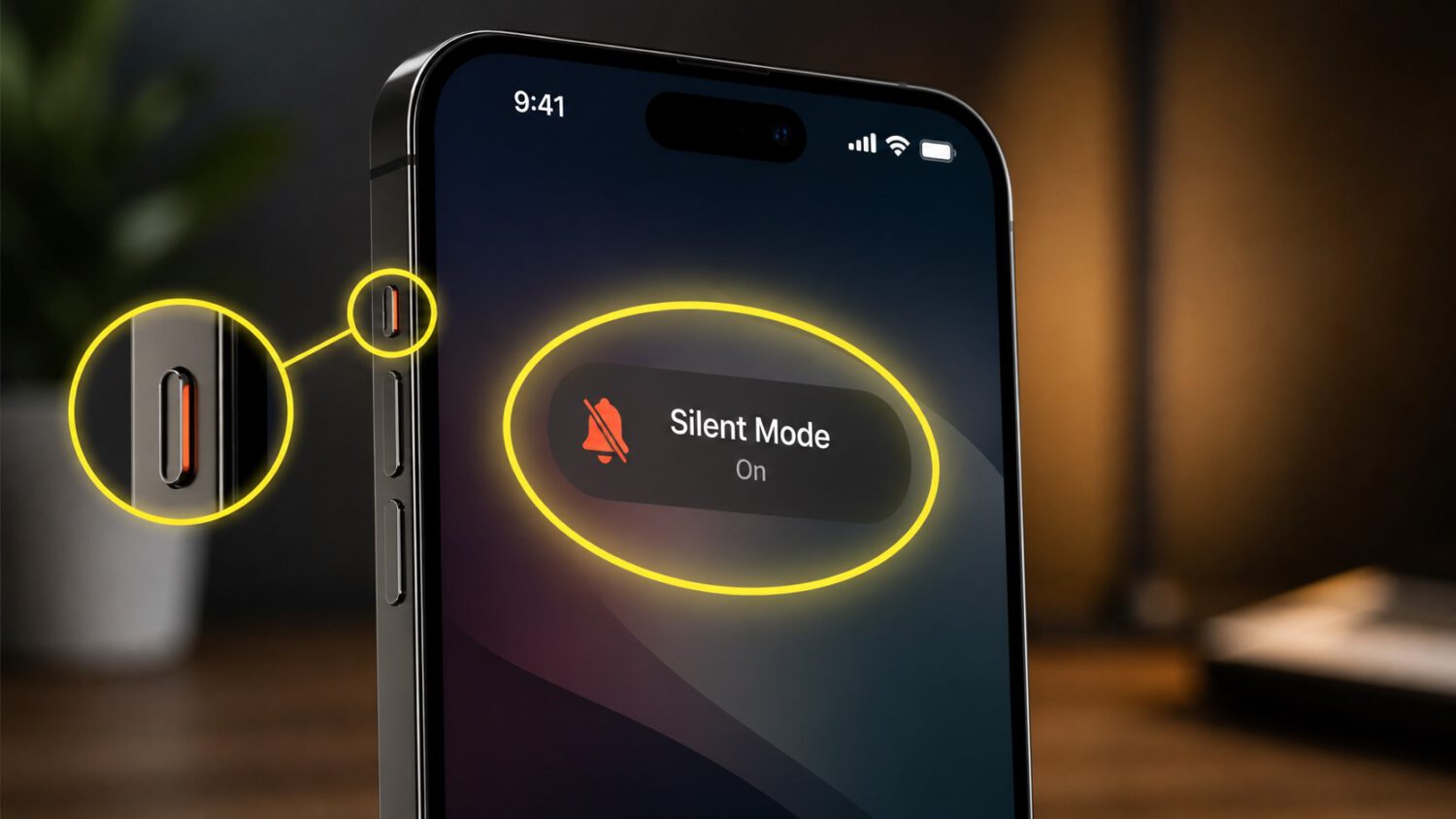
Your hand reaches for the switch on the side of the phone. Nothing there. For anyone using an iPhone model without a Ring/Silent switch or Action button, that moment of muscle memory failure is real. The fix lives inside Control Center.
Apple’s support documentation confirms that Silent Mode is accessible through software on supported iPhone models. Knowing where to find it before you need it is the difference between a silenced phone and one ringing through a meeting.
How to Reach Silent Mode Fast
Two taps are all it takes to mute calls and alerts through Control Center.
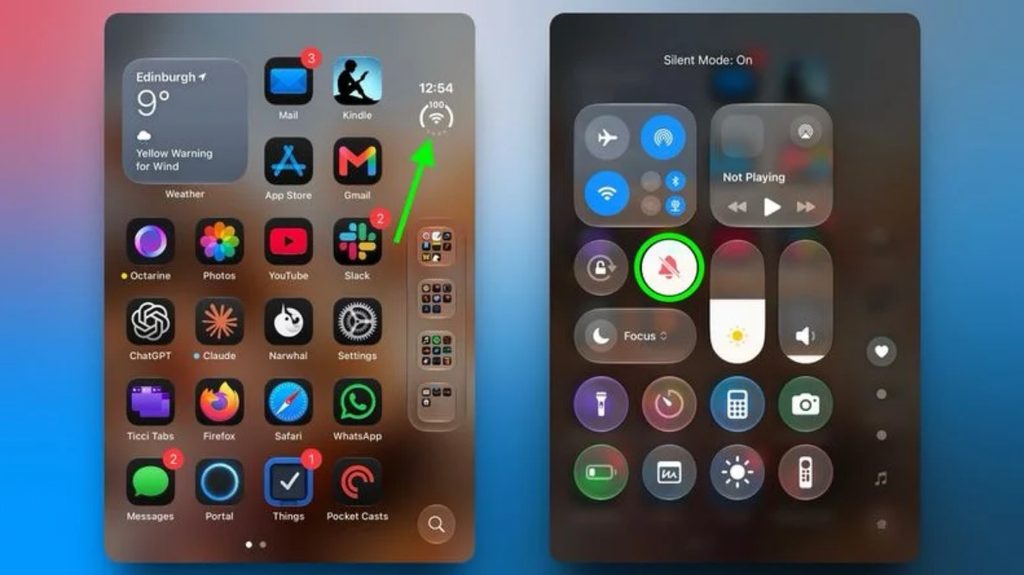
Silencing your iPhone takes two taps once Control Center is open. Open Control Center using the method for your iPhone model, then tap the bell icon labeled Silent Mode.
According to Apple’s support documentation, a Silent Mode indicator appears in the status bar as soon as the feature activates. To hide it, go to Settings, then Sounds & Haptics, and turn off Show in Status Bar.
Silent Mode Is Not a Full Mute
Silent Mode quiets calls and alerts, but it leaves alarms and media audio untouched.
Here is the part most people discover at the worst possible time: Silent Mode does not silence everything. According to Apple’s support documentation, calls, notifications, alerts, and system sounds are muted, but alarms set in the Clock app continue to sound.
Media audio, including music, videos, and games, can also keep playing through the speaker. Apple also notes that camera shutter sounds and Emergency Alert tones may still be audible depending on your region. For broader quiet, a Focus mode such as Do Not Disturb gives you more comprehensive control over which notifications get through and when.
If the Button Is Missing from Control Center
Silent Mode may not appear in Control Center by default, but adding it is straightforward.
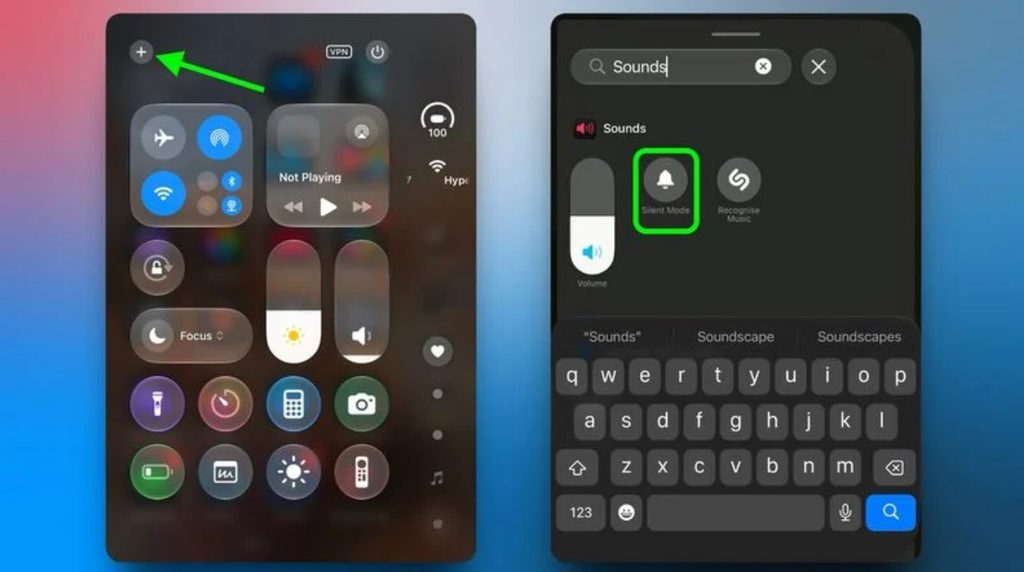
Silent Mode does not always appear in Control Center out of the box. To add it, open Control Center and tap the plus icon in the top-left corner of the screen.
Tap Add a Control on the screen that follows. Scroll to the Sounds section or use the search field to find Silent Mode, then tap it to place it in your Control Center layout. From that point on, the control is available whenever you open Control Center, without digging through Settings each time.
The Trade-Off Worth Knowing
A software control works well once it is set up, but it requires a different habit than a physical switch.
A software control adds steps that a physical switch never did. Unlike a Ring/Silent switch, which works without looking at your screen, Control Center requires you to open it first. Depending on your device settings, Control Center may be accessible from the Lock Screen, which reduces the friction somewhat.
Add Silent Mode to your Control Center now, before you need it in a hurry. Once it is there, a single tap handles it, and that is close enough to muscle memory to work.