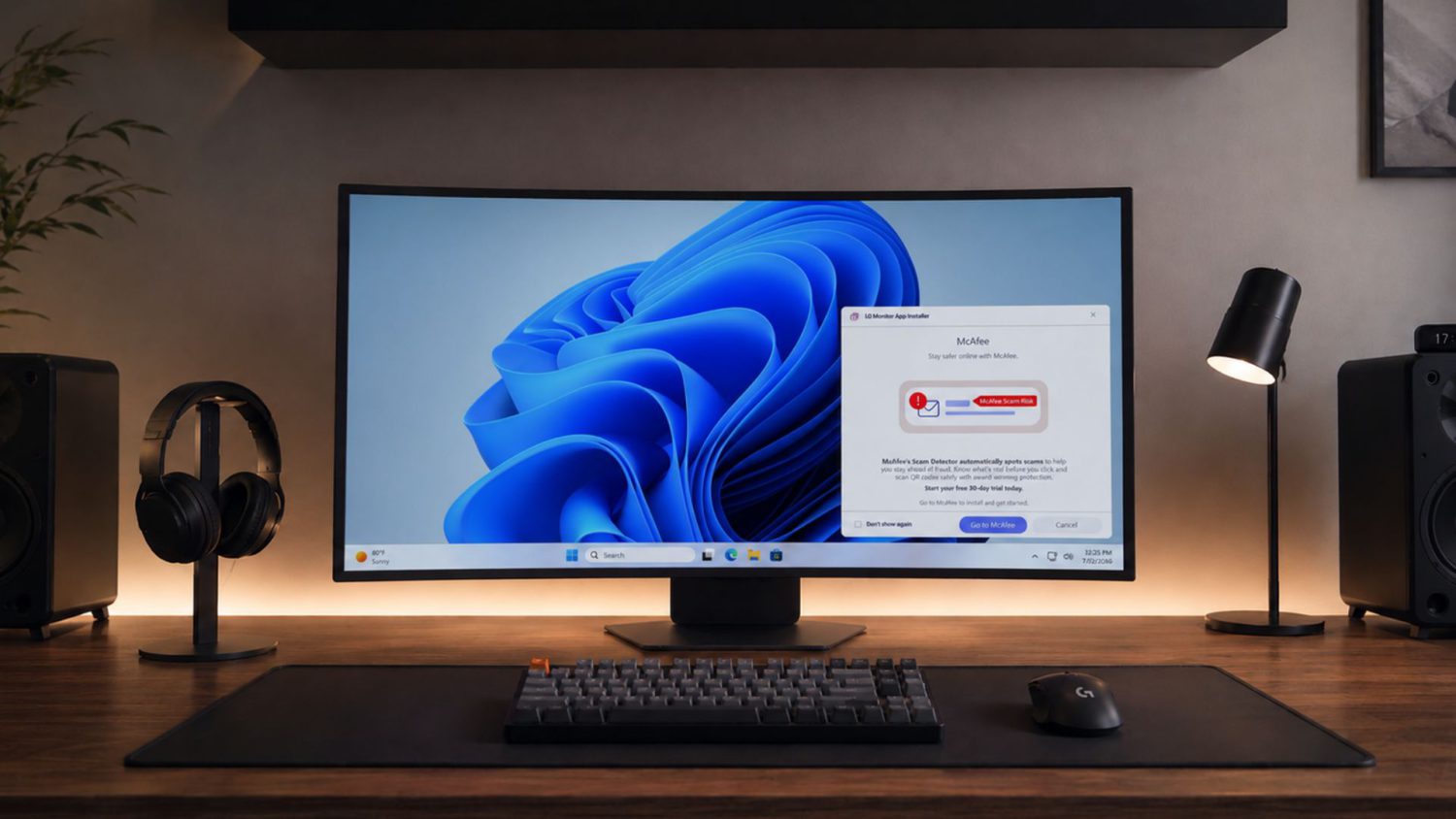
You bought a monitor specifically to avoid the smart TV surveillance circus. No ACR. No ad targeting. No buried opt-outs. Then you plug in your LG display, and suddenly your PC boots into a McAfee trial popup. Every. Single. Morning.
This wasn’t a sketchy download. Windows Update delivered it — silently, automatically, bundled alongside legitimate monitor drivers via Microsoft’s Hardware Support Apps mechanism. Gamers Nexus documented the McAfee trial promotion appearing on 31 out of 32 system boots. The 32nd boot? An LG app promo instead.
The app — called LG Monitor App Installer — runs with runFullTrust permissions, placing it outside Windows’ normal AppContainer sandbox with broad system access. LG insists McAfee isn’t installed automatically and that the app “does not access, collect, or transmit any customer personal data.”
That defense misses the point entirely. The silent installation itself — before any consent prompt appears — is the problem. PCWorld labeled it “an extra program acting like adware.” Hard to argue otherwise.
Microsoft eventually intervened, confirming Windows 11 “should not” display this type of bloatware ad, and pressured LG to disable the McAfee popup. The installer pipeline itself remained intact.
LG explicitly announced that they are updating the delivery mechanism so that users are given the choice to opt in or out of downloading the companion software before anything is installed. LG also stated that they have completely removed the McAfee promotion and committed to dropping third-party app recommendations altogether, restricting the installer solely to first-party display utilities.
Monitors Are Walking the Same Road Smart TVs Did
WebOS and Tizen aren’t just on your TV anymore — they’re on your desk.
This is bigger than one bad app. LG and Samsung smart monitors run the same operating systems as their smart TVs — webOS and Tizen — both already built for automatic content recognition and ad targeting. Acer’s monitor privacy policies permit sharing device data with advertisers. The trajectory mirrors the rise of free-to-play gaming: low barrier to entry, monetization creep once you’re locked in.
Smart TVs started as convenient streaming hubs. Then came the ads, the tracking, and ACR quietly cataloguing viewing habits. Monitor manufacturers are running the same playbook, just a few years behind. If this goes unchallenged, privacy-respecting “dumb” monitors could become increasingly rare — much like dumb TVs already have.
As Ars Technica put it, LG is “losing trust” by using driver updates as cover for ad delivery.
Treat any smart monitor like a smart TV from day one:
- Uninstall LG Monitor App Installer via Settings → Apps.
- Disable its startup behavior to stop popups even if the app remains.
- On Windows Pro, block auto-installed device apps through gpedit.msc under Device Installation settings.
The writing is on the wall — or rather, on the screen.
Update 8/26/2026: Article updated with additional information from LG.