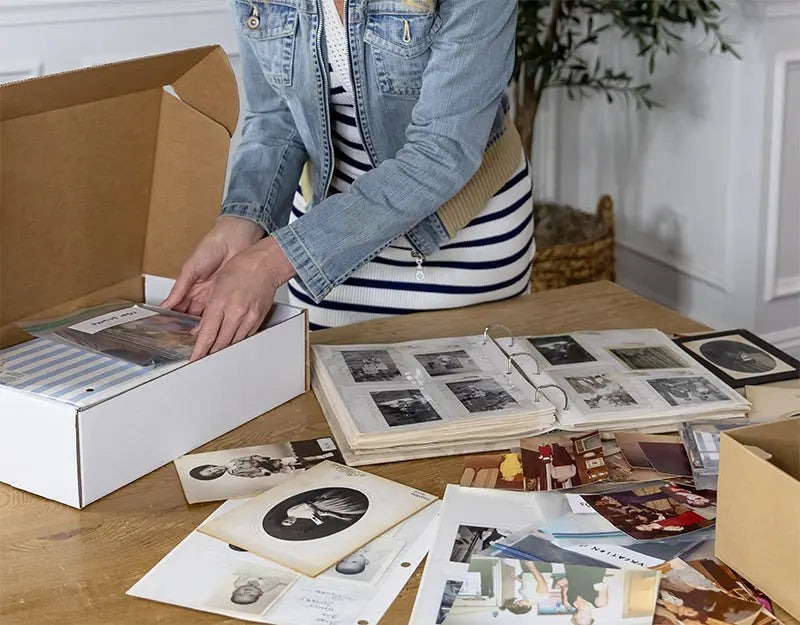
Fading family photos in sticky albums are heartbreaking—and Photokive eliminates that anxiety. Racing against time before those irreplaceable memories deteriorate beyond recognition has become the modern family crisis nobody talks about. Unlike competitors demanding you tear apart grandmother’s carefully arranged scrapbooks, Photokive handles your intact albums with the care they deserve.
White-Glove Treatment Costs Real Money
Professional photographers handle your precious albums without requiring disassembly.
Starting at $59 for your first 100 photos (regularly $118), Photokive’s deposit model feels premium because it is. Professional photographers—not high-speed bulk scanners—handle each image at 300+ DPI with included color correction and blemish removal. Additional photos cost $0.59 each, scaling packages up to $489.99 for 1,000 photos. Your originals return in crushproof packaging, and their disaster guarantee promises free reprints if your albums meet unfortunate ends in wildfires or floods.
Send intact albums via prepaid UPS, receive organized cloud folders, download everything to any device. No disassembly required means your albums stay structurally intact—crucial for preserving the story context that loose photos lose.
Budget Alternatives Demand Different Trade-Offs
Mass digitization services prioritize speed and volume over careful album preservation.
ScanMyPhotos offers the opposite approach: bulk efficiency at $0.12-$0.20 per photo, but you must disassemble albums yourself. Their $145 prepaid box handles roughly 1,800 loose photos—perfect for shoeboxes of random snapshots, less ideal for carefully curated family albums. iMemories splits the difference at $0.99 per photo with app-based viewing, while services like ScanCafe hover around $0.48 per image.
The Real Choice: Convenience Versus Volume
Your decision hinges on preserving album context versus maximizing photo quantity.
Photokive excels with precious albums where context and arrangement matter—think wedding books, baby’s first years, or vacation collections where page layout tells the story. Budget services work brilliantly for bulk photo purges where individual image quality matters more than preserving album integrity.
Family memory preservation isn’t getting cheaper, but losing decades of irreplaceable photos costs infinitely more. Choose your digitization strategy based on what you’re actually saving: memories or just images.