Scrubbing through timeline footage while your hand bounces between mouse, keyboard, and control surface destroys creative flow faster than a dropped hard drive. The Naya Connect modular keyboard ecosystem promises to end that workflow chaos by bringing every tool you need within fingertip reach.
Magnetic Modules Meet Creative Workflows
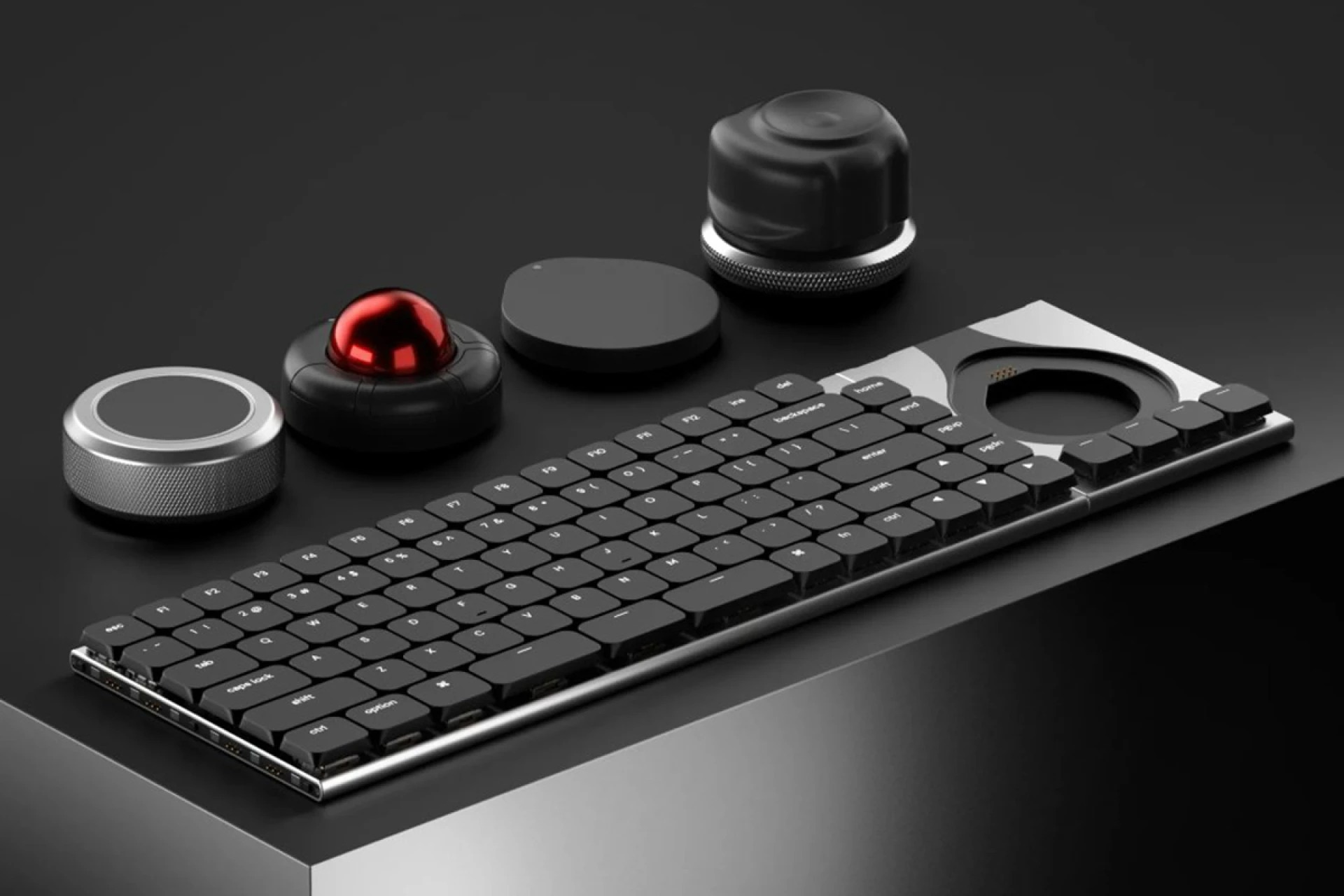
Built around an 85-key low-profile base with hot-swappable Kailh Choc V2 switches, the system’s genius lies in its magnetic Dock module. This attachment point accepts four specialized inputs:
- Touch trackpad for multi-finger gestures
- Track’s 40mm trackball with axis locking for precision design work
- Tune’s haptic dial with customizable resistance for timeline scrubbing
- Float’s 6-degree-of-freedom spatial mouse for 3D modeling
Each module snaps to either keyboard side, eliminating the hand gymnastics that plague creative workstations. Your workflow stays unbroken while tools adapt to your needs rather than forcing constant repositioning.
Premium Build Meets Practical Programming
The machined aluminum unibody measures just 14.9mm thick, maintaining natural wrist posture during those late-night render babysitting sessions. Per-key RGB backlighting and 1000Hz polling rate handle the technical demands, while the Naya Flow desktop app manages the real magic—custom profiles that automatically switch between applications.
Your Premiere Pro setup differs vastly from Blender workflows, and this system adapts instantly. The low-profile design reduces strain during extended sessions, crucial when deadlines demand focus over comfort breaks.
Real-World Creative Applications
Video editors gain genuine timeline control through the Tune dial’s haptic feedback—no more imprecise mouse dragging through footage. The Float spatial mouse revolutionizes 3D modeling by combining rotation, translation, and zooming in natural hand movements.
Meanwhile, the Track trackball offers pixel-perfect cursor control without lifting your palm, crucial for detailed design work where precision matters more than speed. These tools live at your fingertips, not across your desk.
Investment Reality Check
Kickstarter pricing starts at $119 for early backers ($189 retail), but a complete wireless setup approaches $680 once you add essential modules. The campaign exceeded its goal with over 1,100 backers, yet shipping won’t begin until February 2027—typical crowdfunding timeline with typical risks.
For creative professionals already investing thousands in software and hardware, this represents workflow optimization rather than luxury spending. The question becomes whether improved efficiency justifies the wait and investment.
The Naya Connect suggests a future where input devices adapt to creative demands rather than forcing adaptation to tools. Your desk becomes an extension of your craft rather than an obstacle course between ideas and execution.