



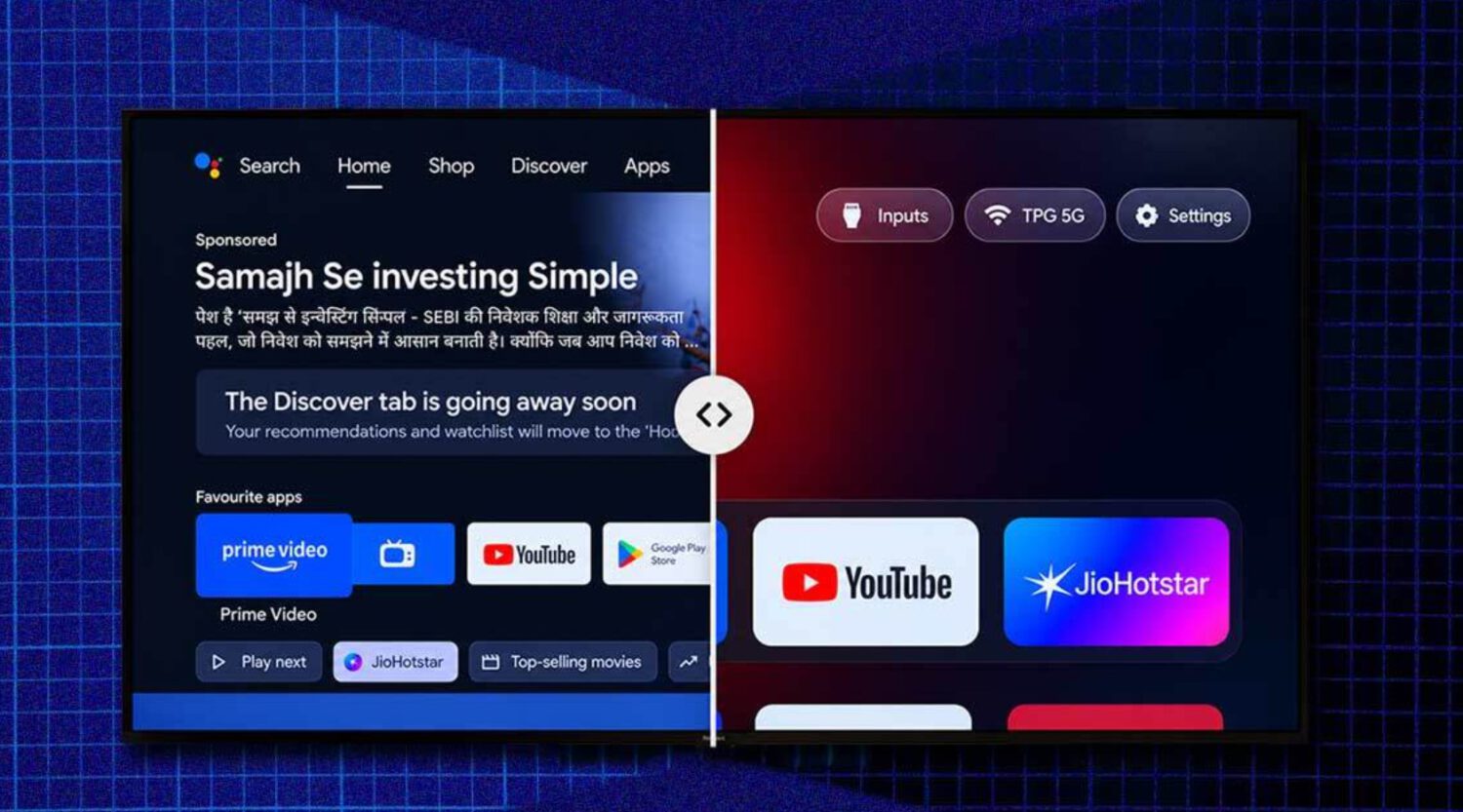
Developer Gathin reportedly watched a sponsored ad interrupt his parents’ Netflix session and decided to fix it. Using Claude Code over Wi-Fi, he disabled Xiaomi packages and installed a replacement launcher; the post describing the process reached millions of views, according to the project’s own account.
That response became CleanYourTV, an independent open-source project on GitHub with no affiliation to any TV manufacturer or platform.
The Numbers Behind the Momentum
Project-reported growth figures suggest the repository drew more attention in two weeks than most open-source tools see in years.
CleanYourTV surpassed 40,000 GitHub stars in roughly 10 days, according to the project. The repository now shows more than 48,000 stars, and the project reports 5,700 forks, 1.4 million repository views, and 260,000 clones in 14 days.
Tested model coverage has grown to approximately 400 TV models from more than 100 brands, including TCL, Sony, Xiaomi, Philips, and Amazon Fire TV. All figures are project-reported rather than independently audited.
What the Tool Actually Does
The workflow uses ADB over Wi-Fi and an AI assistant to inspect, back up, and selectively disable unwanted packages on compatible smart TVs.
Getting started requires a computer and TV on the same Wi-Fi network, with developer mode enabled on the TV. The repository is then cloned and opened with an AI assistant that has shell access.
The assistant identifies the TV, backs up installed packages, and asks which functions to keep. It then disables selected manufacturer software and optionally installs a lightweight launcher in place of the cluttered default home screen.
Critically, the project disables packages rather than permanently deleting them, and a restore script can reverse the changes. The project estimates approximately 15 minutes for a compatible setup, though actual time depends on the model, firmware, and the amount of customization chosen.
Compatibility Is Not Universal
Android TV and Google TV devices are the primary targets; Samsung, LG, and standard Fire TV sets follow a different path.
The main ADB-based workflow supports Android TV and Google TV devices, covering brands such as Xiaomi, TCL, Sony, OnePlus, and Nvidia Shield. It does not apply to Samsung Tizen, LG webOS, or standard Fire TV via the same method; separate, more limited guidance exists for those platforms.
Fire TV and some China-market TCL sets may also block third-party launcher installation even where partial debloating is possible.
The Risks Are Real and Worth Reading
Disabling the wrong packages can break casting, voice control, or app updates, and reversibility is probable but not guaranteed in every scenario.
The project’s backup-and-restore design means most changes can be undone, but a factory reset may be necessary if something goes wrong. Readers should verify their exact model and firmware, preserve the original package backup, and understand the recovery path before running any computer problems.
The AI assistant lowers the technical barrier, but it also means users can approve commands they do not fully understand. CleanYourTV is not an official tool from Google, Xiaomi, Sony, or any manufacturer, and the repository explicitly warns that similarly named domains are not affiliated with the project and that it publishes no app through any app store.
A Crowdsourced Response to a Structural Problem
The project’s rapid growth reflects a tension that predates any single TV: manufacturers monetize the home screen, while buyers expect it to show their content.
Contributors are adding model-specific scripts, tested package lists, and translations, converting the repository into a community compatibility database. That scale is useful, though it does not eliminate regional firmware differences or guarantee that one contributor’s package choices are appropriate for another household’s setup.