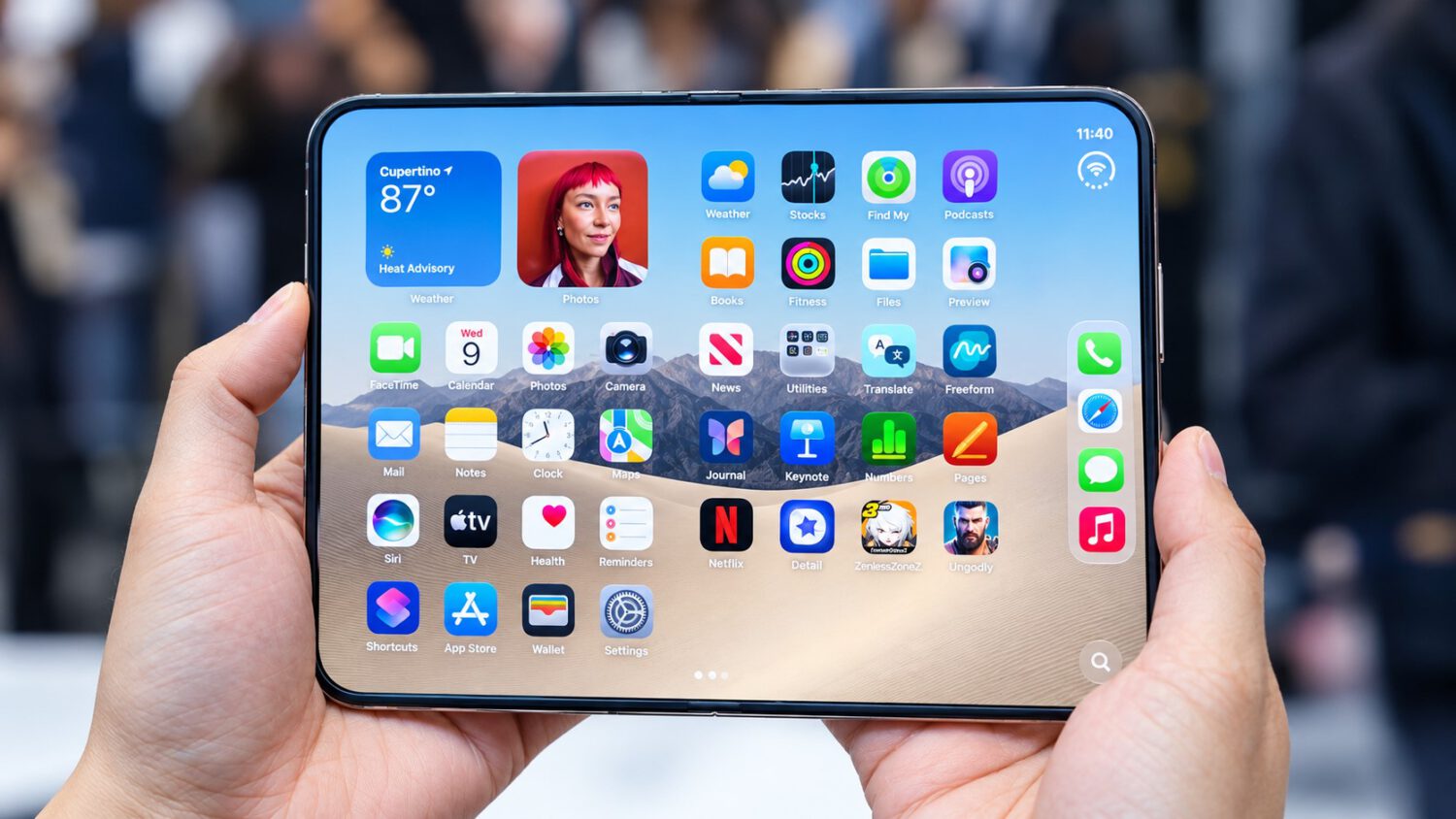
Three days before the iPhone Duo hits shelves, App Store screenshots have surfaced showing how Apple’s built-in apps are configured for the foldable’s multiple states and orientations. For anyone weighing a $1,999 entry price, the software story matters as much as the hardware. A larger screen that simply stretches familiar layouts is a hard sell at that price.
Sidebars, Split Panes, and a Rethought Layout
MacRumors reports that Apple’s built-in apps shift to iPad-style split layouts when the Duo unfolds horizontally.
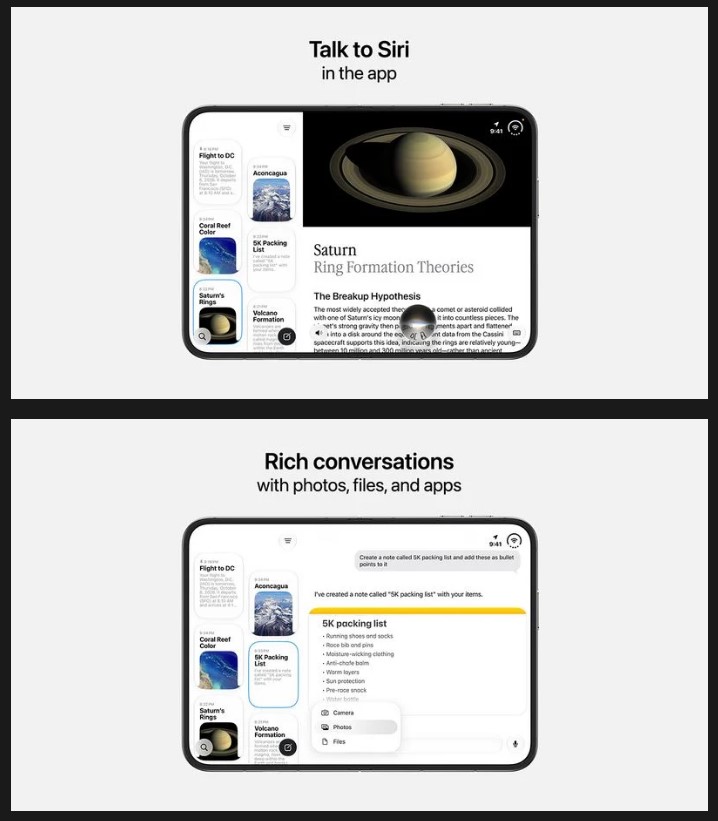
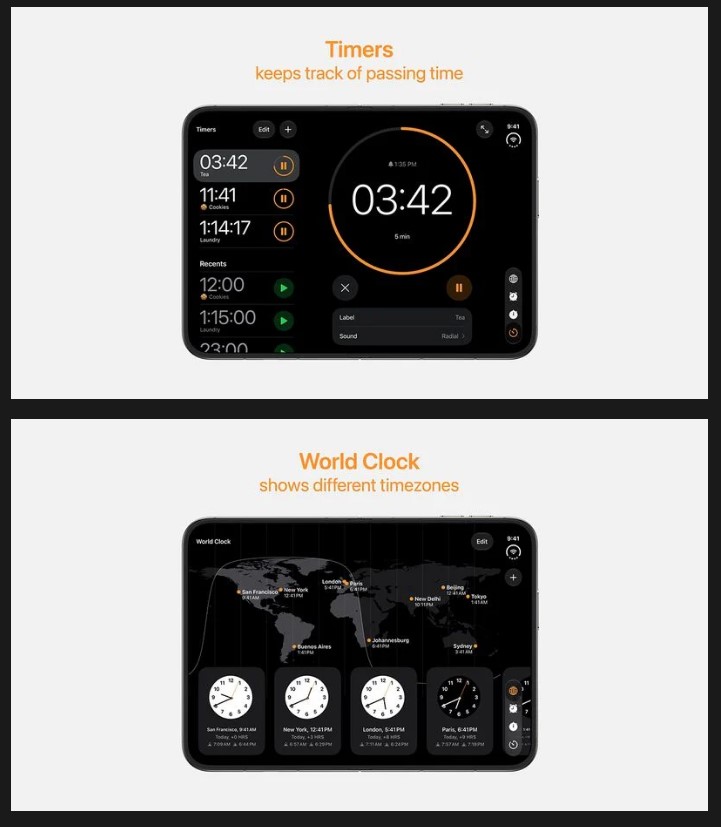
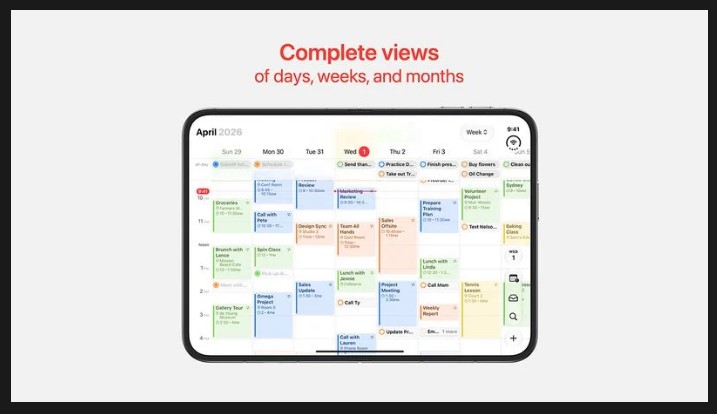
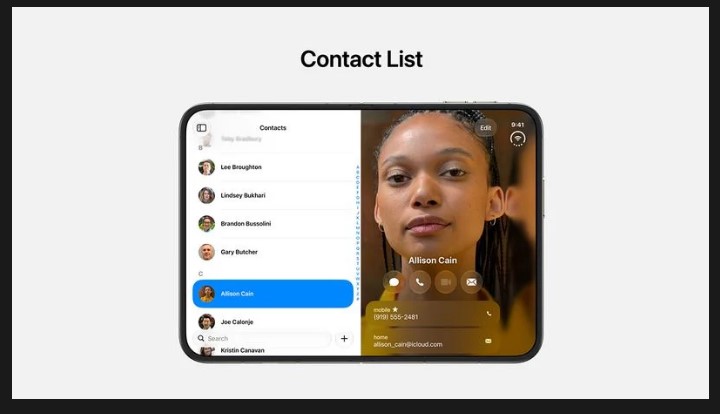
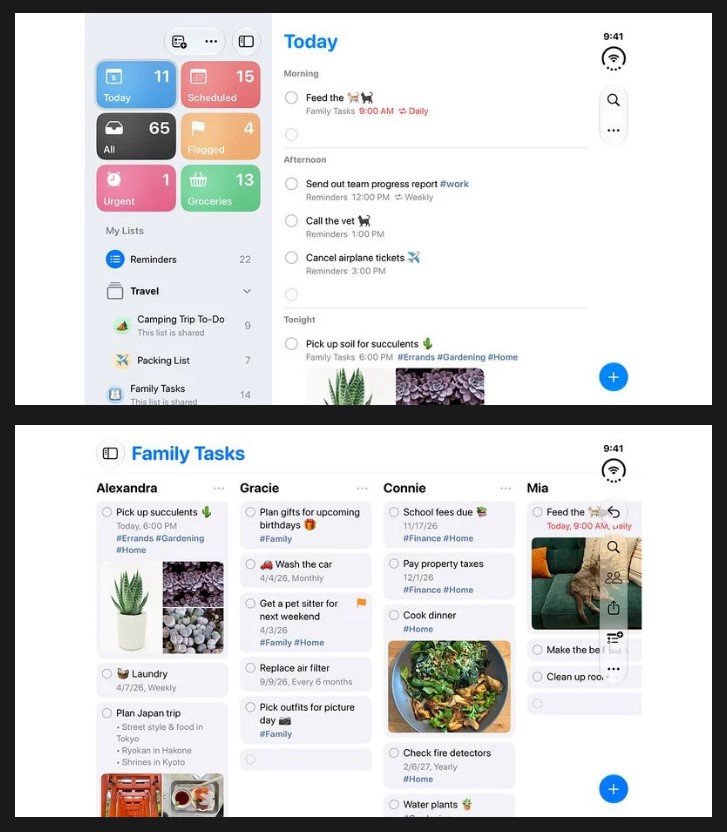
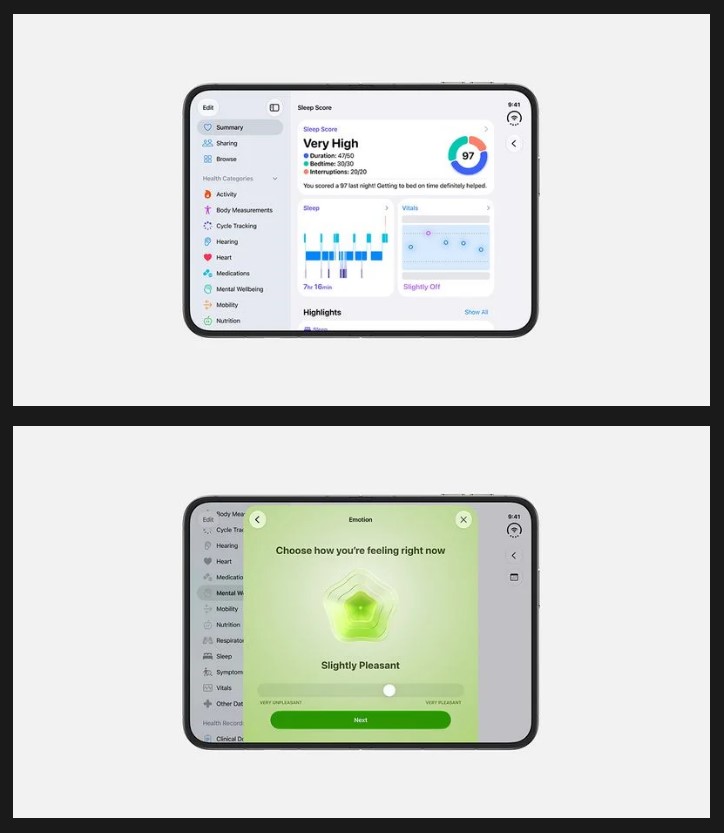
When unfolded, most apps move navigation into sidebars, placing more content on the remaining canvas. Several apps go further with true two-pane designs, according to screenshots surfaced by MacRumors. Specific behaviors visible in the screenshots include:
- Contacts: name list on the left, contact detail and editing view on the right
- Siri: tiled conversation list on the left, selected conversation on the right
- Preview: large document or image area with bottom tool palettes and contextual sidebars
- Clock: wide layout with sidebar countdowns
- Reminders: navigation alongside multiple lists, or an expanded bar-free view
MacRumors also reports that apps can hide navigation bars entirely for a wider working area.
Orientation Changes Everything
Horizontal and portrait modes each reorganize the interface in distinct ways.
Unfolded horizontally, the Duo moves its dock and navigation bars to the right side of the screen in a vertical strip. Unfolded in portrait, it shifts to a more familiar tablet-style arrangement with navigation bars at the bottom. MacRumors notes that Apple positions this mode as the better fit for keyboard-heavy tasks and Safari browsing.
The Duo also supports closed use, a partially open position, a laptop-style angle, and a tent configuration with the outer display visible. According to Apple’s newsroom, apps maintain navigation controls in consistent locations as the device transitions between positions. For foldable buyers thinking about daily use, battery life will be another key consideration alongside software fluidity.

Home Screen and Dynamic Island
The inner display reorganizes familiar controls, while alert behavior differs from a standard iPhone.
On the inner display, the Today view and widgets sit on the left while app icons occupy the right. Lock Screen controls appear in the lower-right corner, and the status bar sits upper-right.
MacRumors reports that the inner screen shows no permanently visible Dynamic Island, with alerts and Live Activities expanding from the side instead. Screenshots also show Calculator and Files running on the outer display, suggesting Apple is designing continuity across both screens rather than treating the smaller panel as an afterthought.
What the Screenshots Do Not Show
The picture remains incomplete until hands-on testing arrives.
The available screenshots cover only a portion of possible orientations and app states. Third-party app behavior is not fully established from these images alone, though Apple says Netflix, Zoom, and Slack are already adapting to the folding design. Buyers evaluating iPhone accessories alongside the Duo may also want to consider what complements a $1,999 investment. Crease visibility, hinge durability, multitasking fluidity, and real-world app responsiveness all require hands-on evaluation that screenshots cannot provide.
The screenshots suggest Apple has built a coherent software system around the Duo’s flexible form factor. But $1,999 demands more than coherent screenshots. The Duo launches October 23; that is when the real test begins.