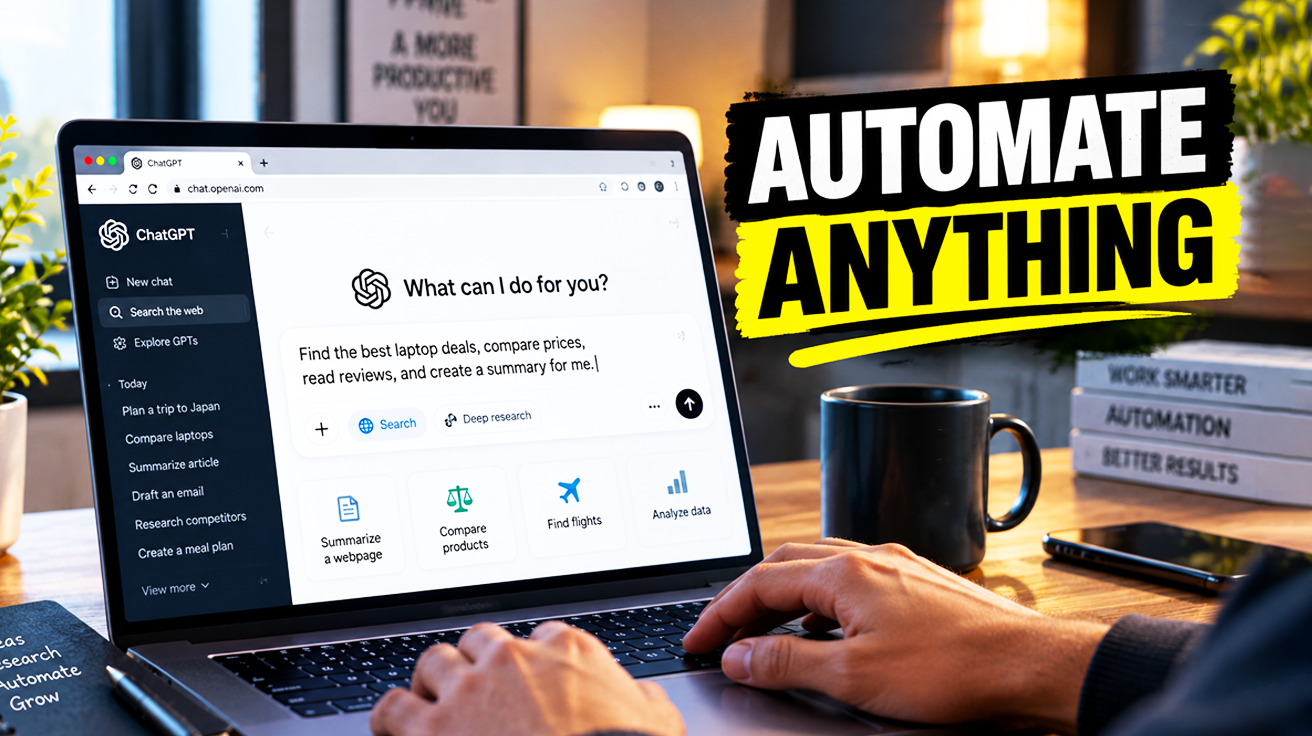
The ChatGPT desktop app for macOS and Windows comes with a built-in browser that runs inside the app, giving you and ChatGPT a shared view of web pages. This browser operates with its own separate profile, independent of Chrome or Safari, so your regular tabs and sessions stay untouched. It supports multiple tabs, navigation, password management, and integrates with Computer Use (sometimes called Codex), allowing ChatGPT to open pages, click elements, inspect rendered states, and verify results directly. You can configure permissions so ChatGPT must ask before opening websites or accessing history, and you control per-site visibility from the address bar. This setup transforms routine online tasks from manual clicking into background automation.
9. ChatGPT Desktop App Built-in Browser
The built-in browser gives your AI a dedicated workspace with its own profile, tabs, and credentials.
Over half of complex online tasks involve juggling multiple tabs and contexts. The ChatGPT desktop app’s built-in browser tackles this with its own independent browser profile, separate from your everyday Chrome or Safari. Your usual browsing sessions remain untouched. It supports multiple tabs, back/forward navigation, refresh, downloads, autofill, and password management. You can import cookies and passwords from another browser profile (like Chrome) to reuse logins and saved credentials inside this ChatGPT browser.
This dedicated browser integrates directly with Computer Use, allowing ChatGPT to execute tasks by opening pages, clicking elements, and inspecting rendered states. The annotation mode lets you highlight specific sections on a page, and ChatGPT uses those annotations as context to answer questions or modify code. Settings let you manage browser data (cookies, history), download location, and developer options. This moves ChatGPT beyond text-only interactions, turning it into an interactive digital assistant that sees exactly what you see.
8. Notion with ChatGPT Browser Integration
Opening Notion pages directly in the ChatGPT browser gives the AI visual, live context without manual explanations.
Notion is a connected workspace that brings docs, notes, wikis, projects, and databases together in one place. Opening a Notion page inside the ChatGPT desktop app’s built-in browser gives the AI visual, live context of the document. This eliminates painstakingly explaining the content; ChatGPT sees the exact page layout and structure.
With this direct visual insight, the Notion integration can take immediate, informed action. For a content creator, you can tell ChatGPT to shorten a lengthy Notion document without manual copy-pasting or verbose prompts. The AI sees the page and executes the task using the Notion plugin. This combination of real-time browser context and plugin capabilities creates a seamless, contextual editing experience.
7. Grok AI via ChatGPT Browser
Grok taps directly into X for real-time trending topics, and ChatGPT can merge Grok’s findings with its own analysis.
Grok is an AI chatbot developed by xAI and integrated with X (formerly Twitter), designed to answer questions and perform research with real-time access to X’s data, including trending topics and live posts. You can tell ChatGPT, via its built-in desktop app browser, to open grok.com and query it, merging Grok’s real-time findings with its own analysis.
A researcher tracking immediate public response to a product launch needs more than yesterday’s news. They can deploy ChatGPT to use Grok, getting up-to-the-minute social chatter instead of sifting static reports. This combination lets one AI leverage another, turning ChatGPT into a conductor orchestrating multiple data streams. Given how quickly a TikTok trend can evaporate, this setup helps catch it mid-air, offering enhanced comprehension for rapid market shifts.
6. LinkedIn Automation with ChatGPT Browser

When logged into LinkedIn in the built-in browser, ChatGPT can scroll, click, and inspect page content with explicit permissions.
LinkedIn is a professional networking platform used for personal profiles, job postings, and business lead generation. LinkedIn offers various official integrations, but these can be limited in what they can access or automate, particularly for tasks like scanning a user’s feed for potential leads. For a sales professional trying to unearth new business leads from hundreds of posts, manual scrolling becomes a grind.
The ChatGPT desktop app’s built-in browser offers a workaround. When logged into LinkedIn within its separate browser profile, ChatGPT can scroll, click, and inspect page content with explicit permissions, effectively bypassing many plugin limitations. This lets it sift through a deluge of information, flagging potential leads. Heavy automation may violate some sites’ terms of service, so users should be aware that overuse could lead to account restrictions.
5. Starlink Mini for Mobile Internet

Starlink Mini is a compact satellite terminal that connects to the Starlink constellation, delivering broadband to remote environments.
Starlink Mini is a compact satellite internet terminal developed by SpaceX as part of the Starlink system, designed to be more portable and power-efficient than standard Starlink dishes. It connects to the Starlink satellite constellation to provide broadband internet service in remote or mobile environments, including RVs, truck campers, and off-grid locations.
The device is smaller and lighter than the standard residential Starlink dish, making it suitable for mounting on vehicles, such as the top of a truck camper. Starlink mounts typically need to accommodate wind loading, vibration, and cable routing while maintaining a clear view of the sky. For RVers off-grid, consistent internet is often a fantasy; this lighter unit transforms desolate stretches into connected hubs, keeping users connected whether chasing deadlines or sunsets.
4. Home Depot Returns Automation with ChatGPT Browser

ChatGPT can navigate to Home Depot’s live chat, select “start a return,” and paste your order number from email.
The Home Depot is a major U.S. home improvement retailer that provides online purchasing and returns via homedepot.com. Home Depot’s website includes a customer service/live chat feature that can handle order issues, returns, and status checks when a customer provides an order number and verification details.
When homedepot.com is opened in the ChatGPT desktop app’s browser while the user is logged into their email or account, ChatGPT can navigate to the live chat, select “start a return,” and paste the order number pulled from the user’s email, automating much of the returns process. The entire return process can run silently, turning a multi-step online interaction into a few simple prompts. Always verify final actions for returns before completion, and enter sensitive information like payment details only into secure site forms, not into the chat.
3. Google Chat Notifications from ChatGPT

By opening Google Chat in the browser, ChatGPT can compose and send messages, acting as a notification bot.
Google Chat is Google’s online messaging and collaboration service, accessible via web and mobile, often used for quick messages and integrated notifications. By configuring ChatGPT with a dedicated email and Google Chat reminders, ChatGPT can send messages like “I’ve finished the task” to a specific Google Chat space or direct message.
When Google Chat is opened in the built-in browser and ChatGPT has permission to interact with it, ChatGPT can compose and send messages through the web interface, effectively acting as a notification bot. This workflow addresses the limitation that push notifications from the ChatGPT app are not always reliable; by using Google Chat, users have a secondary, more consistent alert channel when long-running tasks are completed.
2. Rocky Mountain National Park Campsite Reservations via ChatGPT Browser

ChatGPT can check when reservations open, schedule a task, and attempt to book a specific weekend when sites become available.
Rocky Mountain National Park is a U.S. national park in Colorado, and campsite reservations are typically managed online via reservation systems (often Recreation.gov) with defined release times for new booking windows. High-demand campsites, particularly ideal locations and peak weekends, often sell out quickly once reservations open, requiring users to be online at the exact opening time.
By opening the park’s reservation site in the ChatGPT desktop browser and allowing ChatGPT to access it, users can have ChatGPT check when reservations open, schedule a task, and attempt to book a specific weekend when sites become available. The built-in browser’s ability to stay logged in, keep tabs open, and run automated interactions makes it suitable for time-sensitive booking tasks. Users should still verify booking details and payment before final confirmation.
1. ChatGPT Atlas / Browser Memories

ChatGPT Atlas preserves browsing context across sessions through private browser memories you can view, archive, or clear anytime.
ChatGPT Atlas is an experience where ChatGPT accompanies users “across the web,” helping them in the window where they are, understanding context, and completing tasks without constant copying and pasting. Atlas incorporates browser memories that are private to the user’s ChatGPT account; users can view, archive, or clear these memories, and clearing browsing history deletes associated browser memories.
Users can control per-site visibility: even with browser memories turned on, a toggle in the address bar or settings can decide whether ChatGPT can see what’s on a given site. For multi-step tasks, like comparing different flights across 3 travel sites, recalling past context becomes effortless. Atlas eliminates the mental scavenger hunt, maintaining your flow across sessions without constant backtracking.