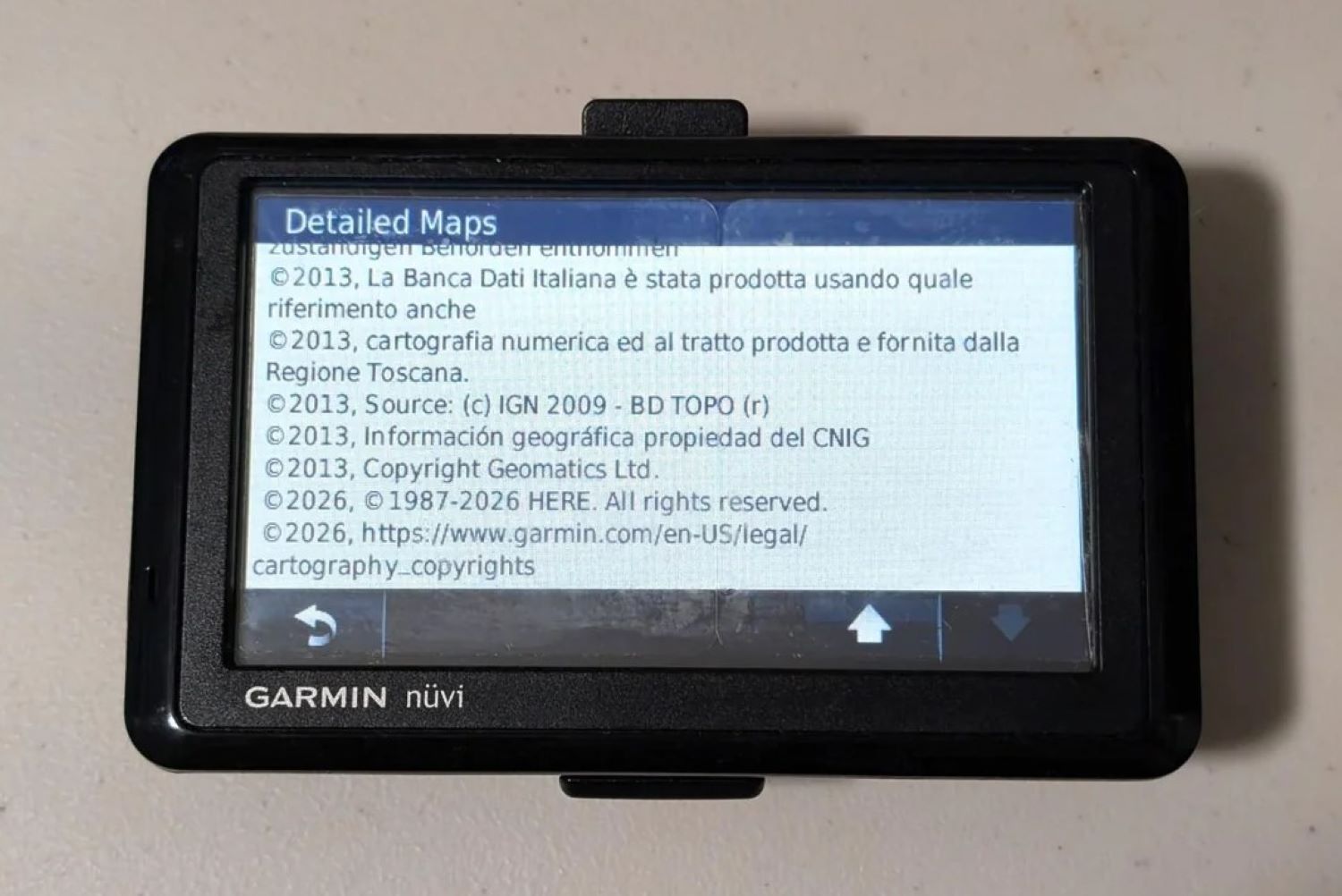
Somewhere in a junk drawer or glove compartment, a Garmin GPS unit from the Obama era just received a fresh map update. Plug it in, fire up Garmin Express, and watch current road data flow into hardware old enough to have a learner’s permit. That’s genuinely impressive — the kind of quiet win that makes you feel vindicated for never throwing anything away. It’s also not the whole story, and the fine print is where things get interesting.
What “Lifetime” Actually Means in Garmin’s Dictionary
The nüMaps Lifetime program delivers on its promise for some devices — just not necessarily the one sitting in your glove compartment.
Garmin’s nüMaps Lifetime program promises up to four map updates per year. But “lifetime” doesn’t mean yours — it means the device’s “useful life,” as defined by Garmin, or until Garmin’s map supplier stops providing compatible data, whichever ends first. That’s a critical distinction buried in terms most buyers scrolled past at checkout, according to Garmin’s own support documentation. Think of it less like a lifetime warranty and more like a lease agreement written by the landlord.
Before digging out that old unit, here’s what to check:
- Your model suffix matters. Letters like M, LM, LT, or LMT on the back of the device indicate whether map updates, traffic, or both were included at no extra cost.
- Verify eligibility first. Visit Garmin’s support pages to confirm your specific model still qualifies for downloadable updates — not every device does.
- Grab a USB cable. Connect the device to a computer and run Garmin Express to check for available map packages.
- Memory limitations are real. Some older devices have been permanently removed from update eligibility because their internal storage is no longer large enough to hold current map files.
- Traffic support is a separate question. Whether your traffic antenna still functions depends entirely on the model and continuing service compatibility — don’t assume it carries over automatically.
Garmin’s support documentation states plainly that certain devices “can no longer receive updates” because they lack sufficient memory or the technical capabilities needed for current map data. This particular 15-year survivor is a specific success case — like a vinyl collection that outlasted every apartment move and three streaming service rebrandings. Satisfying, but far from universal.
The Case for Dedicated Navigation Hardware
Satellite lock, zero data costs, and no push notifications mid-merge — dedicated GPS still earns its dashboard real estate in the right scenarios.
A standalone GPS unit makes a genuinely compelling argument in specific situations. No cellular data required. No incoming texts hijacking your directions at the worst possible moment. Reliable satellite acquisition that keeps working in canyon country or rural stretches where your phone displays nothing but a spinning wheel of quiet despair. For those embracing life on road, a dedicated GPS unit can be especially indispensable.
Whether the traffic antenna still functions depends entirely on the original model’s traffic support and whether compatible services remain active — worth a quick verification before trusting it on a daily commute. Keeping older hardware running is also a natural extension of the same mindset behind DIY car fixes that save money over time.
If your Garmin still qualifies for updates, plug it in tonight. If it doesn’t, the device still outlasted three iPhone generations and a global pandemic. Either way, that earns it a place on the dashboard — or at least a respectful retirement in the drawer.