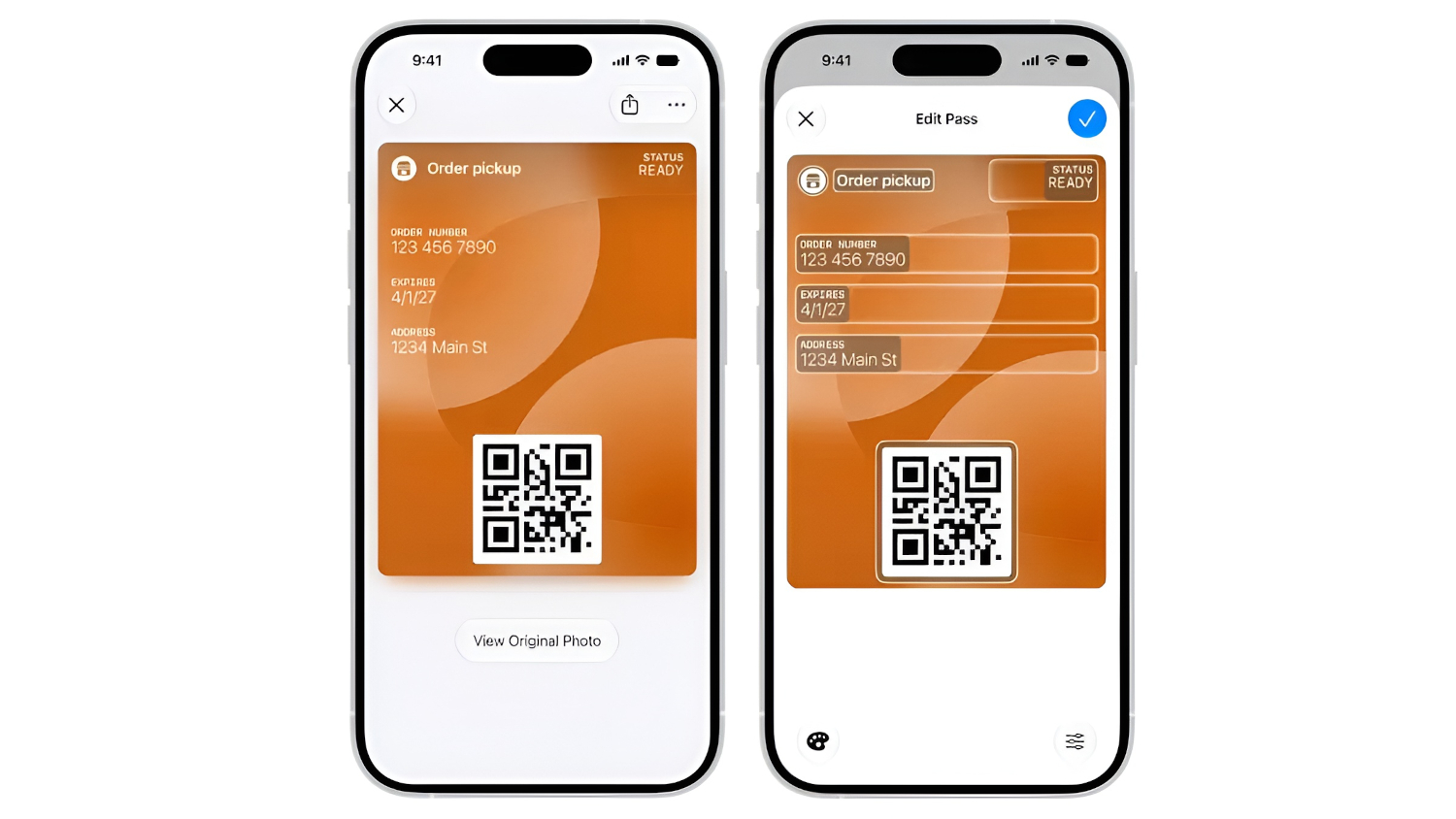
A new Apple Wallet feature called Create a Pass lets you convert physical membership cards, loyalty cards, event tickets, coupons, and reference cards into Wallet passes without waiting for the original issuer to build official support. Apple’s support documentation, dated September 2026, confirms the feature ships as part of iOS 27.
How It Works
Two creation paths are available: one powered by Apple Intelligence, and one fully manual.
The faster route uses Apple Intelligence and Visual Intelligence to scan a physical card or screenshot. Open Wallet, tap Add Card, select Create a Pass, photograph your card, review the information Apple extracts, and save.
For cards without a scannable code, or for users on hardware that does not support Apple Intelligence, the manual route works instead. Choose a template (standard, membership, or event-style), fill in the relevant fields, attach a barcode or QR code if one exists, and save.
Available fields cover labels, dates, membership details, contact information, coupon codes, insurance details, and vehicle identification numbers, as noted by MacRumors in its coverage of iOS 27 Wallet changes. Apple’s documentation also flags that usage limits may apply to the Apple Intelligence-powered scanning workflow.
iOS 27 expands the barcode formats Wallet can represent. New additions include EAN-13, Code 39, Codabar, and ITF, joining existing formats such as QR, PDF417, Aztec, and Code 128, per Apple’s WWDC 2026 session 209.
The automated scanning workflow also supports starting from Photos or Camera, not only from within Wallet itself. Device compatibility for that workflow applies to iPhone 15 Pro, iPhone 15 Pro Max, and iPhone 16 models or later; manual creation is available as a separate path on compatible iOS 27 devices.
What It Won’t Do
A custom pass is your creation, not the issuer’s, and that distinction matters at the door.
The pass you build is user-generated, created by you rather than issued or authenticated by the organization whose name appears on it. Staff at a gym, a venue, or a pharmacy may still require a physical card or a pass from the organization’s official app.
Whether they accept a Wallet pass you created yourself depends entirely on their own policies.
Rotating or time-sensitive QR codes present a harder problem. A static copy of a dynamic QR code may become invalid the moment the original app refreshes it, and that is a fundamental constraint of how those systems work rather than a flaw in the feature itself.
Account balances, rewards points, and access permissions do not sync automatically for user-created passes. What you save is a static snapshot, accurate as of the moment you created it.
For cards with static barcodes, none of that will matter much. A gym membership displaying a static barcode, a rarely-used store loyalty card, an insurance card you just need staff to glance at: Create a Pass handles all of them well.
The Honest Bottom Line
Free and built into Wallet, this feature is worth testing before you decide to keep that plastic card.
Create a Pass costs nothing beyond having iOS 27 on a compatible device. For cards with static barcodes and no official Wallet option, it addresses a real clutter problem. Whether any specific card works depends on the barcode type and whether the organization will accept it. Update to iOS 27, open Wallet, and find out.