



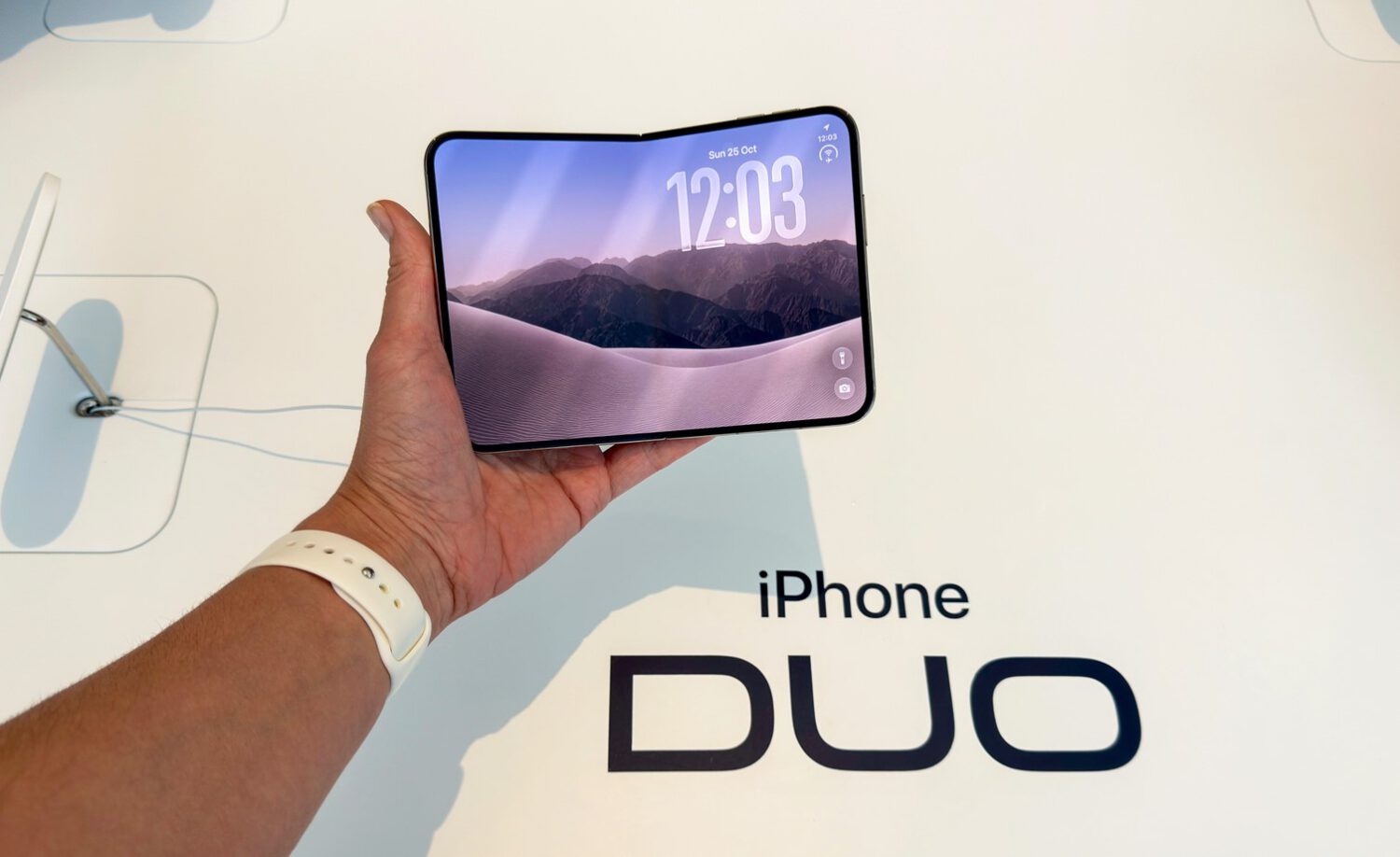
Code examiner pdfu, posting on X account @itspdfu, says Apple has been experimenting with a solution that works with the constraint rather than against it. That solution adds information vertically rather than attempting to shrink the standard iPhone layout.
The discovery is a disabled internal setting inside iOS 27.1’s SpringBoard/Ionic framework. It references a “complication column” reportedly associated with the iPhone Duo’s outer Lock Screen.
Apple has not confirmed the iPhone Duo as a product, and the feature is not available to users. Apple first made Lock Screen widgets editable in iOS 16, so the existing framework for such customization is already in place.
Two Circles, One Column, Right Edge
The reported layout places two circular widget slots along the outer display’s right edge, arranged vertically.
That positions the column between the top status bar and the existing bottom controls, including the flashlight and camera shortcuts found on iPhone Lock Screens. The column does not replace the existing bottom widget row; it sits alongside it, adding information rather than reorganizing what is already there.
The two-widget cap appears tied to available space. AppleInsider reports that the limit may reflect room that must remain clear for Focus Mode or Do Not Disturb status indicators when those features are active. The vertical orientation appears to reflect the outer display’s narrow width, though Apple has not stated that rationale publicly.
What You’d Actually Use It For
The practical case for the column is at-a-glance information while the device stays closed.
Checking the Duo while it is folded shut works like glancing at a watch face. Two circular widgets in that column could surface compact data: weather, battery status, a calendar event, or a running timer. Those are inferred use cases based on the reported design, not a confirmed widget list.
If the feature ships, it would give the Duo’s folded experience something a standard iPhone accessories ecosystem does not offer. That is a purpose-built layout for a narrow, secondary display.
Still Disabled, Still Uncertain
Continued presence in developer betas is suggestive, but it is not a shipping guarantee.
The code has not changed between iOS 27.1 and the iOS 27.3 developer beta, according to MacRumors. That continuity might suggest Apple has not abandoned the experiment, but it does not establish that the feature will reach users.
Disabled code lives in beta software routinely and can stay there without ever shipping. Apple has confirmed neither the complication column nor any detail about the iPhone Duo itself. What @itspdfu found is evidence of a reported internal test, and that is exactly how it should be treated.