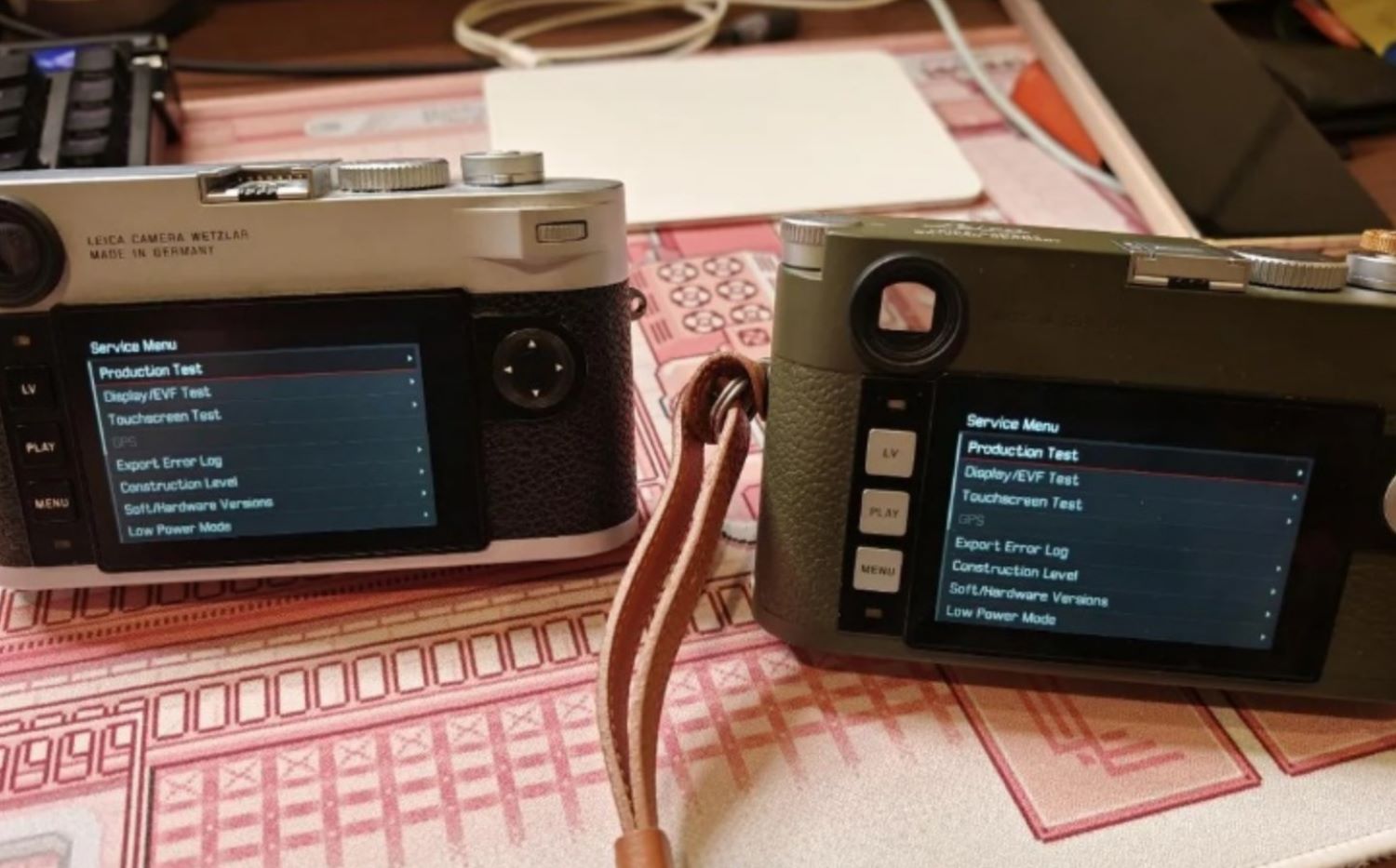
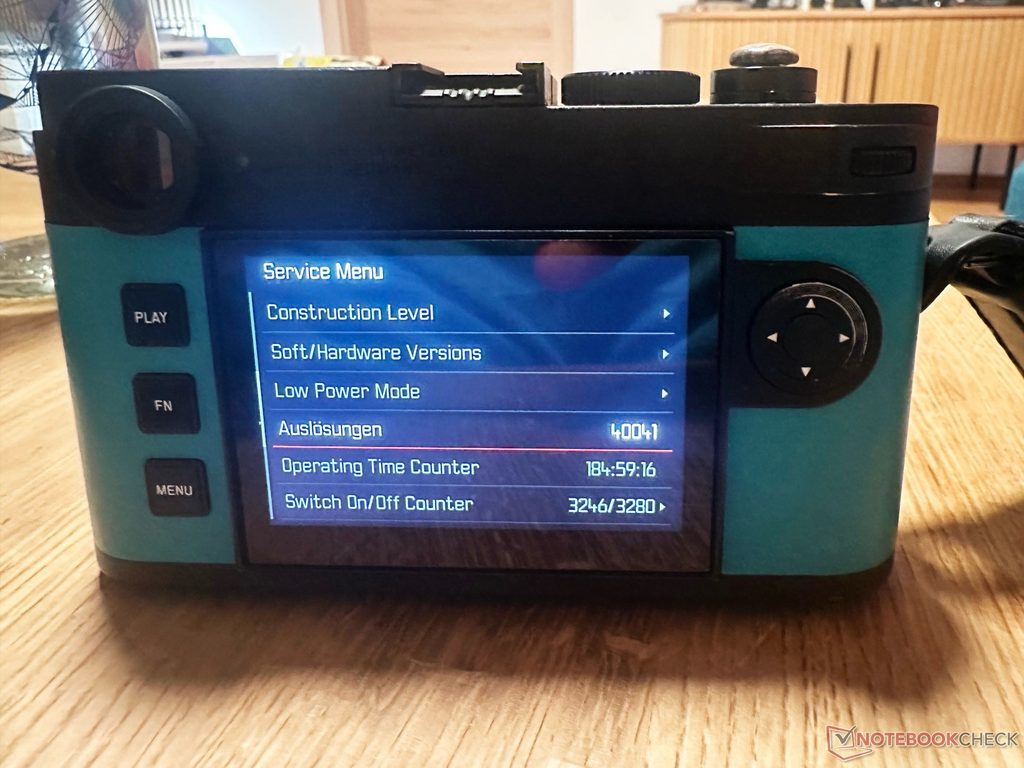
A button sequence sourced from the Leica community unlocks a diagnostic service menu on the M10 and M11 that has not appeared in any official Leica documentation. Whether you’re researching these models or shopping for best cameras at any price point, this hidden menu offers a rare behind-the-scenes look.
How to Get There
The access path begins inside a menu section most owners pass over without a second look.
Access begins in the camera’s main menu: navigate to Camera Information, then select Regulatory Information. From there, hold the Play button and press Up, Right, Down, Left, Up on the directional pad.
Briefly release and press Play again, then press Up, Left, Down, Right, Up, and release the controls to open the service menu. The sequence resembles the directional pattern of the Konami Code. It is a Leica-specific diagnostic shortcut and does not appear in the available Leica M11 manual or the community materials reviewed.
Community users on Reddit reported the sequence for M10-family cameras and discussed results, though Leica has not confirmed it.
What the Menu Actually Shows
The menu reportedly surfaces two data points with direct relevance for used-camera buyers.
The service menu reportedly displays remaining battery capacity and total shutter count. For anyone evaluating a used M10 or M11, the shutter count provides an additional reported actuation-count data point that sellers often do not supply.
The menu supplements a proper pre-purchase inspection rather than replacing one. Rangefinder alignment, sensor condition, shutter operation, and service history still require hands-on evaluation.
The Finding That Complicates a Product Claim
A touch-response test inside the M10’s service menu sits in direct tension with Leica’s official M10-P positioning.
The shutter count is useful. The Touchscreen Test is the more consequential discovery. Selecting that diagnostic function on the M10 reportedly causes the rear display to respond to touch input.
Leica’s official 2018 M10-P announcement described touch functionality as a new addition to the M-system, enabling focus checking in Live View, image browsing, and faster access to camera functions. The company’s product page still identifies the first M with touch functionality.
A working Touchscreen Test inside the original M10’s service menu complicates that claim. The evidence may indicate that the M10 contains touch-sensitive hardware detectable through a diagnostic test, though the purpose and intended scope remain unconfirmed.
Several alternative explanations are valid and should not be dismissed. The diagnostic test may activate only limited touch detection, not the complete experience Leica built into the M10-P. Leica may have withheld the feature for reliability reasons, firmware readiness, user-interface considerations, or product segmentation, though no source in the reviewed materials identifies any specific motive.
Nothing in the available evidence confirms that Leica plans to unlock touch functionality on the M10 through a firmware update. No Leica statement about the hidden menu was located in the sources reviewed.
Proceed With Caution
The service menu behaves as a diagnostic interface, not a consumer settings panel.
Users should avoid modifying any values whose function is unclear and should document the menu’s original state before experimenting with any test function. Community sources specifically noted that some setting changes produced unintended results that were difficult to reverse.
Treating undocumented service tools as officially supported features carries real risk. Enter carefully, observe, and exit without changing what is not fully understood.