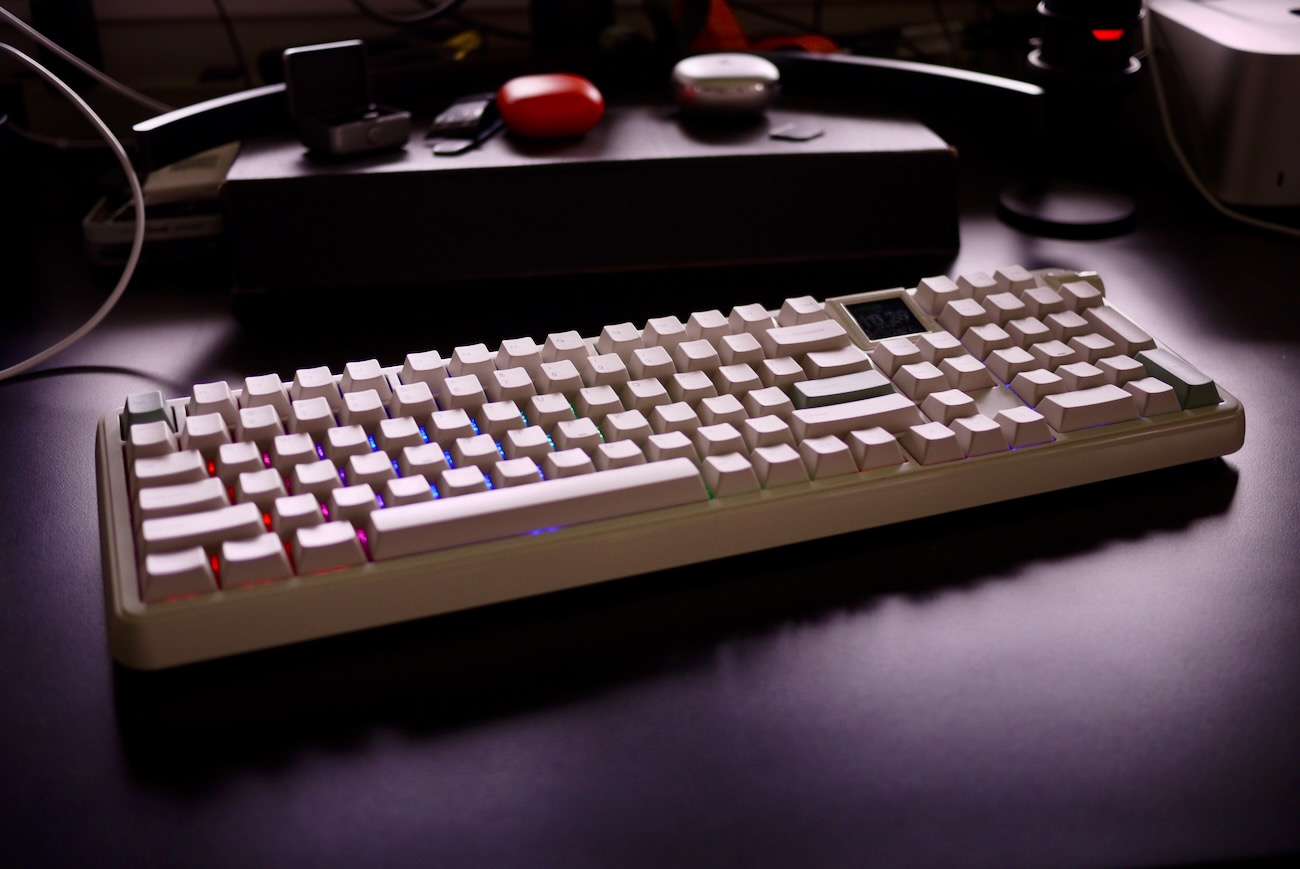
The mechanical keyboard market at the $100-$120 price point has gotten crowded fast. Epomaker alone has the TH108 Pro, the F108 Pro, and the original RT100 all fighting for desk space in roughly the same category. The RT100 Pro is the newest entry, and it makes a clear argument for itself: a full-size layout, a swappable LCD module, a programmable volume knob, and a 5-layer acoustic system, all for $115.99 to $119.99 depending on switch choice.
That’s a meaningful step up from the original RT100, which shipped as a 95% board with a compact numpad and MDA profile keycaps. The RT100 Pro moves to a full-size layout and adds a more comprehensive sound-dampening package, while keeping the retro aesthetic and swappable screen concept that made the original interesting. If you loved the RT100 but wanted more keys and better acoustics, this is the obvious path.
Where It Sits Against the Competition
The RT100 Pro’s closest internal competitor is the TH108 Pro. That board carries a 10,000mAh battery rated for up to 160 hours of wireless use, which is a significant edge over the RT100 Pro’s 5,000mAh cell. The TH108 Pro also has a flex-cut plate and PCB for a more flexible feel underhand.
The RT100 Pro counters with the swappable screen-to-four-key module, Cherry profile PBT keycaps, and a slightly lower entry price. The AULA F108 Pro is another full-size competitor in this range, offering an 8,000mAh battery and five-device Bluetooth pairing for around $100. The RT100 Pro doesn’t match either on battery capacity, but it has the most interesting feature set of the three.
Mac Setup: What to Expect
Out of the box, the RT100 Pro works on Mac. Getting it fully dialed in takes a little more patience. Bluetooth pairing isn’t intuitive — you hold the function key, then hold Q, W, or E for three seconds to enter pairing mode for channels one, two, or three. It works, but you’ll want to look that up before you sit down to use it.
The 2.4GHz dongle is a smarter story: it stores magnetically behind a small door on the back of the board, which is a clean solution to the “where did I put that thing” problem that plagues wireless keyboards. Other reviewers have flagged the same learning curve on initial setup, so you’re not alone if the first ten minutes feel cryptic.
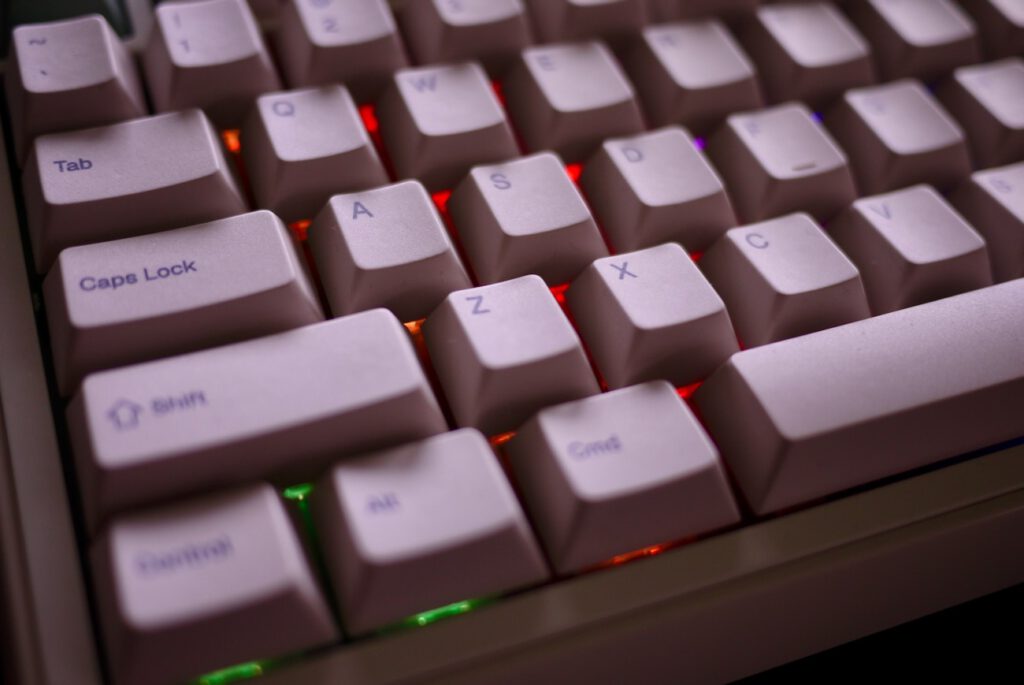
The keyboard ships configured for Windows, but it includes Mac-compatible keycaps in the box, including a Command key. Swapping them out is straightforward. The bigger unlock for Mac users is the Epomaker Driver V4, which runs over Bluetooth and lets you remap keys, adjust RGB, and set macros.
That matters because the default Mac OS desktop management shortcuts don’t map over automatically. It’s not a dealbreaker, but it’s worth knowing going in. After remapping the Windows key to Command and physically repositioning the Alt key on the left side of the board, the layout feels natural and analogous to a standard Mac keyboard.
The Typing Experience
This is where the RT100 Pro earns its price. The Creamy Jade switches are linear and factory-lubed, and paired with the gasket mount and a 5-layer sound system including PORON noise-cancelling foam, switch socket pads, sound enhancement PET, and bottom silicone, the result is a keyboard that feels substantially more considered than anything in this price range from three years ago. Coming from a slim Logitech scissor-switch board, the difference in feedback and sound is significant. TechPowerUp’s hands-on with the original RT100 noted the same gasket-mount feel, and the Pro takes that foundation further. This is a keyboard that makes you want to sit down and type.
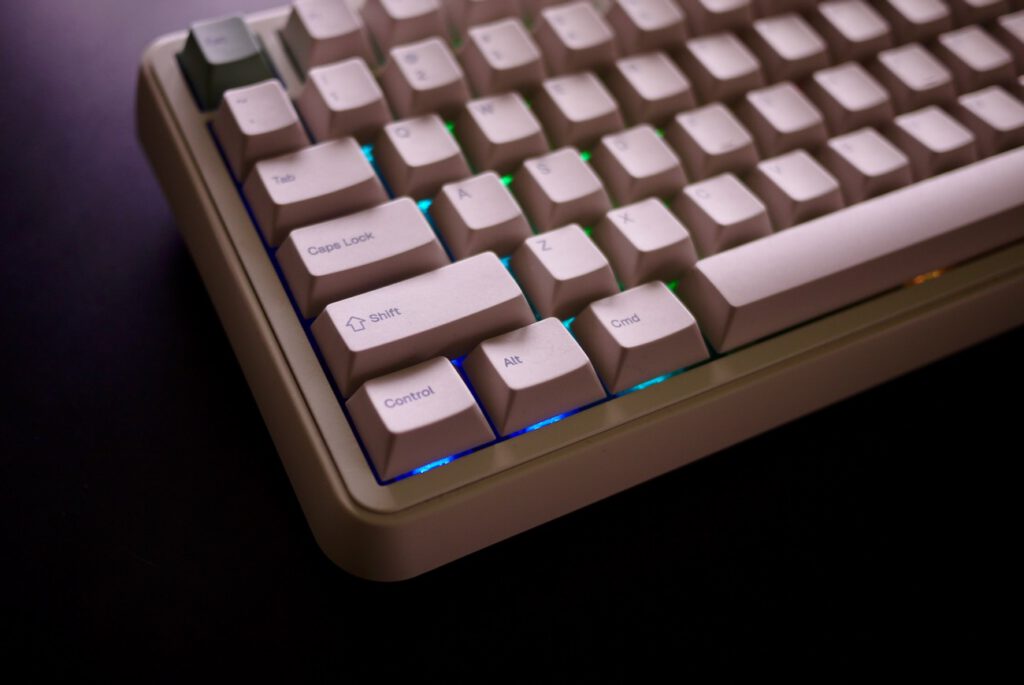
One practical note: the RT100 Pro sits notably higher than a low-profile keyboard. The fixed typing angle is 5.8 degrees with a front height of 20.6mm, which is comfortable for many users but will prompt others to grab a palm rest. It’s worth factoring that into your setup before ordering.
The Knob, Media Keys, and the LCD
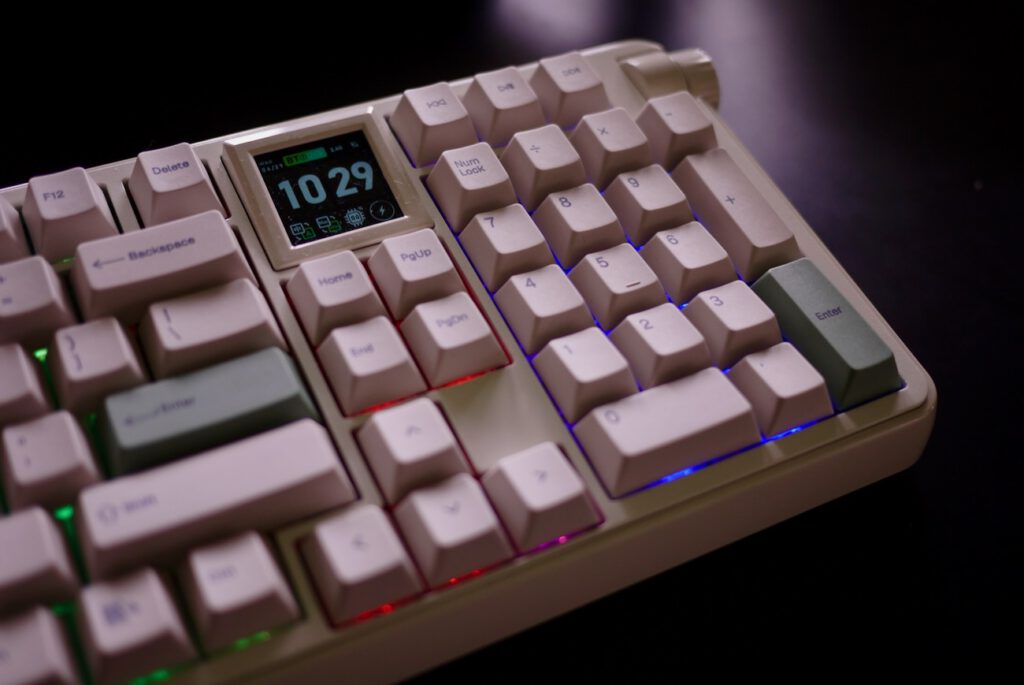
Epomaker put the media controls in the top right corner above the numpad, and the volume knob anchors the far right of that cluster. It’s a better solution than a mute button — a quick twist handles the job whether you’re turning down music mid-meeting or catching a phone call. The knob is programmable through the driver for macros or other functions if you want to take it further.
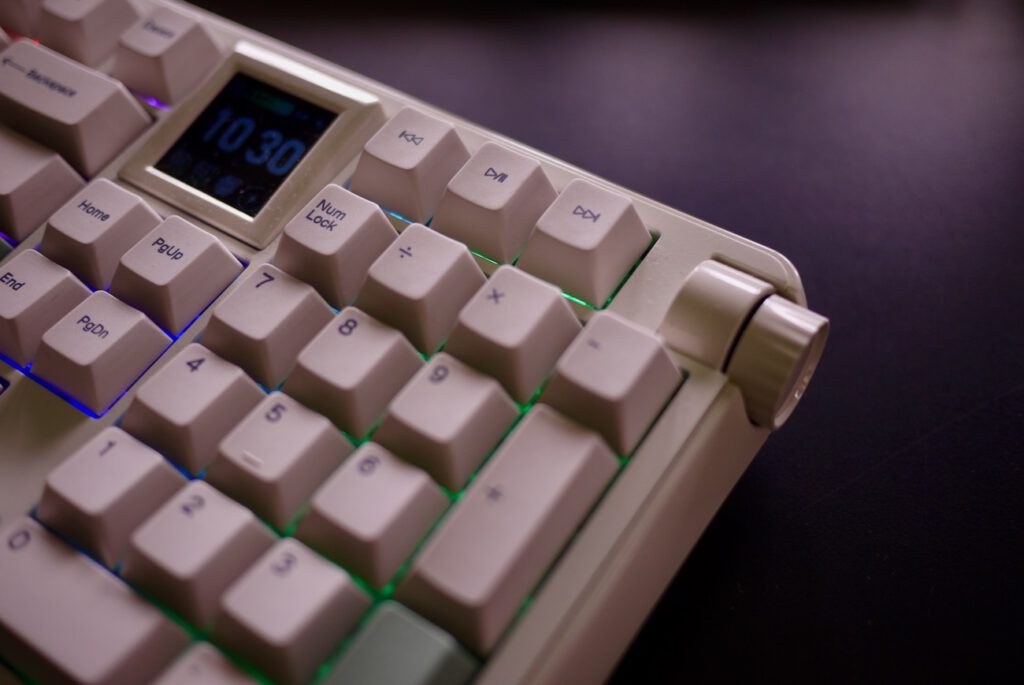
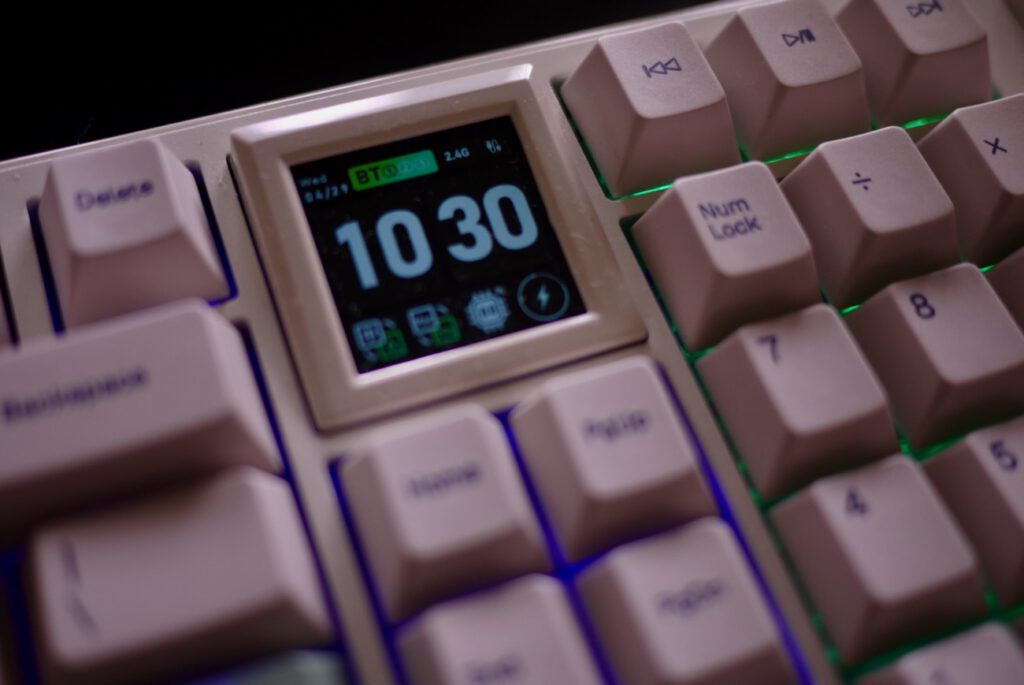
The 1.54-inch screen is the RT100 Pro’s signature feature: it displays the time, date, Bluetooth connection status, battery level, and whether you’re in Mac or Windows mode. It’s also hot-swappable — pull the screen out and replace it with a four-key module if you’d rather have the extra inputs. It’s a genuinely clever piece of design. Whether the screen stays useful long-term or becomes background noise depends on the user, but the option to swap it out entirely is the right call.
One Early Issue
The battery on the review unit had a fault and was dying unexpectedly. Epomaker identified the problem quickly and shipped a replacement unit. That’s the right response, and it’s noted here for transparency rather than as a verdict on the product. One unit, one issue, fast resolution.
Bottom Line (So Far)
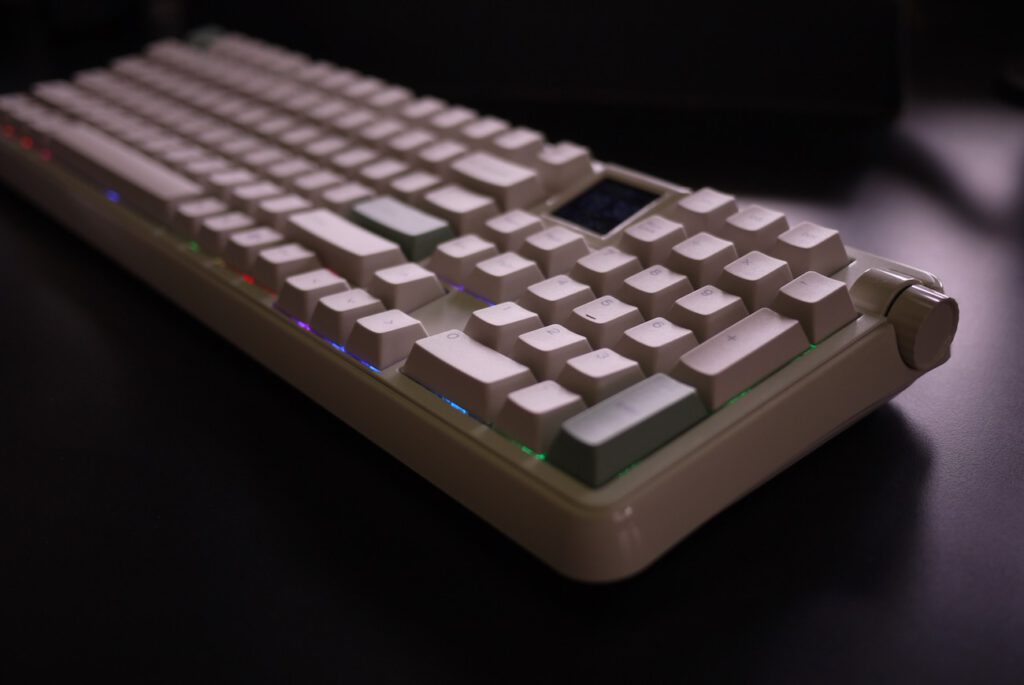
The RT100 Pro is a strong debut for a keyboard that just started shipping. Mac users can make it work well, but they’ll spend time in the driver before it feels native. The setup process is a little cryptic, the battery is smaller than rivals like the TH108 Pro and F108 Pro, and a palm rest may be necessary depending on your desk setup. What it delivers in return is a typing experience that punches above its price, a smart feature set with the swappable screen module, and a volume knob that actually earns its spot on the board. A full review will follow with more time on the keys/