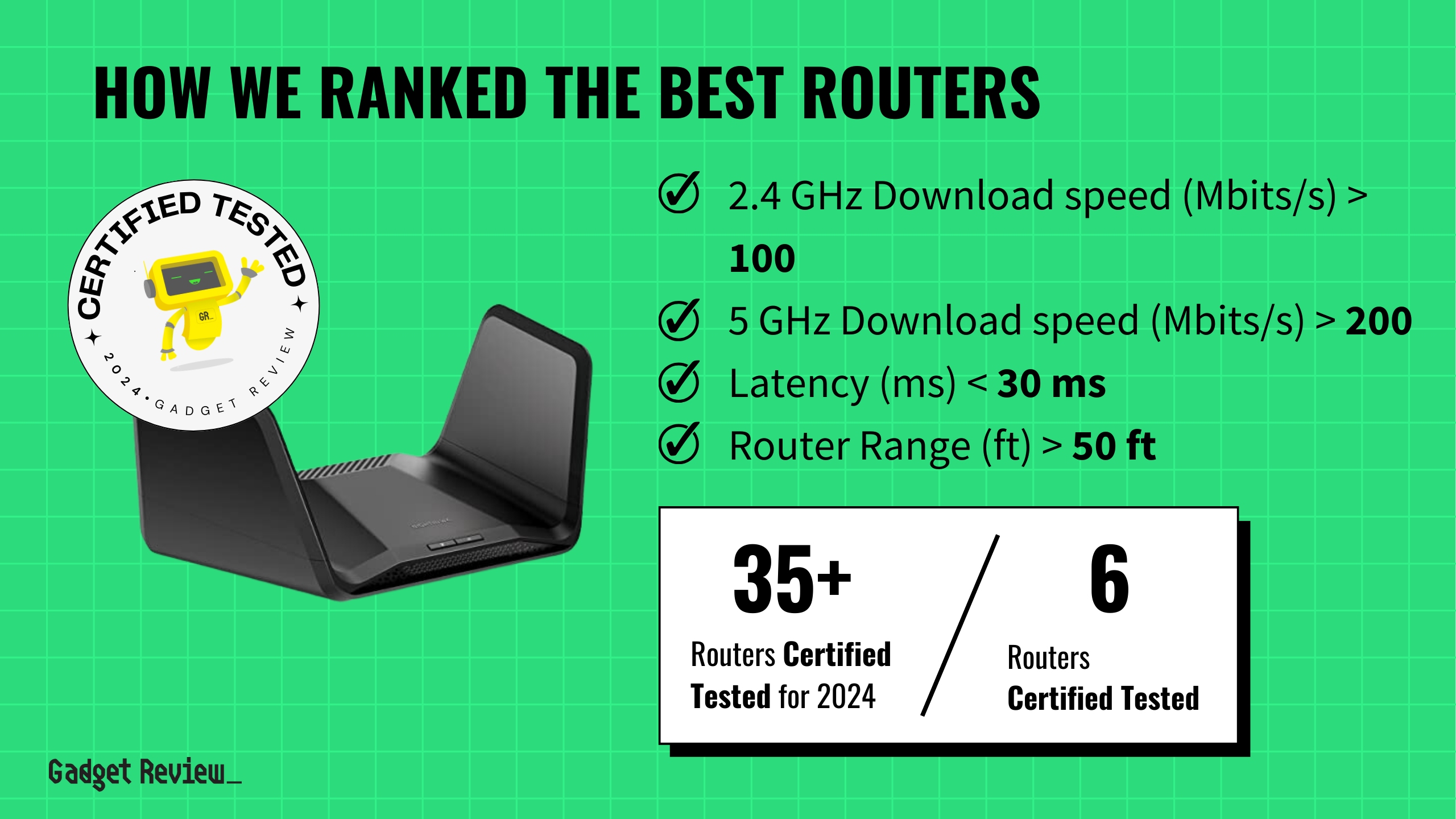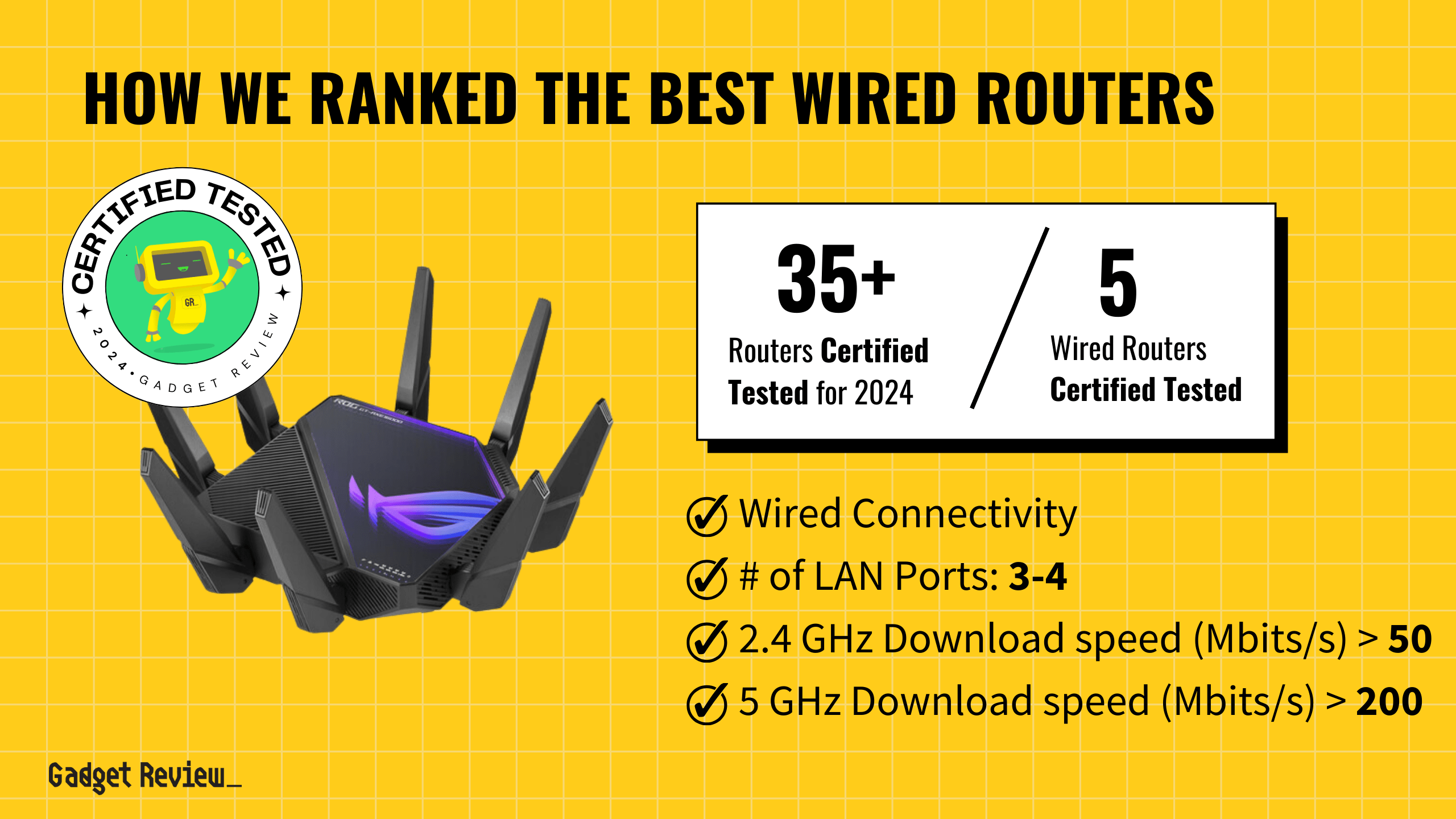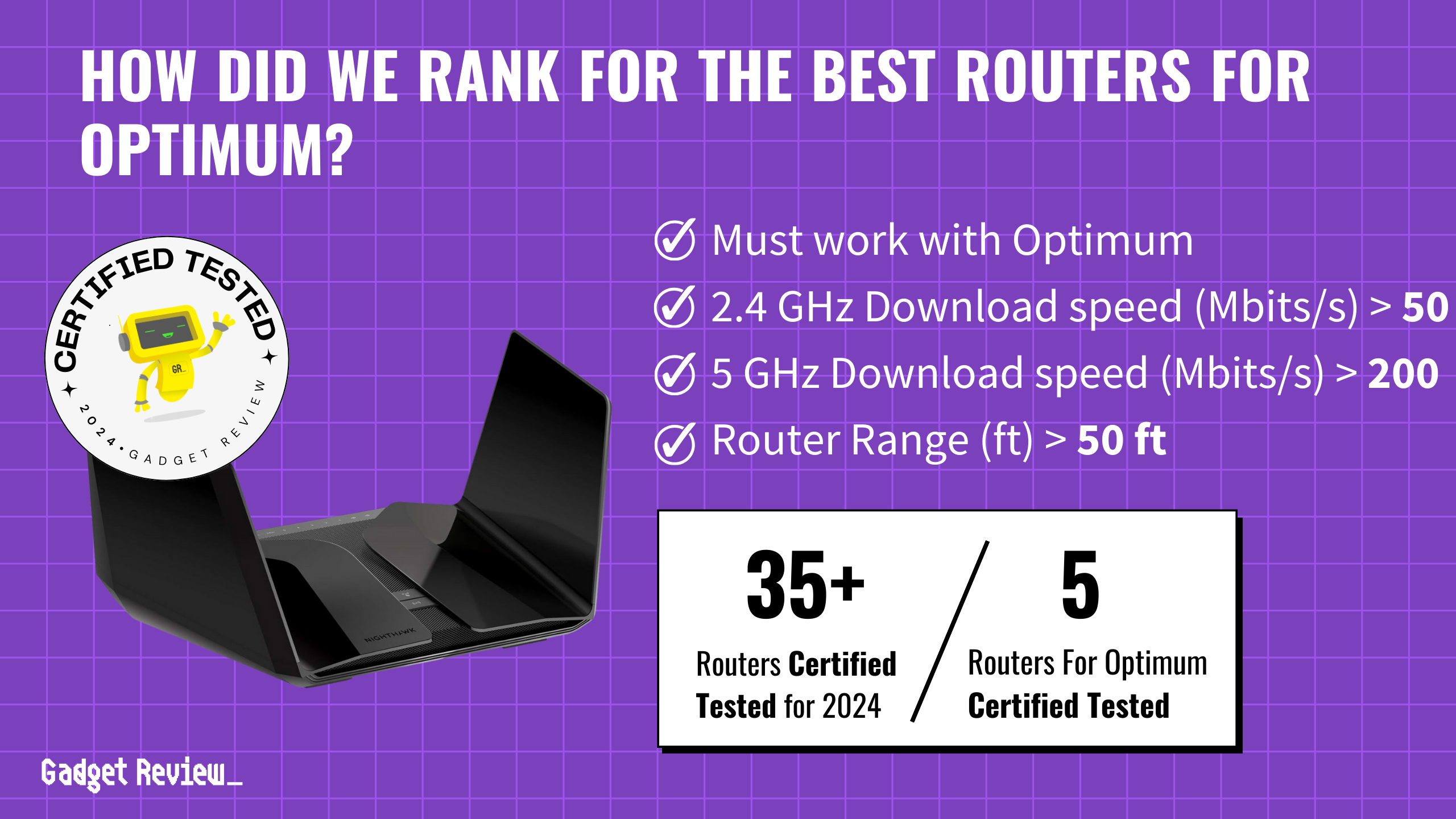

When picking the best router for Optimum internet, focus on ones with strong download speeds and solid coverage. Look for routers that hit at least 50 Mbps on the 2.4 GHz band and over 200 Mbps on the 5 GHz band. Also, keep latency below 30ms and make sure the router covers more than 50 feet. In our comprehensive evaluation, five routers earned a spot on our buying guide. Choosing one of the best routers ensures you get optimal performance and reliability for all your internet needs.
We analyzed 37 routers and evaluated 193,532 reviews. Our approach uses our data-driven True Score to filter out fake and low-quality reviews. The winning routers demonstrated superior performance and reliability to meet high-bandwidth demands while providing consistent connectivity throughout a typical home.
How Did We Rank the Best Routers for Optimum?
With a thorough review of over 200 sites, we present a guide to the best routers for Optimum based on a blend of expert evaluations and customer insights. We prioritized understanding critical performance criteria, highlighting 2 mandatory test results, 2 desirable test results, and 1 essential specification. Our true score system reflects rigorous analysis, ensuring that you receive precise recommendations for optimizing your Optimum internet experience.
Our commitment to unbiased reviews is powered by our ‘True Score’ system, targeting low quality and fake reviews. When you shop through our links, you’re backing our mission. Dive deeper to see how.
Minimum Specifications
- Must work with Optimum
Test Criteria
- 2.4 GHz Download Speed: A download speed on the 2.4 GHz band of at least 50 Mbits.
- 5 GHz Download Speed: A download speed on the 5 GHz band of at least 200 Mbits.
? “Nice To Haves”
- Router Range: A range of at least 50 feet before the signal from the router begins to become noticeably weaker.
- Latency: A latency of 30 ms or less.
Latest Updates
- 06/17/2024: Republished the list to include the best routers for Optimum based on our True Score system.
Top Routers for Optimum For 2026
Prices accurate at the time of publishing

Best Overall

Runner Up

Best Value

Best Budget

Best Mid-Range

Premium Pick
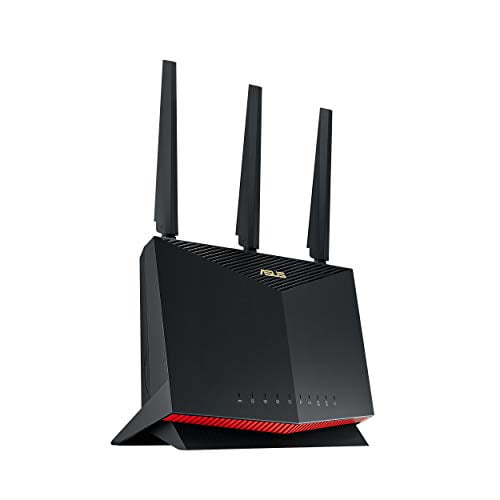
Asus RT-AX86S
Best For Optimum
The Asus RT-AX86S ensures expansive coverage and robust 5 GHz performance, perfect for large homes and seamless online activities.
True Score
85833Experts
901kCustomers
Absolutely Fresh

Read More

Snapshot
Reasons to Buy
- Fast WiFi and download speeds
- Incredible range of coverage
- Easy installation and set up
- Low Latency
Reasons to Avoid
- Lacks Backhaul and Mesh Networking
Specifications

# of LAN Ports 4 
Frequency Bands 2.4 GHz, 5.0 GHz 
MU-MIMO Support Yes 
Wireless Standard AC, AX, N 
Mesh System No 
Quality of Service Prioritization Yes 
# of Phone Ports n/a 
# of WAN Ports 1 
App Compatible Yes 
Available Storage 256MB 
Band Technology Dual 
Data Encryption Type WPA, WPA-Enterprise, WPA2, WPA2-Enterprise, WPA3, WPA3-Enterprise, WPS 
Energy Star Certified No 
Integrated Modem No 
LAN Port Speed 4 Gb Ethernet 
Number of Antennas 4 
Parental Controls Yes 
Processor Cores Dual 
Processor Speed 1.8GHz 
WiFi Range 5400 sq. ft 
WiFi Speed 5.7 Gb 
Wired Speed – All Specs
Test Results
2.4 GHz Download speed (Mbits/s) 89 5 GHz Download speed (Mbits/s) 563 6 Ghz Download speed (Mbits/s) 0 Latency (ms) 15 Router Range (ft) 140 2.4 GHz Upload speed (Mbits/s) 0 5 GHz Upload speed (Mbits/s) 23 6 Ghz Upload speed (Mbits/s) 0 All Tests
All Retailers
Our Verdict
If you’re an Optimum customer who has a large home and needs a reliable connection, the Asus RT-AX86S is a fantastic choice with a wide range and strong 5 GHz performance. With a 5 GHz download speed of 563 Mbits/s and an upload speed of 23 Mbits/s, it ensures robust performance for high-bandwidth activities. The 2.4 GHz band’s download speed of 89 Mbits/s caters well to IoT devices and general browsing, ensuring a versatile and comprehensive home network solution. Despite not featuring a 6 GHz band, its performance on the 5 GHz band significantly supports demanding digital habits, making this router a great value for its affordable price.
The Asus RT-AX86S impresses with a Wi-Fi range of up to 140 ft, ensuring reliable and expansive coverage suitable for medium to large-sized homes. With a low latency of 15 ms, the Asus RT-AX86S guarantees swift response times, ideal for lag-free online gaming and smooth video conferencing.
The Asus RT-AX86S offers a significantly larger range than the TP-Link Archer AXE75, making it ideal for extensive areas. However, if you’re mostly concerned about minimal delays, the TP-Link’s superior latency is much lower than the Asus.
If you’re an Optimum customer needing a budget-friendly router without compromising performance, the Asus’ unmatched 5 GHz speed and extensive range make it a fantastic solution. Despite its modest 2.4 GHz performance, it’s still sufficient enough for gamers, streamers, and smart home enthusiasts, providing a smooth home network experience.
Read Less
Best Overall
Runner Up
Best Value
Best Budget
Best Mid-Range
Premium Pick
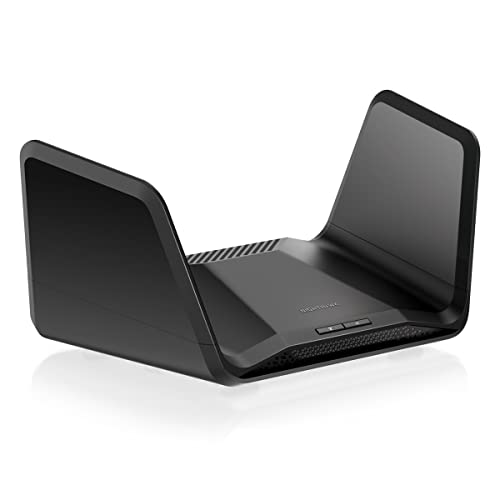
Netgear Nighthawk RAXE300
Best For Vpn
For tech-savvy gamers and streamers, the Netgear Nighthawk RAXE300 excels with top speeds, low latency, and wide range, perfect for demanding online use.
True Score
84829Experts
903kCustomers
Absolutely Fresh
Read More
Snapshot
Reasons to Buy
- Superb Wi-Fi speeds
- Wide range
- Simple setup
Reasons to Avoid
- Limited range (6GHz)
- No USB A port
- Subscription-based security solutions
Specifications
# of LAN Ports 6 Frequency Bands 2.4 GHz, 5.0 GHz, 6.0 GHz MU-MIMO Support Yes Wireless Standard AC, AX, N Mesh System No Quality of Service Prioritization No # of Phone Ports 1 # of WAN Ports 1 App Compatible Yes Available Storage 256MB Band Technology Tri Data Encryption Type WPA-PSK, WPA2-PSK, WPA3 Energy Star Certified No Integrated Modem No LAN Port Speed 4 Gb Ethernet Number of Antennas 6 Parental Controls Yes Processor Cores Quad Processor Speed 1.7GHz WiFi Range 2500 sq.ft WiFi Speed 7.8 Gb Wired Speed 1000 Mb All Specs
Test Results
2.4 GHz Download speed (Mbits/s) 222 5 GHz Download speed (Mbits/s) 852 6 Ghz Download speed (Mbits/s) 757 Latency (ms) 5 Router Range (ft) 170 2.4 GHz Upload speed (Mbits/s) 0 5 GHz Upload speed (Mbits/s) 175 6 Ghz Upload speed (Mbits/s) 247 All Tests
All Retailers
Our Verdict
Tech-savvy gamers or streamers with Optimum internet will appreciate the impressive speeds of the Netgear Nighthawk RAXE300. Its best-in-class 2.4 GHz download speeds of 221.65 Mbits/s, 5 GHz of 851.6 Mbits/s, and 6 GHz of 756.8 Mbits/s ensure it can handle demanding activities like competitive gaming, 4K streaming, and VR applications. It also impresses with its upload speeds, boasting 175 Mbits/s on the 5 GHz band and 247.2 Mbits/s on the 6 GHz band, ensuring fast and efficient data uploads, ideal for high-resolution video conferencing, gaming, and cloud backups.
If you need minimal delay for competitive gaming or large home, this router delivers a best-in-class latency of 5 ms and a superior range of 170 ft for uninterrupted online activities. The router also offers robust security options and is designed with the future of home networking in mind, supporting the latest wireless standards (AC, AX, N), making it an excellent choice as a long-term investment. Compared to the Asus RT-AX86S, which is known for its gaming-centric features and affordable price, the Nighthawk RAXE300 is a much faster option with less latency, ideal for households with multiple users engaging in 4K streaming and gaming.
The Nighthawk RAXE300’s high download and upload speeds across all bands, low latency, and extensive range make it a top contender for gamers, streamers, home offices, small businesses, and tech enthusiasts. While the investment might be higher than entry-level models, the performance and versatility justify the cost for users seeking a premium, all-encompassing router solution.
Read Less
Did you know 64% of router reviewers are untrustworthy?
Our research found only 46 of 127 router reviewers as of August 2026 can be trusted. This is why Gadget Review is committed to calculating the most accurate product scores on the web.
To do this, we give every router review site a Trust Rating, which measures how trustworthy the site and their testing claims are. We then leverage AI & a machine learning model to combine and calculate the Trust Rating with data from experts and consumers to deliver the True Score, the web’s most accurate product quality rating.
 193,532
Router Reviews Analyzed

37
Total Products Analyzed
Best Overall
Runner Up
Best Value
Best Budget
Best Mid-Range
Premium Pick
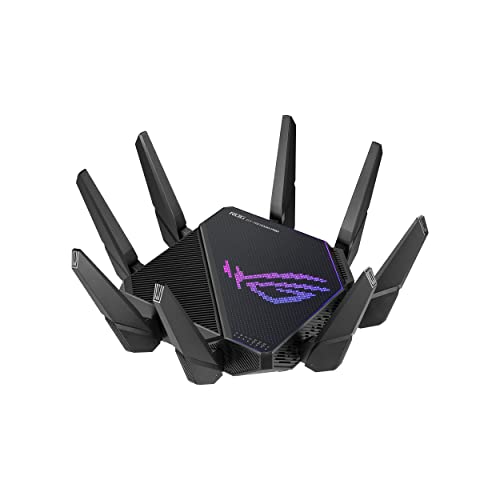
Asus ROG GT6 Mesh
Best For Gaming
Ideal for content creators and large homes, the Asus ROG GT6 Mesh excels in upload speed and coverage, perfect for streaming and gaming.

True Score
82826Experts
864kCustomers
Absolutely Fresh
Read More
Snapshot
Reasons to Buy
- Fast Download/Upload Speed
- Easy to install and operate
Reasons to Avoid
- WiFi speed drops off at long range
- Connection range is limited
- Limited USB Connectivity
- Mediocre Latency
Specifications
# of LAN Ports 3 Frequency Bands 2.4 GHz, 5.0 GHz MU-MIMO Support Yes Wireless Standard AC, AX, N Mesh System Yes Quality of Service Prioritization Yes # of Phone Ports n/a # of WAN Ports 1 App Compatible Yes Available Storage 256MB Band Technology Tri Data Encryption Type WEP, WPA-Enterprise, WPA-PSK, WPA2-Enterprise, WPA3-Personal Energy Star Certified No Integrated Modem No LAN Port Speed 3 Gb Ethernet Number of Antennas 9 Parental Controls Yes Processor Cores Triple Processor Speed 1.7GHz WiFi Range 5800 sq. ft WiFi Speed 2.6 Gb Wired Speed 2500 Mb All Specs
Test Results
2.4 GHz Download speed (Mbits/s) 139 5 GHz Download speed (Mbits/s) 701 6 Ghz Download speed (Mbits/s) 0 Latency (ms) 22 Router Range (ft) 95 2.4 GHz Upload speed (Mbits/s) 112 5 GHz Upload speed (Mbits/s) 619 6 Ghz Upload speed (Mbits/s) 0 All Tests
All Retailers
Our Verdict
If you’re a content creator, gaming enthusiast, or large homeowner who wants a seamless online experience, the Asus ROG GT6 Mesh offers an impressive blend of upload speeds and coverage. With its tri-band technology, including notable 5 GHz download and upload speeds of 701.3 Mbits/s and best-in-class 618.5 Mbits/s respectively, it excels in high-bandwidth activities like 4K streaming, online gaming, and handling multiple devices simultaneously. Although the 2.4 GHz band offers slightly lower speeds of 139.35 Mbits/s for downloads and superior 111.9 Mbits/s for uploads, it still provides robust connectivity for everyday internet use and smart home devices.
If you care about router range, the expansive Wi-Fi coverage ensures that lag and buffering are a thing of the past. Its extensive range of 95 ft ensures optimal connectivity across large homes. The latency of 22 ms is sufficient to maintain a reliable and responsive internet experience for most online activities.
Compared to the Asus RT-AX86S, which boasts a better range and latency but is more affordable, the ROG GT6 provides a high-speed mesh networking solution to eliminate Wi-Fi dead zones. While the RT-AX86S might appeal to users with a single central location in mind, the ROG GT6 is the go-to for extensive coverage and mesh capabilities.
The ROG GT6 stands out for its fast uploading and ability to support a network in large homes or multiple rooms. The trade-offs are the higher price tag and latency, but it’s a great investment if you’re a competitive gamer, content creator, or professional in a large space who needs to frequently upload large files.
Read Less

DON’T SEE WHAT YOU’RE LOOKING FOR?
When selecting the best router for CenturyLink, ensure it offers compatibility and robust performance to handle high-speed internet plans. For Xfinity users, a great router for Xfinity should provide seamless connectivity and excellent coverage. If you’re looking for top-tier features, an advanced Asus router delivers powerful performance and extensive customization options.
Understanding what happens when you reset your router can help troubleshoot connectivity issues and improve performance. For gamers, learning how to set up a router for gaming is crucial to minimize latency and optimize your network for a smoother gaming experience.
Best Overall
Runner Up
Best Value
Best Budget
Best Mid-Range
Premium Pick
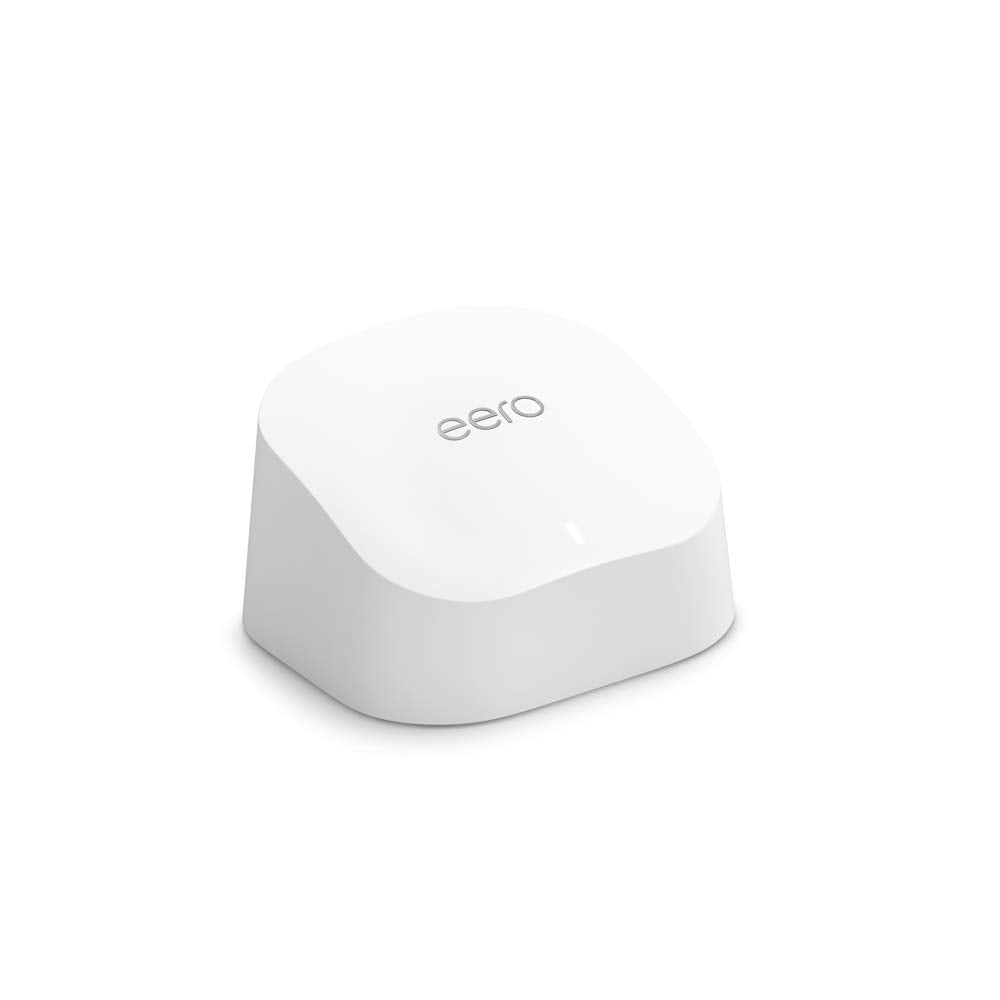
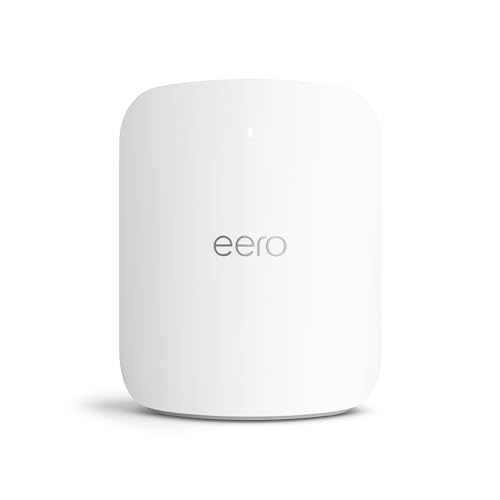
Eero Max 7
Best For Mesh
For bandwidth-heavy tasks, the Eero Max 7 excels in 6 GHz performance, ideal for tech-savvy homes needing fast, seamless connectivity.
True Score
82817Experts
871kCustomers
Absolutely Fresh
Read More
Snapshot
Reasons to Buy
- Exceptional Download WiFi Speed
- Easy Installation and Configuration
- Low Latency
Reasons to Avoid
- Poor 2.4 GHz Upload Speeds
- Short Range of Coverage
- Limited Port Space
Specifications
# of LAN Ports 4 Frequency Bands 2.4 GHz, 5.0 GHz, 6.0 GHz MU-MIMO Support Yes Wireless Standard BE Mesh System Yes Quality of Service Prioritization No # of Phone Ports n/a # of WAN Ports 1 App Compatible Yes Available Storage 4000MB Band Technology Tri Data Encryption Type WPA2-Personal, WPA3-Personal Energy Star Certified No Integrated Modem No LAN Port Speed 2 Gb Ethernet Number of Antennas 10 Parental Controls Yes Processor Cores Quad Processor Speed – WiFi Range 2500 sq.ft WiFi Speed 4.3 Gb Wired Speed 10000 Mb All Specs
Test Results
2.4 GHz Download speed (Mbits/s) 96 5 GHz Download speed (Mbits/s) 1,078 6 Ghz Download speed (Mbits/s) 1,223 Latency (ms) 7 Router Range (ft) 90 2.4 GHz Upload speed (Mbits/s) 75 5 GHz Upload speed (Mbits/s) 411 6 Ghz Upload speed (Mbits/s) 638 All Tests
All Retailers
Our Verdict
The Eero Max 7 has superior 6 GHz band performance if you need a powerhouse router for bandwidth-intensive tasks. It has a download speed of 1222.5 Mbits/s and an upload speed of 638 Mbits/s, enabling 4K video streaming, lag-free online gaming, clear video conferencing, and rapid large file transfers. It’s great for tech enthusiasts, streamers, and competitive gamers who demand the fastest wireless speeds for their digital lifestyle.
The Eero Max 7’s tri-band technology includes impressive speeds on the 5 GHz band (a best-in-class 1078.5 Mbits/s download and 410.6 Mbits/s upload), ensuring you’re well-equipped for many tasks without interference. The 2.4 GHz speeds of 95.9 Mbits/s download and 74.8 Mbits/s upload are solid, delivering reliable coverage for everyday internet uses.
With a low latency of just 7 ms, it offers quick response times, perfect for lag-free gaming and seamless video calls. The router’s range extends to 90 ft, providing robust Wi-Fi coverage suitable for small to medium-sized homes.
Compared to the Netgear Nighthawk RAXE300, which boasts 6 GHz speeds but at a lower cost, the Eero Max 7 offers superior 6 GHz speed and performance. While both are excellent for modern, connected homes, the Eero Max 7 is the choice for streaming, VR applications, and demanding devices.
The Eero Max 7’s standout feature is its unparalleled speed in the 6 GHz band, which is a significant advantage for ultra-high-definition streaming, gaming, and heavy internet usage scenarios. Despite its premium pricing, its top-tier performance and mesh networking capabilities make it ideal for a seamless, high-speed online experience across all your devices.
Read Less
Category Snapshot
Routers
- Total Brands/Products Tested
12 Brands, 37 Products
- Top 2 Brands
Netgear, Asus
- Price Range (Budget-Premium)
$45-$600
- Average True Score
79.42
- Important Test Criteria
Download & Upload Speed (bits/second)
Range (feet/meters)
- Most Trusted Testers

- Top Router Experts
- Typical Warranty
1 year
- Covered by Insurance
Yes – AKKO
Best Overall
Runner Up
Best Value
Best Budget
Best Mid-Range
Premium Pick
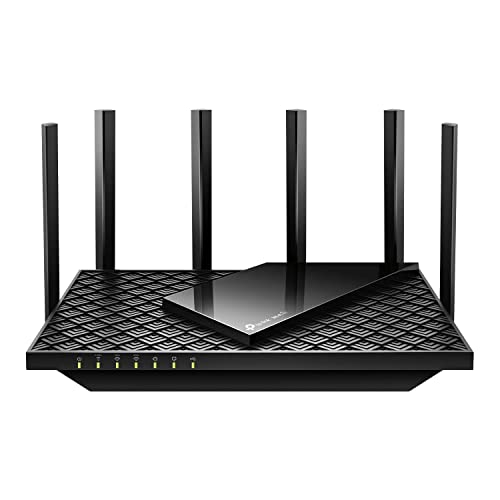
TP-Link Archer AXE75
Best For Wired
The TP-Link Archer AXE75 offers a mix of affordability and performance, ideal for medium-sized homes and a range of online activities.
True Score
81804Experts
862kCustomers
Absolutely Fresh
Read More
Snapshot
Reasons to Buy
- Good WiFi speeds
- Adequate range
- Simple set up
Reasons to Avoid
- Average download speeds
- Limited coverage
- Subscription-based security solutions
Specifications
# of LAN Ports 4 Frequency Bands 2.4 GHz, 5.0 GHz, 6.0 GHz MU-MIMO Support Yes Wireless Standard AC, AX Mesh System Yes Quality of Service Prioritization Yes # of Phone Ports n/a # of WAN Ports 1 App Compatible Yes Available Storage n/a Band Technology Tri Data Encryption Type WPA3 Energy Star Certified n/a Integrated Modem No LAN Port Speed Gigabit Ethernet Number of Antennas 6 Parental Controls Yes Processor Cores Triple Processor Speed 1.7GHz WiFi Range 2500 sq.ft WiFi Speed 2.4GHz Wired Speed 1000 Mb All Specs
Test Results
2.4 GHz Download speed (Mbits/s) 65 5 GHz Download speed (Mbits/s) 309 6 Ghz Download speed (Mbits/s) 318 Latency (ms) 9 Router Range (ft) 60 2.4 GHz Upload speed (Mbits/s) 0 5 GHz Upload speed (Mbits/s) 0 6 Ghz Upload speed (Mbits/s) 0 All Tests
All Retailers
Our Verdict
The TP-Link Archer AXE75 is a superb router that blends affordability with efficient performance for medium-sized homes. With its tri-band capabilities, including a 6 GHz download speed of 317.9 Mbits/s, it’s tailored for users requiring a blend of speed and range without breaking the bank. It supports a variety of online activities, from HD streaming to casual gaming, making it perfect for families, remote workers, and tech enthusiasts looking for a reliable home network.
If you’re in a household that juggles multiple devices and online activities, the Archer AXE75’s performance across the 2.4 GHz and 5 GHz bands ensures everyone stays connected. With a 2.4 GHz download speed of 65.05 Mbits/s and a 5 GHz speed of 309.1 Mbits/s, it adeptly manages daily internet needs, from browsing and emails to streaming and gaming. Despite a more modest range of 60 ft, it efficiently covers smaller to medium spaces, supported by a fantastic latency of just 9 ms for responsive online interactions.
Compared to the Eero Max 7, which offers faster 6 GHz speeds but at a higher price point, the Archer AXE75 is a more accessible entry into high-performance, tri-band mesh networking. While the Eero excels in larger homes with its superior speed and range, the Archer AXE75 is a smart choice for those seeking a balance between fast performance and price.
The TP-Link Archer AXE75 stands out for its blend of affordability, respectable speeds, and mesh system compatibility, catering to a broad spectrum of internet activities within a more confined budget. It has a limited range and is ideal for small homes, but if you prioritize value and advanced Wi-Fi 6 technology, this is a solid choice for robust, flexible connectivity at home.
Read Less

Which Criteria Matters for Testing Best Routers for Optimum?
By focusing on these criteria (2 required, 2 nice to have), anyone can quickly and easily compare these routers and how they’ll perform. This helps you make an informed decision and purchase a router that will meet your needs.
| CRITERIA | RANGE | REQUIRED | DEFINITION |
|---|---|---|---|
| 2.4 GHz Download Speed | > 50 Mbits/s | Yes | The maximum speed that the router can reach when downloading on the 2.4 GHz band. |
| 5 GHz Download Speed | > 200 Mbits/s | Yes | The maximum speed that the router can reach when downloading on the 5 GHz band. |
| Router Range | > 50 ft | No (Nice to have) | How far a device can be from a router before the signal starts degrading. It is worth noting that 2.4 GHz reaches further than 5 GHz. |
| Latency | < 30 ms | No (Nice to have) | The delay that is created by a signal being sent by the router and then received. |
Our Trusted Data Sources
We looked at 120+ router reviewers and found that 46 are trustworthy (60%+ Trust Rating). The three we have listed below are our most trusted for routers.
- James Morris – Kit Guru, LinkedIn
- Matt Spencer – TechGearLab, LinkedIn
- Brian Nadel – Tom’s Guide, MuckRack
Interested in a comprehensive analysis of our data sources? We’ve got you covered. Below, you’ll find a detailed list of every router review website we’ve identified, organized by their respective Trust Ratings from highest to lowest. But we didn’t stop there. We’ve meticulously reviewed each publication and verified the data by checking whether the authors have bio links to MuckRack or LinkedIn. We’re committed to not only checking the facts but ensuring their veracity.
Router Test Data & Results
Disclaimer:
Evaluating router performance is more than hardware analysis. While hardware tests are straightforward, the challenge lies in contextualizing the results within the limits of real-world usage. Routers operate under conditions that testers cannot fully standardize, including variations in Internet Service Providers (ISPs), network traffic congestion, discrepancies between advertised and actual internet speeds, and the physical layout of homes. These factors introduce a degree of unpredictability, making it hard to draw universal conclusions. As such, our router recommendations aim to provide useful general guidance, accommodating a wide range of home environments and internet setups.
1. 2.4 GHz Download Speed (Mbits/s)
The oldest and slowest of the bands on a router is the 2.4 GHz band, but it sticks around for a reason. Generally speaking, while this band features the slowest available speeds and has the lowest bandwidth, but also reaches out the furthest. It’s not the best band to connect to connect if you need high speeds, but if you just need to be connected for light browsing or anything that’s low bandwidth, it works. Alternatively, if you own a lot of old devices, this band may be the only band they can “see” and therefore, use.
Given the age of the band, top speeds on 2.4 GHz cap out very quickly. We recommend a speed of at least 50 Mbits/s, but if you aren’t really going to be using this band for anything other than checking web pages, you can go lower. It’s worth noting, though, that this might lead to a more frustrating and laggier time on modern sites with lots of scripting and high-quality images.
2.4 GHz Download Speed
> 50 Mbits/s
Acceptable range of performance
Definition: The top speed the router reaches downloading on the 2.4 GHz band.
Units of Measurement: Mbits/s (megabits per second)
Tools to Measure: Speed-checking software
Why It’s Important:
For older devices or for connecting at a longer range, the 2.4 GHz frequency is the only one that you’ll be able to use, so it should have usable speed.
2.4 GHz Download Speed (Mbits/s; higher is better; 0 = No Data)
2. 5 GHz Download Speed (Mbits/s)
The much faster 5 GHz band offers up much greater bandwidth and is much, much better at meeting high-speed demands. Streaming high-quality video, using streaming services, gaming, downloading large files and games – the 5 GHz band is what makes all of these activities quick and bearable. It reaches a lower range than the 2.4 GHz band, but it’s also much faster, so you’ll use it more, especially on newer devices that actually support the band.
Given how much you’ll be using this band, we recommend a speed of at least 200 Mbits/s to ensure you’re able to enjoy streaming and gaming on at least a few devices simultaneously. Any lower and you start to run into real bottleneck concerns, such as endless buffering, lagging, or drops in connection.
5 GHz Download Speed
> 200 Mbits/s
Acceptable range of performance
Definition: The top speed the router reaches downloading on the 5 GHz band.
Units of Measurement: Mbits/s (megabits per second)
Tools to Measure: Speed-checking software
Why It’s Important:
This band is used by most modern devices and offers greater speeds that enable activities like gaming and HD streaming on multiple devices.
5 GHz Download Speed (Mbits/s; higher is better; 0 = No Data)
3. Router Range (ft)
Router range is exactly what the name suggests: how far can you get from the router before you start experiencing issues with your connection? The complicating factor is the simple fact that range depends on the band you’re using. 2.4 GHz is a band that offers greater range, so it gives tests results that show a greater range than tests that use the 5 GHz band. In general, our research found most publications used the 5 GHz band, so our recommendations are based on that.
As such, we recommend your router have a range of at least 50 ft. This gives you a good “bubble” around the router that you can connect to, but it’s important to know that things like the walls in your home can cause issues. Thicker walls block more signal, thinner walls block less. Some materials will also do a better job than others will at stopping signal, so if you see a router with a range of 65 ft, know that it might not reach that far in your home. It could reach further – or not nearly as far. This is also why you get dead zones in your home – it’s a matter of geometry and materials.
Router Range
> 50 ft
Acceptable range of performance
Definition: The distance the router transmits reliable signal out to before performance and speed degrades.
Units of Measurement: Feet (ft)
Tools to Measure: Measuring Tape
Why It’s Important:
Range impacts how far you’ll get a reliable connection in your home, and whether you’ll need extenders or not.
Router Range (ft; higher is better; 0 = No Data)
4. Latency (ms)
Latency
< 30 ms
Acceptable range of performance
Definition: The time it takes for the router to send and then receive signals.
Units of Measurement: Milliseconds (ms)
Tools to Measure: Speed-checking software
Why It’s Important:
Latency is important to reduce delay when gaming and video conferencing.
On a router, latency refers to how long it takes for the router to send out and receive a signal. The longer it takes, the more delay there is between you sending and receiving data, which can introduce lag in video games and also makes video conferencing harder since the person you’re speaking with now has to contend with your delay and vice versa. If you’ve ever spent a call talking over someone because you don’t know they started talking a second ago, that’s latency.
For that reason, we recommend a latency below 30 ms. As low as you can get it is obviously preferable, but latency is another aspect of your internet connection that is hard to manage. Latency differs to every single place you connect to, and every ISP has its own latency they “add” because you have to connect to their service too. Latency creeps in from your ISP, from the site you’re requesting data from, from your router, and from your own onboard Wi-Fi antenna – and that’s just to name a few sources. If you’re gaming, you also have a delay introduced by your connection to game servers and the delay that exists on a hardware level when you input commands.
Latency (ms; lower is better; 0 = No Data)
Best Routers for Optimum: Mistakes To Avoid
- Ignoring Compatibility: Ensure that the router you choose is compatible with Optimum’s network specifications. Failing to do so may result in compatibility issues and subpar performance.
- Overlooking Speed Requirements: Opt for a router that meets or exceeds your internet speed requirements. Neglecting to consider this factor could lead to slower internet speeds and buffering issues, especially if you have a high-speed Optimum plan.
- Neglecting Range and Coverage: Consider the size of your home or office space and choose a router with adequate range and coverage to ensure seamless connectivity throughout the premises. Ignoring this aspect may result in dead zones and unreliable connections in certain areas.
- Ignoring Security Features: Opt for a router with robust security features, such as WPA3 encryption and built-in firewalls, to protect your network from cyber threats and unauthorized access. Neglecting security features could leave your network vulnerable to hacking and privacy breaches.
The Best Routers for Optimum Tests Compared
Product |
True Score
|
2.4 GHz D/L Speed
|
5 Ghz D/L Speed
|
6 GHz D/L Speed
|
Range
|
Latency
| |
|---|---|---|---|---|---|---|---|
| 85 |
|
|
|
|
| |
| 84 |
|
|
|
|
| |
| 82 |
|
|
|
|
| |
| 82 |
|
|
|
|
| |
| 81 |
|
|
|
|
|