Hours each day battling unnecessary notifications and repetitive tasks on your Android device adds up fast. Smart software, especially thoughtfully designed open-source applications, offers a path to streamline your device into the assistant it was meant to be. These five tools cut through the noise, offering enhanced privacy and efficiency without the usual app-store bloat.
1. Photoo
Sort thousands of photos in minutes with swipe-based triage that feels oddly satisfying.
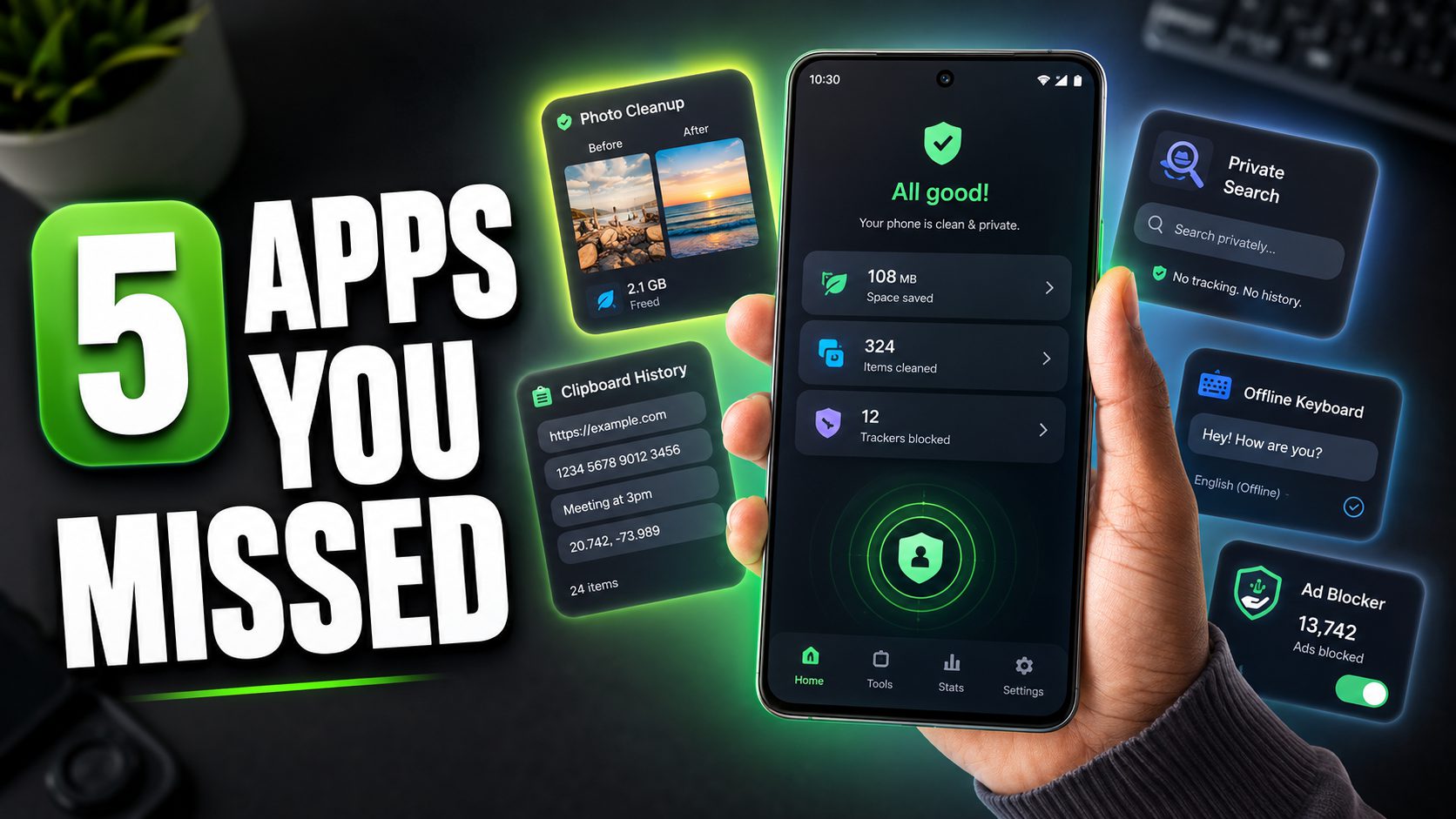
The typical smartphone user carries thousands of photos, many becoming digital dust bunnies cluttering precious storage. Photoo, an open-source Android gallery cleaner, tackles the overwhelming task of organization with a swipe-based triage interface: right to favorite, left to delete, and up to keep. Anyone who’s scrolled through their gallery after a big trip and found five identical shots of that one street art mural knows the pain.
Photo U’s on-device AI groups similar images and detects low-quality shots (blurry, duplicates, or poorly lit). This operates 100% offline, ensuring zero data ever leaves your device and remaining completely ad-free. This privacy-first approach sets it apart from cloud alternatives, giving you a clean, private library without the creepy feeling that someone’s watching your camera roll.
2. Clipboard
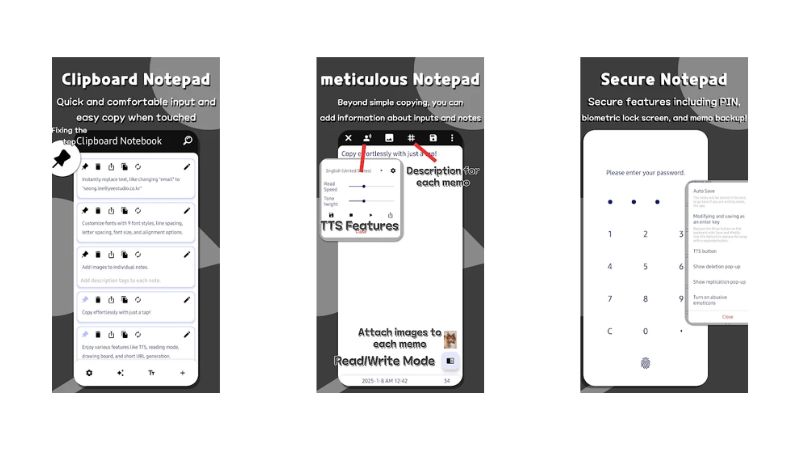
Instantly access every URL, paragraph, and note you’ve copied without the app-switching marathon.
Switching between apps to copy and paste multiple items often feels like a digital scavenger hunt. Clipboard, an advanced manager for Android, replaces your device’s default, single-item clipboard with a persistent, organized history. It automatically logs every URL, paragraph, and note you copy, eliminating the back-and-forth dance between apps just to grab disparate pieces of text.
A smart icon appears near text fields, allowing instant snippet insertion without leaving your current app. You can organize clips with folders and tags for templates and common phrases. A read-only mode prevents the keyboard from popping up when you simply want to view content. Clipboard elevates Android’s native functionality to a genuine productivity powerhouse, making your phone feel smarter without adding complexity.
3. Zerch
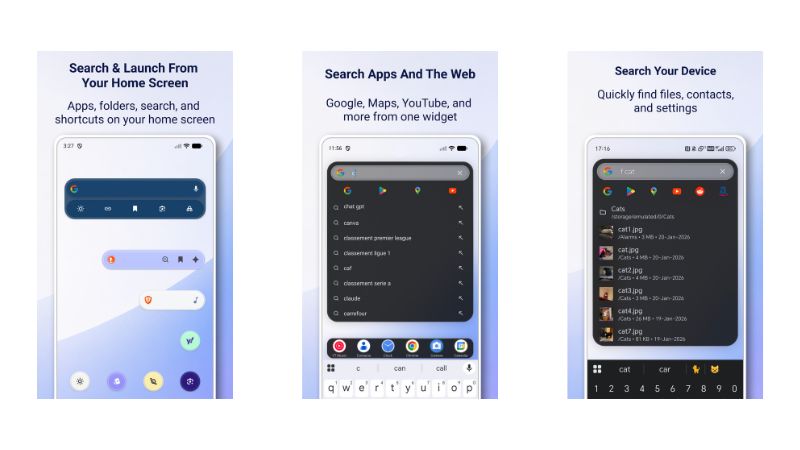
Switch among privacy-focused search engines and control your music from a single customizable widget.
Standard Android search bars limit you to one search engine and no local file access. Zerch, an easily customizable Android search widget, replaces the stock Google bar with something more versatile. Based on the research context describing privacy-focused search widgets with multiple engine support, Zerch appears designed to offer quick switching among privacy-focused search engines like DuckDuckGo and Brave Search, directly from your home screen. The widget also reportedly serves as a unified launcher, searching both web content and your local apps and files.
Zerch appears to integrate a media controller, allowing you to play, pause, or skip tracks right from the widget itself (a convenience like having a universal remote for your digital life). You can reportedly customize its appearance by adjusting colors, transparency, and widget size to match your home screen’s aesthetic. However, independent verification of Zerch’s specific features and functionality remains limited; potential users should confirm these capabilities directly.
4. LeanType
Type with confidence knowing grammar checks and translations happen entirely on your device.
On-device privacy has become non-negotiable for many users. Lean Type, an open-source Android keyboard, confronts this by integrating AI features that run fully offline. Grammar correction, text proofreading, and language translation happen right on your phone, without sending a single keystroke or content to remote servers. This setup keeps unwanted snoopers out and ensures your conversations remain strictly private.
You can drag the keyboard around like a floating panel, positioning it for optimal comfort when typing one-handed on the subway or responding to emails in landscape mode. The touchpad mode, where swiping the spacebar moves your text cursor, eliminates the struggle of landing your thumb precisely on a single character. Its open-source nature means the code is visible, allowing independent verification of its privacy claims.
5. Block Ads

Block ads and trackers system-wide while keeping banking apps and Android Auto fully functional.
Block Ads is a free, open-source, system-wide ad blocker for Android that works across browsers and most apps. It employs a local VPN-based filtering approach (the standard method for Android ad blocking), intercepting and blocking requests to ad, tracker, and malware domains without requiring root access. Split routing capabilities reportedly allow automatic bypassing of ad-blocking for sensitive applications like banking or Android Auto, avoiding typical compatibility issues, though this specific implementation hasn’t been independently verified.
The native Android interface makes rule management straightforward. With ads and heavy tracking scripts blocked, you’ll notice faster page loads and reduced data usage. Some users report their device feels noticeably faster, making browsing a smoother experience overall. As with any VPN-based service, actual battery impact will vary depending on usage patterns and device configuration.