



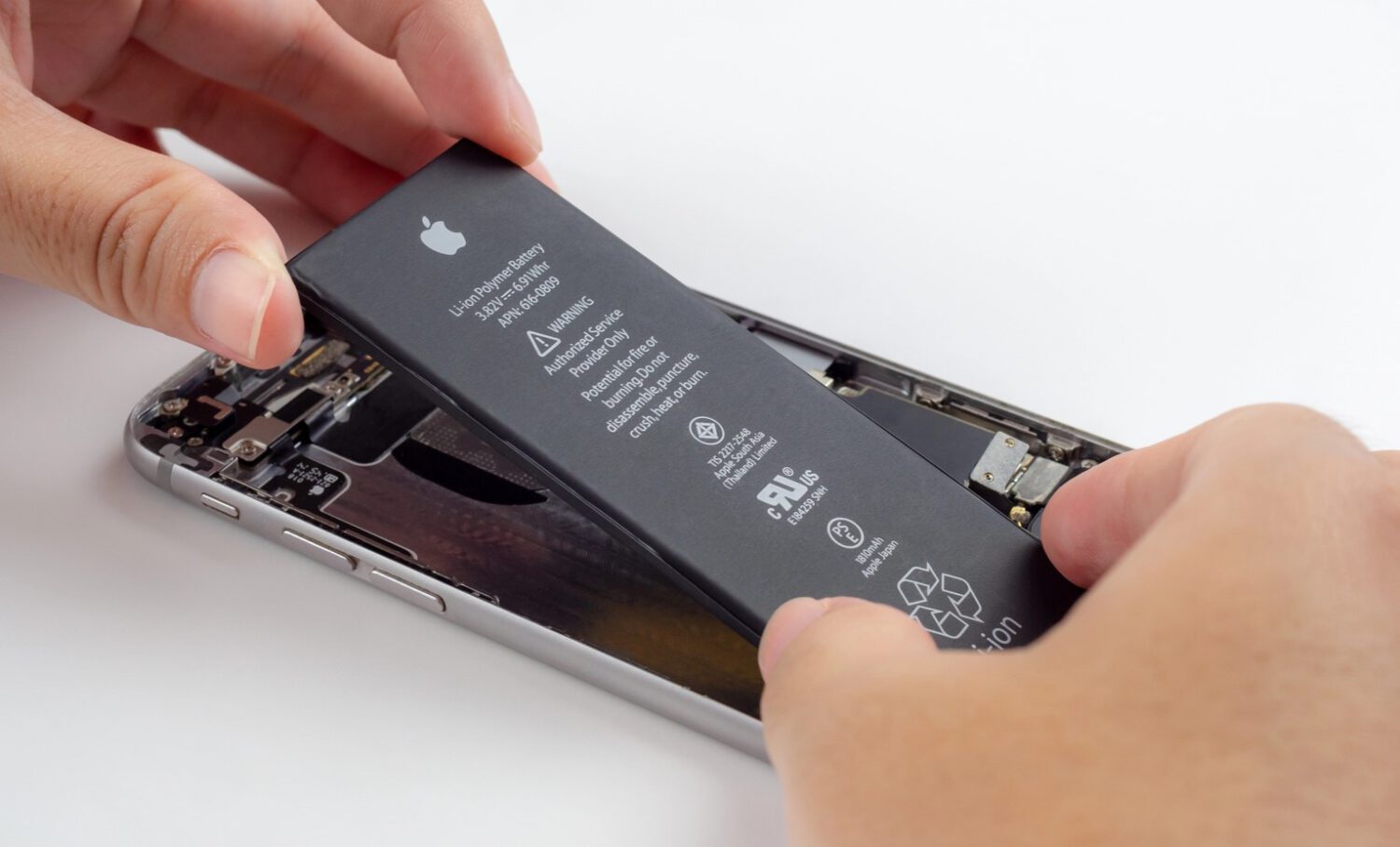
The most useful evidence is built into the phone itself. On an iPhone, navigate to Settings, then General, then About, then Parts and Service History. The battery entry may read Genuine, Used, or Unknown, depending on the model, iOS version, and repair circumstances. Apple notes that “Unknown” can indicate a nongenuine part or one not functioning as expected.
On iPhone XR, XS, and newer models, Settings, then Battery, then Battery Health can add further detail, including first-use date, maximum capacity, and cycle count on supported devices. Some iPhones display a warning that the genuine Apple battery cannot be verified; treat any health readings shown on those devices as potentially inaccurate.
Google’s Battery health feature is available on supported Pixel models, specifically Pixel 8a and later. Open Settings, then Battery, then Battery Health. Google classifies the result as Normal, Reduced, or Unavailable. Reduced means remaining capacity has dropped below 80 percent, and Google recommends considering replacement at that point.
For Samsung Galaxy phones, open the Samsung Members app, select Support, run diagnostics, and choose Battery Status. Samsung’s diagnostic can return a result of Normal, Weak, or Bad, indicating whether the battery condition needs attention. Note that this tool assesses current battery condition rather than confirming whether the installed battery is original.
Physical Signs the Phone Has Been Opened
Gaps, adhesive residue, and screw condition can point to a previous repair even when the finish looks pristine.
Inspect the gap between the display and the frame. Uneven spacing, lifting edges, or adhesive residue along the seam suggest the phone was opened at some point. Check the screws as well; mismatched, stripped, or missing screws can indicate prior disassembly, though manufacturing variation or unrelated service can produce similar results.
A careful technician can leave almost no visible trace, so a clean exterior does not confirm the original battery is installed. Physical clues support the picture but do not replace software records and diagnostics.
What Battery Condition Actually Means for You
Capacity thresholds are a starting point; real-world behavior reveals problems a static reading can miss.
Google explicitly defines Reduced battery health as below 80 percent remaining capacity. Apple’s battery health screen flags condition concerns and verification issues, but Apple does not establish 80 percent as a universal replacement threshold the way Google does. Test the phone under ordinary use rather than trusting one static percentage.
Watch for fast drain, unexpected shutdowns, heat during light activity, and charging that repeatedly stops or fails. A manufacturer warning about an unverified battery is a concrete reason to adjust the asking price. Factor in the expected replacement cost, or request a professional inspection before completing the purchase.
What to Ask a Seller Directly
A live demonstration of the repair history screen is harder to falsify than any screenshot.
Ask directly whether the battery has been replaced. If yes, ask whether the part was manufacturer-genuine, authorized, or aftermarket. Request the repair date and receipt, then ask the seller to show the repair history screen live on a video call or in person rather than sending a screenshot, which can be edited or taken from a different device.
Before paying, confirm the phone has been removed from the previous owner’s account and is not activation-locked. A seller who declines to show iPhone accessories or battery information is a risk signal worth taking seriously, though some devices have regional or model limitations that restrict those features.
Refurbished Phones Carry Their Own Caveats
A warranty covers more than a battery, so read the specific program terms before assuming full protection.
Manufacturer-certified refurbished programs generally offer documented testing and a warranty, though the specific battery policy varies by program. Independent refurbishers may sell phones with batteries that are original, replaced, or partially worn, with little documentation either way. Prioritize a return window long enough to test drain, charging behavior, overheating, and core hardware under real conditions. A low price is not a bargain if an immediate battery replacement is likely.
No Single Check Is Enough
Every layer of evidence must hold up together before a used battery can be considered genuinely reliable.
The strongest case that a battery is genuine and healthy requires combining repair history, manufacturer warnings, battery health data, platform diagnostics, and physical inspection. Keep in mind that Apple’s Parts and Service History can display part-status information, while Pixel and Samsung tools primarily assess current condition rather than prove battery provenance. Treat any single reassuring result as incomplete until the full picture is consistent.