Racing through your morning routine while notifications ping like slot machines? Microsoft’s Clock app redesign aims to silence that chaos with AI-powered focus sessions that actually understand how your brain works.
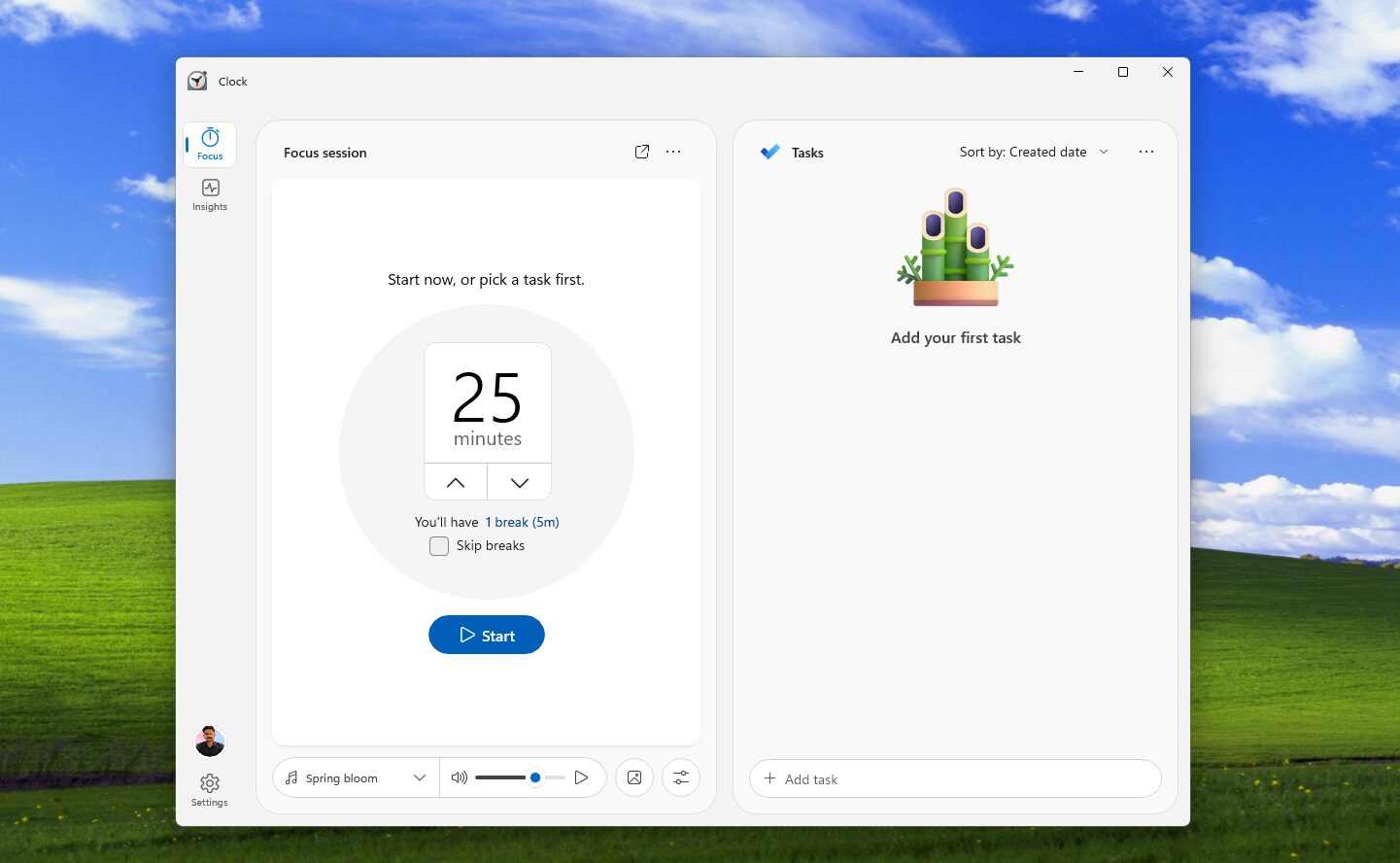
Windows Latest got its hands on an early test version, revealing Microsoft’s quiet transformation of the humble Clock app into a productivity powerhouse. Gone are the days when Focus Sessions just blocked notifications. This update reads like someone took your scattered workflow and asked ChatGPT to organize it—except it might actually work.
Your Tasks Finally Get Smart
AI suggests breaking down overwhelming projects, while Microsoft To Do integration puts everything in one place.
The redesigned interface dedicates half your screen to tasks, finally giving them the real estate they deserve. You can sort by title, creation date, or due date—basic stuff that somehow took years to implement. But here’s where it gets interesting: AI-suggested task steps appear automatically.
Working on “Launch marketing campaign”? The system might suggest “Research competitor pricing” or “Draft email sequences” without you having to think it through. Developer Gustave Monce spotted these AI features tucked into the code, powered by NPU chips in newer Windows PCs. It’s like having a productivity coach embedded in your operating system, minus the motivational quotes and awkward small talk.
Post-Session Reality Checks Actually Matter
The new Reflection feature tracks whether you achieved “Deep focus” or spent time “Distracted” like most of us scrolling through Instagram.
After each session, you’ll rate your focus level on a scale from “Deep focus” to “Distracted”—think Uber ratings but for your attention span. This data feeds into a coming Insights dashboard that promises to reveal productivity patterns over time. For anyone managing ADHD or simply wondering why Wednesdays feel impossible, this self-awareness tool could prove genuinely useful.
The catch? RAM usage nearly doubles during sessions in current tests, and core Clock features like alarms temporarily vanish. Microsoft hasn’t confirmed any release timeline, keeping this firmly in “interesting preview” territory. There’s also the question of privacy implications when AI analyzes your productivity patterns, though Microsoft hasn’t detailed how this data gets handled.
Your Windows 11 productivity workflow might never look the same, assuming Microsoft can optimize the resource consumption and actually ship these features. Sometimes the best upgrades happen when you’re not looking—much like how Focus Sessions evolved from simple notification blocking into something that might genuinely reshape how you manage your scattered attention span.