




A gas mower with a decent deck clears 31,000 square feet in under an hour. A riding mower does it in half that.
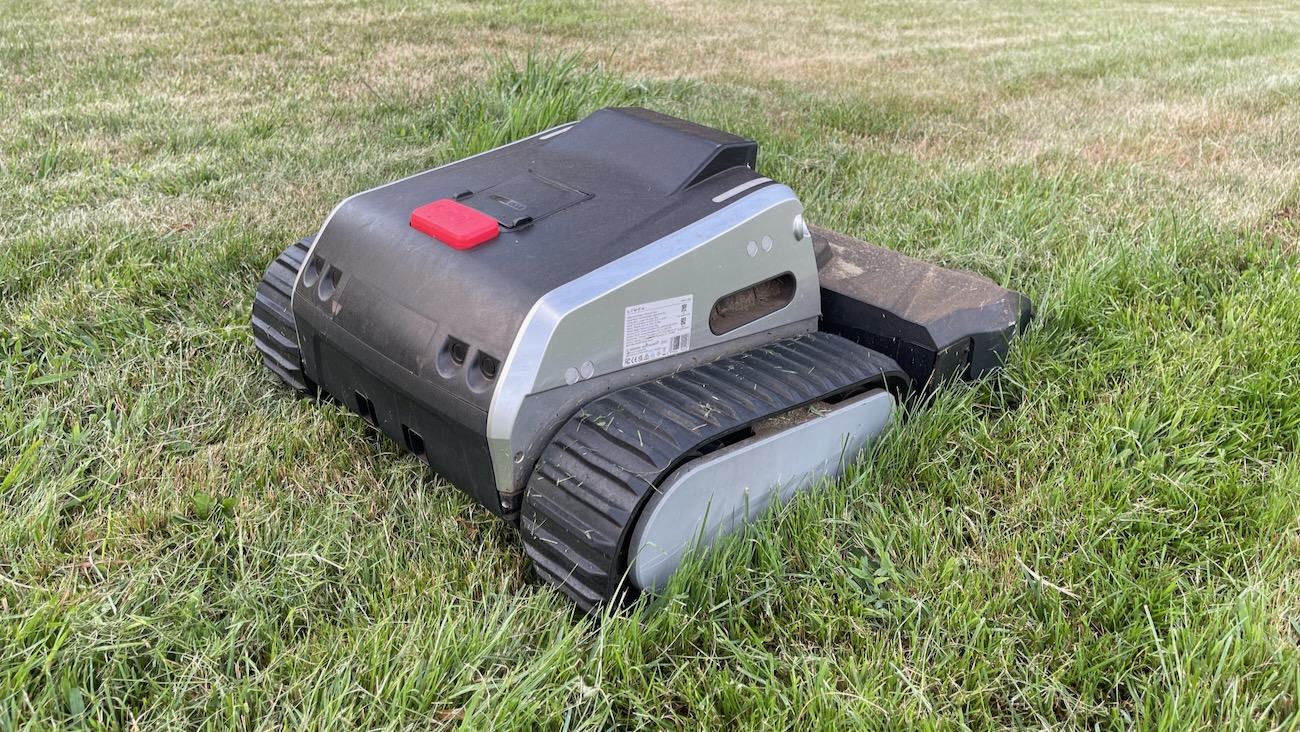
The Lymow One Plus took roughly 8 to 10 hours of total cutting time to cover the same ground, spread across multiple charge cycles. Robot mowers were never going to win a straight speed contest against gasoline, and the Lymow One Plus doesn’t change that.
What it changes is who’s doing the work. Setup is straightforward, the cutting power is real, and when this mower is running clean, it genuinely saves you the physical labor of pushing a mower around a hilly, three-quarter acre yard. That’s the actual trade you’re making. Slower overall, but hands-off, at least in theory.
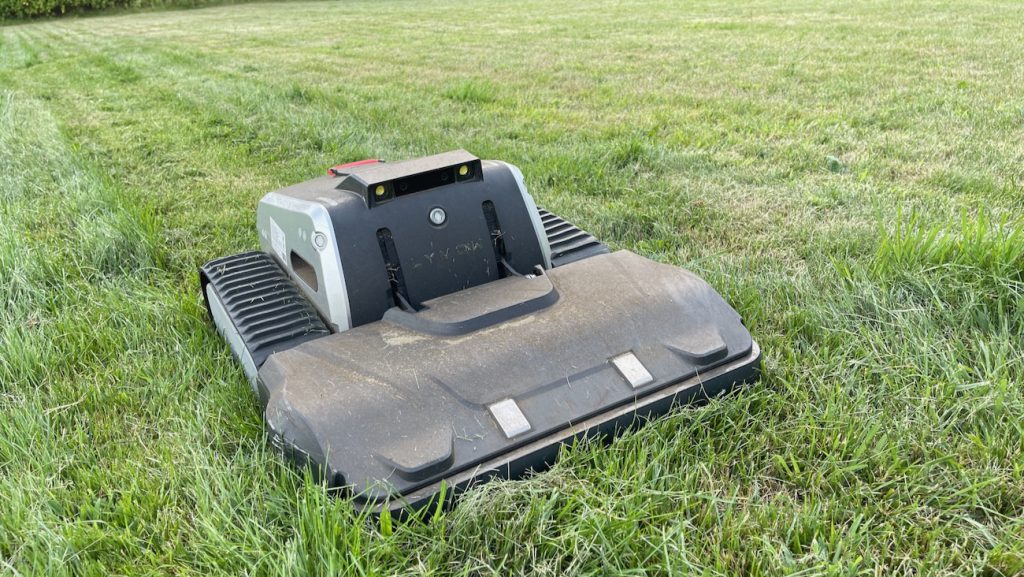
In practice, it’s not fully hands-off. Errors that are supposed to clear and retry on their own don’t always do that. It loses its bearings in the dark. Cloud cover alone can knock out its GPS signal mid-session, sometimes with no notification on my phone, so the only way to know something had gone wrong was to walk outside and check.
I’ll say this up front, because it matters for context. This isn’t a Lymow-only problem. I run another robotic mower on part of my property, and it has its own list of quirks. Wire-free robot mowing as a category is still figuring itself out. The Lymow just happens to be the one under review.
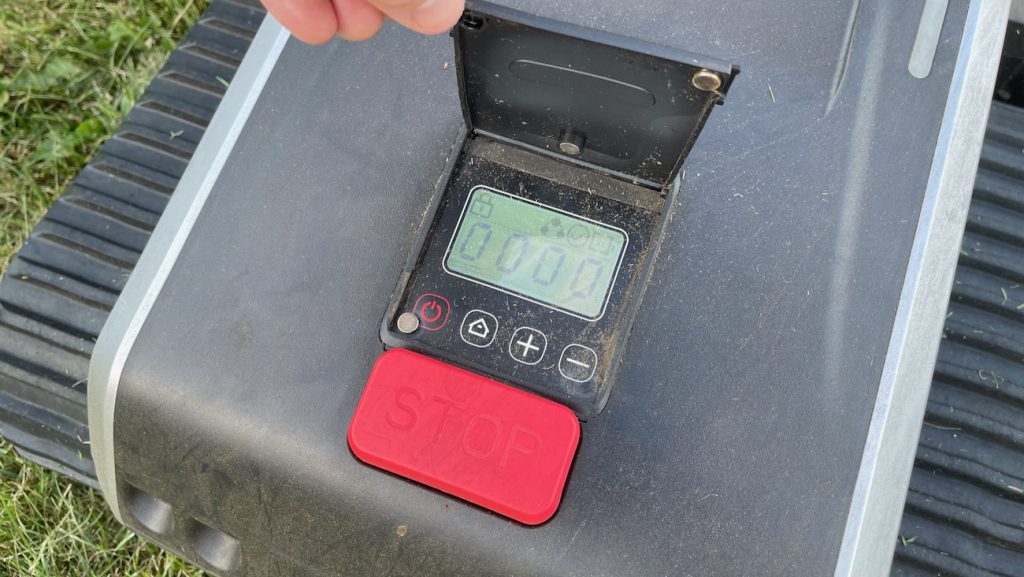
One more caveat worth stating plainly. This review would have published closer to 30 days ago. A stretch with no rain left my lawn barely growing, which limited how often I could actually run the mower through a real cutting cycle. The extra time ended up helping the review, since it let me catch the dock relocation and firmware changes described below.
How Wire-Free Actually Works
Skipping the boundary wire sounds simple from the outside. In practice, it shifts the setup work from burying wire to teaching the mower your yard.
The One Plus uses RTK satellite positioning paired with VSLAM, which is camera-based visual mapping. You install a charging dock and a separate RTK antenna, ideally somewhere with a clear, open view of the sky. Then you walk the mower around your lawn using the app, and it builds a zone based on that path.
This is where the process gets less intuitive than it should. Lymow tells you to drive the mower around the area you want mowed, but doesn’t explain how big a zone should be or how precisely you need to map it. Channels, the paths that connect one mowing zone to another or connect a zone back to the dock, need the same careful treatment. If you don’t walk a channel exactly where you want the mower to travel, it can still lose track of itself moving between zones, even with a channel already saved.
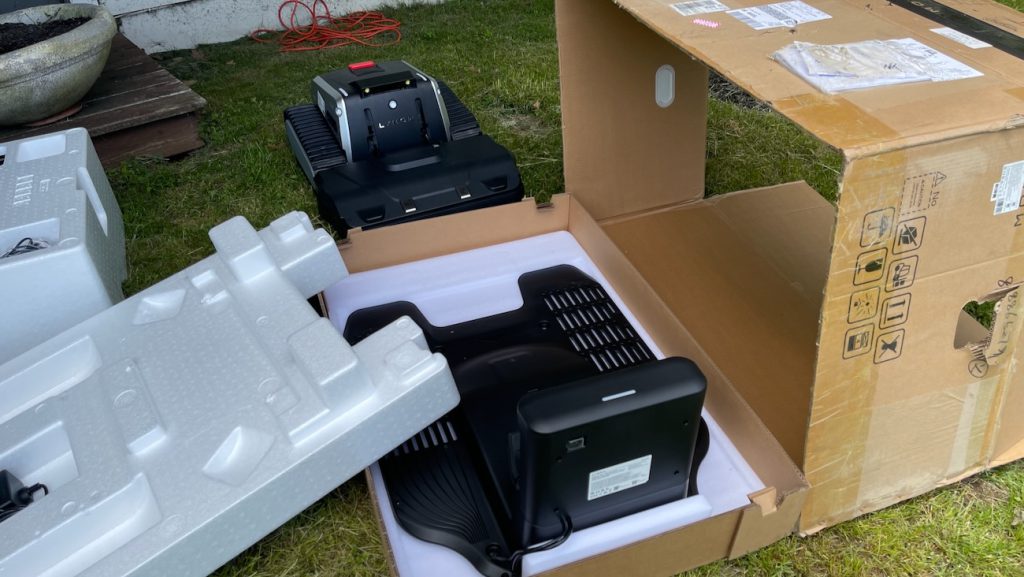
This isn’t a one-time setup step you can rush through. Loose or approximate mapping shows up later as navigation problems.
Lymow has said a feature is coming that would let you draw your mowing areas directly in the app instead of physically walking them. As of this review, it isn’t available yet.
What is available, and what I’ve come to rely on, is splitting the lawn into multiple zones. This turns out to be genuinely useful beyond just organizing the map. If one section of your property grows faster or slower than the rest, like the leaching field on mine, giving it its own zone means you can mow it on its own schedule instead of treating the whole lawn as one block.
Setup Took Longer Than It Should Have
The physical setup itself, plugging in the antenna and charger, pairing the app, and walking through the binding process, went quickly. Building usable zones and channels took longer, mostly from a lack of guidance rather than any hardware problem.
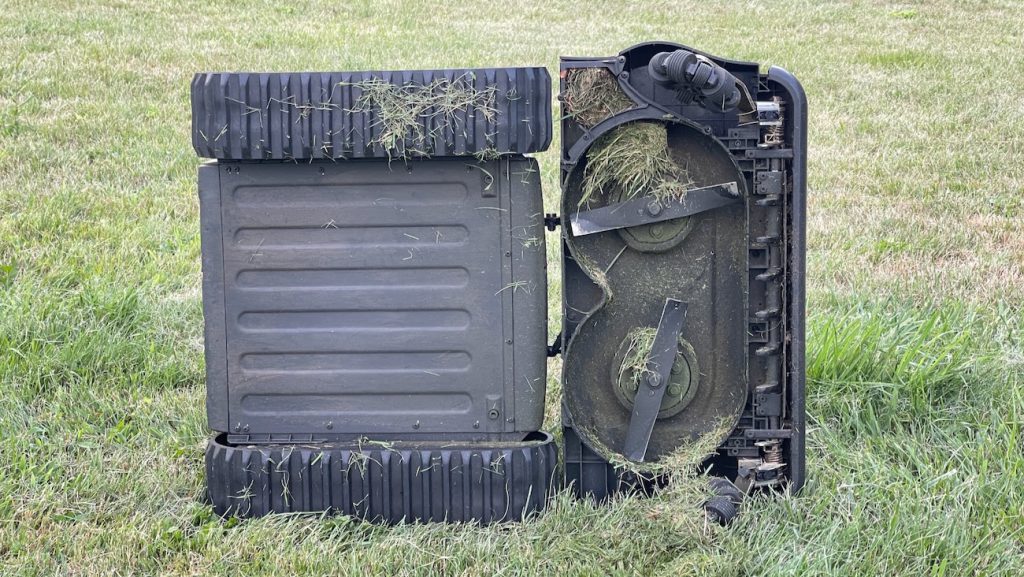
Cutting length adjustment is a genuine bright spot here. I didn’t measure the increments precisely, but the range and control over cutting height is solid, and it’s an easy setting to dial in once you understand how it interacts with clogging, which I’ll get to below.
Real Blades You Can Sharpen, Not Discs You Replace
This is worth its own section because it’s a genuine structural difference from most of the competition, not just a spec. Most robot mowers, including plenty in Lymow’s own price range, use small razor-style blades mounted on a spinning disc. They’re cheap and easy to swap, but they’re also disposable. Hit a stick or a rock and you’re pulling out a new one, and on a property with any real debris, that adds up fast.
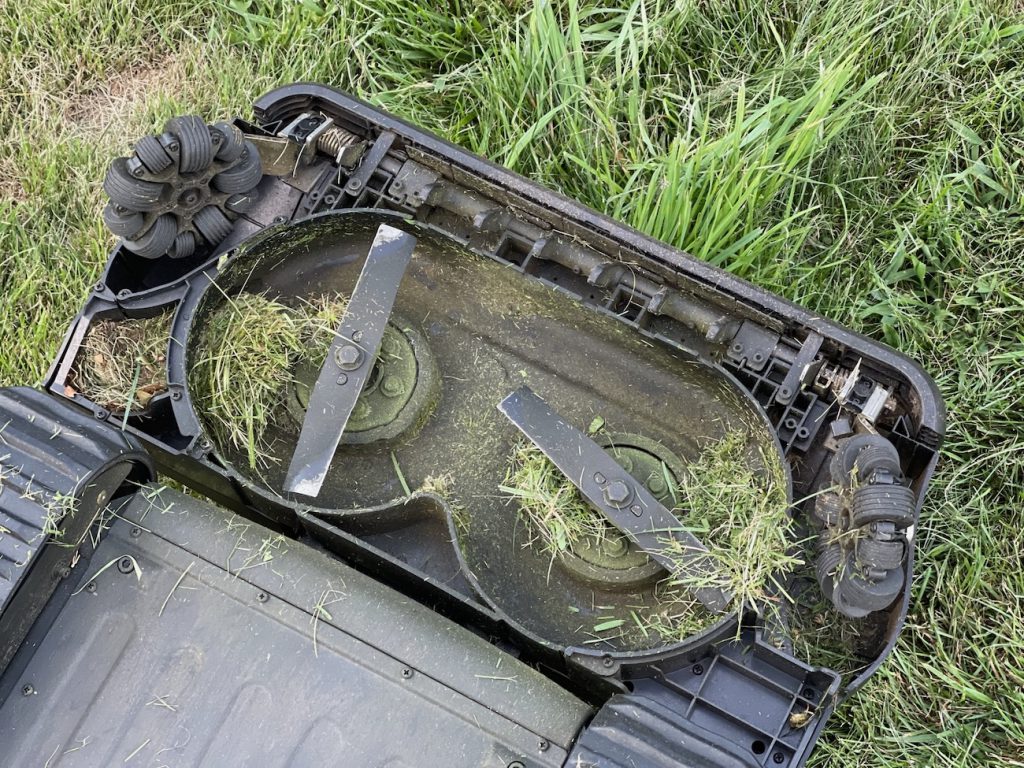
The One Plus uses two full-size SK5 tool steel rotary blades instead, closer in spirit to what’s under a traditional gas mower deck. They’re removable with a single bolt, and other testers who’ve run the mower for months, including HandyDadTV’s teardown of the deck, note you can sharpen them yourself with a file or an angle grinder rather than replacing them outright. On a lawn like mine, with sticks scattered everywhere from mature trees, that’s a meaningful difference. A razor-blade mower would be bleeding disposable blades constantly. This one just needs an occasional sharpening.
The App Doesn’t Always Remember What You Told It
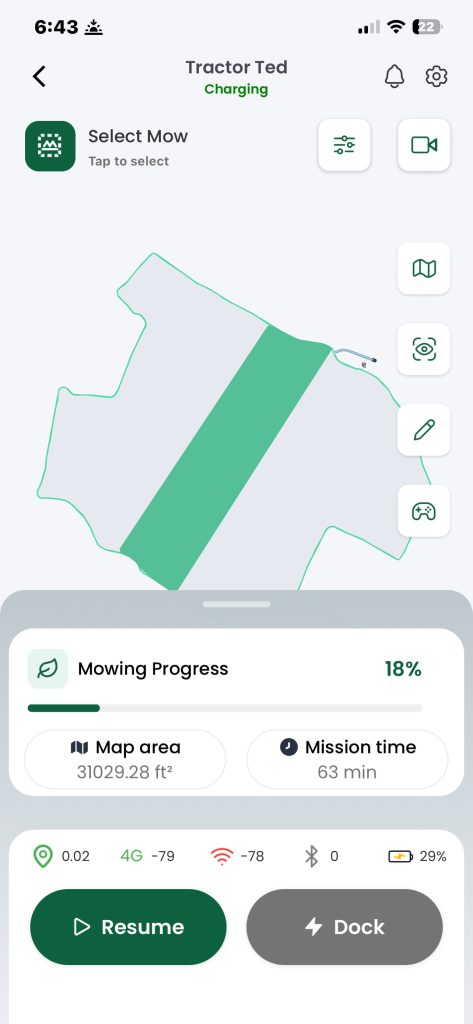
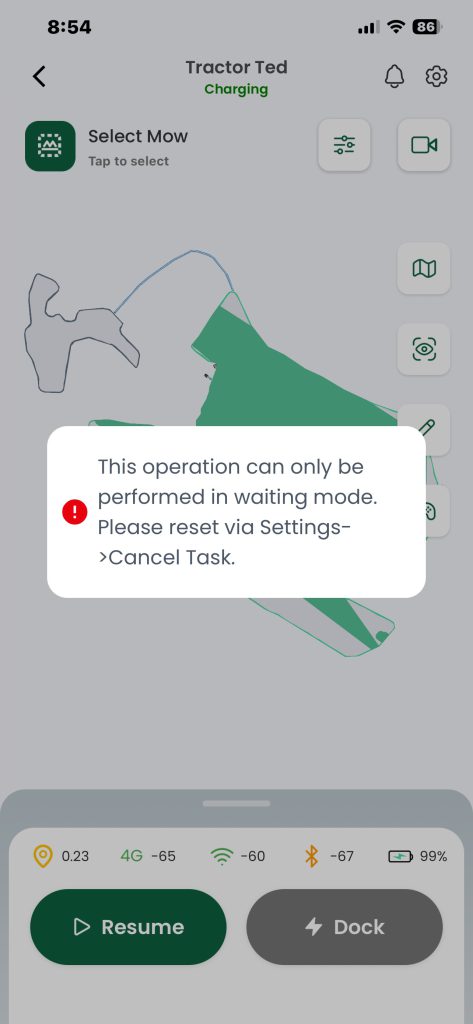
A few settings reverted on their own during testing, with no changes from me. I set the app to imperial units, and at some point it switched itself back to metric.
I had cross-cutting turned off on my main lawn, since it’s large enough that the crossing pattern wasn’t something I wanted there, and the app re-enabled it without my input. Neither of these breaks the mower. Both mean you can’t fully trust a setting to stay set, which means checking your configuration periodically instead of assuming it’s holding.
Docking Is the Most Challenging Part, and the One You Can’t Skip
This is the part of the One Plus that needed the most troubleshooting, and it matters more than any other single factor if you want a hands-off experience on a large lawn. Reliable docking is the whole point. If the mower can’t find its way home and charge itself without help, everything else about autonomy stops mattering.
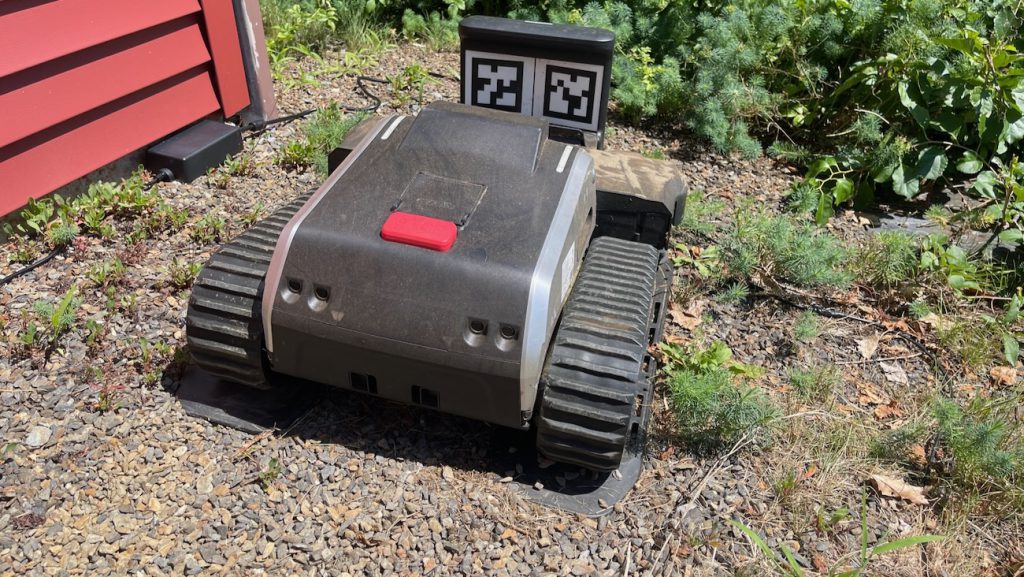
My original dock location sat under a deck with trees close by on one side, and the mower struggled to find its way home from the start. More than once I found it just sitting in the middle of the lawn instead of docked, with the app telling me it was “docking to charge” while it was already sitting on the charger. It would then pull itself back out of the dock and try the whole approach again, as if it didn’t register that it had already arrived.
I tried multiple manual workarounds to make docking work under that cover before giving up on the location entirely. None of them held up consistently.
Moving the dock to open ground next to a building on the property, near an existing power source, fixed almost all of this. Docking issues that showed up multiple times a week basically stopped once the dock had a clear view of the sky. If you’re setting one of these up, treat dock placement as the single most important decision in the whole process. You want somewhere genuinely open. Partial cover isn’t a fix, it’s a delay before the same problems come back.
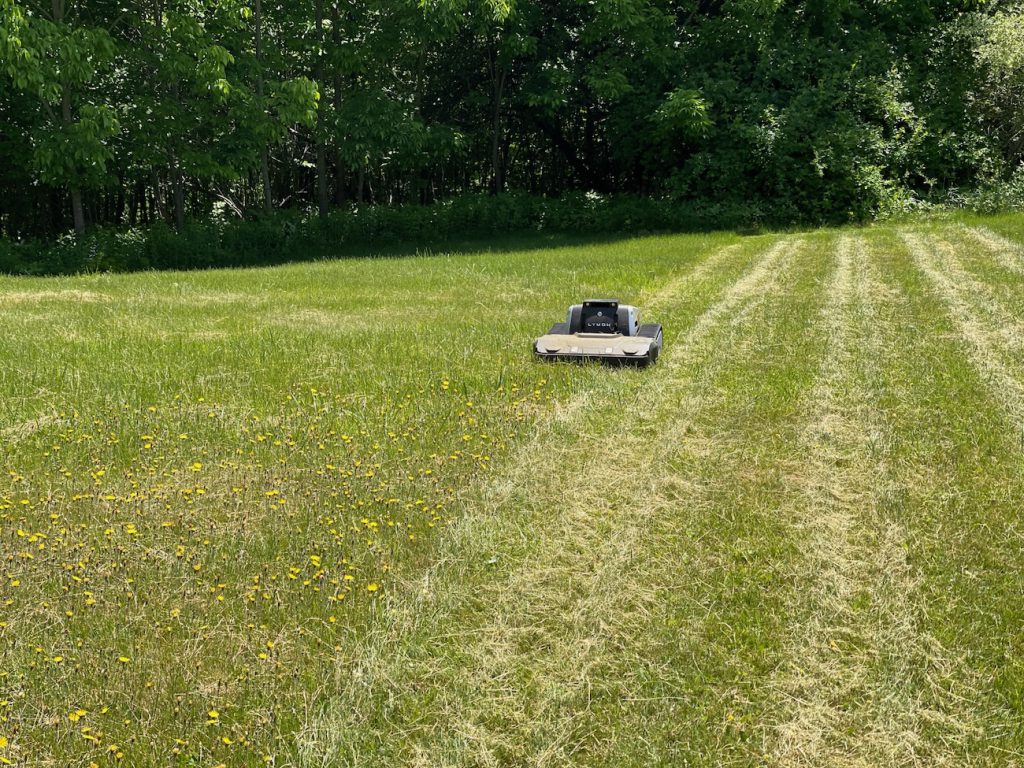
That fix came after one rough night. The mower drained to zero percent battery in the bushes instead of reserving a safety charge like it’s supposed to. At 78.5 pounds, this thing is not light, and I had to carry it 50 to 60 yards back to the dock myself. That’s a genuinely awkward carry for one person, closer to hauling a loaded push mower uphill than picking up a dead phone.
Even sitting directly on the charging pins, it wouldn’t start charging. I had to use the Bluetooth remote drive function to back it off the dock and re-approach before it finally accepted a charge.
A separate, stranger version of this showed up later, on a hot afternoon, and it’s worth flagging on its own. The mower appeared to be sitting on the dock but the app kept cycling through “searching for charger” without ever confirming a connection, even though it was physically seated correctly. It looked like a docking failure. When I came back a few hours later, the battery had climbed from 3 percent to 70 percent, so it had actually been charging the whole time. This started after a firmware update, which makes it feel like a software display bug rather than a hardware fault.
Heat may be a factor here. I’m in Maine, where summer temperatures rarely push past the low 80s, and I still saw this. If you live somewhere that regularly sees 85 degrees or hotter, budget extra patience for this kind of quirk, since heat and battery charging tend to interact in ways that get worse, not better, at higher temperatures.
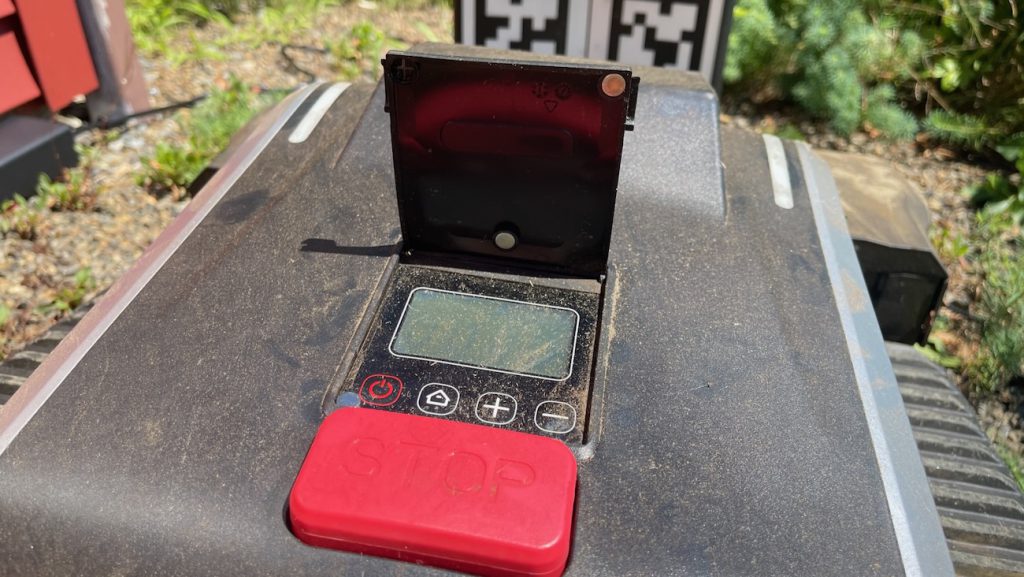
It’s also worth saying that Lymow isn’t alone here. Charging-contact issues that made docking unreliable were common enough across the first-generation Lymow One that reviewers, including PCWorld’s testing, noted the company redesigned the contacts specifically to address it on the One Plus. That redesign clearly helped, since moving my dock resolved most of my issues, but it also tells me this is a known growing pain for the category rather than something unique to my setup.
Getting Lost Is a Recurring Theme
RTK satellite positioning is supposed to give this mower centimeter-level accuracy. Before I moved the dock, it lost that lock repeatedly, and recovery wasn’t graceful. Instead of retracing its own path, it spun in slow circles for a minute or more, clearly confused about its position even though the app showed its GPS location correctly.
The strangest version of this happened near a no-go zone I’d set up. The mower lost its position completely and couldn’t recalculate, even though it should have had a relative fix on where it had just been. I drove it manually onto open grass and it immediately knew exactly where it was again. That’s a real design gap. A mower that can only re-orient itself in open space isn’t much good on a property with trees, fences, or garden beds cutting into the mowing area.
A smaller, separate quirk showed up right around a slight decline and incline just outside the dock area, nothing steep or unusual. Occasionally the mower would flag an obstruction there that wasn’t real. Most times it cleared this on its own. One day it didn’t. It just sat there, made no attempt to retry, and needed a manual tap on a button in the app before it would push through. The next time it hit that same stretch, it drove through without issue. It’s inconsistent, minor, and hard to predict, which is its own kind of annoying.
Nighttime Navigation Is a Different Animal
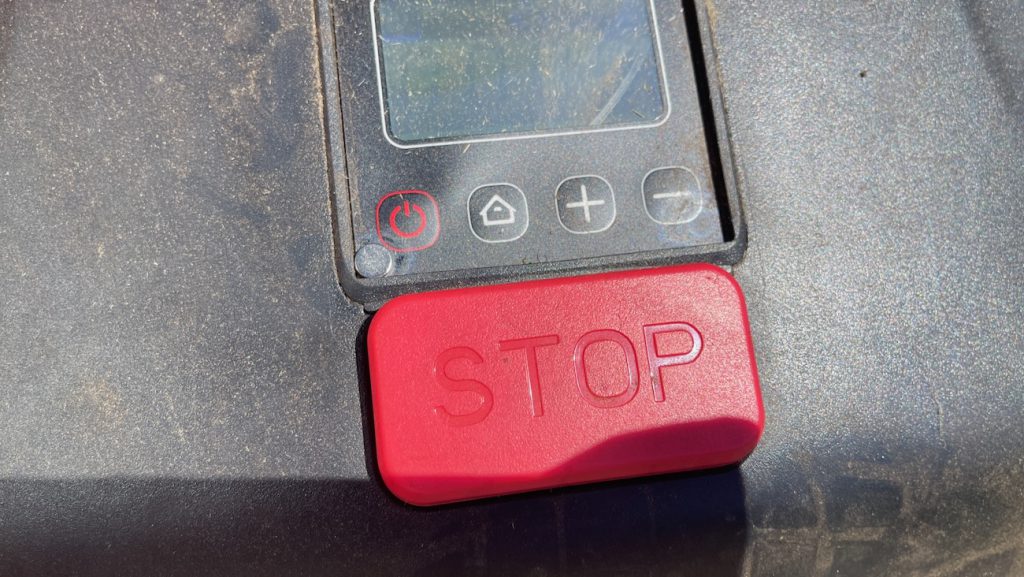
Running it after dark, it struggled to find its way back to the dock, even though its GPS and other positioning systems still showed it in the correct location. It drove in circles at one point, so I took over with Bluetooth and steered it out. Manual Bluetooth control worked fine from 60 to 70 feet away, so I could still guide it, but the mower’s own navigation clearly performs worse once the light drops. I wouldn’t run this mower unsupervised after dark.
The Blade Clogging Problem Is Bigger Than It Sounds
This is the one that concerns me most for anyone with a thick lawn. Part of my property sits over a leaching field, and the grass there grows about three times faster than the rest of the yard, and comes in noticeably thicker and wetter. That’s exactly the kind of grass that clogs a blade.
I could hear it happen. The blades would bog down and stop under too much cut material, audibly straining before quitting. The mower has no way to detect this itself. Once the blade stalls, the software still marks that section as cut, even though the grass never got touched. It doesn’t circle back, and it doesn’t flag the area as incomplete. You end up with a section of lawn the app considers finished that’s actually sitting there uncut, and the only way to catch it is to notice it yourself while walking the yard.
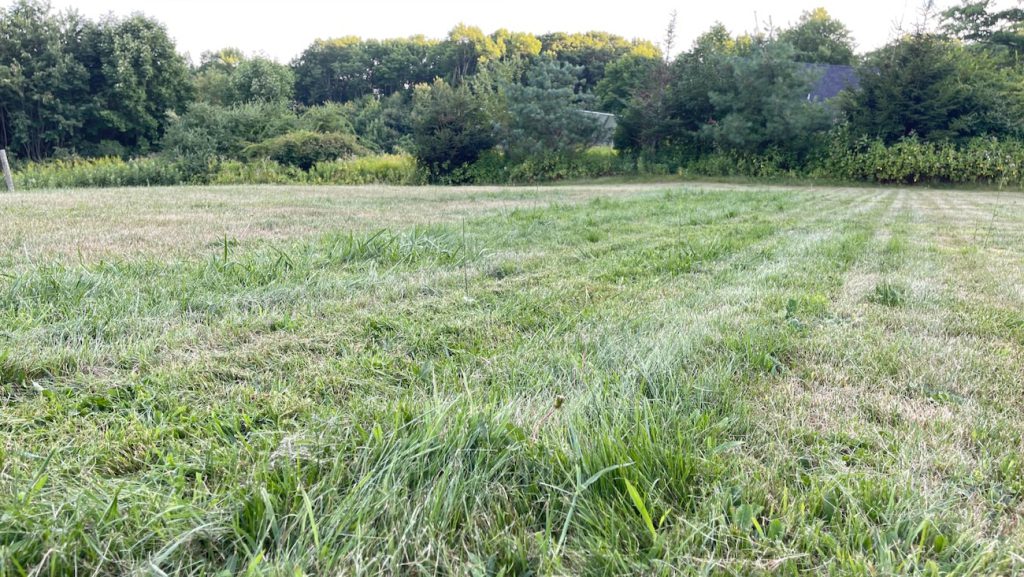
Cutting height makes this worse or better depending on which way you push it. Set the cutting length too short and you increase the odds of clogging, since the blades have to chew through more material per pass. There’s a real balance between cutting height, mowing speed, and battery use, and it takes some trial and error to land on settings that work for your specific grass.
Smaller zones handle this better than one large area, since a clog in a small zone is easier to spot and fix. On a lawn the size of mine, I’m now leaning toward just running cross-cut mode across the whole property, which passes over everything twice and catches most of what a single pass misses from clogging.
This is a real consideration if your grass grows thick or fast in spots. It’s not a reason to rule the mower out on its own, just something to plan around with zone size and cross-cut settings.
The Coverage Math Doesn’t Hold Up, and Slope Is Probably Part of Why
This is the part that matters most for anyone deciding whether to buy one. Lymow’s own specs claim up to 0.57 acres per charge and 1.73 acres per day for the 10A model I tested. My lawn measures roughly 31,000 to 32,000 square feet, about 0.72 to 0.73 acres, and clearing it end to end runs about 8 to 10 hours of actual cutting time across multiple charge cycles.
That’s well short of what the spec sheet promises, and the blade clogging issue above is part of why. A missed patch marked as complete means more manual checking, not less total mowing.
I’d also flag the slope itself as a likely factor, separate from clogging. My property isn’t flat, and climbing grade after grade draws down a battery faster than covering the same square footage on level ground would. Lymow’s per-charge coverage figure almost certainly assumes closer to flat terrain, and I’d stay skeptical of any robot mower claiming to cover that much ground on a single charge if hills are part of the picture. If your property is mostly level, you’ll likely get closer to the advertised numbers than I did.
The Slope Claims Are Real
For everything that needs troubleshooting, the terrain handling isn’t one of them. I specifically tested the mower on the steepest section of my property, the top of my driveway where the grade is genuinely severe, and it climbed it without hesitation or slipping. This isn’t just my own impression. Independent testing from outlets like PCWorld’s testing and Tom’s Guide’s review has separately confirmed the mower holds traction on real inclines that would spin out a wheeled mower, which lines up exactly with what I saw firsthand. If hills are the reason you’re considering this mower, that part of the pitch checks out completely.
Lymow’s Support Has Been a Genuine Bright Spot
Every issue above is real, but it’s worth saying clearly that Lymow has been responsive and easy to work with through the testing process. Firmware updates rolled out during the review period that addressed some of the exact problems I ran into, and the team took feedback constructively rather than defensively.
That matters more than it might seem for a category this new. Robot mowing with true wire-free navigation is still a young space, and buying into it right now is a bit of a bet on how quickly a company keeps improving. A manufacturer that’s actively iterating and listening is a meaningfully better bet than one that ships a product and walks away. One long-term tester who put the mower through months of daily use, Technically Jeff’s review, reported the same pattern: real issues early on, paired with a team that kept shipping fixes rather than going quiet.
None of that changes the terrain capability, which is the real reason to buy this mower in the first place. Large yards and real inclines are exactly what it’s built for, and it handles both without hesitation.
The Market Lymow Is Fighting Into
Wire-free robot mowers span a wide price range depending on lawn size and terrain claims. At the entry end, smaller Navimow models from Segway target quarter-acre lawns under 1,000 dollars. That’s not the market Lymow is chasing.
The real competition sits in the 3,000 to 4,500 dollar range, built for bigger properties with real terrain. Segway’s Navimow X450 AWD covers up to 1.5 acres and claims an 84 percent grade, or 40 degrees, using four independent drive motors on wheels. Mammotion’s LUBA 2 AWD line covers 0.75 to 2.5 acres depending on model, priced between roughly 2,999 and 4,499 dollars, and claims an 80 percent grade, or 38.6 degrees, also on wheels. Husqvarna’s Automower line plays in the same space with a longer reputation and generally more conservative slope claims.
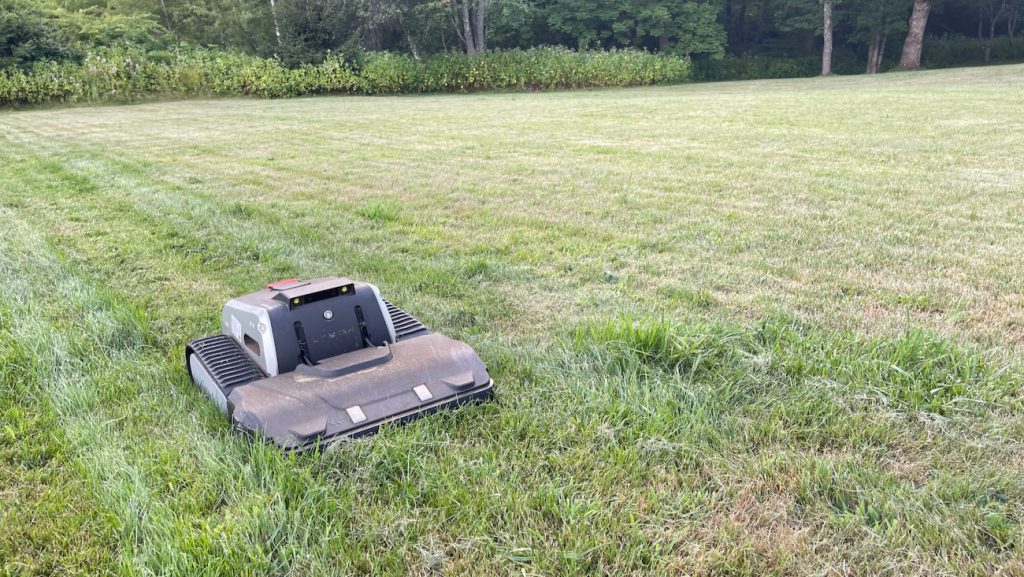
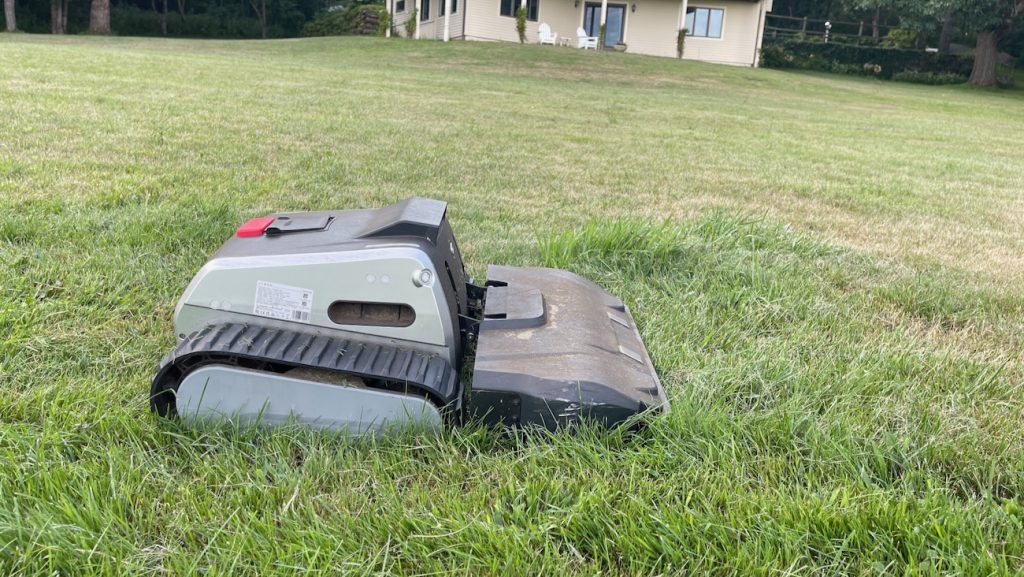
Lymow is the outlier because it skips wheels for continuous tank tracks, claiming a 45 degree, or 100 percent, grade, the highest slope rating in this tier. That’s the entire case for choosing it over the wheeled competition. Tracks spread weight over a wider contact area and grip terrain that wheels can spin out on, which lines up with what I saw on my own driveway.
Within Lymow’s lineup, the One Plus is the flagship, and the unit I tested is the 10A version, the faster-charging model built for bigger daily coverage. The base Lymow One runs 2,999 dollars with a single 1,200 watt motor and covers about half an acre per charge. The One Plus adds a second blade, nearly 50 percent more peak power at 1,785 watts, and a cyclone airflow system meant to lift flattened grass before the cut. The 5A version runs 2,999 dollars and is rated for 1.1 acres a day. My 10A model runs 3,199 dollars and is rated for 1.73 acres a day with a faster charger, the figures I used throughout the coverage math above.
How I Tested
I ran the Lymow One Plus 10A across multiple sessions over several weeks on my in-ground property, mowing a lawn of roughly 31,000 to 32,000 square feet with a mix of flat open sections, a steep driveway grade, and a patch of noticeably thicker, faster-growing grass over a leaching field.
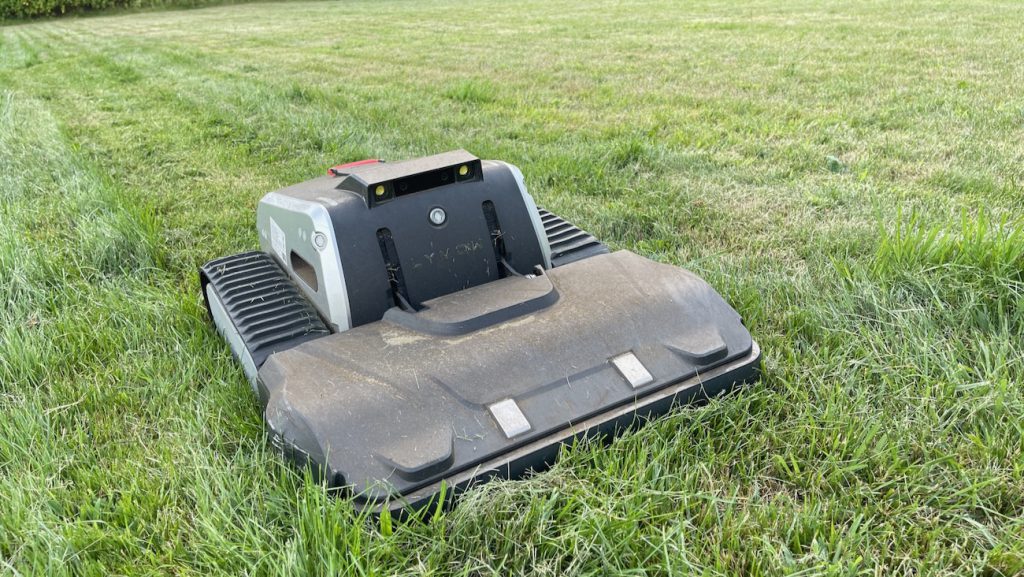
Testing included daytime autonomous mowing, at least one nighttime session, and repeated use of the Bluetooth manual drive function at distances up to 60 to 70 feet from the mower. A dry stretch with no rain slowed lawn growth partway through the review period, which limited how often I could run full cutting cycles.
The mower’s original dock location, under a deck with adjacent trees, produced frequent docking failures despite several manual adjustments to try to make it work. I relocated the dock to open ground next to a building on the property with an existing power source, which resolved most of those issues. I also tracked app behavior through multiple error states, including RTK signal loss, false obstruction detections, a full battery drain in the field, a charging display glitch on a hot afternoon, blade clogging in thick grass, and settings that reset without my input, across firmware updates released during the testing window.