


This review contains a sponsored placement. GadgetReview received a review unit from Comu. Our opinions are our own.
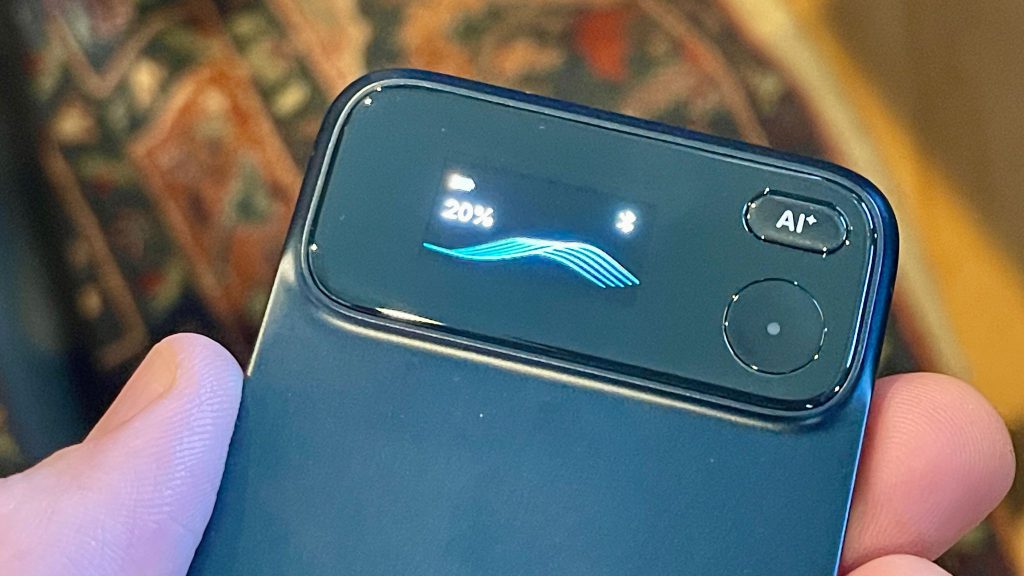
The Comu Action Pro wants to replace your phone as the thing you reach for in meetings, calls, and interviews. It records, transcribes, and drafts follow up emails and slides from a single button press. The idea is smart. The execution still has some catching up to do.
I’ve had the device in hand for about two weeks, testing it against my daily driver, an iPhone 12 Pro Max. Here’s where it earns its price tag and where it still needs work.
Build and Design
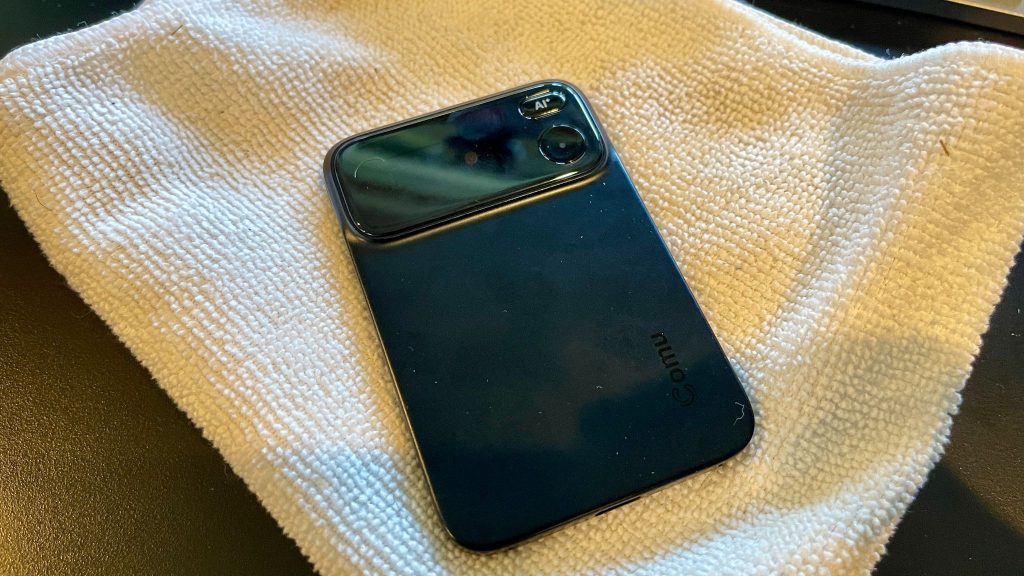
The Action Pro is CNC-machined metal, likely aluminum, with a USB-C port on the bottom and a six-microphone array built specifically around capturing speech. What looks like a small button on the side is actually a directional microphone designed to isolate vocals and cut down on background noise. Four additional microphone openings across the top and bottom complete the six-mic array, giving the recorder 360-degree audio coverage.
That layout makes more sense once you start using it. Voices come through clearly even when there is other noise in the room, and that cleaner input gives the transcription engine better audio to work with. Comu has clearly designed the Action Pro around conversations, meetings, and interviews, where separating speech from everything happening around it matters more than simply recording the room.
Pairing is done by scanning a QR code that displays on the device’s own screen. On my iPhone 12 Pro Max, the screen was too bright for my camera to read it without blooming Fortunately, Comu thought of this, and provides a simple and easy way to enter a code into your phone to complete the pairing process. Small thing, but worth knowing before you assume the setup will be scan-and-go.
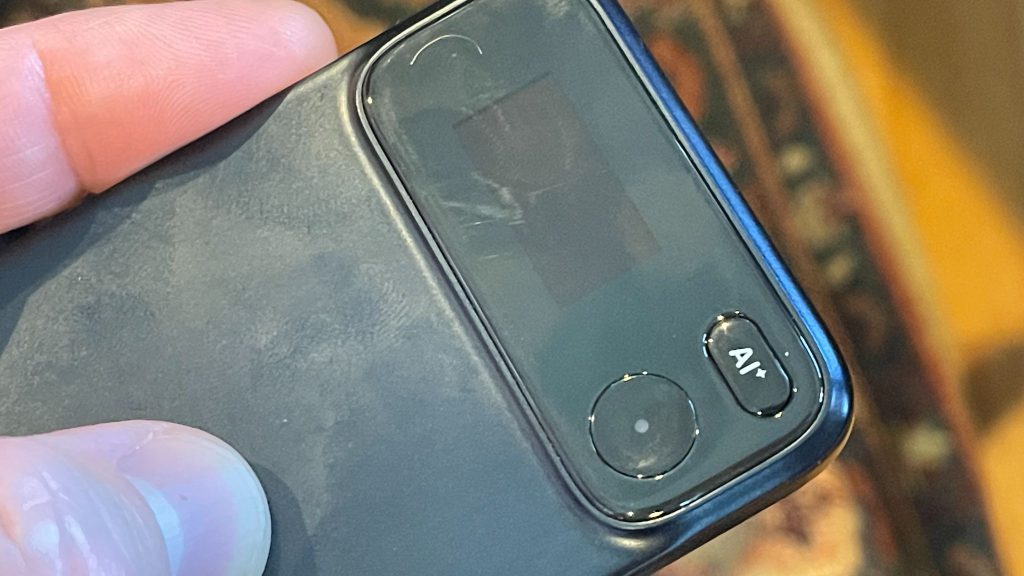
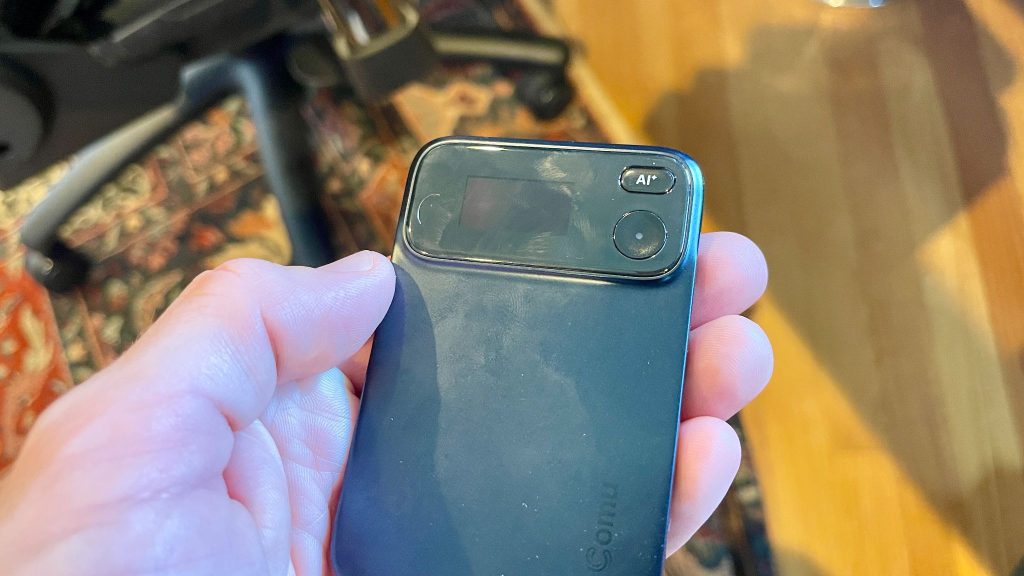
The record button sits next to a small screen and it’s well designed. It’s carved in nicely, gives a clear haptic tap when you start or stop recording, and lights up blue while it’s live. Above it sits a separate AI button for voice prompts. The whole thing feels solid in hand, though the metal body picks up fingerprints fast.
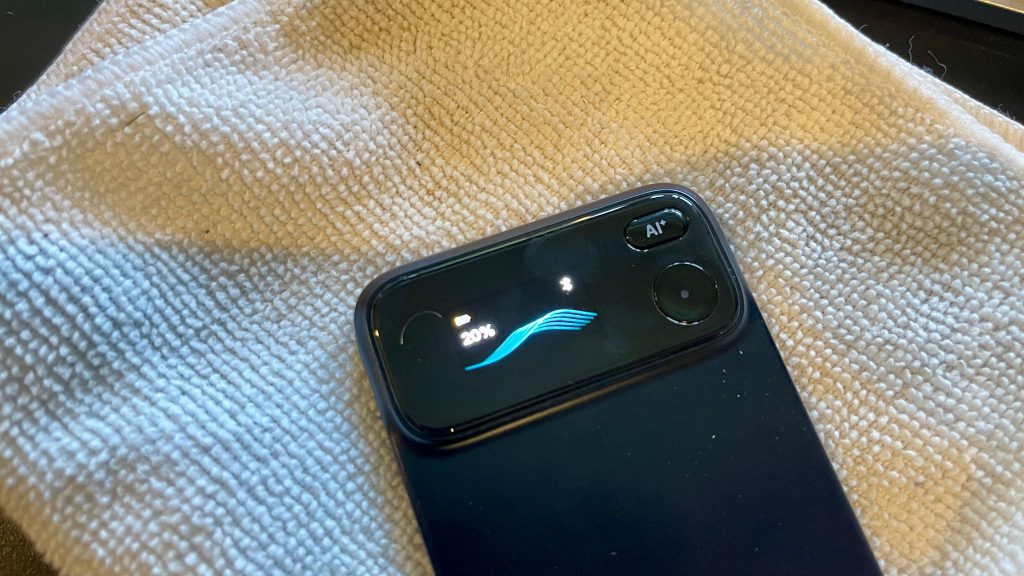
The Comu Action Pro ships with a fulll color AMOLED display. It’s sharp and very easy to read. Most of the info, such as BT connection, the recording wave and battery life are shown in either white or blue font. The battery life is displayed in yellow, which displays when the battery is running low. It’s a nice touch that captures your attention.
The MagSafe Problem
Comu’s pitch is that the Action Pro clips to the back of your phone like a wallet, but MagSafe alone isn’t really the intended installation. The proper setup is to stick the included magnetic ring onto your phone case. That’s how I used it, and the connection was excellent. The Action Pro adhered much more securely and stayed firmly in place.
The slight issue is for anyone who doesn’t use a case. You’d either have to stick the metal ring directly onto the back of your phone or rely on MagSafe alone. I tested the latter, and the connection isn’t quite strong enough. Because the Action Pro’s magnet sits toward the top rather than centered, it can pivot around that attachment point and rotate if it gets bumped.
With a case and the included magnetic ring, though, this wasn’t a problem at all. The mount felt secure and worked exactly as intended.
The Magic of Recording Meetings
The Action Pro is at its best in meetings, whether you are sitting across a conference table, joining remotely, or working in a hybrid setup. The six-microphone array captures the discussion, and once the meeting wraps, Comu can turn that conversation into far more than a transcript.
You can get an AI-generated summary almost immediately, but the more interesting part is what happens next. Comu can generate a structured business proposal directly from the meeting, create editable presentation slides with AI Slides, and let you go back afterward and question the AI Agent about anything that was discussed.
That last part is especially useful. Instead of digging through a transcript to remember who agreed to what, you can ask the Agent to recap a specific topic, pull out commitments, or surface the next steps from the conversation.
The Agent is also customizable rather than being a fixed AI assistant. Using Agent Credits, you can tune it around your own workflow and use the conversation as the starting point for actual work. A promise to send a follow-up email could become a drafted message. A list of next steps could become tasks. A client discussion could turn into a proposal, document, or slide deck without rebuilding everything from scratch.
Calls are still a strong use case, and the Action Pro can capture both sides clearly, but meetings are where the broader system starts to make sense. The recorder is really just the input. The bigger value is turning everything said in the room into something you can actually use once the meeting ends.
On sound quality, the Action Pro’s six mic array does pick up speech more clearly than my iPhone’s built in mics. But it has a tighter, more digitally processed character to it, almost tinny by comparison, where the iPhone sounds more open and natural. That tradeoff makes sense. The Action Pro is tuned for transcription accuracy, not natural room tone.
The AI Button
Hold the AI button and you can speak a prompt straight into the app, no typing required. It’s a smart idea and different from carrying a standalone recorder. The tradeoff is the same Bluetooth and app dependency mentioned above, so know before you rely on it in the field.
Where This Fits Against Siri AI
Even if you have a newer smartphone with increasingly capable AI features, the Action Pro still makes a case for itself. The difference is that it’s a standalone device. You can move it between phones, computers, meetings, or other situations where pulling out your phone isn’t convenient, and keep recording without tying everything to a single device.
That portability matters. Newer phones may increasingly handle summaries, contextual drafting, and other AI tasks natively, but your phone still has to be there and available. The Action Pro can live on your phone during a call, sit on a table during a meeting, or go wherever the conversation is happening.
In that sense, the newer your phone gets, the Action Pro doesn’t necessarily become redundant. Its value shifts from simply adding AI features your phone lacks to giving you a dedicated capture device that can follow your workflow instead of being locked to your phone.
Battery
Battery life held up fine across light testing. I went about two weeks without charging while using it on and off, never recording more than ten or fifteen minutes at a stretch. I haven’t pushed it to a full multi hour session yet.
How It Compares
Against the broader field of AI recorders, the Action Pro actually lands in a useful middle ground. Some devices are built around a very specific behavior. The Flowtica Scribe, for example, is a working pen that records while you write, making it especially appealing for people who already take handwritten notes. Wearables such as Plaud’s NotePin are designed to stay on you throughout the day, while card-style devices like the Plaud Note lean toward slipping onto a phone and capturing meetings, calls, and voice notes.
The Action Pro feels more purpose-built for someone who wants a dedicated recorder without necessarily wearing one all day or changing how they already work. Stick it to your phone for a call, put it on a conference table for a meeting, carry it into an interview, or use it independently when your phone isn’t immediately available. Its six-microphone array and emphasis on voice clarity make that flexibility especially useful when the end goal isn’t simply preserving audio, but getting a clean transcription and an AI-generated summary you can actually use afterward.
That simplicity is arguably one of its strengths. A pen recorder is great if you write. A wearable makes sense if you want something capturing large portions of your day. Software-only meeting assistants work well when everything happens inside Zoom or Teams. The Action Pro sits between those categories as a small, portable piece of recording hardware you deliberately deploy when a conversation matters.
At $179.99 ($169.99 with coupon GDCOMU10), with a six-mic array, AI noise reduction, 113-language transcription and multiple AI models available depending on the plan, there’s quite a lot packed into it. And the more interesting part may be what happens after the recording. If Comu continues expanding its AI and workflow integrations, the Action Pro has the potential to become less of a digital voice recorder and more of a physical capture button for your workday: record the conversation, summarize it, extract what needs to happen next, and eventually push those actions into whatever AI or productivity system you already use.
Subscription Tiers and the AI Stack
The Action Pro launched August 12. You can purchase it for $169.99 (retail is $179.99) by using coupon GDCOMU10. What you can actually do with it depends on your subscription:
- Starter ($0/month): Unlimited real-time transcription and basic summaries. You get ChatGPT, Gemini, Whisper, and Azure as backend models. Translation is capped at once a month, in-depth analysis at three times a month, and file classification is manual. You also get 500 agent credits a month for the AI-generated slides, docs, and emails.
- Premium ($10/month billed annually, $14.99 month to month): Adds Claude to the model lineup, unlimited translation and auto-generated analysis, automatic file classification, and 5,000 agent credits a month.
- Elite ($29.99/month billed annually, $39.99 month to month): Same feature set as Premium, but with 40,000 agent credits a month for heavier AI workflow use.
That agent credit number matters more than it looks. It’s what actually gates the slide decks, email drafts, and doc generation Comu markets hardest, not the transcription itself, which is free and unlimited even on Starter.
On the model question, Whisper almost certainly handles the raw transcription layer across every tier, since that’s what it’s built for. ChatGPT, Claude, Gemini, and Azure handle the higher-level agent tasks, drafting emails, building decks, summarizing. According to Notebookcheck’s hands-on testing, the app automatically picks which model runs a given prompt. There’s no manual toggle to route a task to a specific model you already prefer or use elsewhere. If you’re already paying for Claude or ChatGPT directly and have a workflow you like, the Action Pro doesn’t let you plug that in. You get whatever the app decides.