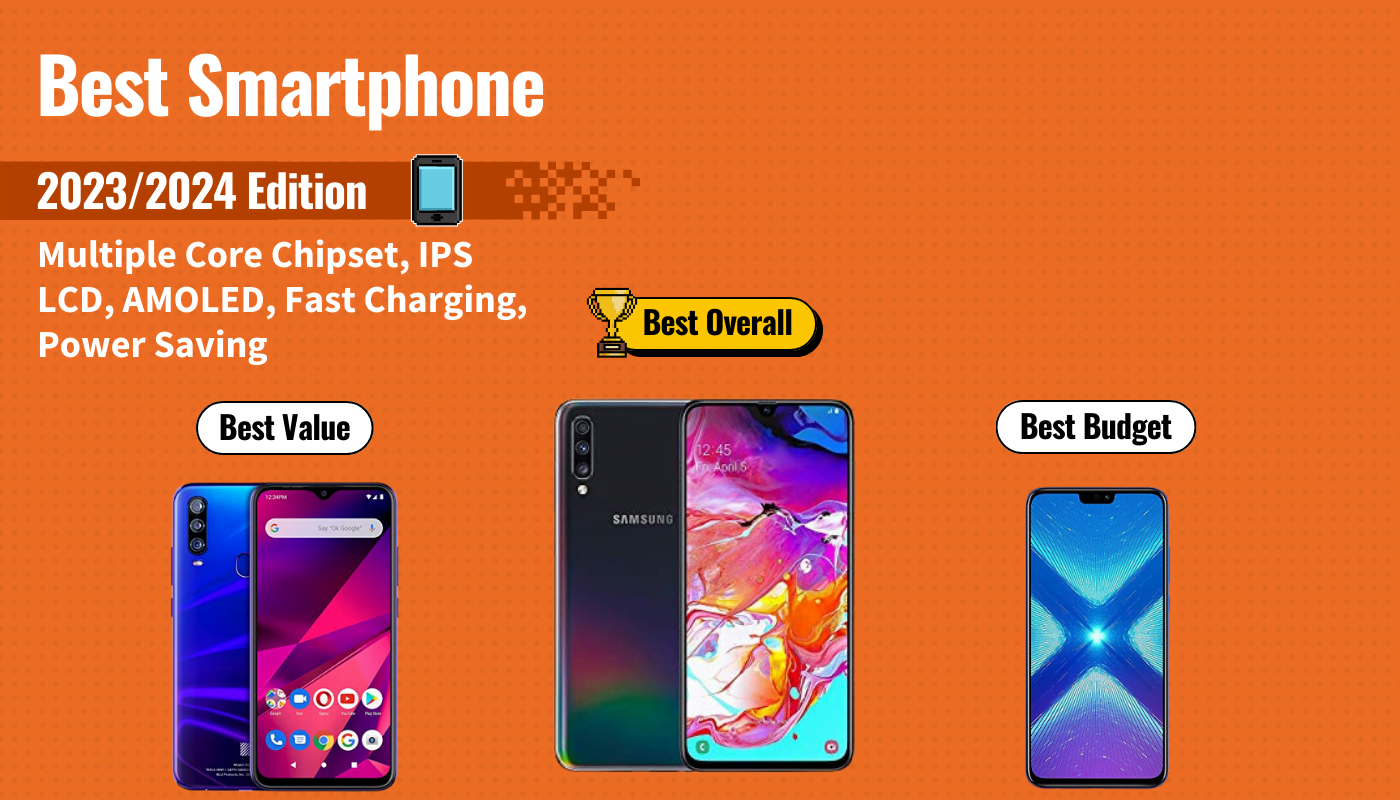
It used to be that you needed to spend a premium price to get the best smartphone, however, the name of the game has changed. Rather than spend $1,000 on the latest iPhone or Android device, you now have tons of options. This can also make the process of picking your next smartphone a little difficult, especially when you realize that you’ll likely be stuck with whatever device you choose for the next year or two.

To help you find the best choice for your mobile device needs, we first researched over 50 of the top smartphones available today, taking into consideration features like processor speed, display quality, and camera quality, along with customer sentiment. We then purchased the top 20 to get hands-on experience with each one so we could measure how the design felt at our fingertips and how well they performed over days of constant use. After days of research, we found that the UMiDigi X Smartphone to be the best smartphone because of its amazing camera, gorgeous AMOLED display, and excellent battery life. Keep reading to learn more about the UMiDigi X and the other 4 best smartphones of the year.
Top 5 Best Smartphones Compared
#1 UMiDigi X Smartphone
We’re sorry, this product is temporarily out of stock
Award: Top Pick/Best Camera
WHY WE LIKE IT: If you’re looking for premium smartphone features in an otherwise super affordable package, look no further than the UMiDigi X. This Android smartphone offers the best camera on our list and a host of other high-end features that are sure to make your phone experience much more enjoyable.
- Best camera on the list
- Gorgeous AMOLED display
- Excellent fast charging functionality
- Doesn’t support 4K video
- Can’t charge wirelessly
- Display isn’t full HD
The UMiDigi X smartphone comes into the scene with a bang. It offers a ton of excellent features like a super-big AMOLED display, long-lasting battery and inscreen fingerprint sensor. However, its most noticeable and premium feature is its camera. The rear-facing triple camera boasts a stunning 48 megapixels of resolution for amazing picture quality. You also get a 16 megapixel front-facing camera for crisp and clear selfies.
Unfortunately, the camera’s one downfall comes in the fact that it can only capture video up to 1080p at 30 frames per second. However, this isn’t a dealbreaker for us unless you absolutely need to shoot in 4K. The UMiDigi X also performs well due to its MediaTek Helio P60 AI octa-core processor. The phone kept up throughout the day with minimal lagging or freezing, even during gaming. With these features and more, it’s easy to see why the UMiDigi X is our top pick of smartphones.
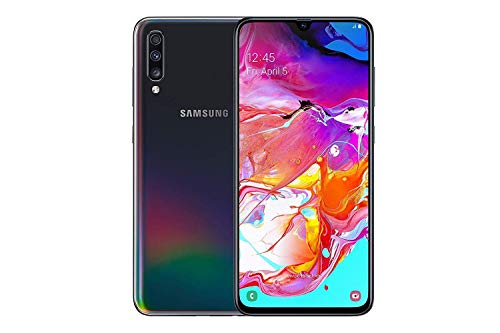
#2 Samsung Galaxy A70 Smartphone
Award: Honorable Mention/Best Samsung
WHY WE LIKE IT: As one of the biggest players in the smartphone arena, Samsung always comes out of the gates with stellar devices that peform well. And the Galaxy A70 lives up to that name. With a huge battery, Super AMOLED display and smooth performance, this is one of the best Samsung smartphones you can buy today.
- Best battery life on the list
- Excellent display
- Smooth performance
- Cameras aren’t as impressive as others
- Phone back scratches easily
- Fingerprint scanner can be slow at times
If you constantly use your smartphone throughout the day, then you absolutely need a device with a big battery. Lucky for you, the Samsung Galaxy A70 offers the biggest battery on our list, measuring in at an impressive 4500 mAh, which gives you all-day performance. You can also charge the battery wirelessly when it finally does drain. Another great feature of the Samsung Galaxy A70 is its beautiful 6.7-inch Super AMOLED display with Full HD resolution. The display even goes edge to edge for a better viewing experience.
Overall, the Galaxy A70 performs well with its octa-core processor. The smartphone gives you enough processing power for all your daily needs and some gaming. We were able to use the phone all day without any hiccups or lagging. One of the most disappointing features of the A70 is its camera. While you’ll still be able to capture decent photos using the three rear cameras, we found that the end results lacked in detail and crispness we were able to see on other cameras on our list. Overall, the Samsung Galaxy A70 is an excellent choice for anyone looking specifically for Samsung smartphones.
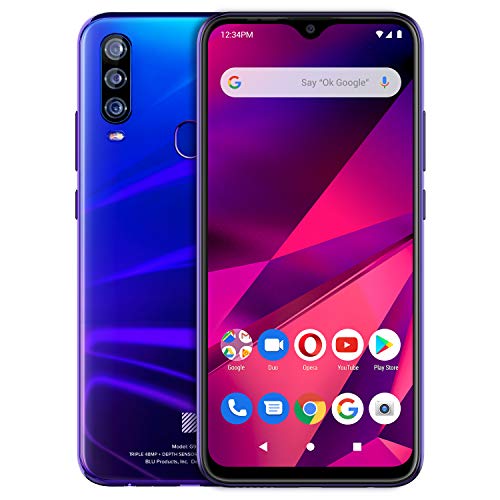
#3 BLU G9 Pro Smartphone
Award: Best Budget/Best Processor
WHY WE LIKE IT: The BLU G9 Pro may not be a household name (yet), but with its most recent release in the G9 Pro, the company is certainly trying to make it so. At the most affordable price on our list, the BLU G9 Pro is the best budget option on our list with tons of high-performance features.
- Tons of high-end features at low price
- Includes wireless charging
- Sleek and solid design
- Display colors may be cooler than you’d like
- Middling camera performance
- NFC not supported
Buying a new smartphone these days can be a difficult and expensive process, to say the least. There are tons of options on the market, many of which can cost as much as $1,000 . BLU has changed that expectation with its flagship smartphone, the BLU G9 Pro. You’d be hard pressed to find a smartphone costing under $250 with as many premium features as the G9 Pro. It offers a solid processor, excellent 6.3-inch HD display and wireless charging functionality. These high-end features make this a worthy opponent to many premium smartphone brands.
You might think that such a budget phone will struggle under the pressure, but we were happy with the phone’s overall performance, even during processor heavy applications like games or photo editing. The triple camera set up is impressive for a budget smartphone and performs pretty well for a budget phone. Don’t expect amazing performance here, especially when it comes to customization or things like night modes, but the phones is probably good enough for most users. In the end, you just can’t beat the BLU G9 Pro for the price it offers. If you don’t want to spend an arm and a leg on your next smartphone, this is the device to watch.
#4 Razer Phone 2 Smartphone
We’re sorry, this product is temporarily out of stock
Award: Best Value/Best Gaming
WHY WE LIKE IT: Mobile gaming is becoming more commonplace as a viable option for gamers on the go, thanks to phones like the Razer Phone 2 and game developers understanding that they can make great games on phones. The Razer Phone 2 offers a super-powerful processor for gaming, as well as really great speakers and a smooth display.
- IP67 water resistance
- Blazing fast performance
- Supports MicroSD cards up to 2 TB
- Disappointing battery life
- Camera could be better
- Only 64 GB storage
If you’re a gamer, then you’re likely already familiar with the Razer brand. They make gaming PCs and laptops, as well as tons of gaming accessories. Now, with the Razer Phone 2, they’ve invested in mobile gaming as well. If you don’t have enough time to play games at home, then this is the phone for you. For starters, it features a blazing fast Qualcomm Snapdragon 845 processor that’s supported by a custom vapor chamber cooling system. This processor and cooling system allow you to game without lag, stutters or overheating, which is huge for mobile devices. You also get excellent front-facing dual speakers and a very impressive 120Hz QHD display, which is unheard of in smartphones.
The Razer Phone 2 also functions pretty well as a smartphone, so you won’t have to worry about just having a phone that plays games but doesn’t do the phone stuff, too. The phone gives you wireless charging and IP67 water resistance, both premium smartphone features. Unfortunately, the Razer 2 struggles a but when it comes to the camera. You’ll get alright pictures, but they lack in detail when compared to other smartphones. You’ll also only get 64 GB of onboard storage, but the phone supports MicroSD cards up to 2TB in size, so this isn’t something to worry about too much. All in all, if you need a phone for gaming, you can’t pass up the Razer Phone 2.
#5 Huawei Honor 8X Smartphone
Award: Best Design
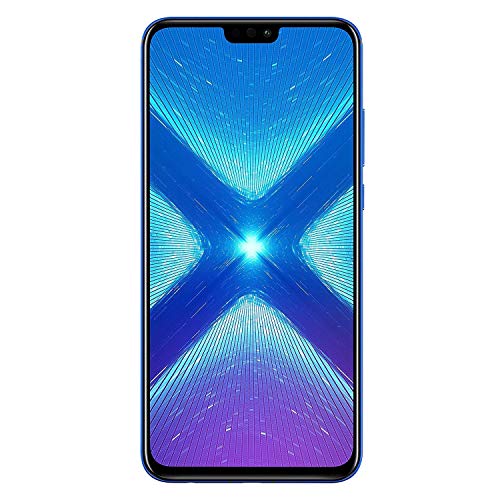
WHY WE LIKE IT: Huawei is redefining what it means to be a budget smartphone, which is very apparent in the Huawei Honor 8X. With an all-metal build that comes in a stunning purple/blue color, this smartphone is one of the best looking and best performing phones on our list.
- Excellent performance
- Designed very well
- Excellent battery life
- Uses Micro USB to charge
- Tons of unnecessary apps
- Not water resistant
There’s no question about it. The Huawei Honor 8X is one of the most attractive smartphones on our list. It’s made with a full aluminum frame sandwiched between two strong pieces of glass, sporting a beautiful two-tone finish. It’s elegant and refined, something that surprised us for a phone under $300. Fortunately, the phone couples this beautiful design with excellent performance, as well, making it one of our top picks.
One of the best performance features we experienced with the Honor 8X is the battery life. The battery is long-lasting and we went most of the day without needing to charge it all, which is impressive considering just how much we did with the phone. Unfortunately, the phone still features a microUSB charging port, which is outdated and doesn’t offer any kind of fast charging. We were also pleased with the overall performance of the Honor 8X. It isn’t an Android or iOS device. Instead, it features the EMUI operating system, which, while a little bloated with unnecessary apps, is still smooth and snappy. If you’re looking for a beautifully designed device that breaks out of the Android vs iOS war, the Huawei Honor 8X might just be the choice for you.
What to look for in the Best Smartphone
- Software: Hardware specs are important in smartphones, but we can’t forget that the software largely determines our experience. Chances are that you’ve decided on the operating system (iOS, Android, or Windows). However, if you’re going with Android, there’s another level to the software – the UI. Manufacturers all develop their own skin on top of Android, some heavier than others, that offer different features. Make sure to research the differences.
- Display: The two competing display technologies that manufacturers decide among are IPS LCD and AMOLED panels, which have different advantages and disadvantages. IPS LCD’s have more natural colors while AMOLED displays are more vibrant. Also, AMOLED can result in better battery life, because pixels can individually light up as needed.
- Battery: The battery subject speaks for itself. Battery life is often a pain-point with smartphones. We ask so much from them, and before we know it, our precious phone is nothing more than a paperweight. Therefore, always be mindful of the battery’s mAh capacity in the phone’s specs.
Mistakes to Avoid
Don’t go too cheap: Many times, casual smartphone users simply buy cheap variants. They’re typically fine at first, but then the tiny storage space gets filled up, or the system gets taxed with one too many apps. Manufacturers can skimp on important specs for the bargain price, so look for a good balance.
Camera: A high megapixel count doesn’t mean that a camera is good. The quality more has to do with the lens and sensor competency. When considering a smartphone, check out more specifics about the camera, such as aperture size. A larger aperture lens (less is more – e.g. 1.8f) lets in more light, making it better equipped for those tricky low-light situations. Also, avoid cameras with slow Auto-Focus. Life happens fast, and a smartphone camera should be able to keep up.
Most Important Features
Chipset
- There are different tier chipsets for different smartphone prices. Avoid going too cheap. Processors with multiple cores and more RAM helps multitasking and UI navigation drastically.
- Be mindful of the internal storage space. 8GB is too low in this day and age (even 16GB, unless there is expandable microSD card support). If you’re looking at the iPhone, don’t go smaller than 32GB, otherwise you’ll be deleting photos and apps before you know it.
Display
- The display quality that you get can be affected by the phone’s price. Manufacturers sometimes cheap out and use an inferior panel with low resolution.
- IPS LCD panels are commonly used, such as in the iPhone. They maintain the great color reproduction of LCD’s while improving viewing angles.
- AMOLED display technology is newer than LCD and offers some advantages: colors are vibrant, quality is maintained at even extreme viewing angles, and potential battery savings.
Battery
- Manufacturers try different approaches to help the battery life concern. Many tune their UI to be efficient, and some have two tiers of Power Saving settings.
- Quick or Fast charging have helped by getting us charged much faster. Make sure to check if the phone in question has this feature.
- Always look at the mAh battery capacity in the phone’s spec sheet. These days, phone’s that pack around 3,000 mAh can last a day with moderate-heavy usage.