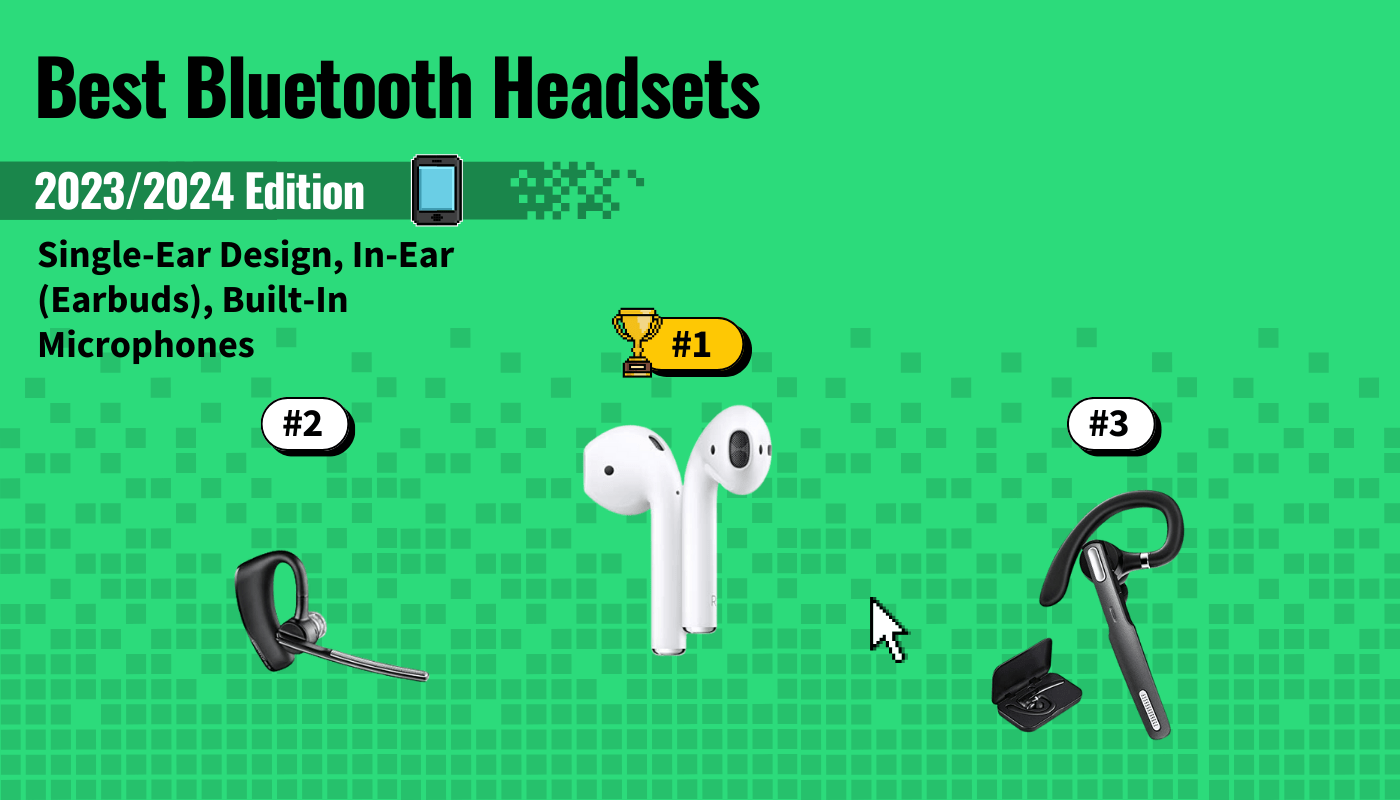
To determine the best Bluetooth headsets, we looked at the following: design, battery life, Bluetooth range, additional features, and price. You’ll need to decide whether you prefer a single-ear versus dual-ear design and if you’d rather wear in-ears versus on- or over-ears. Also, consider the battery life. Power talkers should prioritize options that can support at least eight to 10 hours of continuous talking, with quick recharging between one or two hours. Your Bluetooth range should be at least 33 feet, but depending on how you plan on using your headset, additional features can vary from waterproof rating to a carrying case.
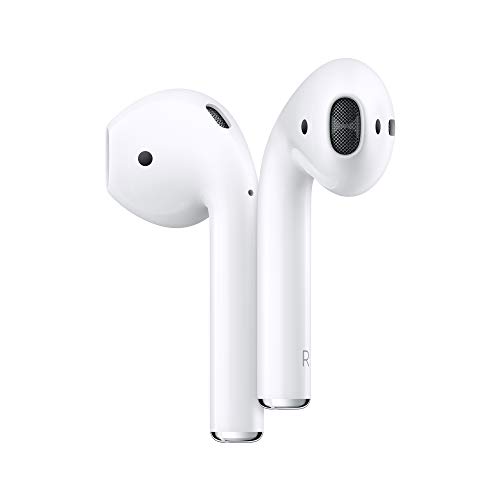

After considering all of the above, we nominated the Apple AirPods with Charging Case as our Top Pick. While it is primarily intended for Apple devices, we liked that it was a stereo Bluetooth headset that natively integrates with the Apple ecosystem. You’ll get a 33-foot Bluetooth Range, and a total battery life of 24 hours (5 hours per charge for the AirPods with the ability to provide 24 hours of total recharging through the case before it must be recharged). Keep reading to learn more about our other top picks.
Top 7 Best Bluetooth Headsets
#1 Apple AirPods with Charging Case
Award: TOP PICK
WHY WE LIKE IT: A sleek and modern dual-ear design makes this the best Bluetooth headset for music, with a portable charging case that is specifically designed to easily pair with Apple devices.
- Best for listening to music
- And excellent stereo headset
- Includes charging case
- Most expensive
Bluetooth headsets have come a long way from the original single-ear models that dominated the tech world for the past few decades. Hands down, there’s a bit of prestige that comes with owning a pair of Apple AirPods. These sleek headphones that can double as Bluetooth headsets are not just our Top Pick, but have also been nominated as the best Bluetooth headset for music, and the best stereo headsets since they’re the only dual-ear option in our guide.
While all of the headsets in our guide do give you the ability to play music, let’s admit that most people prefer to listen to music through two headphones rather than one. And they want the best headphones. Although Apple AirPods are expensive, we do like that you get up to five hours of listening time on a single charge, and that the included battery case can extend that battery life by up to 24 hours before the case itself must be recharged. Plus, you also get native Siri support. Admittedly, this headset is only a viable option for Apple iPhone users, but if you’re entrenched in that ecosystem, you most likely weren’t going to consider any other Bluetooth headset anyway.
#2 Plantronics Voyager Legend Wireless Bluetooth Headset
Award: HONORABLE MENTION
WHY WE LIKE IT: A smart sensor that automatically routes calls to either your headset or smartphone by detecting if you’re wearing the headset makes this the best Bluetooth headset for phone calls.
- Best quality
- Smart call routing and smart answer
- 80dB Noise cancellation
- Accidental muting may occur
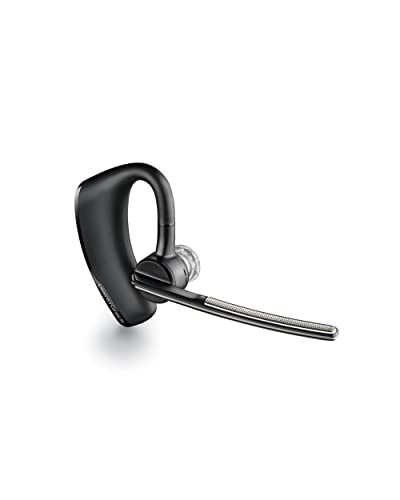
While all Bluetooth headsets give you the freedom to make and receive hands-free calls, not all of them are designed to be intuitive. The Plantronics Voyager Legend Wireless Bluetooth Headset is our Honorable Mention, Best Quality and our top recommendation for the best Bluetooth headset for phone calls because it features a smart sensor that automatically routes your calls to either your phone or the headset by detecting whether it is laying flat on a surface or raised and against your ear. Plus smart assistant support across platforms means you can seamlessly interact with Siri, Cortana, or Google Now.
But we also like that this headset comes with a wide range of other essential features. You’ll appreciate the voice recognition feature so you can accept or reject calls simply by speaking. Noise cancellation also helps to keep those calls clear from distractions, helping to reduce up to 80 decibels of background noise. You’ll also appreciate the water resistance that makes these a great option for use while you’re working out or even if you get caught in the rain during your commute. And the carrying case helps you keep track of this important device when it’s not in use. You’ll also enjoy seven hours of talk time on a single charge and a Bluetooth range of up to 33 feet. If you play games, you likely want to read about the best Xbox One headset as well.
#3 ICOMTOFIT Bluetooth Headset
Award: Best for Active Sound Eliminiation
WHY WE LIKE IT: A long lasting battery and lightweight design that can be positioned on either ear makes this the best Bluetooth headset for truckers driving long distances.
- Compatible on left or right side of the head
- 33ft Bluetooth range
- 10hr talk time, 1.5hr charging
- Lacks true noise cancelling function
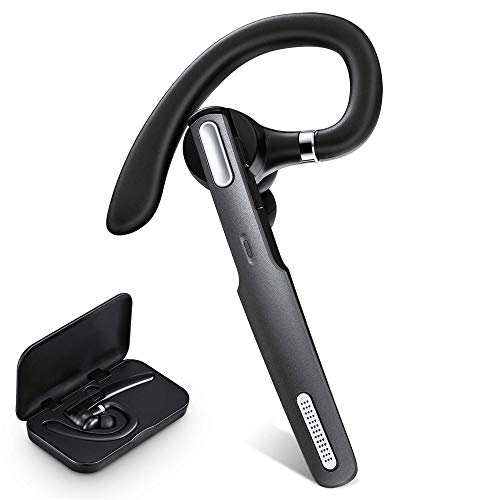
If you’re a road warrior, you know that hands-free driving is the safest option. And for this reason, we’ve selected the ICOMTOFIT Bluetooth Headset as the best Bluetooth headset for truckers — although we think it’s ideal for anyone who’s frequently in their car. This headset is only a half ounce, but features an adjustable design so that you can wear it in your left or right ear. We like that the microphone on this Bluetooth headset is also designed to support Siri and Google’s voice assistant. And the three additional eartips allow you to customize the earpiece for the most comfortable fit.
You’ll like that the battery can support up to eight to 10 hours of continuous calls and can be fully recharged in just an hour and a half. As is fairly standard, you also have a Bluetooth range of 33 feet. But we also like that this device supports dual pairing. So you’ll have the freedom to connect (for example) a smartphone and a tablet simultaneously. Plus this Bluetooth headset gives you audio prompts when the battery is low, the connection has been established or disconnected, and several other indicators. We look for these features in the best ps4 headset too.
#4 FimiTech Wireless Bluetooth Headset
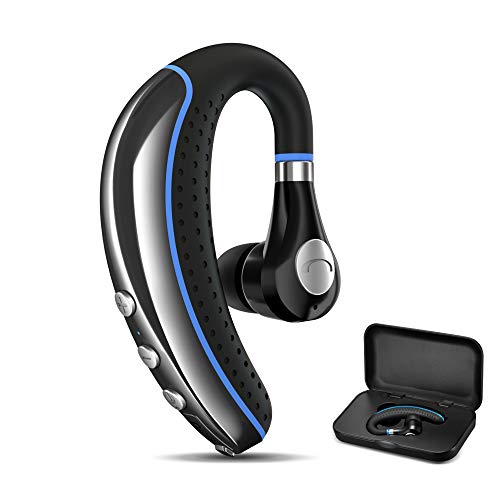
Award: Best Discreet Design
WHY WE LIKE IT: A 180-degree rotating microphone, with easy to use controls gives you the freedom to wear this headset in either ear, with Bluetooth that supports iPhone and Android device pairing.
- Excellent sweatproof design
- Dual Bluetooth pairing support
- 9hr talk time
- Lacks microphone boom
Having the ability to wear a Bluetooth headset on either ear is very important since everyone has their preference on which ear they want to use to accept calls. But another major issue is platform compatibility. We like that the FimiTech Wireless Bluetooth Headset is not only designed to be worn in either ear, but supports Apple and Android devices. While this model isn’t necessarily a breakout option as compared to other brands in this guide, it’s affordable and still comes with a wide range of features that make it competitive — especially for budget-focused shoppers.
Specifically, we like that you get nine hours of talk time on a single charge, and that you can quickly recharge this Bluetooth headset fully in one to two hours. The sweatproof design makes these great for outdoor use or at the gym. In addition to being compatible between Apple and Android, you can also pair it with two devices simultaneously. You also have a Bluetooth range of 33 feet, and voice assistants are supported as well. And a carrying case helps to keep your investment safe when it’s not in use.
#5 New Bee Bluetooth Headset
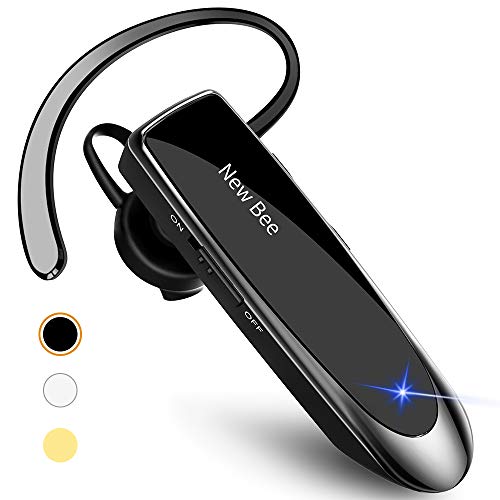
Award: Best on a Budget
WHY WE LIKE IT: An affordable option with the longest battery life for talk time, three stylish color choices, and additional eartips for a comfortable fit makes this model the best budget Bluetooth headset.
- Best Battery (24hr talk)
- Three color choices
- Eartips included
- Lacks microphone boom
Bluetooth headsets have been around for decades at this point, but they’re still often quite expensive. We nominated the New Bee Bluetooth Headset as our best budget Bluetooth headset because of its affordability. But the reality is that you don’t lose on functionality just because you’re not spending as much at checkout. We like that this model also features the longest battery life. You get an impressive 24 hours of talk time and 22 hours of music playback.
We also like that this model is very lightweight at just 0.4 ounces. Plus, this offers an enhanced Bluetooth range that reaches almost 50 feet. You get three additional ear tips so you can create the perfect comfortable fit. And as is also common you’ll like that you can wear this headset on either ear. You can also connect two devices to this headset simultaneously and you’ll love choosing between the three available colors (black, gold, and white). #6
BlueParrott B450-XT Noise Cancelling Bluetooth Headset

Award: Best Audio Quality
WHY WE LIKE IT: An astounding 300-foot Bluetooth range as well as an over-ear design and microphone boom makes this Bluetooth headset a smart option for gamers. With that comes added comfort and improved sound quality over traditional models.
- An excellent choice for gaming
- Very comfortable and a long battery life
- 300ft Bluetooth distance
- Expensive
Traditional single-ear Bluetooth headsets might be ideal for the occasional business call, but they might not be practical if you’re a power user. Common complaints about traditional headsets is that the sound quality isn’t ideal if they lack a microphone boom and that the ear loops aren’t comfortable for extended use. But the BlueParrott B450-XT Noise Cancelling Bluetooth Headset tackles those common concerns. While it might not be a practical solution for average users, gamers may find this to be one of the best options because of the comfortable over-ear design and the adjustable microphone boom.
We like that the ear cups offer plenty of cushioning and that you’ll get a competitive 24 hours of talk time between charges. But what’s really impressive is the Bluetooth range. You’ll get an unbelievable 300-foot range, making this the best range by far in our guide. As is also common, you can connect up to two devices to this headset simultaneously.
#7 AMINY Bluetooth Headset

Award: Best Outdoor Headset
WHY WE LIKE IT: An IPX6 waterproof headset that’s designed for serious exposure to moisture and two batteries with an eight-hour capacity makes this a smart choice for outdoor enthusiasts.
- Waterproof (IPX6 rating) for added durability
- Dual-ear design
- Two 8hr batteries included
- Lacks microphone boom
We’re rounding out our recommendations with the only Bluetooth Headset in our guide to list a waterproof rating. While other brands simply mentioned that they’re sweat or water resistant, the Aminy Bluetooth Headset clarifies that their model has an IPX6 waterproof rating. This means that this could be used outside in the rain or at the gym while you’re sweating during your workout with no issues.
We also like that this model comes with an extra battery. Each battery is rated for eight hours of talk time, giving you a total of 16 hours, and requires one to two hours for each battery to recharge. This headset is also compatible with a wide range of devices from a variety of brands. You also get a 33-foot Bluetooth range with this headset. Gamers will want to have a look at the best wireless gaming headset as well. The best gaming headset makes your games sound amazing.
How We Decided
Bluetooth headsets aren’t new, but they’ve definitely improved as technology and Bluetooth iterations have advanced over the years. To create our recommendations, we focused on the following — design, battery life, Bluetooth range, additional features, and price. Follow our guide to find the best wireless microphone headset for you.
In terms of design, the main division is between in-ears and over ears. Except for our #6 pick, the remainder of our recommendations are all in-ear style headphones. If you prefer dual-ear as opposed to single-ear, then our Top Pick — the Apple AirPods — should be your best bet. Just keep in mind though, that it’s designed to work with Apple products. So, if you don’t own any recent Apple iPhones, iPods, or computers, it’s best to keep shopping. However, even within the single-ear category you’ll note that some models feature a microphone boom (Honorable Mention & #6) whereas others don’t. If call quality is your biggest concern, Bluetooth headsets with microphone booms are always recommended over those that lack this feature.
Next, battery life is going to be important. Although the Apple AirPods are our Top Pick, without being recharged, they have the lowest battery life — tapping out at just five hours. However, if you rely on the charging case, you can achieve 24 hours of talk time before the case must be recharged. We were surprised that our Best Budget recommendation (#5) was tied with our #6 choice for the highest battery life on a single charge at 24 hours of talk time. The remainder offered battery life between eight to 10 hours on a single battery charge.
Bluetooth range is another big feature that’s going to be important if you routinely like to talk far away from your paired devices. Most headsets support a 33-foot range (#1, #2 Best Quality, #4, #7. However our Best Budget reaches 50 feet, and the #6 offers an incredible 300-foot range.
Additional features can really vary between models, and the features that are most important to you are going to depend on your priorities. However, we did take note of options that featured a waterproof rating (#4 and #7), which came with cases (Top Pick, Honorable Mention, and #4), or included additional eartips (#3 and #5).
Finally, price is going to be a big factor for a lot of people. We’ve presented a wide range of Bluetooth headsets to work with any budget. If you’re focused on spending as little as possible, our #5 Best Budget is the way to go. If you’re not as focused on how much your spending, then our Top Pick, Honorable Mention and #7 are all great options.
Best Bluetooth Headsets Buyer’s Guide
The Most Important Factors to Consider
- Design
Once upon a time, a Bluetooth headset was a single-ear design that was either compact or featured a microphone boom. But these days, Bluetooth headsets are usually more like headphones and can include in-ear (earbuds), on-ear, and over-ear styles that include built-in microphones. Some people prefer the low-profile look of in-ear Bluetooth headsets while others might like traditional headphone styles more. However, if you opt for an in-ear style, you should focus on fit since these are designed to fit snugly in the opening of your ear canal. Look for models that include multiple earbud tips in a range of sizes so that you can get the perfect fit for your ears. - Controls
These days, Bluetooth headsets can do more than simply allow you to make and receive hands-free calls. Most people also use these headsets to listen to music or watch videos. So, you’ll want to look for headphones (regardless of style) that include controls to raise or lower the volume, toggle between music tracks, and in some cases noise cancellation. Although, noise cancellation is a feature that’s usually found on more expensive headphones. - Sound Quality
Older Bluetooth headsets used to be notorious for poor sound quality that sounded muffled or like you were speaking underwater. But headsets have improved dramatically over the years. So, look for headsets with clear audio quality. - Battery Life
Bluetooth connectivity is notorious for quickly draining battery life. And this is one category where the larger on-ear or over-ear designs are significantly more competitive than their in-ear competitors. Many earbuds usually tap out between three to five hours on a single full charge. In contrast, traditional headphones can last as long as a full 24 hours before needing to be recharged. But if you prefer in-ears, look for models that come with charging cases which can help them last longer — especially when you’re on the go. - Bluetooth Range
At a minimum, look for Bluetooth headsets with a range of at least 30 feet. This is considered the baseline where you should be able to maintain audio clarity before you begin to experience interference. - Additional Features
If you’re a power user and rely on Bluetooth headsets no matter what you’re doing, there are other features that you might find important. For example, an IPX waterproof rating might be important if you’re going to use these headsets while exercising. Or maybe you like the low profile design of an in-ear headset, but you like the security of a wire so that you’ll never misplace one of the earbuds. Other options like a backup auxiliary cable, and carrying case or bag are also common value-added accessories.